Introducción
This manual provides detailed instructions for the setup, operation, and maintenance of your DrunkDeer A75 Pro Rapid Trigger Mechanical Gaming Keyboard. Designed for performance, the A75 Pro features silent magnetic switches, adjustable actuation, and customizable RGB lighting, all within a compact 75% TKL layout.
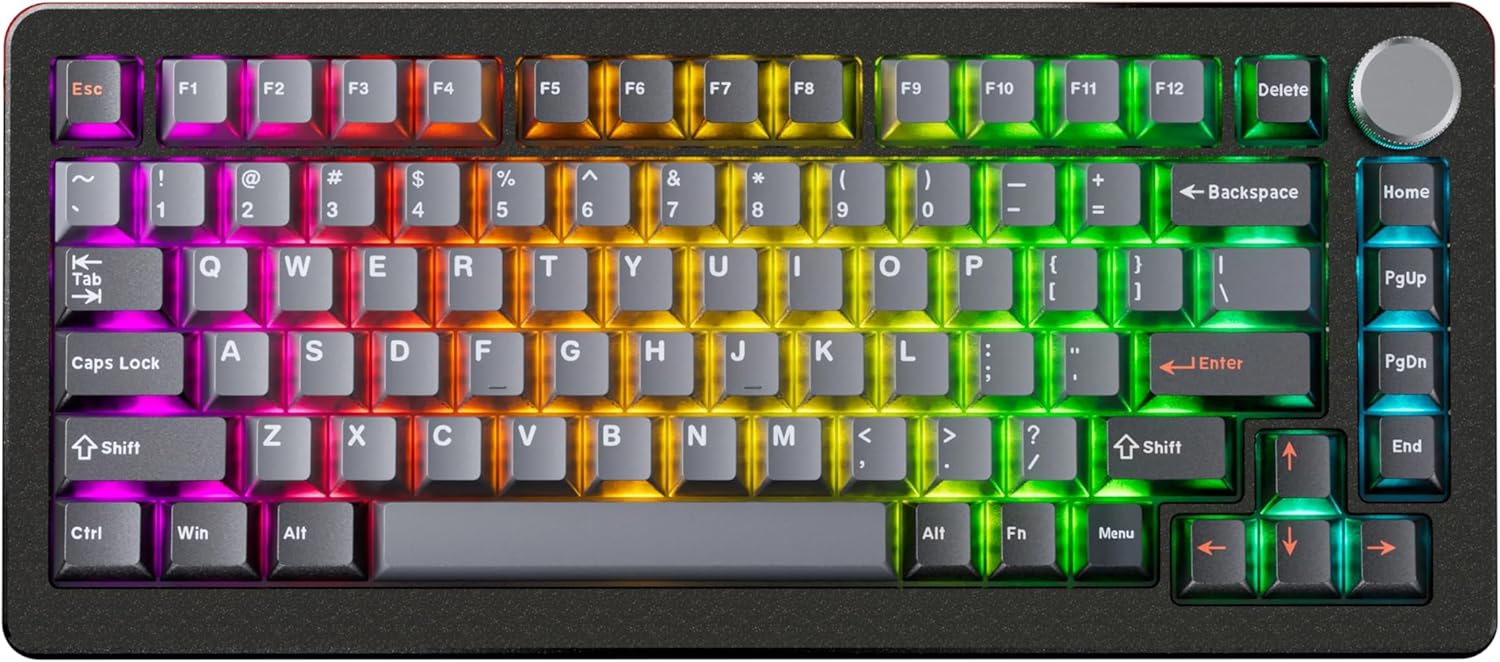
Image: The DrunkDeer A75 Pro keyboard showcasing its RGB lighting and 75% layout.
Contenido del paquete
- DrunkDeer A75 Pro Mechanical Gaming Keyboard
- Cable USB-A a USB-C
- Extractor de teclas (puede variar según el paquete)
- Manual de usuario (este documento)
Configuración
Conexión del teclado
- Locate the USB-C port on the back of the DrunkDeer A75 Pro keyboard.
- Conecte un extremo del cable USB-A a USB-C provisto al puerto USB-C del teclado.
- Conecte el otro extremo del cable (USB-A) a un puerto USB disponible en su computadora.
- El teclado será reconocido automáticamente por su sistema operativo.
Configuración inicial
The DrunkDeer A75 Pro utilizes a web-based driver for configuration. No software installation is required. This allows for quick setup and onboard memory for settings across devices.

Imagen: La web-based driver interface for the DrunkDeer A75 Pro, showing key remapping and performance settings.
- Abrir una web browser and navigate to the official DrunkDeer web driver page (refer to the product packaging or official DrunkDeer websitio para la información exacta URL).
- Ensure your keyboard is connected to the computer. The web driver should detect your keyboard.
- You can now adjust settings such as actuation points, rapid trigger sensitivity, and RGB lighting effects.
Instrucciones de funcionamiento
Disparador rápido y accionamiento ajustable
The DrunkDeer A75 Pro features magnetic switches with Rapid Trigger technology and adjustable actuation points. This allows for precise control over keypress sensitivity and reset points.

Image: A diagram explaining the rapid trigger function and adjustable actuation distance of the magnetic switches.
- Actuación ajustable: Utilice el web driver to set the key travel distance required to register a keypress. This can be adjusted from 0.2mm to 3.8mm.
- Disparador rápido: This feature allows a key to register a reset as soon as it begins to move upwards, enabling faster repeated inputs. Configure Rapid Trigger sensitivity through the web conductor.
- Dual Trigger, Single Key Emergency Stop (RDT): This advanced feature allows a key to trigger one action on press and another on release, providing enhanced control in specific applications. For example, pressing 'A' could trigger movement, and releasing 'A' could trigger a 'D' keypress for an emergency stop. This is configurable via the web conductor.
- Last Win Mode: When enabled, if opposite directions are pressed simultaneously (e.g., 'A' and 'D'), the keyboard prioritizes the last key pressed, allowing for instant direction changes without stopping.
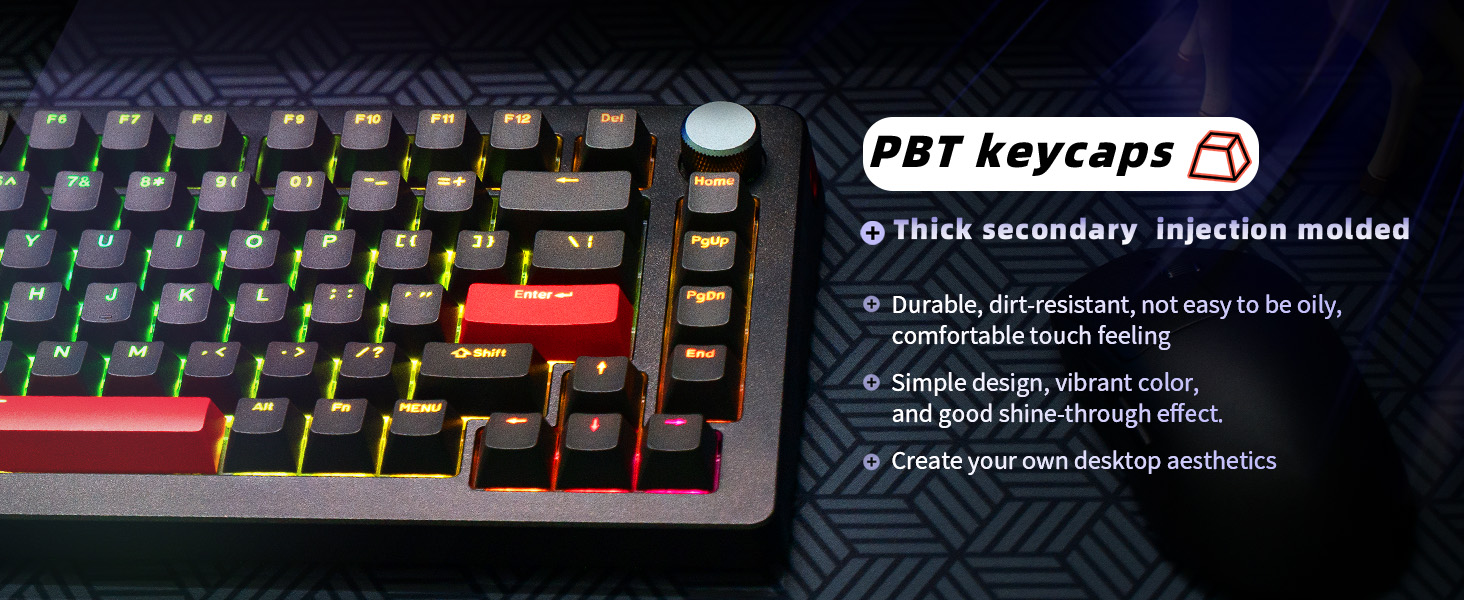
Image: An illustration demonstrating the "Last Win Mode" feature, showing how simultaneous opposite key presses are handled.
Efectos de iluminación RGB
The A75 Pro features customizable RGB lighting with multiple effects and brightness levels.

Image: The DrunkDeer A75 Pro keyboard displaying its customizable RGB lighting effects.
- Access the RGB settings through the web conductor.
- Elija entre 18 efectos de iluminación diferentes.
- Adjust brightness with 10 available levels.
- Single key custom RGB lamp effects are supported.
Funcionalidad de la perilla
The multi-function knob located on the top right of the keyboard typically controls volume by default. Pressing the knob usually acts as a play/pause button.
- Gire la perilla en el sentido de las agujas del reloj para aumentar el volumen.
- Gire la perilla en sentido antihorario para disminuir el volumen.
- Presione la perilla para reproducir o pausar el contenido multimedia.
- Customization options for the knob may be available through the web conductor.
Mantenimiento
Limpieza del teclado
- Desconecte el teclado de su computadora antes de limpiarlo.
- Utilice un paño suave y sin pelusa ligeramente seco.ampLimpie con agua o una solución de limpieza suave las teclas y la carcasa.
- Para una limpieza más profunda, utilice un extractor de teclas para quitar las teclas y limpiar debajo con aire comprimido o un cepillo pequeño.
- Evite rociar líquidos directamente sobre el teclado.
Cuidado del interruptor
The DrunkDeer A75 Pro uses hot-swappable magnetic switches. These switches are specifically designed and manufactured by Raesha for DrunkDeer.
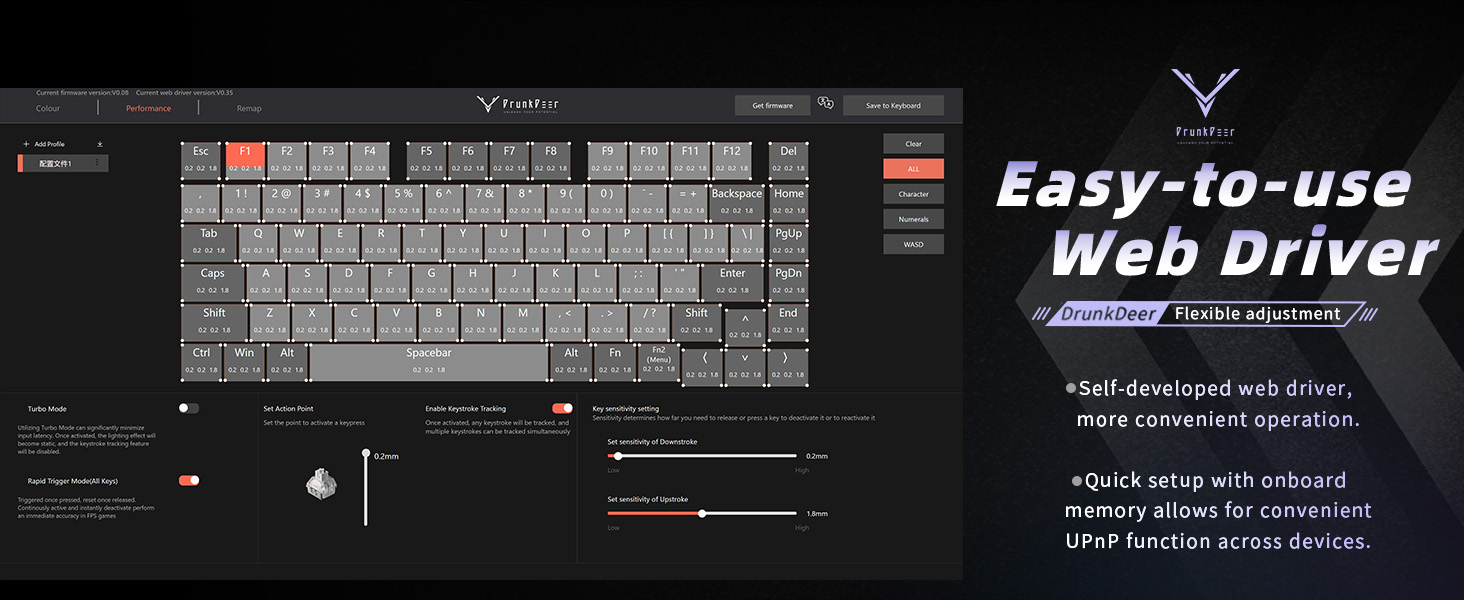
Imagen: Una explosión view of a hot-swappable magnetic switch, highlighting its components.
- While switches are hot-swappable, only Raesha HE switches manufactured for DrunkDeer are compatible.
- The switches come pre-lubed for optimal performance and silent operation.
- If a switch needs replacement, carefully use a switch puller to remove it and insert a new compatible switch.
Solución de problemas
Teclado no responde
- Asegúrese de que el cable USB esté conectado de forma segura tanto al teclado como a la computadora.
- Intente conectar el teclado a un puerto USB diferente en su computadora.
- Pruebe el teclado en otra computadora para descartar problemas específicos del sistema.
- Reinicie su computadora.
Keys Registering Unintentionally (Too Sensitive)
- Acceder a la web driver and increase the actuation point distance for the affected keys or globally.
- Adjust the Rapid Trigger sensitivity settings in the web driver to a less sensitive value.
- Ensure your fingers are not resting too heavily on the keys if a very low actuation point is set.
RGB Lighting Not Working Correctly
- Compruebe la configuración RGB en el web driver to ensure desired effects and brightness are selected.
- Verify that no specific key lighting has been disabled or set to a very low brightness.
- Asegúrese de que el firmware del teclado esté actualizado a través de web conductor.
Web Driver Not Detecting Keyboard
- Confirme que el teclado esté conectado correctamente a través de USB.
- Pruebe con un cable o puerto USB diferente.
- Asegúrese de que su web El navegador está actualizado.
- Borre el caché y las cookies del navegador y luego intente acceder al web driver again.
Presupuesto
| Marca | Ciervo borracho |
| Número de modelo | A75P-B0PM |
| Descripción del teclado | Mechanical, Rapid Trigger, Silent Magnetic Switch |
| Disposición | 75% TKL, 82 Keys, ANSI |
| Teclas | PBT, Cherry Profile |
| Tecnología de conectividad | USB-A con cable |
| Características especiales | Adjustable Actuation, RGB Lighting, Programmable Knob, Hot-swappable Switches (Raesha HE only) |
| Dispositivos compatibles | Consola de juegos, PC |
| Peso del artículo | 3.12 libras |
| Dimensiones del paquete | 14.61 x 8.15 x 2.24 pulgadas |
Garantía y soporte
For warranty information and technical support, please refer to the official DrunkDeer webSitio web o contacte directamente con su servicio de atención al cliente. La información sobre el registro del producto, la asistencia para la resolución de problemas y las reclamaciones de garantía suele encontrarse en sus páginas de soporte.
Fabricante: Ciervo borracho
Fecha de primera disponibilidad: 17 de julio de 2024
For the most up-to-date support resources, visit the official DrunkDeer websitio: DrunkDeer Store on Amazon


