1. Introducción
The Edifier X2 True Wireless Earbuds offer a superior audio experience with advanced Bluetooth 5.1 connectivity, ensuring stable and fast connections. Designed for comfort and durability, these earbuds feature an IP54 water resistance rating, making them suitable for various activities. Enjoy crystal-clear calls with dual microphones and extended listening sessions thanks to their impressive 28-hour battery life with the charging case.

Image: Edifier X2 Earbuds showcasing key features such as Bluetooth V5.1, 28 hours of playtime, touch controls, comfortable fit, super lightweight design, and dust & water resistance.
2. ¿Qué hay en la caja?
Your Edifier X2 True Wireless Earbuds package includes the following items:
- Edifier X2 True Wireless Earbuds (Left and Right)
- Estuche de carga
- Cable de carga USB-C
- Manual de usuario
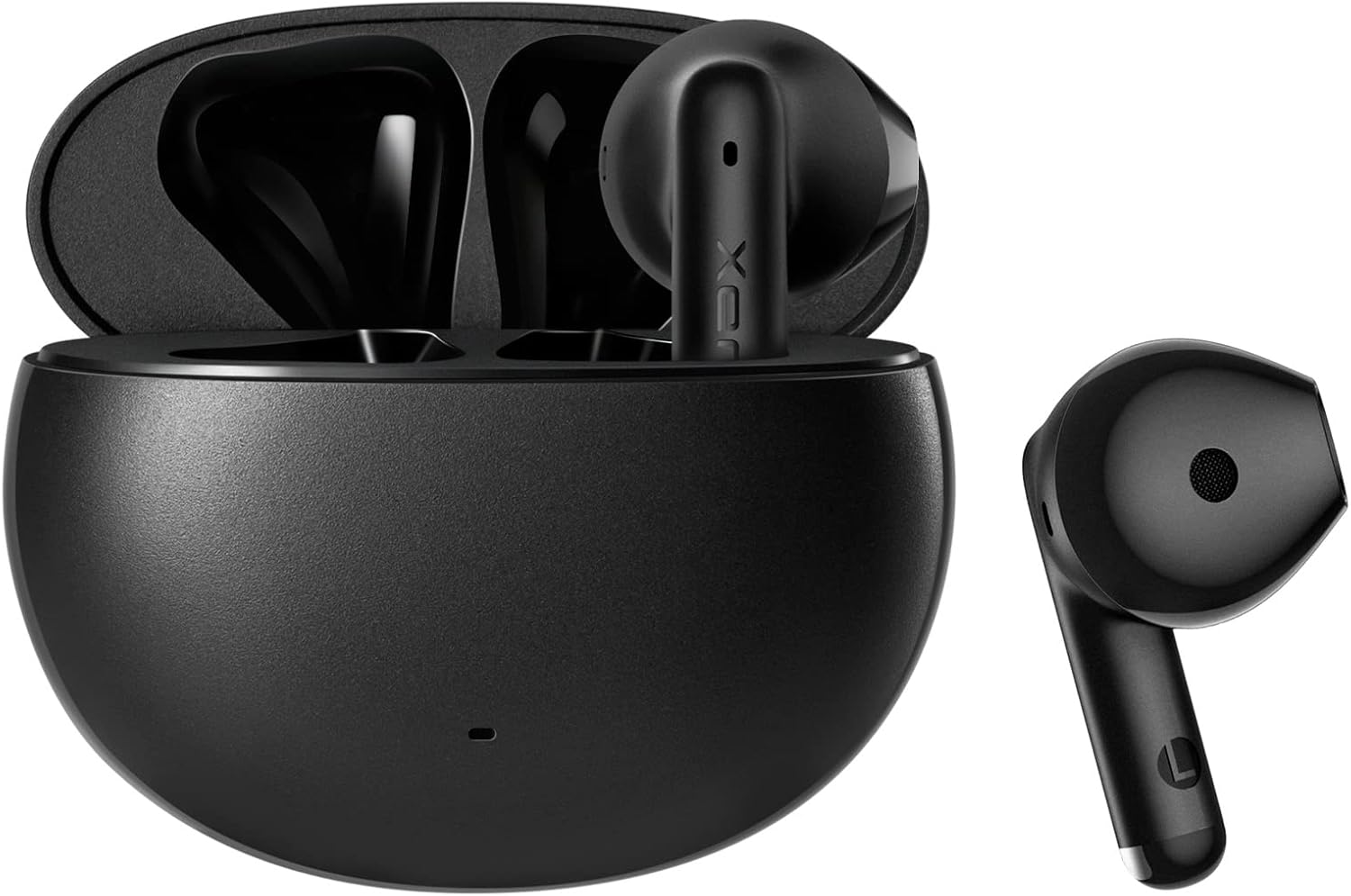
Image: The Edifier X2 True Wireless Earbuds, showing both earbuds and their compact charging case.
3. Configuración y emparejamiento
Follow these steps to set up and pair your Edifier X2 earbuds with your device:
- Emparejamiento inicial: Take both earbuds out of the charging case. The red and blue LEDs on the earbuds will blink rapidly, indicating they are in pairing mode.
- Conectar al dispositivo: En su teléfono inteligente, tableta o computadora, vaya a la configuración de Bluetooth. Buscar and select "EDIFIER X2" from the list of available devices to connect.
- Reconexión automática: Para usos posteriores, los auriculares se conectarán automáticamente al último dispositivo emparejado cuando se saquen del estuche.

Image: A visual guide demonstrating the simple pairing process of the Edifier X2 earbuds with a mobile phone's Bluetooth settings.
4. Instrucciones de funcionamiento
The Edifier X2 earbuds feature intuitive touch controls for easy management of your audio and calls:
- Pausa/Reproducir: Haga doble clic en el auricular izquierdo o derecho.
- Aceptar/Finalizar una llamada: Haga doble clic en el auricular izquierdo o derecho.
- Modo de juego: Haga triple clic en el auricular izquierdo.
- Pista siguiente: Haga triple clic en el auricular derecho.
- Rechazar una llamada: Mantenga presionado el auricular izquierdo o derecho durante 3 segundos.
- Asistente de voz: Haga triple clic en el auricular izquierdo o derecho.
The earbuds support seamless switching between one-ear and two-ear modes, allowing for flexible usage.

Image: A visual representation of the touch control functions on the Edifier X2 earbuds, detailing actions for music playback, call handling, and special modes.

Imagen: Un primer plano view of an earbud highlighting its touch-sensitive area for control inputs.
5. Duración de la batería y carga
The Edifier X2 earbuds provide extended listening time:
- Hasta 7 horas de reproducción con una sola carga.
- An additional 21 hours of battery life with the charging case, totaling 28 hours.
- The charging case can be fully charged in approximately 2 hours via USB-C.

Image: An infographic detailing the battery performance of the Edifier X2 earbuds, including single charge playtime and total playtime with the charging case.

Image: A visual cue indicating the charging time required for the earbuds to reach a full charge.
6. Water Resistance (IP54 Rated)
The Edifier X2 earbuds are IP54 rated, meaning they are protected against dust ingress and splashing water from any direction. This makes them suitable for workouts and light rain, but they are not designed for submersion in water.

Image: The Edifier X2 earbuds shown with water droplets, emphasizing their IP54 water-resistant capabilities.

Image: Another depiction of the earbuds with water splashes, highlighting their resistance to moisture.
7. Call Quality and Noise Reduction
Equipped with two built-in microphones (one on each earbud) and a sensitivity of -37±2dB, the Edifier X2 earbuds ensure clear and crisp call quality. They feature real-time ambient noise reduction to minimize background distractions during phone calls, providing a better communication experience.

Image: A woman wearing the Edifier X2 earbuds, with graphic overlays demonstrating the real-time ambient noise reduction feature for clear calls.

Image: A graph illustrating the effectiveness of noise reduction, comparing audio signals before and after the noise reduction process.
8. Calidad del sonido
The Edifier X2 earbuds are engineered for excellent sound quality, featuring a 13mm large dynamic driver that ensures a wide soundstage and balanced audio. With Bluetooth 5.1, they provide fast and stable wireless transmission for an immersive listening experience.

Imagen: Un interno view diagram of the Edifier X2 earbud, highlighting the 13mm large driver and integrated Bluetooth 5.1 chip for superior sound.

Image: A graphic emphasizing the powerful audio performance from the compact design, featuring the 13mm large driver and Bluetooth V5.1.
9. Mantenimiento
To ensure the longevity and optimal performance of your Edifier X2 earbuds, follow these maintenance tips:
- Limpieza: Limpie regularmente los auriculares y el estuche de carga con un paño suave, seco y sin pelusa. Evite usar materiales abrasivos o productos químicos agresivos.
- Almacenamiento: Cuando no los utilice, guarde los auriculares en su estuche de carga para protegerlos del polvo y de daños.
- Cargando: Use the provided USB-C cable for charging. Avoid exposing the charging port to moisture.
- Evite condiciones extremas: Do not expose the earbuds to extreme temperatures, high humidity, or direct sunlight for prolonged periods.
10. Solución de problemas
If you encounter issues with your Edifier X2 earbuds, refer to the following common solutions:
| Problema | Posible solución |
|---|---|
| Los auriculares no se emparejan | Ensure earbuds are fully charged. Place them back in the case, then take them out to re-enter pairing mode. Check your device's Bluetooth settings and forget previous connections if necessary. |
| Sin sonido de un auricular | Asegúrate de que ambos auriculares estén cargados. Prueba a colocarlos de nuevo en el estuche y a sacarlos. Vuelve a sincronizarlos con tu dispositivo. |
| Volumen bajo o mala calidad de sonido | Clean any debris from the earbud grilles. Adjust volume on both your device and the earbuds. Ensure a secure fit in your ears. |
| Problemas de carga | Check the USB-C cable and charging adapter. Ensure the charging contacts on the earbuds and case are clean and free of obstruction. |
11. Especificaciones
Detailed technical specifications for the Edifier X2 True Wireless Earbuds:
| Característica | Detalle |
|---|---|
| Nombre del modelo | X2 |
| Tecnología de conectividad | Inalámbrico (Bluetooth) |
| Versión de Bluetooth | 5.1 |
| Alcance de Bluetooth | 10 metros |
| Tipo de controlador de audio | Controlador dinámico |
| Rango de frecuencia | 20 Hz a 20 KHz |
| Duración de la batería (auriculares) | Hasta 7 horas |
| Duración total de la batería (con estuche) | Hasta 28 horas |
| Tiempo de carga (estuche) | Aproximadamente 2 horas |
| Nivel de resistencia al agua | IP54 (resistente al polvo y a las salpicaduras) |
| Micrófonos | 2 (one on each earbud) |
| Método de control | Tocar |
| Colocación de orejas | En el oído |
| Color | Negro |
| Material | Silicona |
| Código Postal | 667261544935 |
12. Vídeo oficial del producto
Vea el video oficial del producto para obtener una visión general.view of the Edifier X2 True Wireless Earbuds:
Vídeo: Un vídeo oficial del producto que muestraasing the Edifier X2 True Wireless Earbuds, highlighting their design and features.
13. Garantía y soporte
Edifier products are designed for reliability and performance. For warranty information, technical support, or service inquiries, please refer to the warranty card included in your product packaging or visit the official Edifier website. You can also contact Edifier customer service for assistance.
Edifier Online Store: Visita la tienda


