Introducción
Thank you for choosing the Oraimo Traveler Link 20 Power Bank. This device is designed to provide reliable portable power for your electronic devices. With a high capacity of 20000mAh and multiple built-in charging cables, it offers convenient and efficient charging on the go. Please read this manual carefully to ensure proper use and optimal performance.
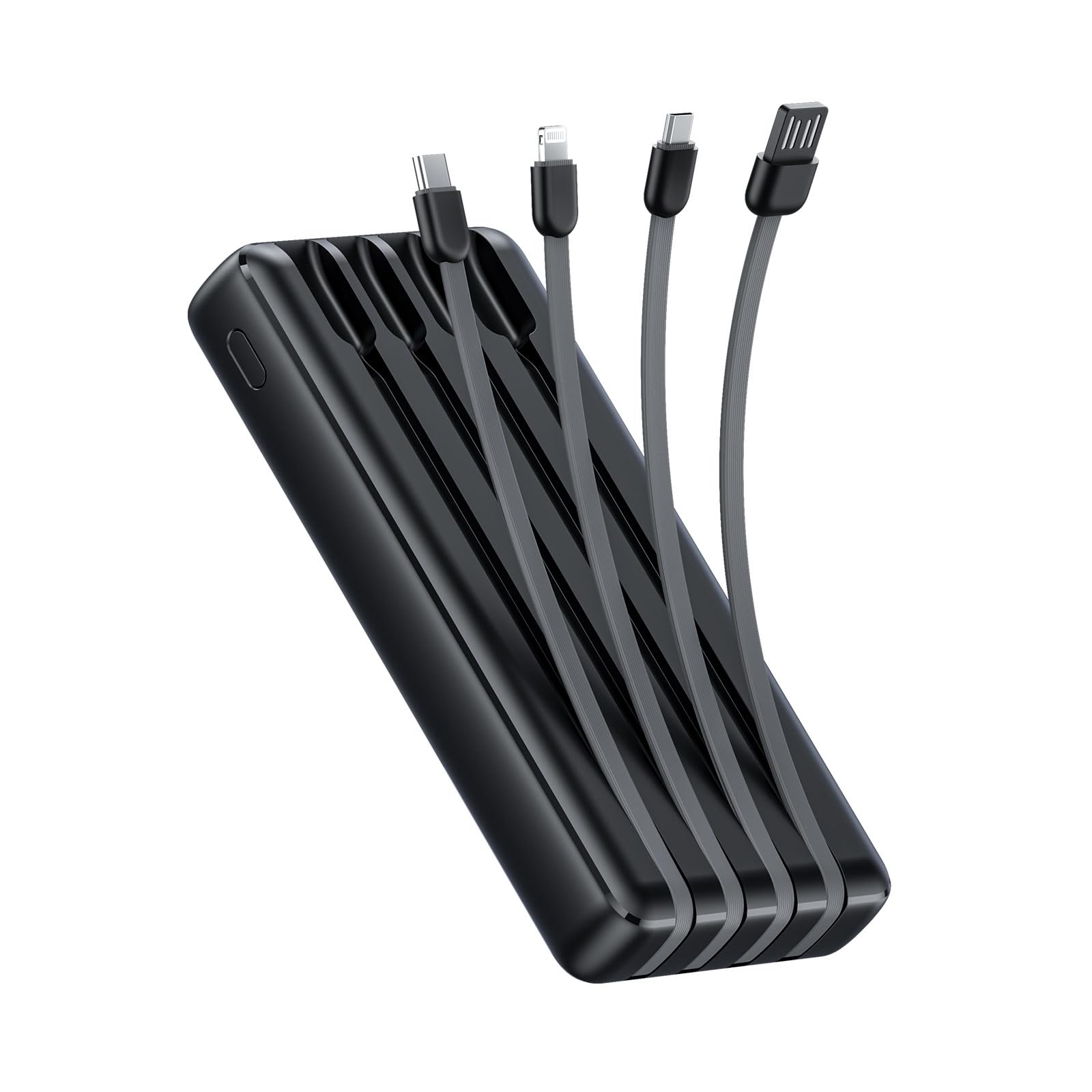
Image: The Oraimo Traveler Link 20 Power Bank, showcasing su diseño compacto y cables integrados.
Configuración
Carga inicial
Before first use, fully charge your Oraimo Traveler Link 20 Power Bank. This ensures the battery is calibrated and ready for optimal performance.
- Connect the power bank to a power source using one of the built-in recharging cables (USB-A, Type-C, or Micro-USB) or an external USB-A to Type-C/Micro-USB cable.
- Los indicadores LED del banco de energía se iluminarán para mostrar el estado de carga.
- Once all LED indicators are solid, the power bank is fully charged. Disconnect it from the power source.
Identificación de componentes
Familiarize yourself with the power bank's features:
- Built-in Charging Cables: Includes Type-C, Micro-USB, and Lightning cables for charging various devices.
- Built-in Recharging Cable: A USB-A cable is integrated for convenient recharging of the power bank itself.
- Puerto de salida USB-A: An additional USB-A port for charging devices using your own cable.
- Indicadores LED: Muestra el nivel de batería restante y el estado de carga.
- Botón de encendido: Activa el banco de energía y controla la linterna LED.
- Linterna led: Integrated light for emergency use.
Instrucciones de funcionamiento
Cargando sus dispositivos
The Traveler Link 20 allows you to charge up to four devices simultaneously using its built-in cables and USB-A output port.
- Select the appropriate built-in cable (Type-C, Micro-USB, or Lightning) for your device.
- Conecte el cable al puerto de carga de su dispositivo.
- Alternatively, use your own USB charging cable with the dedicated USB-A output port.
- The power bank will automatically begin charging your device(s). The LED indicators will show the power bank's remaining charge.

Imagen: Primer plano view of the Oraimo Traveler Link 20 showing its integrated Type-C, Micro-USB, and Lightning charging cables.

Image: The power bank simultaneously charging a smartphone, a smartwatch, and a portable toothbrush, demonstrating its multi-output capability.

Image: The Oraimo Traveler Link 20 demonstrating wide compatibility with various devices including iOS smartphones, Android smartphones, and accessories like earbuds.

Image: An illustration highlighting the 20000mAh capacity of the Oraimo Traveler Link 20, capable of fully charging a phone multiple times.
Recarga del Power Bank
The power bank can be recharged using its built-in USB-A cable or via its Type-C or Micro-USB input ports.
- Uso del cable USB-A incorporado: Plug the integrated USB-A cable into a USB wall adapter, computer USB port, or other USB power source.
- Using Type-C or Micro-USB Input: Connect a compatible cable (not included for these inputs) to the respective port on the power bank and then to a power source.
- Los indicadores LED parpadearán durante la carga y permanecerán fijos cuando estén completamente cargados.

Image: The power bank being recharged via its built-in USB-A cable connected to a power strip, and also showing an alternative recharge method using a Type-C cable and wall adapter.
Función de linterna LED
The power bank includes a built-in LED flashlight with an SOS light alarm function for emergencies.
- Para encender/apagar la linterna: Long press the power button for approximately 3 seconds.
- Para activar el modo SOS: While the flashlight is on, short press the power button to cycle through modes (steady light, SOS flashing).

Image: The Oraimo Traveler Link 20 with its LED flashlight illuminated, demonstrating its emergency lighting capability.
Modo de carga de baja corriente
The power bank automatically detects and switches to low current charging mode for small devices like wireless earbuds or smartwatches, preventing damage from overcurrent.
- Simply connect your low-current device. The power bank will intelligently adjust the output.
Mantenimiento
To ensure the longevity and safe operation of your Oraimo Traveler Link 20 Power Bank, follow these maintenance guidelines:
- Almacenamiento: Guarde el banco de energía en un lugar fresco y seco, alejado de la luz solar directa y de temperaturas extremas.
- Limpieza: Utilice un paño suave y seco para limpiar el exterior de la batería externa. No utilice limpiadores líquidos ni productos abrasivos.
- Evite el daño físico: Do not drop, puncture, or disassemble the power bank. Avoid exposing it to water or high humidity.
- Carga regular: Si no se utiliza durante períodos prolongados, cargue el banco de energía al menos una vez cada tres meses para mantener la salud de la batería.
Solución de problemas
Si tiene problemas con su banco de energía, consulte los siguientes problemas y soluciones comunes:
| Problema | Posible causa | Solución |
|---|---|---|
| El banco de energía no carga los dispositivos. | Low battery; incorrect cable connection; device incompatibility. | Ensure power bank is charged. Check cable connections. Verify device compatibility. |
| El banco de energía no se recarga. | Faulty charging cable/adapter; power source issue. | Try a different charging cable and wall adapter. Ensure the power source is active. |
| Carga lenta. | Usando un adaptador de carga no rápida; múltiples dispositivos conectados; calidad del cable. | Use a compatible fast-charging adapter. Disconnect other devices. Use high-quality cables. |
| La linterna LED no funciona. | Funcionamiento incorrecto, batería baja. | Long press the power button for 3 seconds. Recharge the power bank. |
The Oraimo Traveler Link 20 features a multi-protection system (over-current, short-circuit, over-discharge, high/low-temperature charging/discharge, overcharge, output overvoltage) to protect itself and your devices. If the power bank stops functioning, it might be due to one of these protection mechanisms activating. Disconnect all devices and cables, then try again after a few minutes.

Image: Diagram illustrating the multi-protection system of the Oraimo Traveler Link 20, highlighting various safety features.
Especificaciones del producto
| Característica | Detalle |
|---|---|
| Nombre del modelo | Traveler Link 20 |
| Número de modelo | OPB-P5201 |
| Marca | oraimo |
| Capacidad de la batería | 20000 mAh (iones de litio) |
| Potencia de salida | Hasta 12 W (5 V/2.4 A máx.) |
| Vol de entradatage | 5V |
| Tipo de conector | USB Type-C, USB Type-A, Micro USB (built-in cables: Type-C, Micro-USB, Lightning; built-in recharging cable: USB-A) |
| Características especiales | 4 Built-in Charging & Recharging Cables, Charge up to 4 devices simultaneously, Multi-protection System, LED Flashlight with SOS, Low Current Protection |
| Dimensiones | 20.5 x 3 x 11 cm |
| Peso | 200 gramos |
| Color | Negro |
Garantía y soporte
Oraimo products are manufactured to the highest quality standards. This product is covered by a limited warranty from the date of purchase. Please refer to the warranty card included in your product packaging for specific terms and conditions.
For technical support, troubleshooting assistance, or warranty claims, please contact Oraimo customer service through their official webSitio web o la información de contacto proporcionada en la documentación del producto. Conserve el comprobante de compra para validar la garantía.


