1. Introducción
The XTOOL IP900S is an advanced automotive diagnostic scan tool designed for comprehensive vehicle system analysis, maintenance, and repair. It features ECU Coding, Bidirectional Control, Topology Mapping, and over 41 special service functions, providing professional-grade diagnostics for a wide range of vehicles.
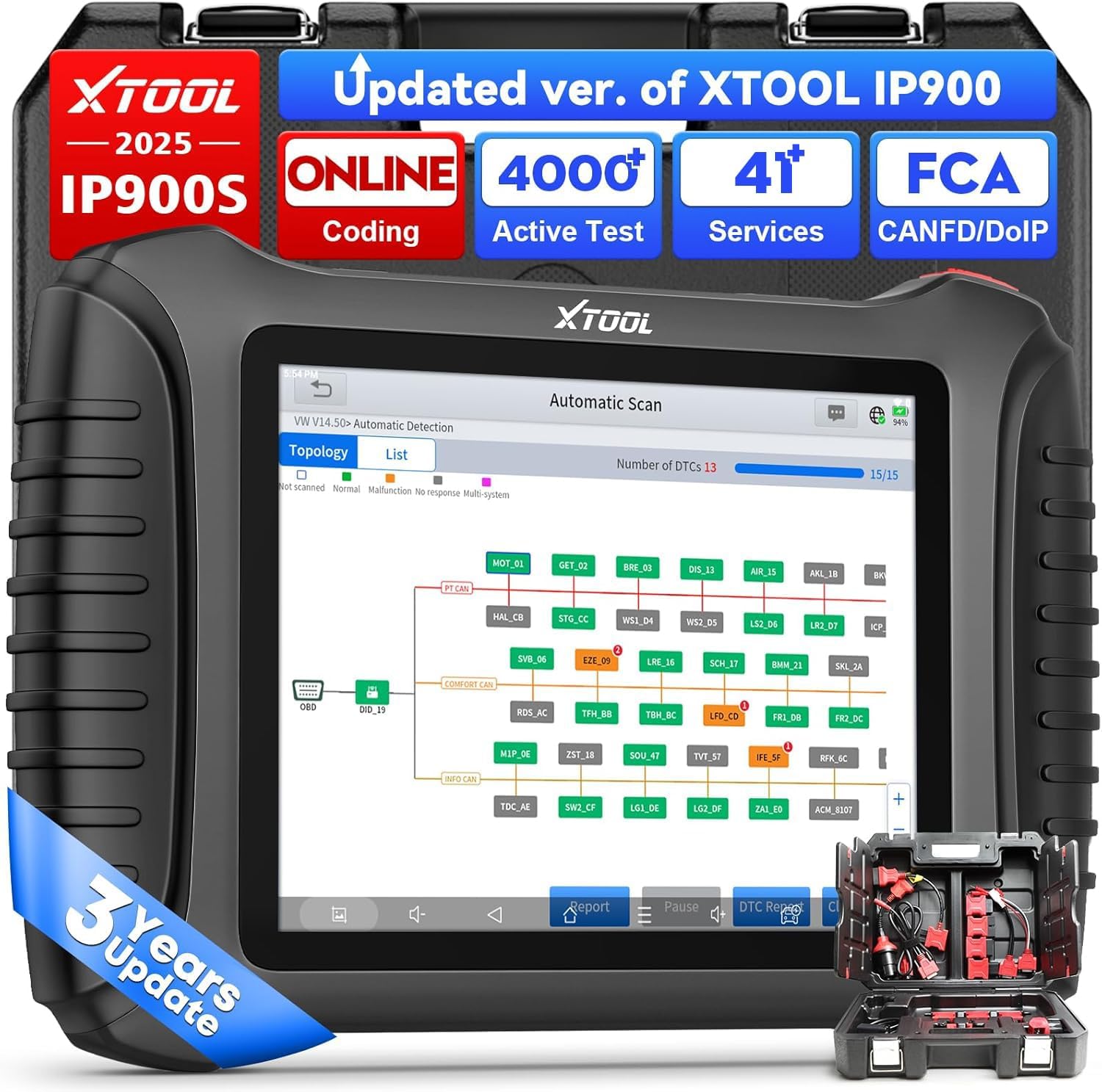
Figure 1.1: XTOOL IP900S Diagnostic Scan Tool
Vídeo 1.1: Terminadoview of the XTOOL IP900S Diagnostic Tool's features and capabilities.
2. Configuración
2.1 Contenido del paquete
Before starting, verify all components are present in the package:
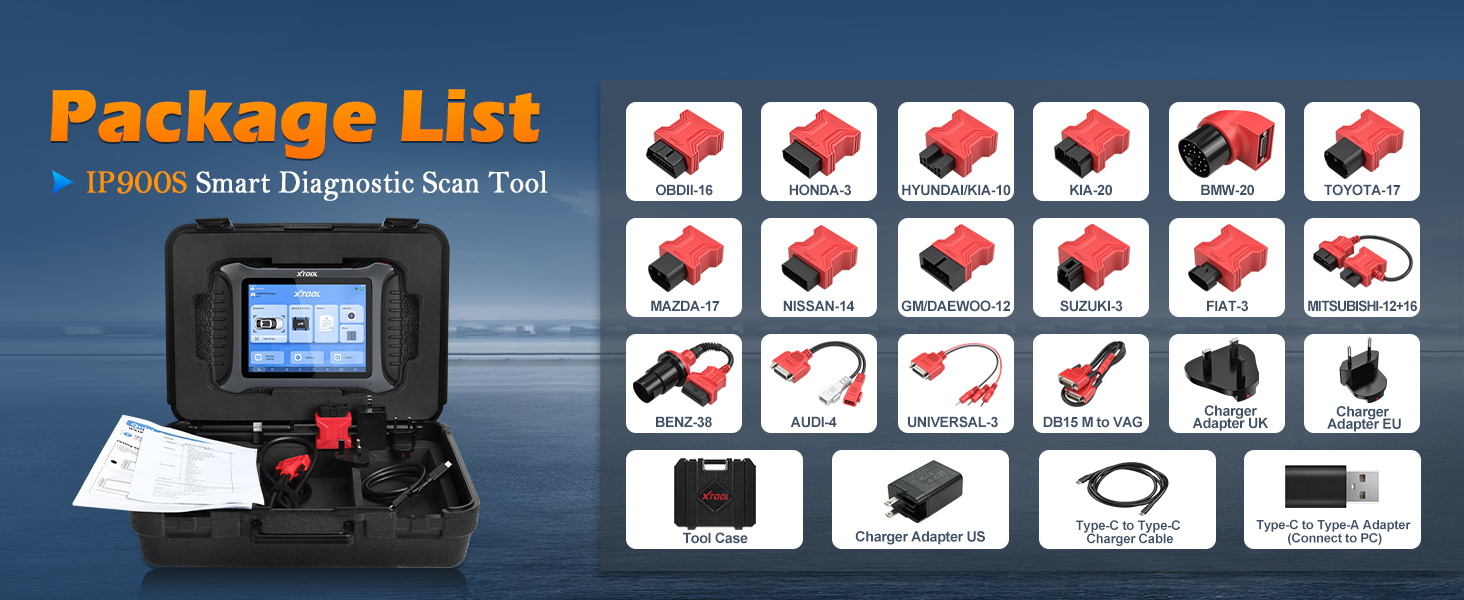
Figure 2.1: Included accessories and adapters with the IP900S.
- IP900S Diagnostic Scan Tool
- Maletín para herramientas
- Charger Adapters (US, UK, EU)
- Type C to Type C Charger Cable
- Type C to Type A Adapter
- OBD II -16 Connector
- Vehicle-specific connectors: for Honda-3, for Hyundai/for KIA-10, for KIA-20, for BMW-20, for Toyota -17, for Mazda-17, for Nissan-14, for GM/for Daewoo-12, for SUZUKI-3, for FIAT-3, for MITSUBISHI-12+16, for BENZ-38, for Audi-4, for UNIVERSAL-3, for BD15 M to VAG
2.2 Encendido y conexión inicial
To begin using the IP900S, ensure the device is adequately charged using the provided Type-C cable and charger. Connect the appropriate OBDII or vehicle-specific adapter to the DB15 port on the scan tool, then connect the other end to the vehicle's diagnostic port (OBDII port, typically located under the dashboard).
2.3 Actualizaciones de software
The IP900S comes with 3 years of free software updates. It is recommended to regularly update the software to ensure access to the latest vehicle models, diagnostic functions, and performance improvements. Connect the device to a stable Wi-Fi network and navigate to the 'Update' section on the main menu to check for and install available updates.
2.4 Acceso a autenticación automática de la FCA
For Chrysler, Jeep, Dodge (2018+), and Fiat (2017+) vehicles, FCA AutoAuth access is required to perform certain diagnostic and service functions. Follow these steps to enable access:
- Register an AutoAuth account.
- An annual subscription is required.
- Register your shop and technicians with AutoAuth.
- Once registered, full diagnostic capabilities for supported FCA vehicles will be available.
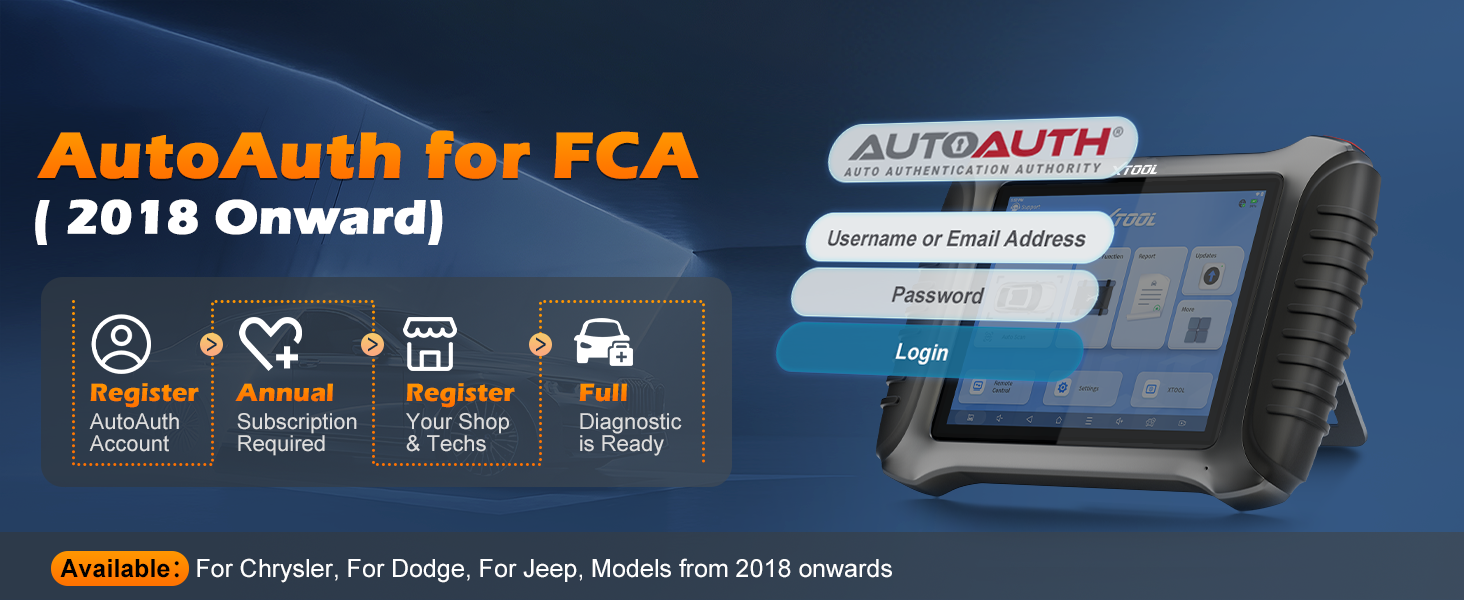
Figure 2.2: Steps for gaining FCA AutoAuth access.
3. Instrucciones de funcionamiento
3.1 OE-Level All Systems Diagnostic
The IP900S performs comprehensive diagnostics across all available vehicle systems, including Engine, Transmission, ABS, SRS, TPMS, BCM, and more. The Fast AutoScan 2.0 feature allows for quick identification of most malfunctions within approximately 10 seconds.

Figure 3.1: Comprehensive OE-Level All Systems Diagnostic capability.
3.2 Gestión de códigos de fallo
Easily read and clear Diagnostic Trouble Codes (DTCs) from all accessible modules. This function helps in quickly identifying and resolving vehicle issues.
3.3 Live Data Visualization
Monitor real-time data streams from various sensors and components. The IP900S supports up to 8 PIDs graphing simultaneously, allowing for detailed analysis and identification of intermittent issues. Data can be recorded, played back, and reports can be shared or printed.

Figure 3.2: Live Data Visualization for real-time monitoring and analysis.
3.4 Control bidireccional (pruebas activas)
Perform active tests to command vehicle components directly from the scan tool. This feature helps in quickly pinpointing faulty actuators or components without extensive disassembly. Examples include testing fuel pumps, wipers, windows, doors, sunroofs, and headlamps.
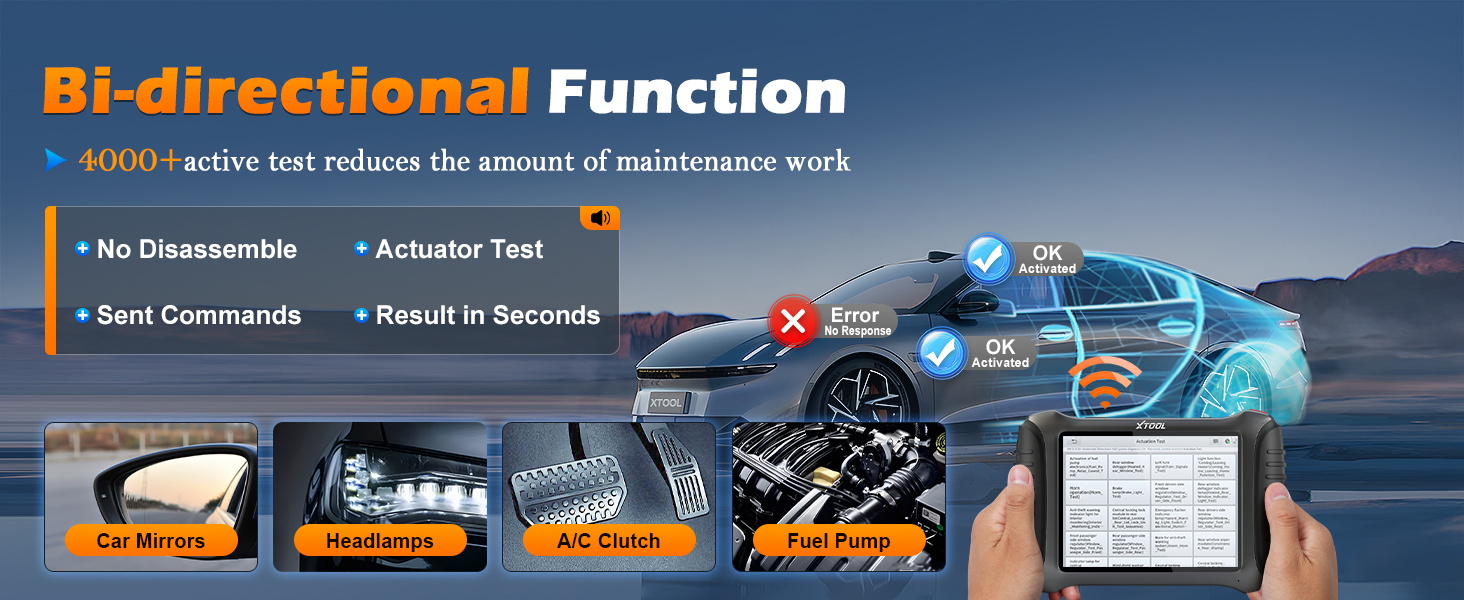
Figure 3.3: Bidirectional control for active component testing.
3.5 ECU Coding & Customization
The IP900S supports advanced ECU Coding and customization functions for specific vehicle brands (e.g., VW, Audi, Skoda, BENZ, Mitsubishi). This includes:
- Reflash Hidden Functions: Activate or deactivate hidden features.
- Función PMI (Instalación de módulo programable): Para Ford, Lincoln, Mazda.
- Manually Input Values: Adjust specific parameters.
- Personalization Function: Customize vehicle settings.
- Components Matching: Adapte los nuevos componentes a la ECU del vehículo.
- Stop Annoying Features: Disable unwanted functionalities.
- Improve Car Performance: Optimize certain vehicle aspects.
- Funciones guiadas VAG: Step-by-step instructions for complex procedures.
- Calibración ADAS: Calibrate Advanced Driver-Assistance Systems.

Figure 3.4: Advanced ECU Coding and customization capabilities.
3.6 41+ Funciones especiales
The IP900S provides over 41 hot reset and service functions to address common vehicle maintenance needs. These include, but are not limited to:

Figure 3.5: Selection of 41+ special service functions.
- Restablecimiento de la luz de aceite
- Reinicio del EPB (freno de estacionamiento electrónico)
- SAS (Steering Angle Sensor) Adjustment
- Restablecimiento del BMS (sistema de gestión de batería)
- Reaprendizaje del acelerador
- Restablecimiento del TPMS (sistema de monitoreo de presión de neumáticos)
- Sangrado del ABS
- Codificación del inyector
- Partido de caja de cambios
- Calibración de la suspensión
- Ajuste de los faros
- Reparación de bolsas de aire
- Reinicio de inicio/parada
- Memoria EEPROM
- Y muchos más.
3.7 Pre & Post Scan with Report V2.0
Perform pre-scan diagnostics to identify existing issues before repairs, and post-scan diagnostics to confirm successful repairs. The Report V2.0 feature allows for branding diagnostic reports with your logo and adding repair photos, enhancing professionalism and customer trust.

Figure 3.6: Pre & Post Scan reports for comprehensive repair validation.
3.8 Topology Mapping Function
The Topology Mapping function provides a clear, visual representation of the vehicle's communication network, simplifying complex system diagnostics. It helps in quickly identifying the status and relationships between different control modules.

Figure 3.7: Topology Mapping for intuitive system diagnosis.
3.9 Wide Vehicle Compatibility & Language Support
The IP900S supports over 10,000 vehicle models manufactured after 1996, including those with CAN FD and DoIP protocols. It also supports 23+ languages, with English and Spanish pre-installed and switchable directly.

Figure 3.8: Extensive vehicle coverage for global use.

Figure 3.9: Multi-language support for diverse users.
4. Mantenimiento
To ensure the longevity and optimal performance of your XTOOL IP900S, follow these maintenance guidelines:
- Mantenga el dispositivo limpio y libre de polvo y humedad. Utilice un paño suave y seco para limpiarlo.
- Guarde el dispositivo en su estuche protector cuando no esté en uso para evitar daños.
- Regularly perform software updates to ensure the latest features and vehicle compatibility.
- Evite exponer el dispositivo a temperaturas extremas o luz solar directa durante períodos prolongados.
- Use only the provided charger and cables to prevent damage to the device's battery and internal components.
5. Solución de problemas
If you encounter any issues with your XTOOL IP900S, consider the following common troubleshooting steps:
- El dispositivo no enciende: Ensure the device is fully charged. Check the power button for proper function.
- Problemas de conexión: Verify that the OBDII cable is securely connected to both the vehicle and the scan tool. Ensure the vehicle's ignition is on.
- El software se bloquea o se congela: Restart the device. Ensure the software is up to date. If the issue persists, contact technical support.
- Función que no funciona para un vehículo específico: Verify vehicle compatibility for the specific function. Ensure FCA AutoAuth is properly set up if required for Chrysler/Jeep/Dodge/Fiat vehicles.
For persistent issues or advanced technical support, please refer to Section 7: Warranty and Support.
6. Especificaciones
| Característica | Detalle |
|---|---|
| Modelo | XTOOL InPlus IP900S |
| Sistema operativo | Androide 10.0 |
| Peso del artículo | 1.65 libras |
| Dimensiones del paquete | 16.75 x 15 x 6 pulgadas |
| Baterías | Se requiere 1 batería de iones de litio (incluida) |
| Número de pieza del fabricante | IP900S |
| Código Postal | 758283011298 |
7. Garantía y soporte
The XTOOL IP900S includes 3 years of free software updates from the date of purchase, ensuring your device remains current with the latest vehicle technologies and diagnostic capabilities.
For technical assistance, product inquiries, or troubleshooting support, please contact XTOOL InPlus Direct technical support. Contact information is typically provided in the product packaging or on the manufacturer's official websitio.


