Introducción
Thank you for choosing the BUGANI Bluetooth Speaker. This powerful and versatile speaker is designed to deliver high-fidelity audio with deep bass and clear highs, perfect for both indoor and outdoor environments. Featuring advanced Bluetooth 5.4 technology, TWS connectivity, and a durable, portable design, it ensures an immersive listening experience wherever you go. Please read this manual carefully to ensure proper use and maintenance of your speaker.

Imagen: Frente view of the BUGANI Bluetooth Speaker in gold and black, showcasing su elegante diseño y asa integrada.
¿Qué hay en la caja?
Por favor, revise el contenido de su paquete para asegurarse de que todos los artículos están presentes:
- 1 x BUGANI Brief Pro Speaker
- 1 cable USB-C
- 1 x AUX IN Cable
- 1 x Manual de usuario
- 1 x Guía de inicio rápido

Image: The BUGANI Brief Pro speaker, USB-C cable, AUX cable, user manual, and quick start guide laid out, indicating package contents.
Características del producto
Powerful 160W Audio System
Experience thunderous low-end clarity and rich sound with the BUGANI speaker's 160W peak output. It features a rear-mounted super-sized passive bass radiator, two 4-inch subwoofers, and two 1.6-inch tweeters (41mmx2) with AK-Y Silk Film Material for low distortion and natural sound up to 50kHz.

Imagen: Una explosión view of the speaker's internal components, highlighting the 4-inch subwoofers and 1.6-inch tweeters, and the 160W power output.
Soporte de audio de alta resolución
The BUGANI Brief Pro is Hi-Res Audio certified, delivering exceptional detail and clarity to your music. Rediscover the charm of jazz and other genres with pure, rich sound that brings melodies, rhythms, and bass lines to life.

Image: The BUGANI speaker prominently displaying Hi-Res Audio and Hi-Res Audio Wireless certifications, emphasizing its high-fidelity sound capabilities.
Bluetooth 5.4 and TWS Connectivity
Equipped with the latest Bluetooth 5.4 module, the speaker ensures stable pairing, extended range, and high-fidelity sound. Utilize True Wireless Stereo (TWS) technology to connect two BUGANI Brief Pro speakers for an even more immersive stereo sound experience.
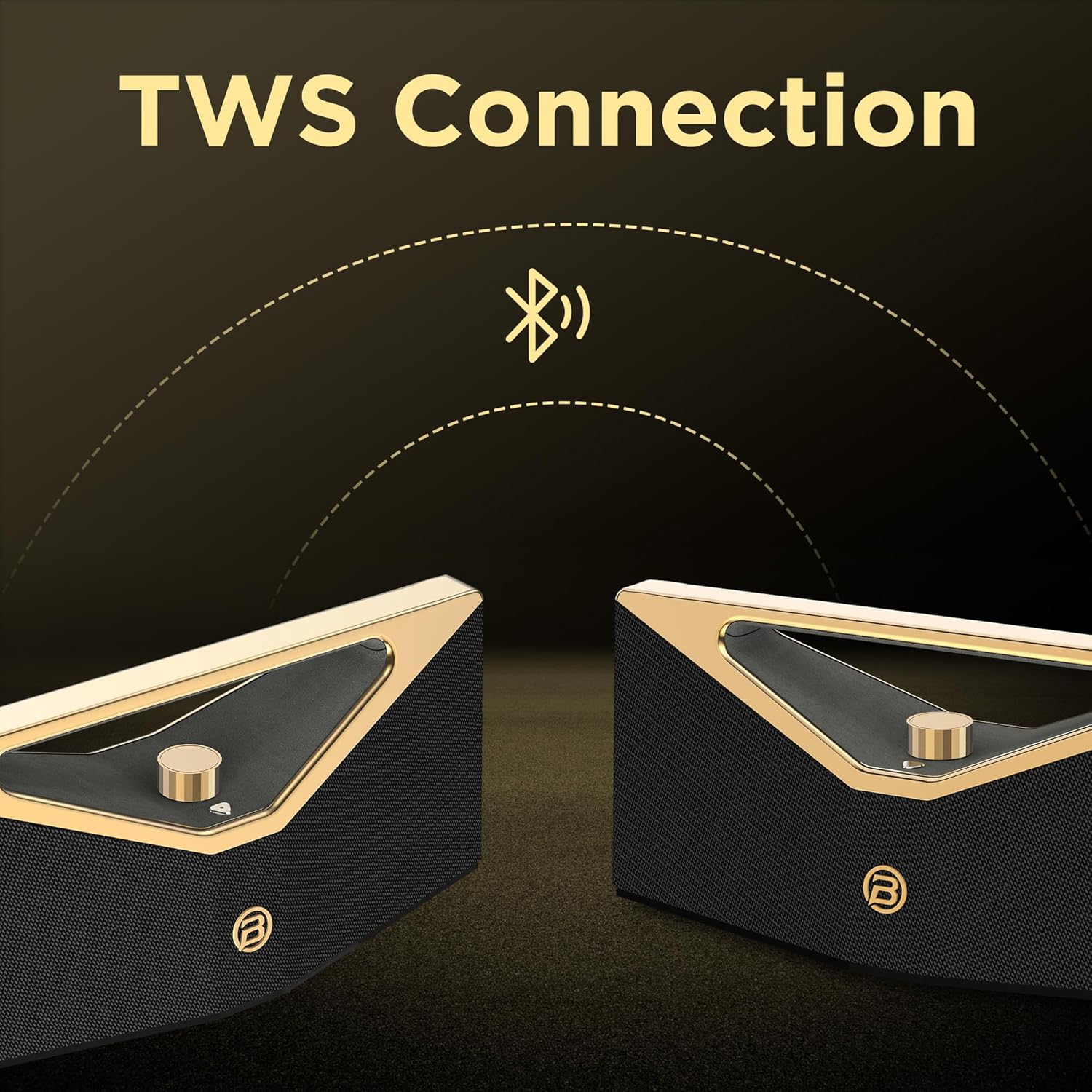
Image: Two BUGANI speakers shown connecting wirelessly via TWS (True Wireless Stereo) technology, indicating stereo pairing capability.
12-Hour Playtime & Portable Design
Enjoy up to 12 hours of continuous playtime on a single charge, making it ideal for all-day outdoor use. The speaker features an ergonomic handle design, making it easy to carry and enjoy music anytime, anywhere.

Image: The BUGANI speaker on a golden pedestal, highlighting its 12-hour continuous playtime feature.

Image: A person carrying the BUGANI speaker by its integrated handle, emphasizing its portability and ease of transport.
Versatile Connectivity & IPX5 Water Resistance
In addition to Bluetooth, the speaker supports AUX and USB inputs, allowing you to connect various devices. With IPX5 water resistance, it is protected against splashing water from any direction, making it suitable for outdoor adventures, beach parties, or poolside enjoyment.

Image: The BUGANI speaker with water droplets on its surface, illustrating its IPX5 water-resistant feature for outdoor use.
Configuración
1. Carga del altavoz
Before first use, fully charge the speaker. Connect the provided USB-C cable to the speaker's charging port and the other end to a compatible USB power adapter (not included). The charging indicator light will show the charging status. A full charge takes approximately 5 hours.
2. Encendido / apagado
To power on the speaker, press and hold the power button located on the control panel until you hear an audible prompt. To power off, press and hold the power button again.
3. Emparejamiento Bluetooth
- Asegúrese de que el altavoz esté encendido y en modo de emparejamiento Bluetooth (indicado por un LED parpadeante).
- En tu dispositivo (teléfono inteligente, tableta, etc.), activa el Bluetooth y busca dispositivos disponibles.
- Select "BUGANI Brief Pro" from the list of devices.
- Una vez conectado, escuchará un sonido de confirmación y el indicador LED se volverá fijo.
4. Emparejamiento estéreo inalámbrico verdadero (TWS)
For an enhanced stereo experience, you can pair two BUGANI Brief Pro speakers together:
- Asegúrese de que ambos altavoces estén encendidos y no conectados a ningún otro dispositivo Bluetooth.
- On one speaker (this will be the primary speaker), press and hold the TWS button (if available, or a specific button designated for TWS pairing, usually indicated in the quick start guide).
- The speakers will automatically search for and connect to each other. Once paired, you will hear a confirmation sound.
- Connect your device to the primary speaker via Bluetooth as described in step 3. Audio will now play in stereo through both speakers.
5. AUX/USB Connection
To play audio from devices without Bluetooth, use the provided AUX IN cable or a USB drive:
- Entrada auxiliar: Connect one end of the 3.5mm AUX cable to the speaker's AUX IN port and the other end to your audio device's headphone jack. The speaker will automatically switch to AUX mode.
- Entrada USB: Inserte una unidad USB que contenga audio files into the speaker's USB port. The speaker will automatically switch to USB mode and begin playing.
Instrucciones de funcionamiento
Control de volumen
The speaker features a prominent rotary knob for volume adjustment. Rotate the knob clockwise to increase volume and counter-clockwise to decrease volume.
Imagen: Un primer plano view of the gold rotary volume knob on the BUGANI speaker, indicating its control functionality.
Control de reproducción
Specific playback controls (play/pause, next/previous track) are typically integrated into the speaker's control panel. Refer to the Quick Start Guide for detailed button functions.
Cambio de modo
The speaker automatically switches modes when an AUX cable or USB drive is inserted. To manually switch between Bluetooth, AUX, and USB modes, press the mode button (if available) on the control panel.
Vídeo: Un vídeo oficial del producto que muestraasing the BUGANI Brief Pro Speaker's design, internal components, and key features like 160W power, Bluetooth 5.3 (note: product specs say 5.4, video might be older), and TWS connectivity. This video provides a visual overview of the speaker's capabilities and aesthetic.
Mantenimiento
- Limpieza: Utilice un paño suave y seco para limpiar la superficie del altavoz. Para la suciedad difícil, utilice un paño ligeramente seco.amp Se puede usar un paño. No utilice productos químicos agresivos ni limpiadores abrasivos.
- Resistencia al agua: The speaker is IPX5 water-resistant, meaning it can withstand splashes. Do not submerge the speaker in water or expose it to strong jets of water. Ensure the charging port cover is securely closed when near water.
- Almacenamiento: Guarde el altavoz en un lugar fresco y seco, alejado de la luz solar directa y de temperaturas extremas.
- Cuidado de la batería: Para prolongar la vida útil de la batería, evite descargar completamente el altavoz con frecuencia. Cárguelo regularmente, incluso si no lo usa durante períodos prolongados.
Solución de problemas
| Problema | Posible causa | Solución |
|---|---|---|
| El altavoz no se enciende. | Batería baja; el botón de encendido no se mantiene presionado el tiempo suficiente. | Cargue el altavoz por completo. Mantenga pulsado el botón de encendido durante 3-5 segundos. |
| No se puede emparejar a través de Bluetooth. | Speaker not in pairing mode; Device Bluetooth off; Too far from speaker; Already connected to another device. | Ensure speaker is flashing LED for pairing. Turn device Bluetooth off/on. Move device closer. Disconnect from other devices. |
| No hay sonido o volumen bajo. | Volume too low on speaker/device; Incorrect input mode; Cable not fully inserted (AUX). | Increase volume on both speaker and device. Check if speaker is in correct mode (Bluetooth/AUX/USB). Re-insert AUX cable firmly. |
| Distorsión de sonido. | Volumen demasiado alto; Batería baja; Interferencia. | Baja el volumen. Carga el altavoz. Aléjalo de otros dispositivos electrónicos. |
| El emparejamiento de TWS falló. | Altavoces ya conectados a otros dispositivos; Altavoces demasiado separados. | Asegúrese de que ambos altavoces estén desconectados de otros dispositivos. Coloque los altavoces cerca durante el emparejamiento. |
Presupuesto
| Característica | Detalle |
|---|---|
| Nombre del modelo | Brief Pro (M192) |
| Potencia de salida | 160W (pico) |
| Tipo de altavoz | Altavoz de subgraves |
| Altavoz de graves | 4" x 2 |
| Tweeter | 1.6" x 2 (41 mm x 2) |
| Versión de Bluetooth | 5.4 (Note: Video mentions 5.3, product specs indicate 5.4) |
| Característica especial | Hi-Res Audio, TWS Function |
| Capacidad de la batería | 52.92 Wh (polímero de litio) |
| Tiempo de carga | Aproximadamente 5 horas |
| Tiempo de juego | Approx. 12 hours (Normal Volume) |
| Puerto de carga | USB-C |
| Resistencia al agua | IPX5 |
| Dimensiones del producto | 18.5" de profundidad x 7.9" de ancho x 7.9" de alto |
| Peso del artículo | 10.08 libras |
| Protocolo de conectividad | Bluetooth |
| Dispositivos compatibles | Projector, Laptop, MP3 Player, Television, Tablet, Smartphone |

Image: A visual representation of the BUGANI Brief Pro speaker's technical specifications, including output power, input types, speaker dimensions, and battery life.
Garantía y soporte
The BUGANI Bluetooth Speaker comes with a Garantía limitada. For specific warranty terms and conditions, please refer to the warranty card included in your package or contact BUGANI customer support.
If you encounter any issues or have questions not covered in this manual, please contact BUGANI customer support through the retailer's platform or the official BUGANI webSitio para obtener ayuda.


