Introducción
This manual provides essential instructions for the setup, operation, and maintenance of your BLOW Portable Internet Radio RI 1. Please read this manual thoroughly before using the device to ensure proper functionality and to prevent damage.
Información importante de seguridad
- No exponga el dispositivo a la lluvia ni a la humedad.
- No desmonte el dispositivo. Todas las reparaciones deben ser realizadas por personal cualificado.
- Utilice únicamente el adaptador de corriente proporcionado.
- Evite temperaturas extremas y luz solar directa.
- Mantenga el dispositivo alejado de campos magnéticos fuertes.
Contenido del paquete
Asegúrese de que todos los artículos estén presentes en el paquete:
- BLOW Internet Radio RI 1
- Adaptador de corriente
- User Manual (in Polish and English)

Image: The BLOW Internet Radio RI 1 packaging, showing the radio unit, power adapter, and user manual.
Producto terminadoview
The BLOW Portable Internet Radio RI 1 offers a wide range of features for an enhanced audio experience. It includes internet radio access, FM tuner, Bluetooth connectivity, and a clear LCD display.

Imagen: Frente view of the BLOW Internet Radio RI 1, showcasing the display, speaker grille, and control buttons.
Características principales:
- Radio por Internet: Access thousands of stations worldwide via Wi-Fi.
- Conectividad Wi-Fi: Wireless access to internet radio and network features.
- Bluetooth: Stream music from mobile devices.
- Pantalla a color TFT de 2.4 pulgadas: Shows station information and track details.
- Alarma dual con repetición: Wake up to music or news.
- Fuera de la linea: Conectarse a un amplifier or external audio system.
- Diseño compacto: Elegant black design suitable for various interiors.
- Sintonizador de FM: For local radio broadcasts.
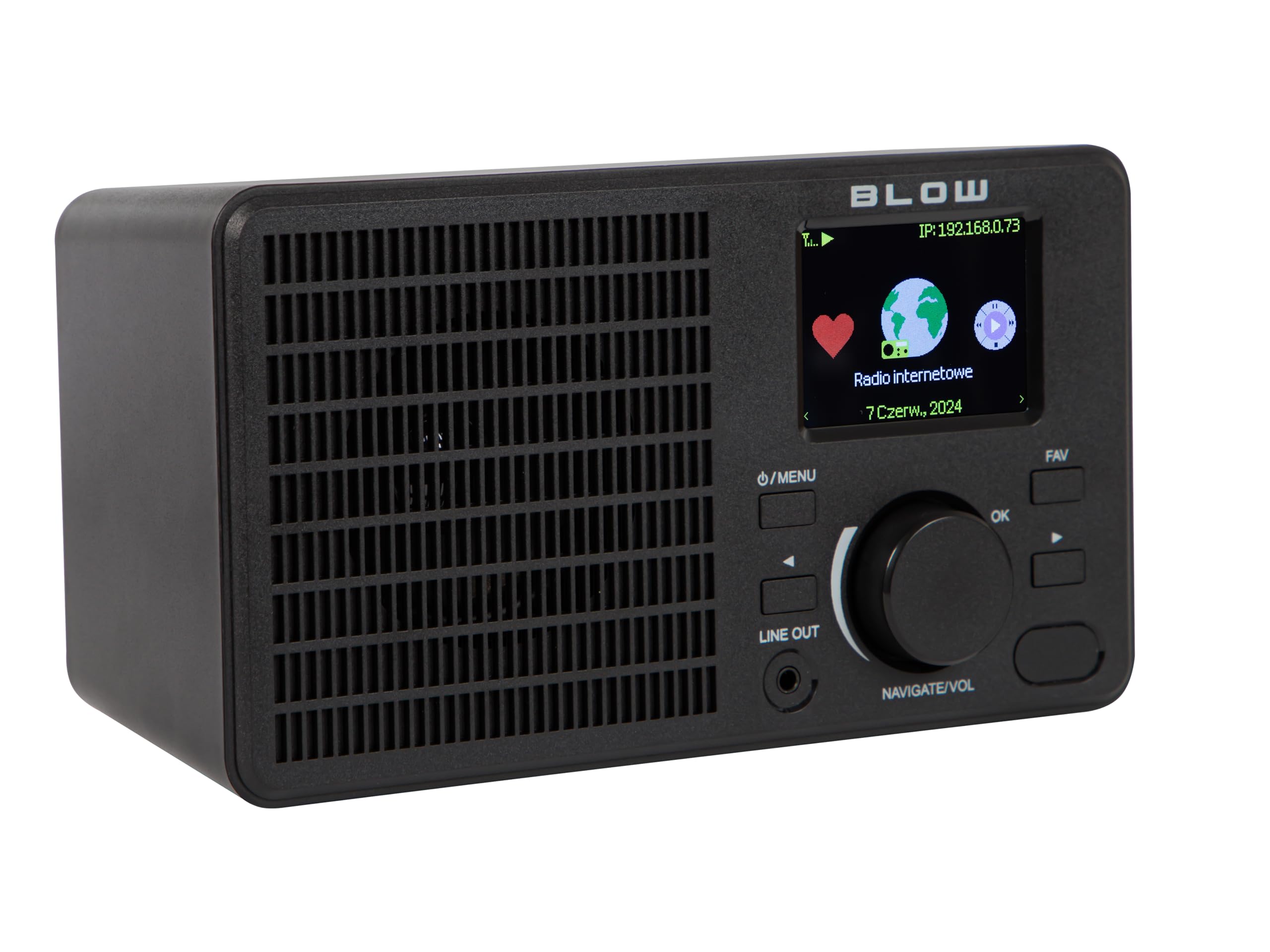
Imagen: Trasera view of the BLOW Internet Radio RI 1, showing the DC 5V power input and product information label.
Configuración
1. Conexión de alimentación
- Connect the provided power adapter to the DC 5V input port on the back of the radio.
- Conecte el adaptador de corriente a una toma de corriente estándar.
- La radio se encenderá automáticamente o entrará en modo de espera.

Image: The power adapter included with the BLOW Internet Radio RI 1, showing the plug and DC connector.
2. Configuración inicial de Wi-Fi
- Upon first power-on, the radio will guide you through the initial setup process.
- Use the navigation dial and OK button to select your preferred language.
- La radio buscará redes Wi-Fi disponibles. Seleccione su red en la lista.
- Enter your Wi-Fi password using the navigation controls. Confirm with the OK button.
- Una vez conectado, la radio mostrará un mensaje de confirmación.

Image: The BLOW Internet Radio RI 1 display showing the internet radio interface with network status.
Instrucciones de funcionamiento
Controles básicos
- Botón de encendido/menú: Press to turn on/off or access the main menu.
- Navigate/Volume Dial: Rotate to navigate menus or adjust volume. Press to confirm selection.
- Botón OK: Confirma selecciones.
- Botón FAV: Accede a estaciones favoritas.
- Fuera de la linea: 3.5mm jack for connecting to external audio systems.

Imagen: Un primer plano view of the BLOW Internet Radio RI 1's control panel, highlighting the display and buttons.
Modo de radio por Internet
- Desde el menú principal, seleccione "Radio por Internet".
- Busque estaciones por ubicación, género o busque por nombre.
- Select a station and press OK to start playback.
- To save a station as a favorite, navigate to the station and press the FAV button.
Modo de radio FM
- Desde el menú principal, seleccione "Radio FM".
- Use the navigation dial to tune to a frequency or perform an auto-scan for stations.
- Press OK to select a station.
Modo Bluetooth
- En el menú principal, seleccione "Bluetooth". La radio entrará en modo de emparejamiento.
- On your mobile device (smartphone, laptop), enable Bluetooth and search for "BLOW RI 1".
- Selecciona la radio que deseas emparejar. Una vez conectada, podrás transmitir audio desde tu dispositivo a la radio.

Image: The BLOW Internet Radio RI 1 shown alongside a smartphone, illustrating Bluetooth connectivity for music streaming.
Función de despertador
- Access the "Alarm" settings from the main menu.
- Configurar hasta dos alarmas independientes.
- Configure alarm time, source (buzzer, internet radio, FM), and snooze duration.
- Ensure the radio is connected to power for the alarm to function reliably.
Mantenimiento
- Limpieza: Utilice un paño suave y seco para limpiar la superficie de la radio. No utilice limpiadores líquidos ni productos abrasivos.
- Almacenamiento: Cuando no utilice la radio durante períodos prolongados, guarde la radio en un lugar fresco y seco.
- Actualizaciones de software: Periodically check for firmware updates through the radio's system settings to ensure optimal performance and access to new features.
Solución de problemas
| Problema | Posible solución |
|---|---|
| Sin poder | Check if the power adapter is securely connected to the radio and the electrical outlet. Try a different outlet. |
| No se puede conectar al wifi | Ensure your Wi-Fi password is correct. Check if your router is working. Try restarting the radio and your router. Ensure the radio is within range of your Wi-Fi signal. |
| Internet radio stations not playing | Verify your internet connection is active. Some stations may be temporarily offline. Try other stations. |
| El emparejamiento de Bluetooth falla | Ensure the radio is in Bluetooth pairing mode. Make sure Bluetooth is enabled on your mobile device and it's within range. Try unpairing and re-pairing. |
| Recepción de FM deficiente | Adjust the radio's position. Ensure there are no strong interference sources nearby. |
Presupuesto
| Característica | Detalle |
|---|---|
| Marca | Explotar |
| Modelo | 5900804137467 |
| Tecnología de conectividad | Wi-Fi, Bluetooth, Aux, Line Out |
| Tecnología de sintonizador | FM |
| Tipo de pantalla | LCD (2.4-inch TFT Color Display) |
| Fuente de poder | Corded Electric (AC: 100-240V, 50/60Hz; DC: 5V/1A) |
| Dispositivos compatibles | Smartphone, Laptop, Headphones |
| Características especiales | Lightweight, Portable, Dustproof, Built-in Clock, Dual Alarm with Snooze |
| Dimensiones del producto | 19.4 cm (largo) x 8.8 cm (ancho) x 11 cm (alto) |
| Color | Negro |
Garantía y soporte
For warranty information and technical support, please refer to the contact details provided in the separate warranty card included with your product or visit the official BLOW websitio.
Fabricante: EXPLOTAR
Websitio: www.blow.pl


