Introducción
This manual provides instructions for the Sudio K2 Pro Wireless Headphones. Please read this manual carefully before using the product to ensure proper operation and to maximize your listening experience.
The Sudio K2 Pro headphones feature Active Noise Cancelling (ANC) technology, Bluetooth 5.4 connectivity, and a lightweight over-ear design for comfort. They offer up to 65 hours of playtime and support USB-C charging and 3.5mm audio input.
¿Qué hay en la caja?
- Sudio K2 Pro Wireless Headphones
- Cable de carga USB-C
- Cable de audio de 3.5 mm
- Estuche protector
- Manual de usuario (este documento)
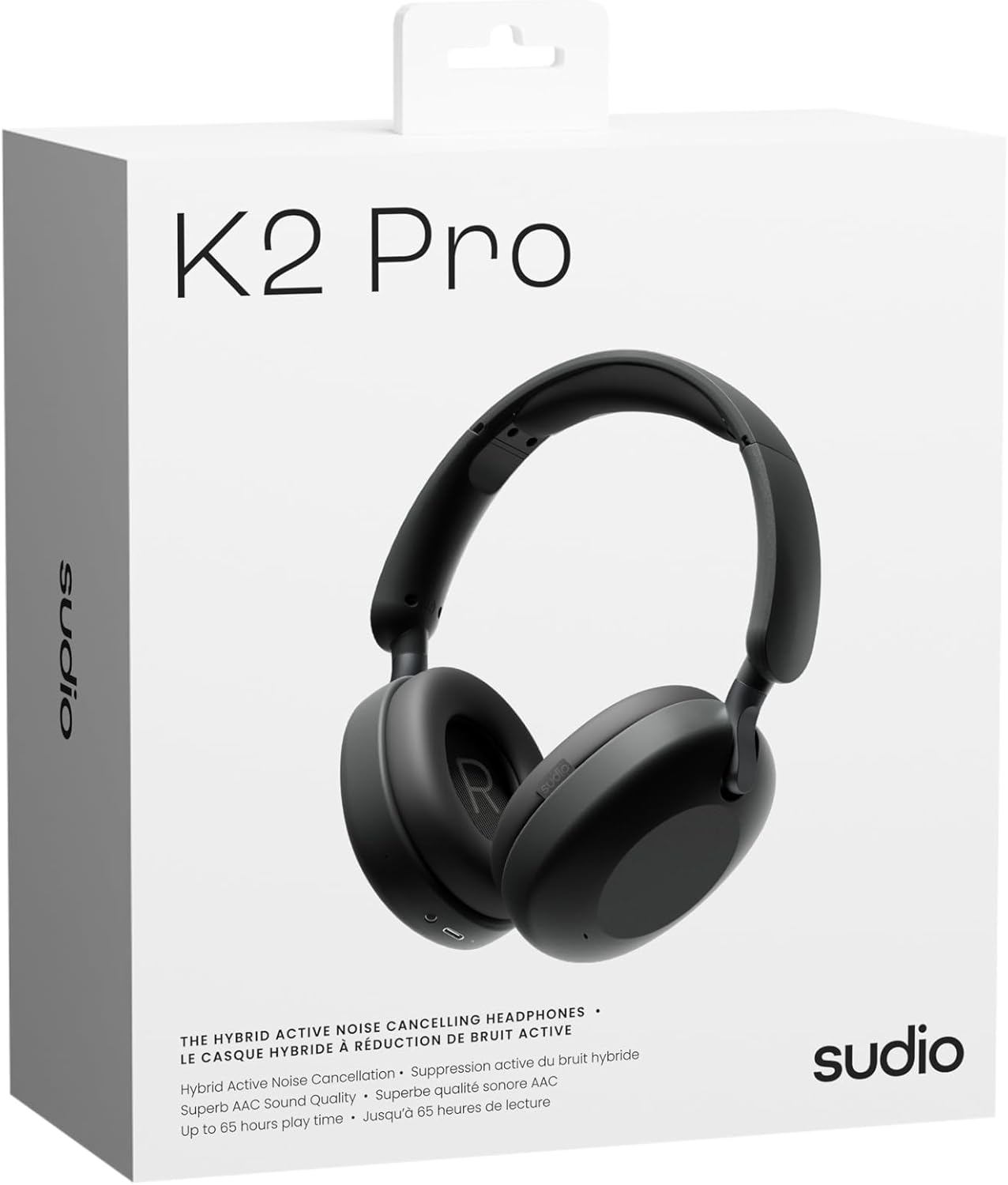
Image: Sudio K2 Pro packaging and included items.
Configuración
1. Carga inicial
Before first use, fully charge your Sudio K2 Pro headphones. Connect the provided USB-C charging cable to the headphone's charging port and to a compatible USB power source. The LED indicator will show charging status.

Image: USB-C charging port on the Sudio K2 Pro headphones.
2. Encendido / apagado
- Encendido: Mantenga presionado el botón de encendido durante aproximadamente 3 segundos hasta que se encienda el indicador LED.
- Apagado: Mantenga presionado el botón de encendido durante aproximadamente 3 segundos hasta que el indicador LED se apague.
3. Emparejamiento Bluetooth
- Asegúrese de que los auriculares estén apagados.
- Mantenga presionado el botón de encendido durante 5 a 7 segundos hasta que el indicador LED parpadee en azul y rojo, lo que indica el modo de emparejamiento.
- En su dispositivo (teléfono inteligente, tableta, computadora), habilite Bluetooth y busque los dispositivos disponibles.
- Select "Sudio K2 Pro" from the list of devices.
- Una vez emparejado, el indicador LED se volverá azul fijo o parpadeará en azul lentamente.
4. Conexión por cable
For a wired connection, plug one end of the 3.5mm audio cable into the headphone's audio input jack and the other end into your audio source. The headphones will automatically switch to wired mode.
Instrucciones de funcionamiento
Controles sobreview

Imagen: Detallada view de los controles de los auriculares.
- Botón de encendido: Encender/apagar, reproducir/pausar, responder/finalizar llamadas.
- Subir volumen / Pista siguiente: Presione brevemente para subir el volumen, presione prolongadamente para la siguiente pista.
- Bajar volumen / Pista anterior: Presione brevemente para bajar el volumen, presione prolongadamente para la pista anterior.
- Botón ANC: Toggle Active Noise Cancelling (ANC) on/off.
Cancelación activa de ruido (ANC)
Press the ANC button to activate or deactivate the Active Noise Cancelling feature. When ANC is active, the headphones will reduce ambient background noise, providing a more immersive audio experience.
Realizar y recibir llamadas
- Responder/Finalizar llamada: Presione el botón de encendido una vez.
- Rechazar llamada: Mantenga presionado el botón de encendido durante 2 segundos.
Mantenimiento
- Limpieza: Utilice un paño suave y seco para limpiar los auriculares. No utilice limpiadores abrasivos ni disolventes.
- Almacenamiento: Cuando no los utilice, guarde los auriculares en el estuche protector proporcionado para evitar daños.
- Cuidado de la batería: Para prolongar la vida útil de la batería, evite descargar completamente los auriculares con frecuencia. Cárguelos regularmente.
- Temperatura: Evite exponer los auriculares a temperaturas extremas (calor o frío) o alta humedad.

Image: Sudio K2 Pro headphones stored in their protective case.
Solución de problemas
- Sin energía: Asegúrese de que los auriculares estén completamente cargados. Conéctelos a una fuente de alimentación y compruebe el indicador de carga.
- No se puede emparejar a través de Bluetooth:
- Ensure the headphones are in pairing mode (LED flashing blue/red).
- Desactive y active el Bluetooth en su dispositivo.
- Acerque los auriculares a su dispositivo.
- Borre las conexiones Bluetooth anteriores en su dispositivo e intente emparejarlo nuevamente.
- Sin sonido:
- Verifique el nivel de volumen tanto en los auriculares como en el dispositivo conectado.
- Ensure the headphones are properly paired or the 3.5mm cable is securely connected.
- If using a wired connection, ensure the Bluetooth is off on the headphones.
- El ANC no funciona: Presione el botón ANC para asegurarse de que esté activado.
Presupuesto
| Característica | Detalle |
|---|---|
| Nombre del modelo | Sudio K2 Pro |
| Número de modelo | SD-2601 |
| Control de ruido | Cancelación activa de ruido (ANC) |
| Tecnología de conectividad | Bluetooth 5.4, Wired (3.5mm) |
| Recreo | Hasta 65 horas |
| Tiempo de carga | 90 minutos |
| Puerto de carga | USB-C |
| Peso del artículo | 245 gramos (8.6 onzas) |
| Impedancia | 32 ohmios |
| Características especiales | Microphone Included, Noise Cancellation, Touch Control, Volume Control |
Garantía y soporte
Para obtener información sobre la garantía y la atención al cliente, consulte el sitio web oficial de Sudio. webSitio web o contacte directamente con el servicio de atención al cliente. Conserve su comprobante de compra para reclamaciones de garantía.
Fabricante: Estudio
Websitio: www.sudio.com
Vídeos de productos
When you have Sudio K2 Pro in your everyday life
Video: This video showcases the Sudio K2 Pro headphones in various daily scenarios, highlighting their comfort and style.
Unboxing Sudio K2 Pro
Video: This video demonstrates the unboxing experience of the Sudio K2 Pro headphones, showing the contents of the package.
Introducing Sudio K2 Pro
Video: A brief introduction to the Sudio K2 Pro headphones, highlighting key features and design.


