Introducción
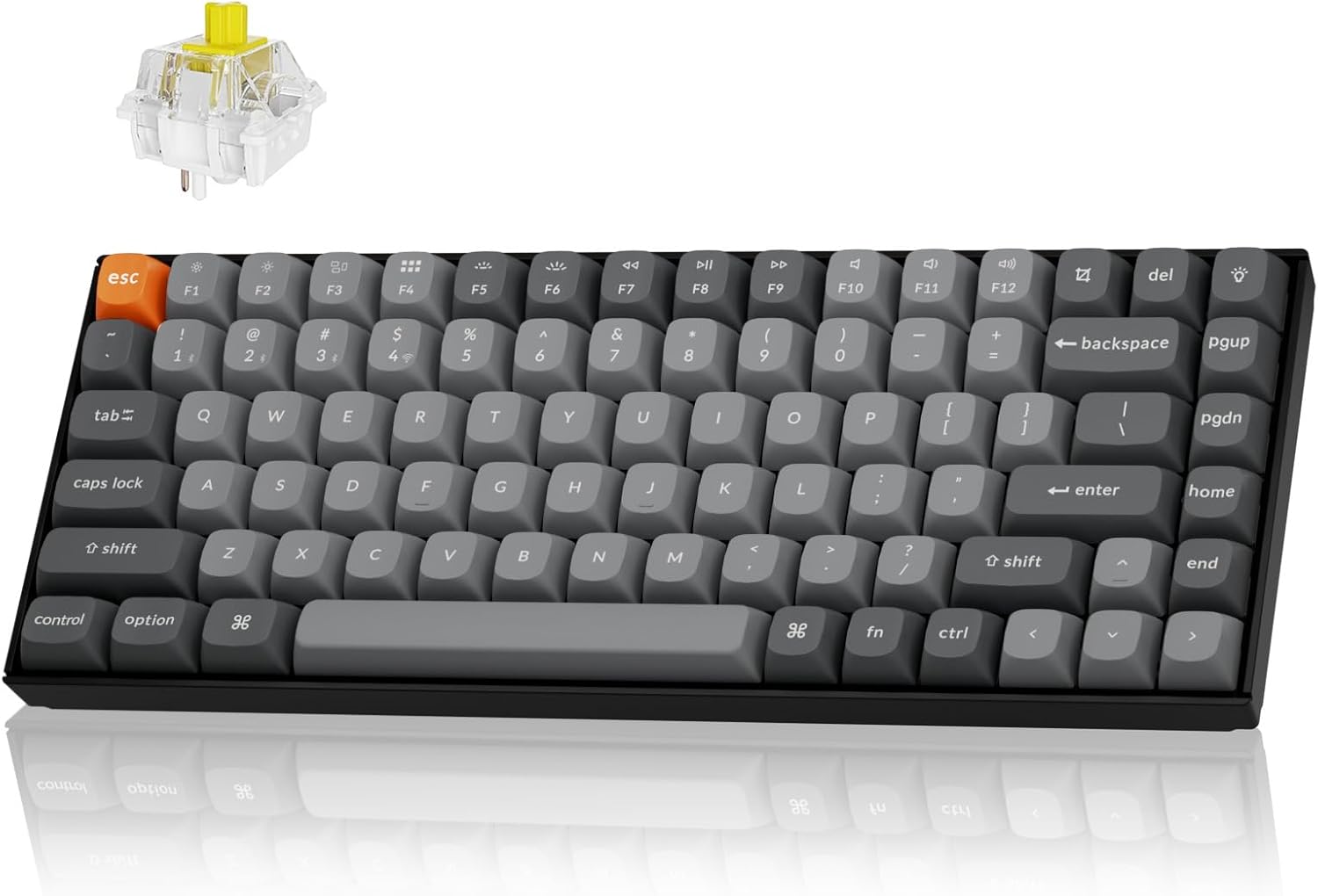
The Keychron K2 Max is a versatile 75% layout mechanical keyboard designed for seamless integration across multiple operating systems and connectivity options. It supports 2.4 GHz wireless, Bluetooth 5.1, and Type-C wired connections, offering a 1000Hz polling rate in 2.4G and wired modes for optimal performance in both gaming and professional environments. This manual provides detailed instructions for setting up, operating, maintaining, and troubleshooting your K2 Max keyboard.
Configuración
Contenido del paquete
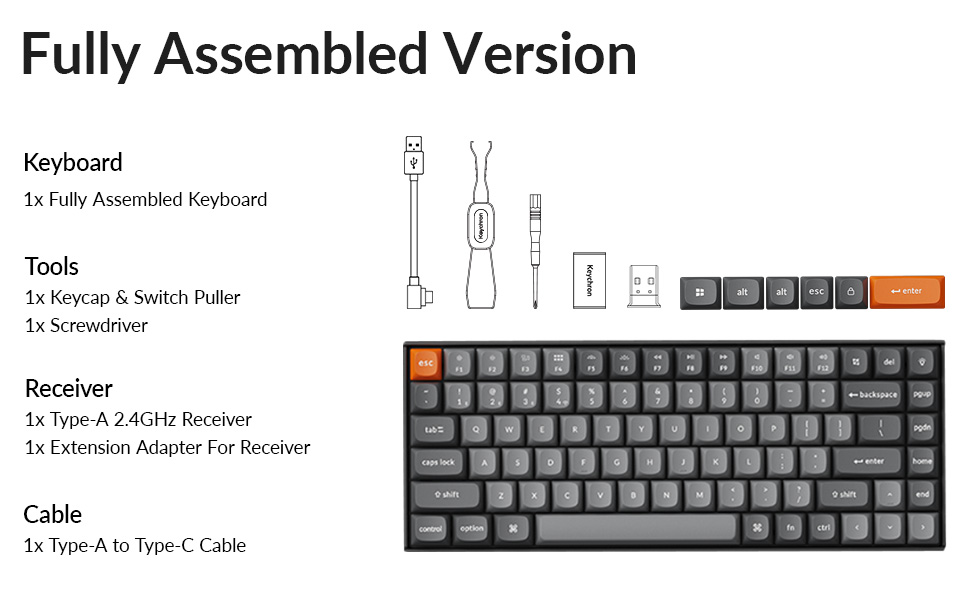
Antes de comenzar, asegúrese de que todos los componentes estén presentes en el paquete:
- 1x teclado completamente ensamblado
- 1 extractor de teclas y interruptores.
- 1x destornillador
- 1 receptor tipo A de 2.4 GHz.
- 1x adaptador de extensión para receptor
- 1x cable tipo A a tipo C
- Extra keycaps for Windows layout
Carga inicial
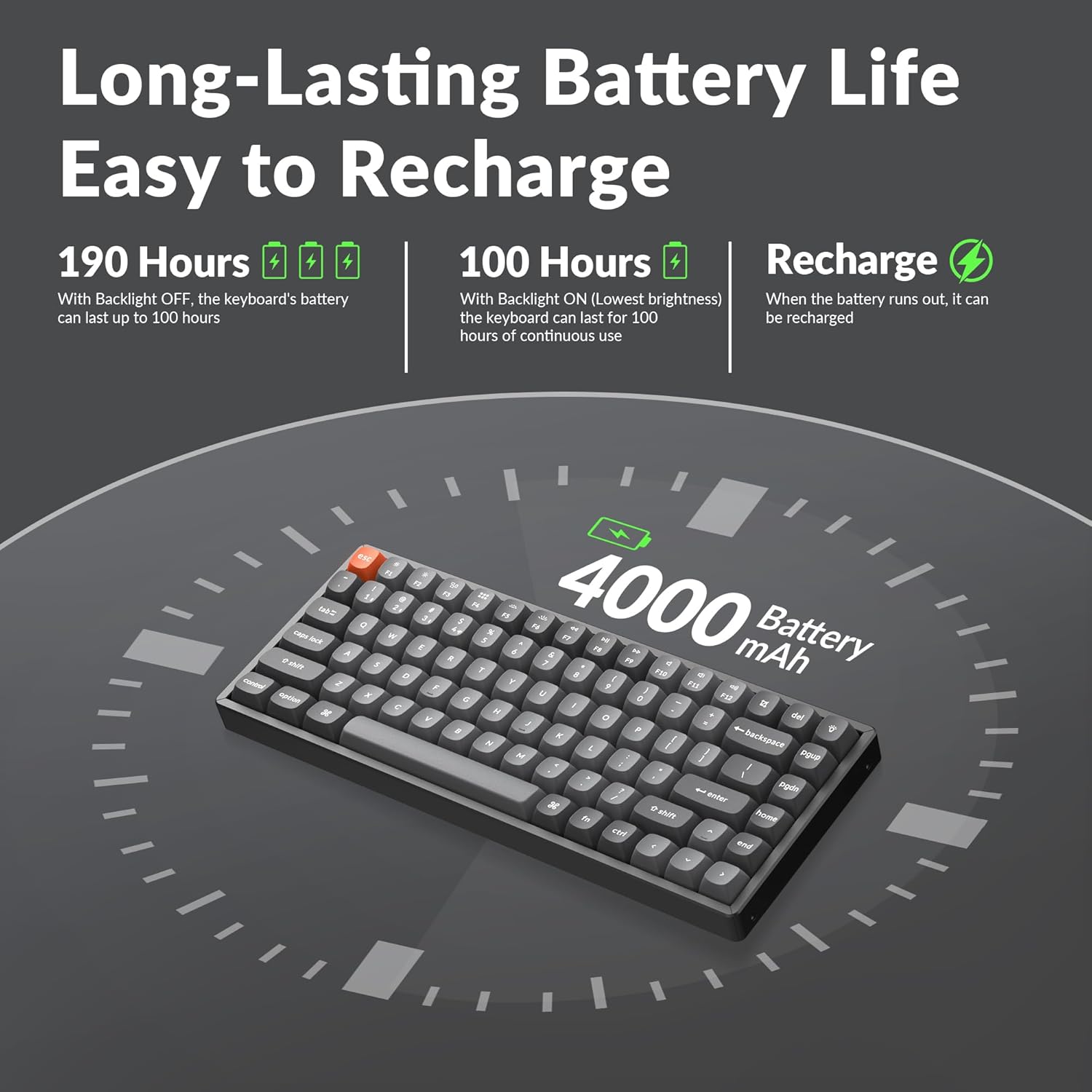
The keyboard comes with a built-in 4000mAh rechargeable battery. For optimal performance, it is recommended to fully charge the keyboard before first use. Connect the provided Type-A to Type-C cable to the keyboard's USB-C port and a power source (e.g., computer USB port or wall adapter).
Opciones de conectividad
The K2 Max offers three connection modes:
- 2.4 GHz inalámbrico: For a stable and fast connection, ideal for gaming. Insert the 2.4GHz receiver into a USB port on your device. The receiver can be stored in a dedicated slot on the keyboard's underside when not in use.
- Bluetooth 5.1: For wireless convenience with up to 3 devices. Pair the keyboard with your laptop, tablet, or smartphone.
- Cableado tipo C: For a direct and reliable connection, also allowing charging.


Instrucciones de funcionamiento
Cambio de sistemas operativos
The K2 Max is optimized for both macOS and Windows. Use the dedicated toggle switch on the keyboard to switch between macOS and Windows layouts. Extra keycaps for Windows are included to match the layout.

Personalización de QMK/VIA
The keyboard supports QMK open-source firmware, allowing extensive customization of key remapping, macros, and shortcuts. Access the Keychron Launcher web app for configuration without requiring any software installation.

Control de luz de fondo
The K2 Max features South-Facing RGB Backlight. Use the dedicated function keys to cycle through various lighting effects, adjust brightness, and change colors. Refer to the keyboard's quick start guide for specific key combinations.
Gestión de la duración de la batería
The 4000mAh battery provides long-lasting performance. With the backlight off, the keyboard can last up to 190 hours. At the lowest brightness setting, it can provide approximately 100 hours of continuous use. Recharge the keyboard when the battery indicator shows low power.
Mantenimiento
Limpieza del teclado
Para limpiar el teclado, primero desconéctelo de todas las fuentes de alimentación. Utilice un paño suave y sin pelusa ligeramente seco.ampened with water or a mild cleaning solution. For cleaning between keycaps, use compressed air or a small brush. Avoid spraying liquids directly onto the keyboard.
Reemplazo de teclas e interruptores
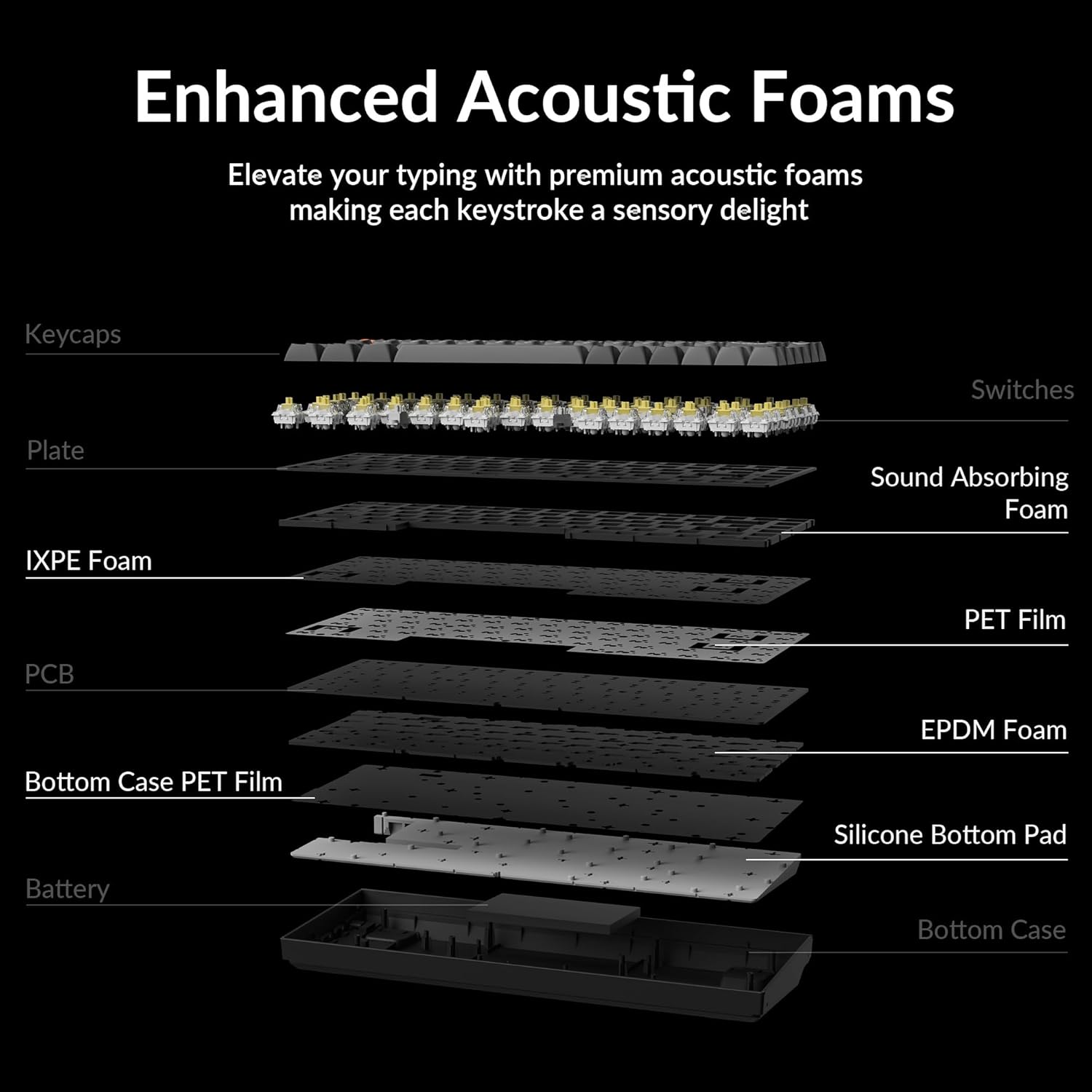
The Keychron K2 Max features hot-swappable switches, allowing you to change switches without soldering. Use the provided keycap and switch puller tools for safe removal and installation.
- Quitar las teclas: Tire suavemente la tecla hacia arriba utilizando el extractor de teclas.
- Quitar interruptores: Insert the switch puller's prongs under the top and bottom clips of the switch and gently rock it while pulling upwards.
- Instalación de interruptores: Alinee las clavijas del nuevo interruptor con los orificios de la placa de circuito impreso y presione firmemente hasta que encaje en su lugar. Asegúrese de que las clavijas no estén dobladas.
- Instalación de teclas: Alinee la tecla con el vástago del interruptor y presione hacia abajo firmemente.


Solución de problemas
Problemas de conectividad
- 2.4 GHz inalámbrico: Ensure the receiver is securely plugged into a USB port. Try a different USB port. Ensure the keyboard is in 2.4G mode.
- Bluetooth: Ensure Bluetooth is enabled on your device. Unpair and re-pair the keyboard if connection is lost. Ensure the keyboard is in Bluetooth mode and selected the correct device slot (BT1, BT2, BT3).
- Wired: Comprueba la conexión del cable USB-C en ambos extremos. Prueba con otro cable o puerto USB-C.
Las teclas no responden
- If a specific key is not responding, it might be a faulty switch. If your model is hot-swappable, try replacing the switch with a spare one or swapping it with a less frequently used key to diagnose.
- Asegúrese de que el teclado no esté en modo de suspensión.
- Check for any debris under the keycap or switch.
Problemas de retroiluminación
- If the backlight is off, check if it's disabled or set to the lowest brightness. Adjust using the backlight control keys.
- Asegúrese de que el teclado tenga suficiente carga de batería.
Problemas de carga
- Asegúrese de que el cable de carga esté conectado correctamente.
- Pruebe con un puerto USB o adaptador de corriente diferente.
- Allow the keyboard to charge for a few hours.
Presupuesto
| Nombre del modelo | K2M-B4 |
| Tecnología de conectividad | Conexión inalámbrica 2.4G, Bluetooth 5.1, cable tipo C |
| Descripción del teclado | Mecánico |
| Característica especial | Backlit (South-Facing RGB) |
| Color | Keychron Super Banana Switch (Black keyboard chassis) |
| Dispositivos compatibles | Gaming Console, Laptop, PC (Mac/Windows/Linux) |
| Batería | Polímero de litio de 4000 mAh (incluido) |
| Peso del artículo | 3.08 libras |
| Dimensiones del paquete | 15.27 x 6.42 x 2.24 pulgadas |
| Fabricante | Clavechrono |
Garantía y soporte
Para obtener información sobre la garantía, soporte técnico o asistencia adicional, visite el sitio web oficial de Keychron. website or their Amazon store. Keychron offers various protection plans for extended coverage.
Visita el Tienda Keychron en Amazon para más productos y recursos de soporte.


