1. Introducción
The Edifier V80 Hybrid Active Noise Cancelling Headphones are designed to provide a superior audio experience with advanced noise cancellation technology and comfortable wear. This manual provides essential information for setting up, operating, and maintaining your headphones.
- Hybrid ANC & Clear Calls: Block out unwanted noise with hybrid active noise cancellation featuring multiple modes. The built-in mic with AI noise cancellation technology ensures crystal-clear calls.
- Audio de alta resolución: 40mm dynamic driver with a titanium-coated composite diaphragm delivers high-fidelity sound, certified for Hi-Res audio in wired mode.
- Bluetooth 5.4 y conexión multipunto: Seamless audio streaming and stable dual-device connection, allowing instant switching between music, videos, and calls on two devices simultaneously.
- 45H Playtime & Fast Charging: Get up to 45 hours of playtime with ANC off (26 hours with ANC on) and 8 hours of use from just 15 minutes of charging. Enjoy 0.06s low latency for immersive gaming.
- Comfortable & User-Friendly Design: Lightweight, foldable, and comfortable design with soft ear cushions. Compatible with the EDIFIER ConneX app for personalized settings, EQ presets, and more.
2. Producto terminadoview
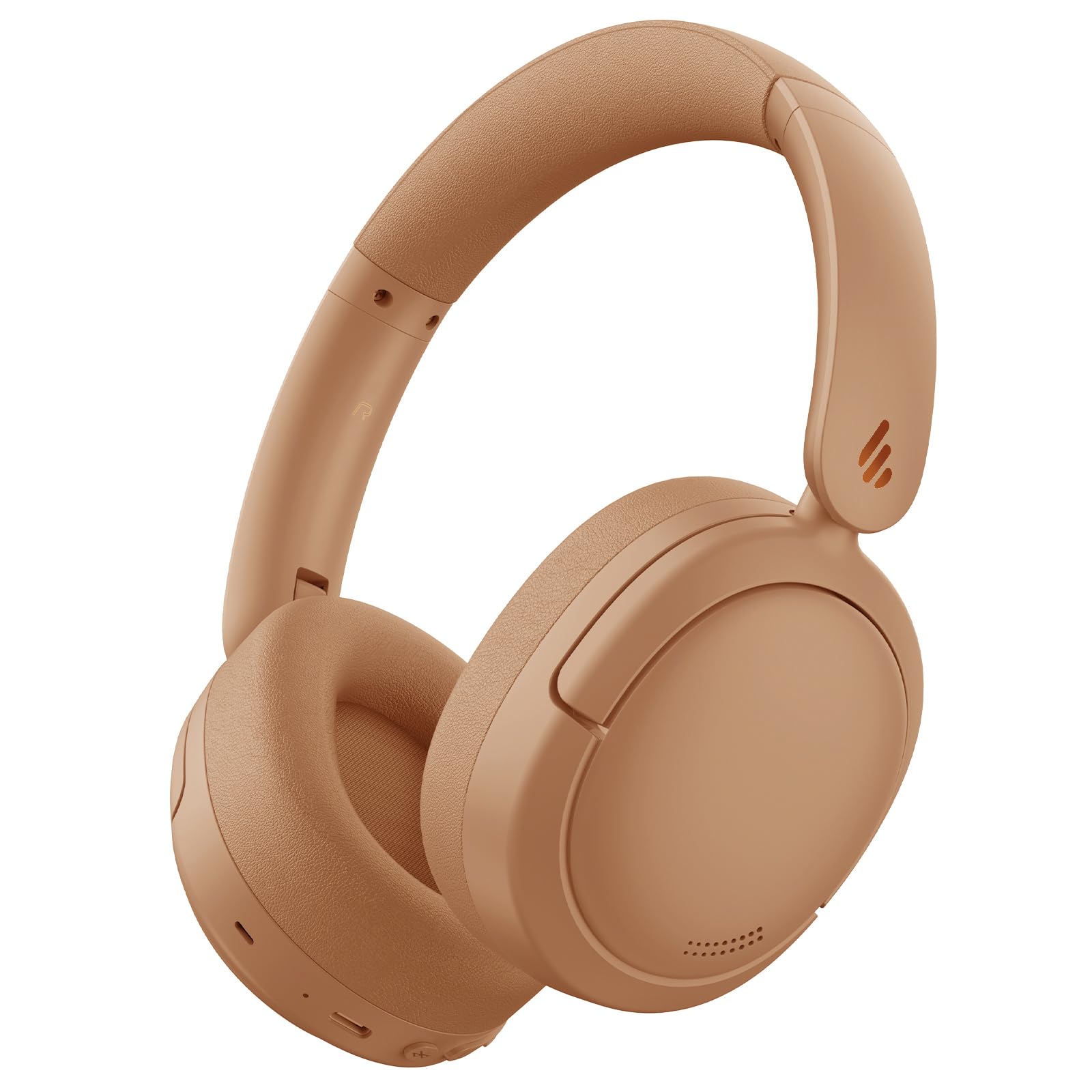
Figure 1: Edifier V80 Hybrid Active Noise Cancelling Headphones in Brown.

Figura 2: Sobreview of Edifier V80 headphones highlighting Hybrid ANC, Hi-Res Audio, Bluetooth V5.4, Ultra-Low Latency Gaming, 45 hours playtime, 10 mins fast charging, and clear calls.
Características principales
- Cancelación activa de ruido híbrida (ANC): Reduces ambient noise by up to 44dB, offering High Noise Cancellation Mode and Ambient Sound Mode. Features a built-in microphone with AI noise cancellation for clear calls.
- Audio de alta resolución: Equipped with 40mm dynamic drivers and titanium-coated composite diaphragms for high-fidelity sound, certified for Hi-Res audio when used in wired mode.
- Bluetooth 5.4: Proporciona conectividad inalámbrica estable y eficiente.
- Conexión multipunto: Allows simultaneous connection to two devices, enabling seamless switching between audio sources.
- Batería de larga duración: Up to 45 hours of playback with ANC off, and 26 hours with ANC on.
- Carga rápida: 15 minutos de carga proporcionan hasta 8 horas de tiempo de reproducción.
- Juegos de baja latencia: Offers an ultra-low latency of 0.06s for an immersive gaming experience.
- Diseño cómodo: Lightweight, foldable, and portable with soft, protein-like leather ear cushions and an adjustable headband for extended wear.
- Aplicación EDIFIER ConneX: Customize settings, EQ presets, and manage noise control modes via the dedicated mobile application.
3. Configuración
3.1 Carga de los auriculares
Before first use, fully charge your headphones. Use the provided USB-C charging cable to connect the headphones to a power source. A full charge provides up to 45 hours of playtime (ANC off) or 26 hours (ANC on). A quick 15-minute charge can provide up to 8 hours of use.

Figure 3: Edifier V80 headphones connected for fast charging, indicating 15 minutes of charge provides 8 hours of playtime.
3.2 Emparejamiento Bluetooth
- Asegúrese de que los auriculares estén cargados.
- Press and hold the power button (usually the play/pause button) until the indicator light flashes, indicating pairing mode.
- On your device (smartphone, tablet, laptop), enable Bluetooth and search for "Edifier V80".
- Select the headphones to connect. Once connected, the indicator light will show a steady blue.
3.3 Conexión multipunto
The Edifier V80 supports connecting to two Bluetooth devices simultaneously. After pairing with the first device, put the headphones back into pairing mode and connect to the second device. The headphones will intelligently switch between devices for calls and media playback.

Figure 4: Edifier V80 headphones demonstrating multipoint connection, seamlessly switching between a laptop and a smartphone.
3.4 Aplicación EDIFIER ConneX
Download the EDIFIER ConneX app from your device's app store to unlock full customization options, including EQ presets, noise control settings, and more. Download the EDIFIER ConneX App

Figure 5: Screenshot showing the EDIFIER ConneX app interface for personalized settings.
4. Instrucciones de funcionamiento
4.1 Controles
Los controles principales se encuentran en el auricular derecho:
- Botón de encendido/reproducción/pausa: Press and hold to power on/off. Press once to play/pause music or answer/end calls.
- Subir volumen (+): Aumentar el volumen.
- Bajar volumen (-): Disminuir el volumen.
- Botón ANC: Cycle through noise control modes (Hybrid ANC, Ambient Sound, ANC Off).
- Conector de audio de 3.5 mm: For wired connection (Hi-Res Audio certified in this mode).
- Puerto USB-C: Para cargar
4.2 Modos de control de ruido
Presione el botón ANC para cambiar entre los siguientes modos:
- ANC híbrido: Actively reduces ambient noise for an immersive listening experience.
- Modo de sonido ambiental: Le permite escuchar su entorno mientras escucha audio, lo que es útil para estar atento en entornos concurridos.
- ANC desactivado: Disables noise cancellation, extending battery life.

Figure 6: Visual representation of the three noise control modes: High Noise Cancellation, Ambient Sound Mode, and Noise Cancellation Off.
4.3 Diseño plegable
The headphones feature a foldable design for easy storage and portability. Gently fold the earcups inwards to make them compact for travel or storage in a bag.

Figure 7: Edifier V80 headphones demonstrating their foldable design for convenient storage.
5. Integración de medios
5.1 Imágenes del producto

Figure 8: A woman wearing Edifier V80 headphones, illustrating the enhanced hybrid active noise cancellation feature with up to 44 dB noise suppression.

Figura 9: Una vista detallada view of the 40mm dynamic driver with a titanium-coated composite diaphragm, highlighting its Hi-Res Audio certification for wired connections.
5.2 Vídeos oficiales del producto
Video 1: This 30-second video from the Edifier Online Store provides a brief overview of the Edifier V80 Active Noise Cancelling Bluetooth Headphones, showcasing su diseño y características principales.
Video 2: This 1-minute 14-second video from the Edifier Online Store offers a more detailed look at the V80 Hybrid Active Noise Cancelling Bluetooth Headphones, highlighting their comfort, sound quality, and noise cancellation capabilities.
6. Especificaciones
| Característica | Detalle |
|---|---|
| Nombre del modelo | V80 |
| Control de ruido | Cancelación de ruido híbrida |
| Tecnología de conectividad | Inalámbrico (Bluetooth 5.4) |
| Alcance de Bluetooth | 10 metros |
| Tamaño del controlador de audio | 40 milímetros |
| Respuesta de frecuencia | 20 Hz - 40 kHz |
| Duración de la batería | 45 horas (ANC desactivado), 26 horas (ANC activado) |
| Tiempo de carga | 15 minutos para 8 horas de juego |
| Toma de auriculares | 3.5 mm Jack |
| Latencia de audio | 60 milisegundos |
| Peso del artículo | 0.43 kilogramos (15.1 onzas) |
| Material | cuero de imitación |
| Componentes incluidos | Headphones, USB-C Charging Cable, 3.5mm Audio Cable |
7. Mantenimiento
7.1 Limpieza
Regularly clean your headphones to ensure optimal performance and hygiene. Use a soft, dry cloth to wipe the earcups and headband. For stubborn dirt, a slightly damp cloth can be used, but ensure no moisture enters the ports or speaker grilles. Avoid harsh chemicals or abrasive materials.
7.2 Almacenamiento
When not in use, store the headphones in a cool, dry place away from direct sunlight and extreme temperatures. Utilize the foldable design to minimize space and protect them from damage.
8. Solución de problemas
8.1 Problemas de emparejamiento
- Asegúrese de que los auriculares estén en modo de emparejamiento (luz indicadora intermitente).
- Verifique que Bluetooth esté habilitado en su dispositivo.
- Acerque los auriculares a su dispositivo.
- Si ya lo emparejó anteriormente, intente olvidar el dispositivo en su teléfono y volver a emparejárselo.
8.2 Sin sonido
- Verifique los niveles de volumen de los auriculares y del dispositivo.
- Asegúrese de que los auriculares estén conectados correctamente mediante Bluetooth o un cable de 3.5 mm.
- Restart both the headphones and your audio device.
8.3 Problemas de carga
- Verify the USB-C cable is securely connected to both the headphones and the power source.
- Pruebe con un cable USB-C o un adaptador de corriente diferente.
- Ensure the charging port on the headphones is clean and free of debris.
9. Garantía y soporte
Edifier products typically come with a limited warranty. Please refer to the warranty card included in your product packaging or visit the official Edifier website for detailed warranty information and support options. For technical assistance, product registration, or to find authorized service centers, please visit www.edificador.com.


