1. Introducción
Thank you for choosing the Mycket Portable DAB/DAB+ and FM Radio. This device offers a superior audio experience with its versatile connectivity options, including DAB/DAB+ digital radio, traditional FM radio, Bluetooth 5.0 for wireless streaming, and USB playback. Its compact design and built-in rechargeable battery make it ideal for use at home or on the go. This manual will guide you through the setup, operation, and maintenance of your new radio.
2. Contenido del paquete
Por favor, marque la casilla correspondiente a los siguientes artículos:
- 1 x Mycket Portable DAB/DAB+ and FM Radio
- 1 x cable de alimentación USB (tipo C)
- 1 x Manual de usuario
3. Producto terminadoview
Familiarícese con los principales componentes y controles de su radio Mycket.

Figura 3.1: Frente view of the Mycket Portable DAB/DAB+ and FM Radio, showing the LED display and control knobs.
Controles y Puertos:
- Perilla de encendido/modo: Turn to power on/off, press to switch between DAB, FM, Bluetooth, and USB modes.
- Tuning/Select Knob: Rotate to tune stations or navigate menus, press to confirm selections.
- Preset Buttons (FAV1/2/3): Quick access to your favorite stored stations.
- Pantalla LED: Shows station information, time, mode, and battery status.
- Antena telescópica: Extender para una recepción de radio óptima.
- Puerto de carga USB-C (CC 5 V): Para cargar la batería interna.
- Puerto USB-A: Para reproducir MP3 files desde una unidad flash USB.
- 3.5mm AUX Out (Headphone Jack): Para escuchar en privado con auriculares.

Figura 3.2: detallada view of the USB and 3.5mm AUX Out ports on the Mycket radio, demonstrating headphone connectivity.
4. Configuración
4.1 Carga de la batería
The radio comes with a built-in 2200 mAh rechargeable battery, providing up to 12 hours of listening time on a single charge.
- Connect the supplied USB Type-C cable to the DC 5V charging port on the radio.
- Conecte el otro extremo del cable USB a un adaptador de corriente USB compatible (no incluido) o a un puerto USB con alimentación.
- La pantalla LED indicará el estado de carga. El icono de batería mostrará "llena" cuando la carga esté completa.

Figure 4.1: The Mycket radio being charged via its USB-C port, indicating its rechargeable battery feature.
4.2 Encendido inicial
To power on the radio, rotate the Power/Mode knob clockwise. The display will light up, and the radio will enter the last used mode.
5. Instrucciones de funcionamiento
Selección de 5.1 modos
Press the Power/Mode knob repeatedly to cycle through the available modes: DAB, FM, Bluetooth, and USB.
5.2 Funcionamiento de la radio DAB/DAB+
Extienda completamente la antena telescópica para obtener una mejor recepción.
- Cambiar al modo DAB.
- Escaneo automático: The radio will automatically perform a full scan for available DAB/DAB+ stations upon first use or if no stations are found. To initiate a manual scan, press and hold the Tuning/Select knob.
- Selección de estación: Rotate the Tuning/Select knob to browse through the list of available stations. Press the knob to select a station.
- Almacenamiento de preajustes: The radio supports up to 40 DAB presets. To store a station, tune to the desired station, then press and hold one of the FAV1/2/3 buttons until the display confirms the preset is saved. For other presets, navigate to the preset menu and follow on-screen instructions.
- Recuperación de preajustes: Briefly press FAV1/2/3 for quick access. For other presets, navigate to the preset list and select.

Figure 5.1: The Mycket radio's display showing station information, highlighting its capacity for 80 preset stations (40 DAB & 40 FM).
5.3 Funcionamiento de la radio FM
Extienda completamente la antena telescópica para obtener una mejor recepción.
- Cambiar al modo FM.
- Escaneo automático: Press and hold the Tuning/Select knob to automatically scan and store available FM stations.
- Sintonización manual: Briefly rotate the Tuning/Select knob to fine-tune the frequency.
- Almacenamiento de preajustes: The radio supports up to 40 FM presets. To store a station, tune to the desired station, then press and hold one of the FAV1/2/3 buttons until the display confirms the preset is saved. For other presets, navigate to the preset menu and follow on-screen instructions.
- Recuperación de preajustes: Briefly press FAV1/2/3 for quick access. For other presets, navigate to the preset list and select.
5.4 Funcionamiento de Bluetooth
The radio features Bluetooth 5.0 for wireless audio streaming.
- Switch to Bluetooth mode. The display will show "Bluetooth" or a pairing indicator.
- On your external device (smartphone, tablet, etc.), enable Bluetooth and search for available devices.
- Select "Mycket Radio" from the list to pair. Once connected, the display will confirm the connection.
- Ahora puedes transmitir audio desde tu dispositivo a la radio.
Reproducción USB 5.5
The radio supports MP3 playback from a USB flash drive.
- Inserte una unidad flash USB que contenga MP3 files en el puerto USB-A.
- Switch to USB mode. The radio will automatically detect and begin playing the first compatible audio file.
- Use the Tuning/Select knob to navigate through tracks.
5.6 Uso de auriculares
For private listening, connect any standard 3.5mm headphones to the AUX Out port on the radio. The internal speaker will automatically mute when headphones are connected.
5.7 Standby Timer
The radio includes a standby timer function. Refer to the on-screen menu options for setting the desired sleep duration.
6. Mantenimiento
To ensure the longevity and optimal performance of your Mycket radio, follow these maintenance guidelines:
- Limpieza: Limpie la radio con un paño suave y seco. No utilice limpiadores abrasivos, ceras ni disolventes, ya que pueden dañar el acabado.
- Cuidado de la batería: To preserve battery life, avoid fully discharging the battery frequently. If storing the radio for an extended period, charge it to about 50% and recharge every few months.
- Ambiente: Keep the radio away from direct sunlight, extreme temperatures, high humidity, and dusty environments.
- Antena: Manipule la antena telescópica con cuidado para evitar que se doble o se rompa.
7. Solución de problemas
Si encuentra algún problema con su radio, consulte los siguientes problemas y soluciones comunes:
| Problema | Posible causa | Solución |
|---|---|---|
| La radio no se enciende. | La batería está agotada. | Conecte la radio a una fuente de alimentación mediante el cable USB y deje que se cargue. |
| Mala recepción DAB/FM. | Antena no extendida o área de señal débil. | Fully extend the telescopic antenna. Try repositioning the radio or moving to an area with better signal coverage. Perform a new auto-scan. |
| El dispositivo Bluetooth no se empareja. | La radio no está en modo Bluetooth o el dispositivo está demasiado lejos. | Ensure the radio is in Bluetooth mode. Move your device closer to the radio (within 10 meters). Ensure no other device is currently connected to the radio. |
| La reproducción USB no funciona. | USB drive not inserted correctly or unsupported file formato. | Ensure the USB drive is fully inserted. Verify that the audio fileLos archivos están en formato MP3. Prueba con otra unidad USB. |
| No hay sonido desde el altavoz. | Volumen demasiado bajo o auriculares conectados. | Increase the volume. Check if headphones are plugged into the 3.5mm jack; unplug them if not needed. |
8. Especificaciones
| Característica | Especificación |
|---|---|
| Sintonizador de radio | DAB/DAB+, FM |
| Versión de Bluetooth | 5.0 |
| Estaciones preestablecidas | 80 (40 DAB, 40 FM) |
| Reproducción USB | MP3 files via USB-A port |
| Mostrar | Pantalla LED de 2 pulgadas |
| Salida de altavoz | Altavoz magnético interno de 6 W |
| Batería | Built-in 2200 mAh (3.7V - 2.2Ah) rechargeable Lithium-ion |
| Duración de la batería | Hasta 12 horas (aprox.) |
| Fuente de alimentación | 5 V CC a través de USB-C |
| Salida de auriculares | 3.5mm AUX Out Jack |
| Dimensiones (L x An x Al) | 8.7 x 8.7 x 13 cm |
| Peso | 610 gramos |
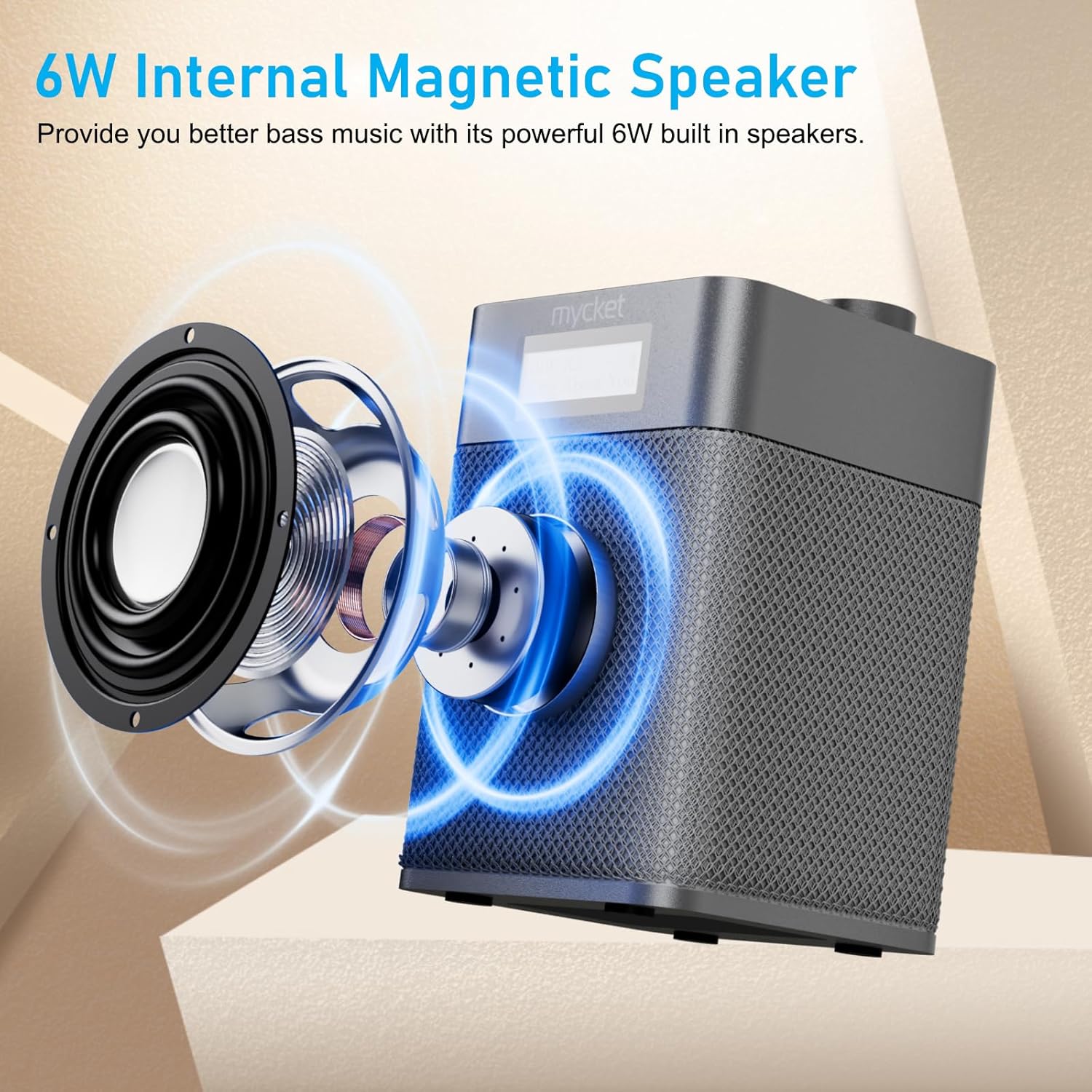
Figure 8.1: Diagram illustrating the 6W internal magnetic speaker of the Mycket radio.
9. Garantía y soporte
Mycket is committed to providing high-quality products and customer satisfaction. This product comes with a 12-month coverage period from the date of purchase. For any inquiries, technical assistance, or support, please contact our customer service team. We offer 24/7 customer service to ensure a worry-free experience.


