Introducción
Thank you for choosing the Defender ARGA GM-049 Gaming Mouse. This manual provides detailed instructions for setting up, operating, maintaining, and troubleshooting your new gaming mouse. Please read this manual carefully before use to ensure optimal performance and longevity of your device.
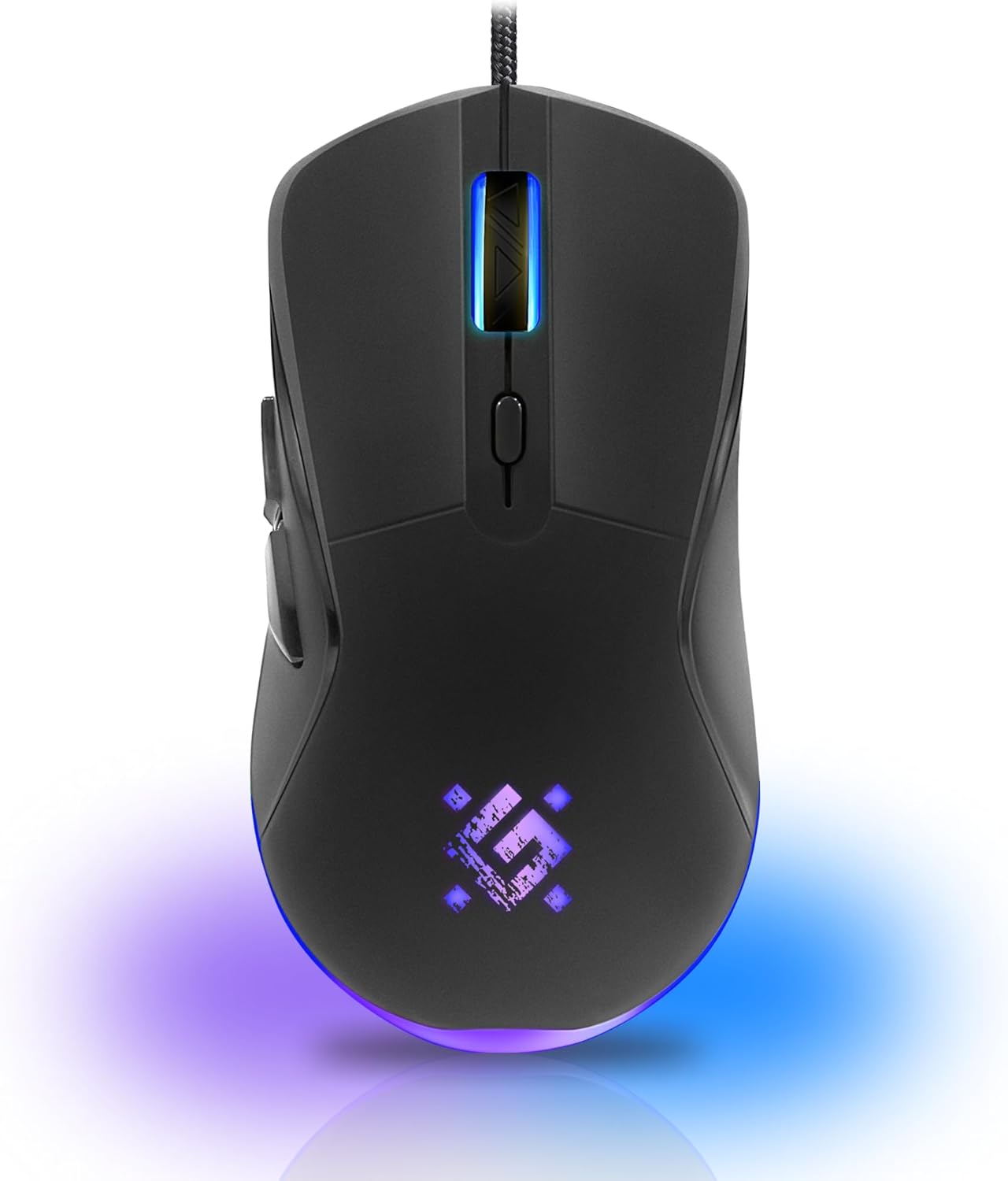
Imagen: Frente view of the Defender ARGA GM-049 Gaming Mouse, showcasing its ergonomic design and customizable RGB lighting.
Configuración
1. Conexión del ratón
- Ubique un puerto USB disponible en su computadora.
- Plug the gold-plated USB connector of the Defender ARGA GM-049 mouse into the USB port.
- El sistema operativo detectará e instalará automáticamente los controladores necesarios. Este proceso puede tardar unos instantes.
2. Instalación del software (opcional)
For advanced customization, including macro programming and button remapping, install the Defender Game Center Software.
- Visit the official Defender website to download the latest version of the Defender Game Center Software.
- Siga las instrucciones en pantalla para completar la instalación.
- Una vez instalado, inicie el software para configurar los ajustes del mouse.

Image: Diagram illustrating the Defender Game Center Software, macro editor, optical sensor, and compatibility with Windows 2000/XP/Vista/7/8/10+ and macOS X10+.
Instrucciones de funcionamiento
1. Funciones básicas
- Click izquierdo: Acción primaria.
- Botón derecho del ratón: Secondary action, typically opens context menus.
- Rueda de desplazamiento: Desplazarse hacia arriba o hacia abajo por los documentos o web páginas. Presionar la rueda de desplazamiento a menudo actúa como un clic central.
2. Ajuste de DPI
The Defender ARGA GM-049 features adjustable DPI (Dots Per Inch) settings, allowing you to change mouse sensitivity on the fly. The available DPI levels are 1200, 1800, 2400, and 3600.
- Press the dedicated DPI button (usually located behind the scroll wheel) to cycle through the preset DPI levels.
- Each DPI level may correspond to a different LED lighting color for easy identification (refer to software for customization).
3. Botones programables
The mouse is equipped with 6 buttons, 5 of which are programmable using the Defender Game Center Software. These include the two main clicks, the scroll wheel click, and two side buttons.
- Launch the Defender Game Center Software.
- Navigate to the button assignment section.
- Select a button and assign a desired function, macro, or key combination.
4. Iluminación RGB
The ARGA GM-049 features customizable RGB lighting. The lighting effects and colors can be configured through the Defender Game Center Software to match your preferences or current DPI setting.

Image: Visual representation of the mouse's features including 10 million clicks lifespan, 5 programmable buttons, RGB lighting, and DPI settings (1200/1800/2400/3600).
Mantenimiento
Un mantenimiento adecuado garantiza la longevidad y el rendimiento óptimo de su mouse para juegos.
1. Limpieza
- Desconecte el mouse de su computadora antes de limpiarlo.
- Utilice un paño suave, seco y sin pelusa para limpiar la superficie del mouse.
- Para suciedad difícil, ligeramente dampEnjuague el paño con agua o un limpiador suave no abrasivo. Evite productos químicos agresivos.
- Utilice un hisopo de algodón o aire comprimido para limpiar alrededor de los botones y la rueda de desplazamiento.
- Do not allow liquids to enter the mouse casing.
2. Cuidados generales
- Evite dejar caer el ratón o someterlo a impactos fuertes.
- Mantenga el ratón alejado de temperaturas extremas y de la luz solar directa.
- Do not attempt to disassemble the mouse, as this may void your warranty.
Solución de problemas
If you encounter issues with your Defender ARGA GM-049 mouse, refer to the following common solutions:
| Problema | Posible solución |
|---|---|
| El ratón no responde |
|
| Movimiento errático del cursor |
|
| Los botones o la rueda de desplazamiento no funcionan |
|
| La iluminación LED no funciona |
|
Presupuesto
| Característica | Detalle |
|---|---|
| Marca | Defensor |
| Modelo | ARGA GM-049 |
| Tecnología de conectividad | Wired USB (Gold-plated connector) |
| Tecnología de detección de movimiento | Óptico |
| Niveles de DPI | 1200 / 1800 / 2400 / 3600 |
| Número de botones | 6 (5 programables) |
| Características especiales | RGB LED lighting, Programmable buttons, Macro editor, Durable rubberized surface, Teflon feet, Ferrite noise filter |
| Longitud del cable | 1.5 meters (Braided cable structure) |
| Vida útil del botón | Hasta 10 millones de clics |
| Compatibilidad | Windows 2000/XP/Vista/7/8/10+, macOS X10+ |
| Accesorio incluido | Mouse Pad (220 x 180 mm) |

Image: Product packaging highlighting key features such as rainbow backlight, 2 thumb buttons, 4 resolution modes up to 3600 DPI, wide rubberized backlit scroll wheel, 5 customizable buttons, durable Teflon feet, ferrite noise filter, gold-plated USB connector, and bonus mouse pad.

Image: The Defender ARGA GM-049 Gaming Mouse shown alongside its included mouse pad, indicating dimensions of 220mm by 180mm.
Garantía y soporte
Información de garantía
For detailed warranty information regarding your Defender ARGA GM-049 Gaming Mouse, please refer to the warranty card included with your product or consult the retailer from whom you purchased the device. Warranty terms and conditions may vary by region and retailer.
Apoyo técnico
If you require further assistance or encounter issues not covered in this manual, please visit the official Defender website for support resources, FAQs, and contact information for technical support.