1. Introducción
Gracias por la compraasing the Retekess V112 AM FM Pocket Radio. This compact digital radio is designed for portable listening, offering both AM and FM bands with a clear LCD display and rechargeable battery. Please read this manual carefully to ensure proper use and optimal performance of your device.
2. Características del producto
- Miniature size and lightweight design for easy portability.
- AM/FM 2-band stereo radio reception.
- Digital LCD display for frequency and status indication.
- Automatic and manual station search and storage.
- Up to 58 preset stations (29 AM / 29 FM).
- 31-level volume control.
- Construido en una batería de litio recargable.
- Sleep timer function (90, 60, 30, 15 minutes).
- Key lock function to prevent accidental operation.
- Stereo earphone output for personal listening.
3. Contenido del paquete
Por favor revise el paquete para ver los siguientes artículos:
- 1 × Retekess V112 AM FM Pocket Radio
- 1 × Manual del propietario
- 1 × Hand Strap/Lanyard
- 1 × cable de carga USB
- 1 × Auriculares

Image: The package includes the Retekess V112 radio, owner's manual, hand strap, USB charging cable, and earphones.
4. Diagrama del producto y controles
Familiarize yourself with the radio's buttons and display for easy operation.
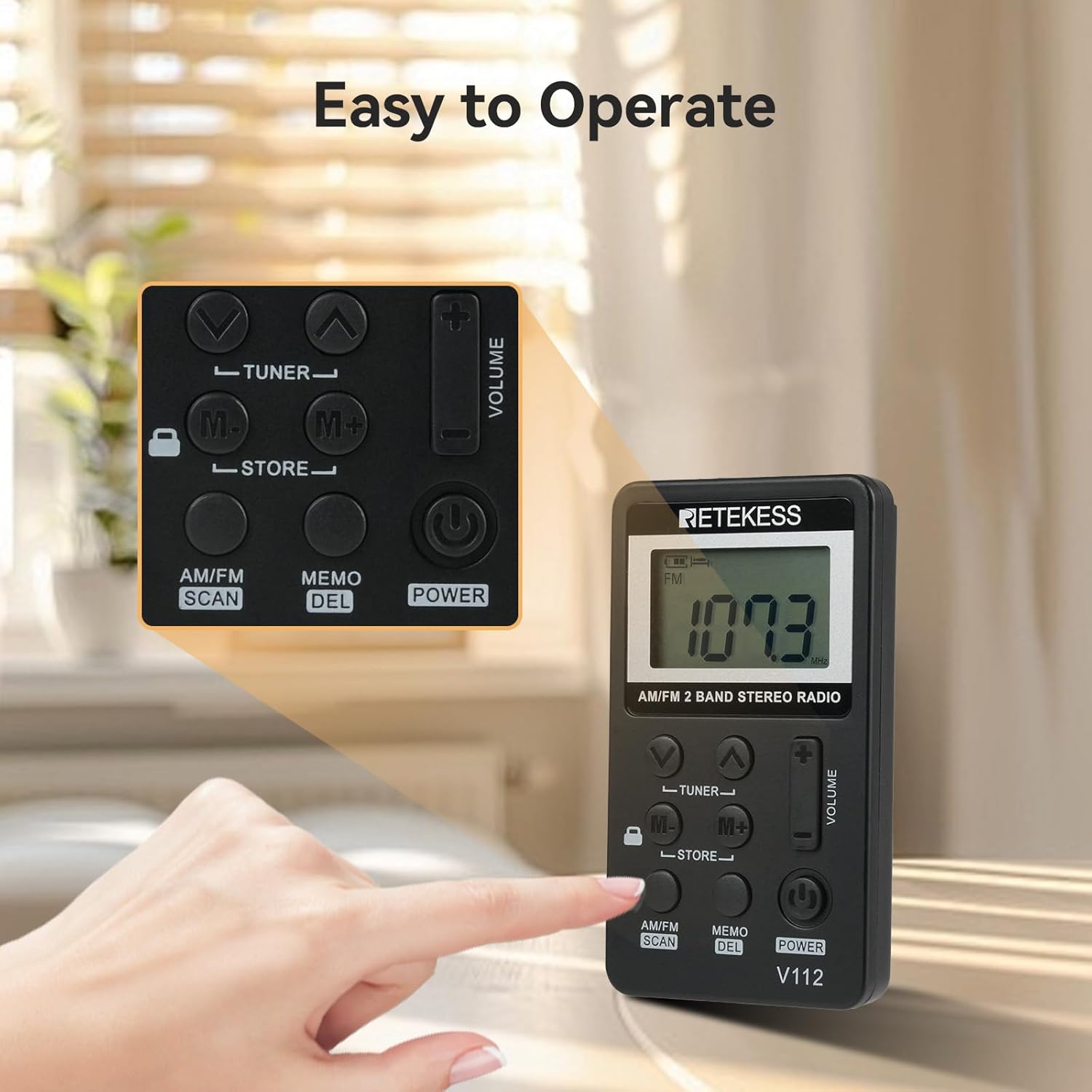
Imagen: Un primer plano view of the Retekess V112 radio, highlighting the control buttons and LCD screen.
4.1. Controles del panel frontal
- Botón de encendido: Presione para encender o apagar la radio.
- Botón de escaneo AM/FM: Press to switch between AM and FM bands. Long press to initiate automatic station scanning and storage.
- Botón MEMO/DEL: Press to store a station. Long press to delete a stored station.
- TUNER ▲/▼ Buttons: Press to manually tune the frequency up or down.
- Botones M+/M-: Press to navigate through preset stations.
- VOLUME +/− Buttons: Ajuste el volumen de escucha.
- Interruptor de BLOQUEO: Slide to lock or unlock the buttons.
4.2. Pantalla LCD

Imagen: Un detalle view of the radio's LCD display, showing frequency and other indicators.
The LCD display shows the current frequency, battery level, AM/FM band indicator, stereo indicator (for FM), and sleep timer status.
5. Configuración
5.1. Carga de la batería
The radio is equipped with a built-in rechargeable lithium battery. Before first use, fully charge the radio.
- Conecte el cable de carga USB suministrado al puerto de carga de la radio.
- Conecte el otro extremo del cable USB a un adaptador de corriente USB (no incluido) o al puerto USB de una computadora.
- The battery indicator on the LCD will show charging status. It typically takes about 1.5 hours for a full charge.
- Una vez que esté completamente cargado, desconecte el cable de carga.
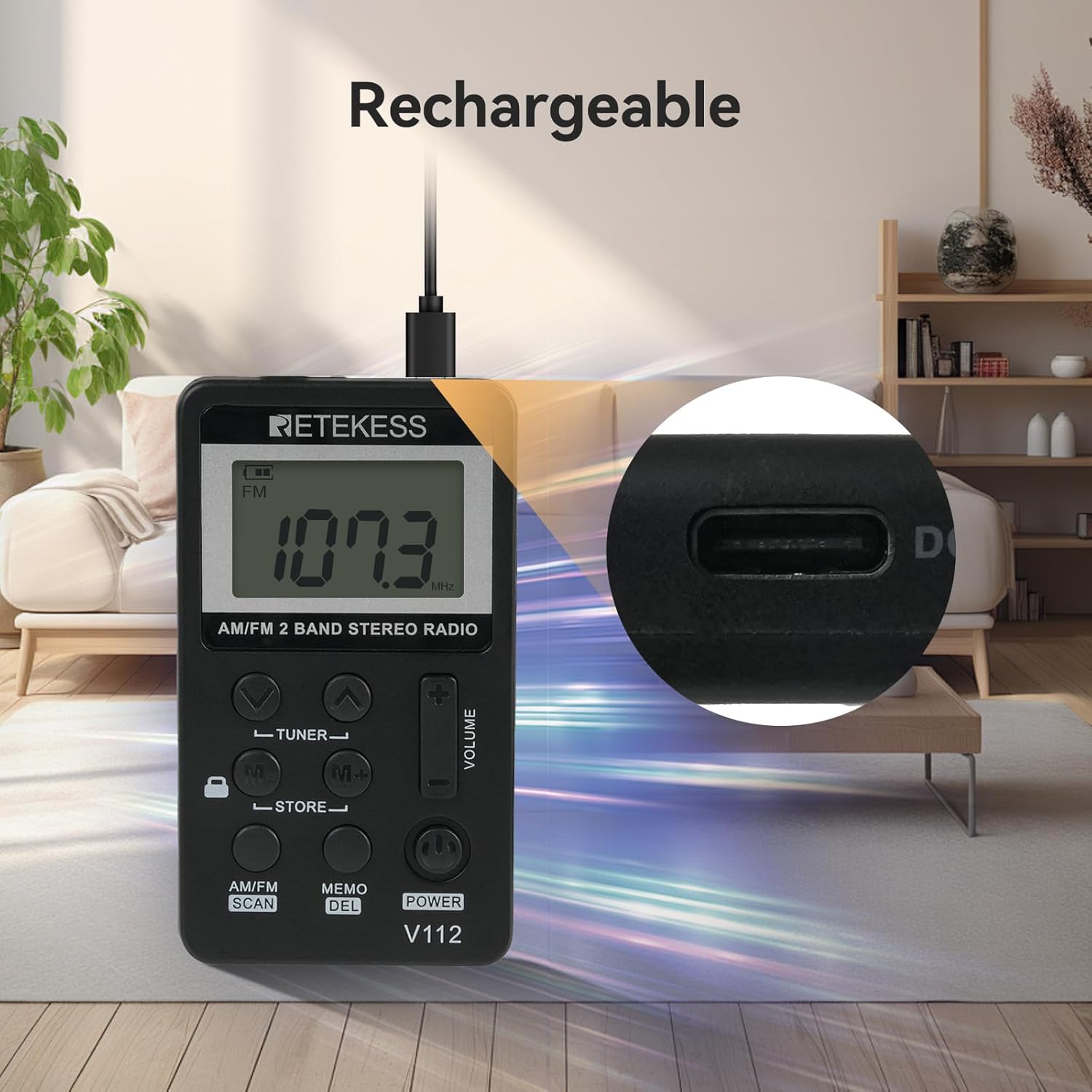
Image: The Retekess V112 radio being charged via its USB port, with a close-up of the charging port.
5.2. Conexión de auriculares
The earphones serve as the FM antenna. For optimal reception, ensure the earphones are fully plugged into the 3.5mm jack.
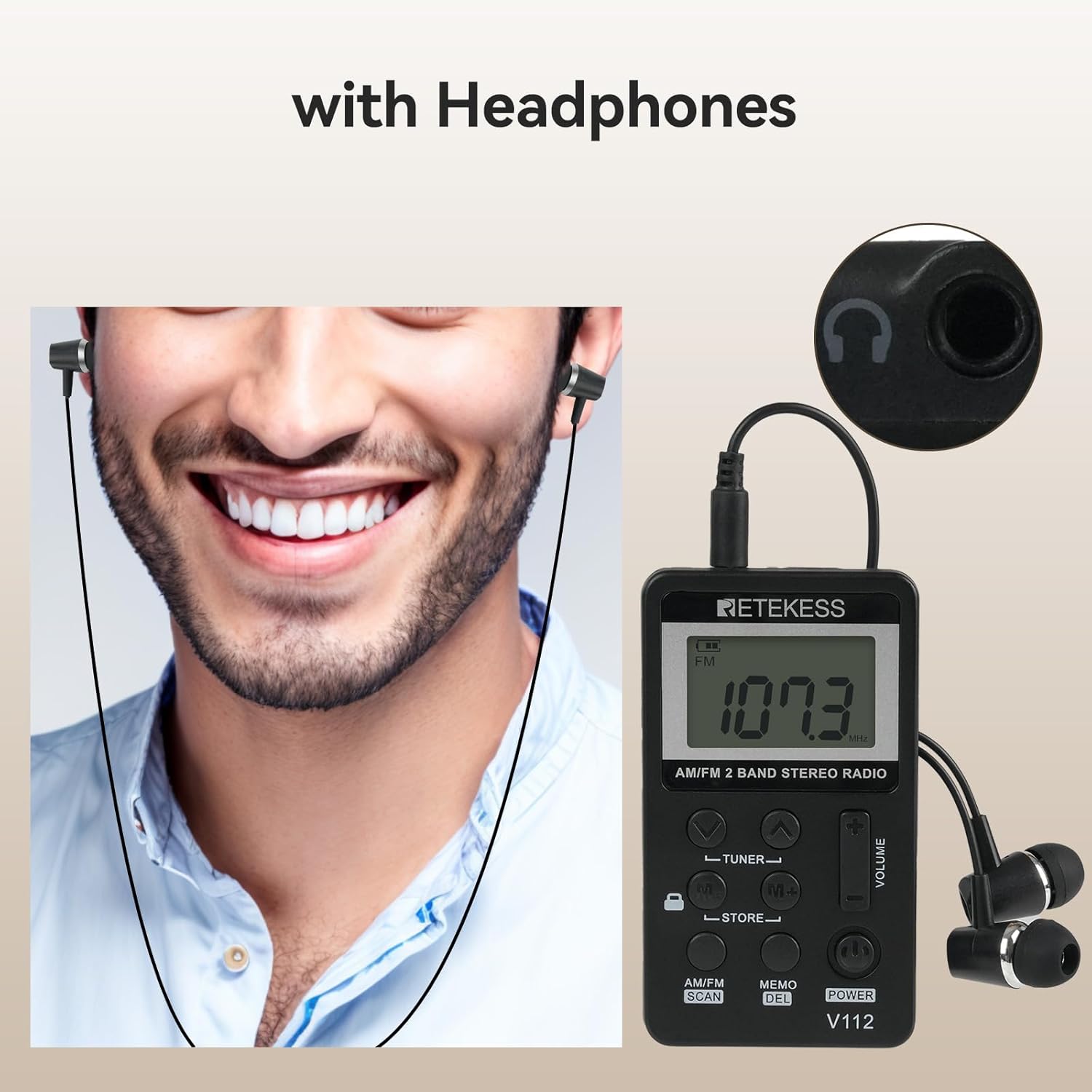
Image: A person wearing earphones connected to the Retekess V112 radio, illustrating the use of earphones for listening and as an antenna.
6. Funcionamiento básico
6.1. Encendido y apagado
Presione el FUERZA button to turn the radio on. Press it again to turn the radio off.
6.2. Ajuste del volumen
Presione el VOLUMEN + Botón para subir el volumen. Pulse el VOLUMEN − button to decrease the volume. The volume level is displayed on the LCD.
6.3. Selección de banda (AM/FM)
Presione el ESCANEO AM/FM button to switch between AM and FM radio bands. The selected band will be indicated on the LCD.

Image: The Retekess V112 radio displaying an FM frequency, with visual arcs representing various broadcast categories like news, music, and sports.
6.4. Sintonización de estaciones
Escaneo y almacenamiento automático:
- Mantenga pulsado el ESCANEO AM/FM button. The radio will automatically scan for available stations and store them into presets.
- The scanning process will stop once all available stations are found and stored.

Image: The Retekess V112 radio with an overlay highlighting the 'AM/FM SCAN' and 'STORE' buttons, indicating the automatic search and storage function.
Sintonización manual:
Presione el SINTONIZADOR ▲ or SINTONIZADOR ▼ Botones para ajustar manualmente la frecuencia paso a paso.
6.5. Preset Stations (Store/Recall)
Almacenamiento de una estación:
- Tune to the desired station using manual tuning or automatic scan.
- Presione el MEMO/ELIMINAR button once. The preset number will flash on the display.
- Utilice el M+/M- Botones para seleccionar la ubicación de memoria preestablecida deseada.
- Presione el MEMO/ELIMINAR button again to confirm and store the station.
Recuperar una estación almacenada:
Presione el M+ or M- Botones para recorrer las estaciones preestablecidas almacenadas.
6.6. Función de bloqueo de teclas
Deslice el CERRAR switch (located on the side or front, depending on model revision) to the lock position to disable all buttons. This prevents accidental changes to settings or power-off when carrying the radio. Slide it back to unlock.

Image: The Retekess V112 radio with a highlighted lock icon, indicating the key lock function to prevent unintended button presses.
6.7. Temporizador de sueño
The radio features an automatic power-off function. If it does not work, it will turn off automatically after 90 minutes. This is a protection function. If you can turn on the radio again and keep listening, it means the battery is not the issue.
7. Mantenimiento
- Limpie la radio con un paño suave y seco. No utilice limpiadores abrasivos ni disolventes.
- Evite exponer la radio a temperaturas extremas, luz solar directa, polvo o humedad.
- No intente desmontar ni modificar la radio, ya que esto anulará la garantía y puede causar daños.
- Si no va a utilizar la radio durante un período prolongado, cárguela periódicamente para mantener la salud de la batería.
8. Solución de problemas
| Problema | Posible causa | Solución |
|---|---|---|
| Sin energía/La radio no se enciende | La batería está agotada. | Cargue la radio utilizando el cable USB suministrado. |
| Mala recepción/estática | Earphones not fully plugged in or acting as antenna. Weak signal in current location. | Ensure earphones are fully inserted. Adjust earphone cable position. Try moving to a different location. |
| Los botones no responden | La función de bloqueo de teclas está activada. | Slide the LOCK switch to the unlock position. |
| Cannot store presets | Procedimiento incorrecto. | Follow the 'Storing a Station' steps carefully (Section 6.5). Press MEMO once, select slot, then press MEMO again. |
| Volume too loud at lowest setting | This is the minimum volume level for the device. | Consider using different earphones with lower sensitivity if needed for very quiet environments. |
9. Especificaciones
| Característica | Especificación |
|---|---|
| Dimensiones del producto | 1.89 x 0.5 x 3.37 pulgadas (48 x 13 x 85 mm) |
| Peso del artículo | 4.2 onzas (120 g) |
| Número de modelo | V112 |
| Baterías | 1 Rechargeable 9V battery (included) |
| Tecnología de conectividad | Auxiliar (conector para auriculares de 3.5 mm) |
| Tecnología de sintonizador | AMFM |
| Fuente de poder | Funciona con pilas |
| Bandas de radio compatibles | Radio AM/FM |
10. Información de seguridad
- No exponga la radio al agua ni a la humedad excesiva.
- Evite dejar caer o someter la radio a impactos fuertes.
- Do not use the radio in environments with high temperatures or near flammable materials.
- Para evitar daños auditivos, evite escuchar a niveles altos de volumen durante períodos prolongados.
- Deseche la batería según la normativa local. No arroje las baterías al fuego.
11. Garantía y soporte
Retekess products are designed for reliability and performance. For warranty information or technical support, please refer to the contact details provided with your purchase or visit the official Retekess webSitio web. Conserve su comprobante de compra para reclamaciones de garantía.


