1. Introducción
Thank you for choosing the LEKATO GA-02 5W Rechargeable Guitar Amplifier. Este compacto y portátil amplifier is designed for electric guitar and bass practice, offering both clean and overdrive effects, Bluetooth connectivity, and multiple input/output options. Please read this manual carefully to ensure proper operation and to maximize your experience with the product.
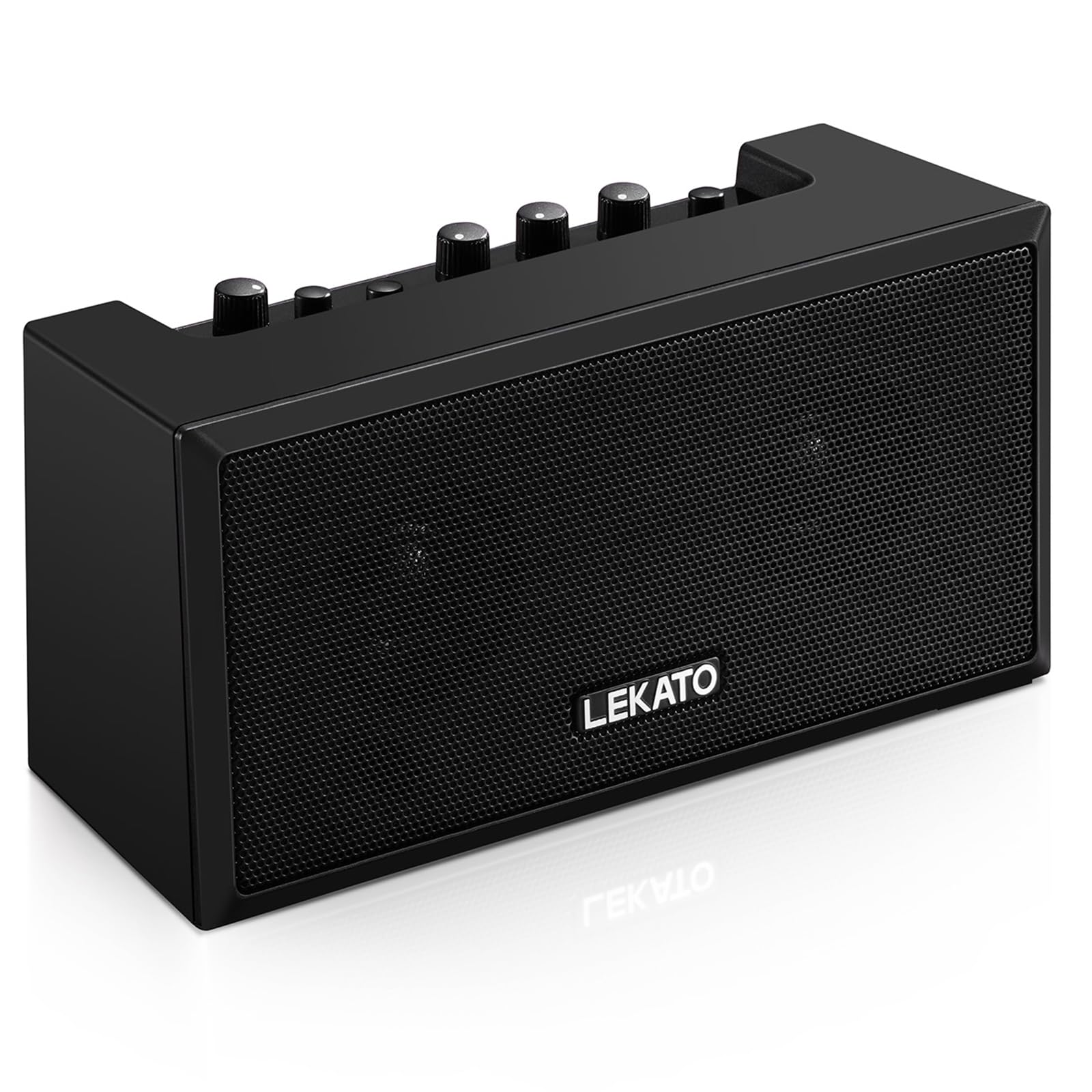
Figura 1: Frente view of the LEKATO GA-02 Guitar Ampmás duradero.
2. Características principales
- Dual Tone Channels: Easily switch between Clean and Overdrive effects with a single button.
- Compacto y portátil: 5W dual speakers in a mini size, ideal for practice anywhere.
- Conectividad Bluetooth 5.0: Connect wirelessly to your smartphone or other devices for accompaniment.
- Interfaces enriquecidas: Includes 1/8" Aux input, 1/8" stereo headphone output, and 6.35mm instrument input.
- Batería recargable: Built-in 3.7V/2000mA battery provides up to 6 hours of playtime on a single charge, rechargeable via Type-C USB.
3. Configuración y conexiones
3.1 Carga del Ampmás vivaz
Antes del primer uso, cargue completamente el amplifier. Connect the included Type-C USB cable to the DC 5V charging port on the rear panel of the amplifier and to a standard USB power source (e.g., wall adapter, computer USB port).

Figure 2: Type-C USB charging port on the rear panel.
Una carga completa proporciona aproximadamente 6 horas de tiempo de reproducción.
3.2 Controls and Interfaces Overview

Figure 3: Front panel controls (top) and rear panel interfaces (bottom) of the ampmás duradero.
Controles del panel frontal:
- B.T./AUX VOL: Adjusts the volume for Bluetooth and Aux input.
- B.T. Button: Activa/desactiva el modo de emparejamiento Bluetooth.
- OVERDRIVE Button: Toggles between Clean and Overdrive channels.
- Perilla de GANANCIA: Adjusts the input sensitivity and distortion level (primarily for Overdrive channel).
- Perilla de TONO: Ajusta las características tonales (balance de agudos/graves).
- Perilla de VOLUMEN: Adjusts the overall output volume of the guitar signal.
- Botón de encendido: Gira el ampmás vivaz encendido o apagado.
Interfaces del panel trasero:
- INPUT (6.35mm Jack): Connect your electric guitar or bass.
- AUX (1/8" Jack): Connect external audio sources like smartphones or CD players.
- Headphone Output (1/8" Stereo Jack): Conecte los auriculares para practicar en silencio.
- DC 5 V (puerto tipo C): Entrada de energía para carga.
3.3 Conexión del instrumento
Insert your instrument cable (6.35mm jack) into the APORTE port on the rear of the ampmás duradero.
3.4 Conexión Bluetooth
- Enciende el amplificador usando el FUERZA botón.
- Presione el B.T. button on the front panel. The Bluetooth indicator light will flash, indicating pairing mode.
- On your smartphone or Bluetooth-enabled device, search for "TOP-GT" in the Bluetooth settings.
- Select "TOP-GT" to pair. Once connected, the Bluetooth indicator light will remain solid.
- Adjust the Bluetooth/Aux volume using the B.T./AUX VOL perilla.

Figure 4: Bluetooth pairing process with a mobile device.
3.5 Aux Input Connection
Connect an external audio source (e.g., MP3 player, computer) to the Auxiliar input jack on the rear panel using a 1/8" (3.5mm) stereo audio cable. Adjust the volume using the B.T./AUX VOL perilla.
3.6 Conexión de auriculares
Para practicar en silencio, conecta tus auriculares a la Salida de auriculares jack on the rear panel. This will mute the ampAltavoces internos del lifier.
4. Instrucciones de funcionamiento
4.1 Encendido y apagado
Presione el FUERZA botón para girar el ampmás vivaz encendido o apagado.
4.2 Selecting Tone Channels
El amplifier features two tone channels: Clean and Overdrive.
- Presione el SOBREMARCHA button to switch between the Clean and Overdrive channels.
- When the Overdrive channel is active, the corresponding indicator light will illuminate.
- Limpio: Provides a pure instrument tone.
- Sobremarcha: Produces a distorted rock sound.

Figure 5: Pressing the OVERDRIVE button to switch channels.
4.3 Ajuste del sonido
- GANAR: Rotate the GAIN knob to adjust the input signal level. Higher gain settings will increase distortion, especially in Overdrive mode.
- TONO: Use the TONE knob to shape the amplifier's frequency response, making the sound brighter or warmer.
- VOLUMEN: Adjust the overall output volume of your instrument using the VOLUME knob.
5. Mantenimiento
- Limpieza: Limpiar el ampLimpie el limpiador con un paño suave y seco. No utilice limpiadores líquidos ni materiales abrasivos.
- Almacenamiento: Almacenar el ampGuarde el dispositivo en un lugar fresco y seco, alejado de la luz solar directa y de temperaturas extremas.
- Cuidado de la batería: For optimal battery life, avoid fully discharging the battery frequently. Charge the amplifier regularly, even if not in use for extended periods.
- Manejo: Evite dejar caer o someter el ampElevador a fuertes impactos.
6. Solución de problemas
| Problema | Posible causa | Solución |
|---|---|---|
| No hay sonido desde ampmás duradero. |
|
|
| Bluetooth no se conecta. |
|
|
| Sound is distorted (not desired). |
|
|
| Corta duración de la batería. |
|
|
7. Especificaciones
| Característica | Detalle |
|---|---|
| Modelo | GA-02 |
| Salida Wattage | 5 vatios |
| Canales | Clean, Overdrive |
| Conectividad | Bluetooth 5.0 |
| Entradas | 6.35mm Instrument Jack, 3.5mm Aux Input |
| Salidas | Salida de auriculares estéreo de 3.5 mm |
| Fuente de poder | Funciona con pilas (recargables) |
| Tipo de batería | 3.7V/2000mA Lithium Polymer (included) |
| Puerto de carga | USB tipo C (CC 5 V) |
| Tiempo de juego aproximado | 6 horas |
| Dimensiones del producto | 7 x 11.5 x 8.2 cm (2.76" de profundidad x 4.53" de ancho x 3.23" de alto) |
| Peso del artículo | 1.23 libras (0.56 kg) |

Figure 6: Dimensions of the LEKATO GA-02 Ampmás duradero.
8. Garantía y soporte
LEKATO products are designed for reliability and performance. For warranty information or technical support, please refer to the warranty card included with your product or visit the official LEKATO webSitio. También puede ponerse en contacto con su distribuidor para obtener ayuda.
For more information about LEKATO products, visit the LEKATO Brand Store.
9. Demostración en vídeo del producto
Video 1: Official product demonstration of the LEKATO GA-02 Guitar Amplificador, espectáculoasing sus características y capacidades de sonido.


