1. Introducción
Welcome to the VALDUS VG40 Pro Smartwatch user manual. This guide provides detailed instructions on how to set up, operate, and maintain your new smartwatch. The VG40 Pro is a robust and intelligent health watch featuring an AMOLED display and phone functionality, designed to support your active lifestyle.
2. Contenido del paquete
Por favor verifique que todos los artículos estén presentes en su paquete:
- VALDUS VG40 Pro Smartwatch
- Cable de carga magnética
- Manual de usuario
3. Producto terminadoview
Familiarize yourself with the components of your VALDUS VG40 Pro Smartwatch.

Figura 3.1: Frente view of the VALDUS VG40 Pro Smartwatch, displaying an active watch face with time, date, step count, and heart rate monitor. The watch features a durable grey strap and a metallic bezel.

Figura 3.2: Frente view of the VALDUS VG40 Pro Smartwatch, showcasing an alternative digital watch face. This display includes the current time, day, date, step count, heart rate, and battery status indicators.
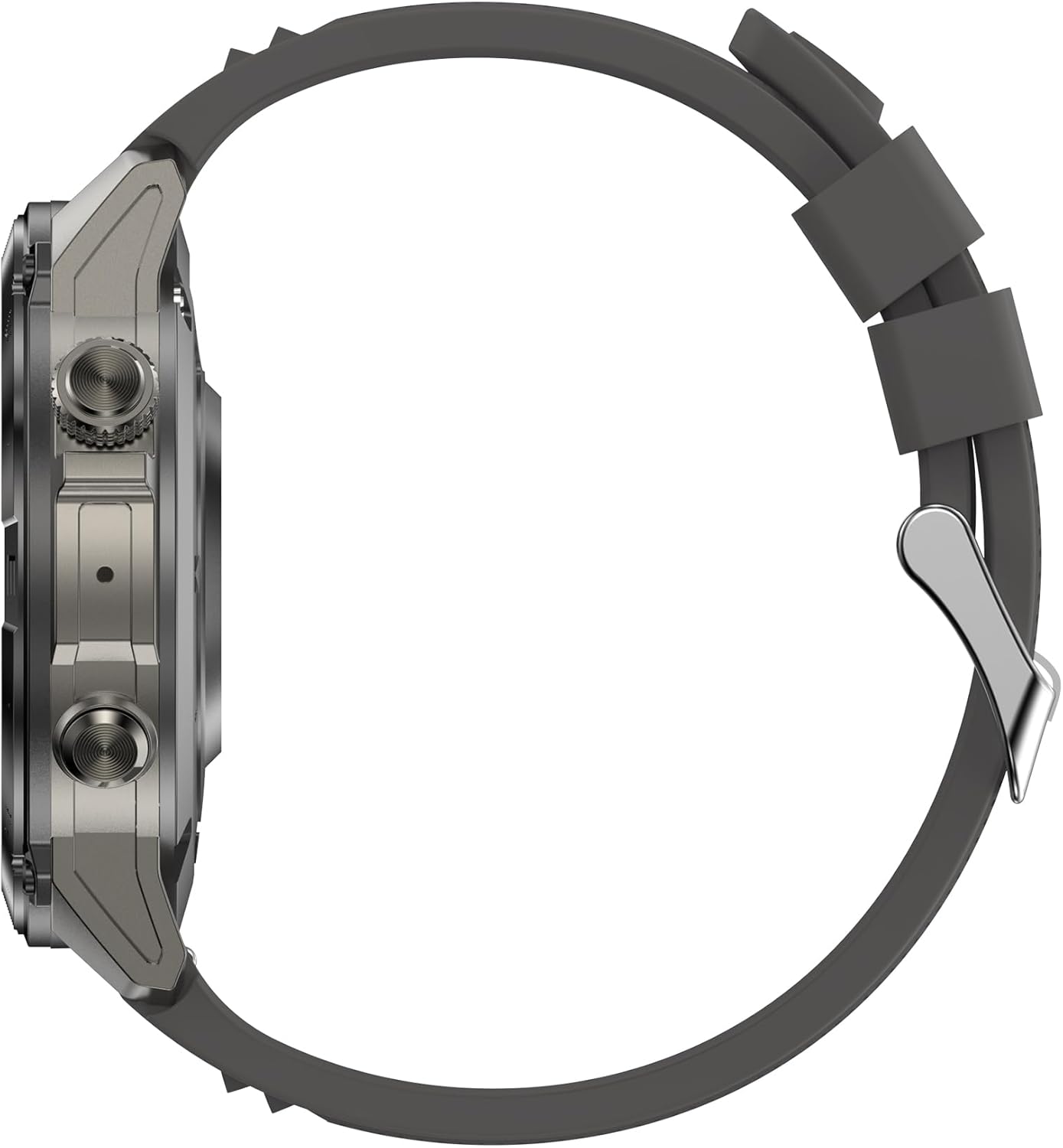
Figura 3.3: Lado profesionalfile of the VALDUS VG40 Pro Smartwatch, illustrating the watch's thickness, the textured physical buttons on the right side, and the sturdy construction of the casing.
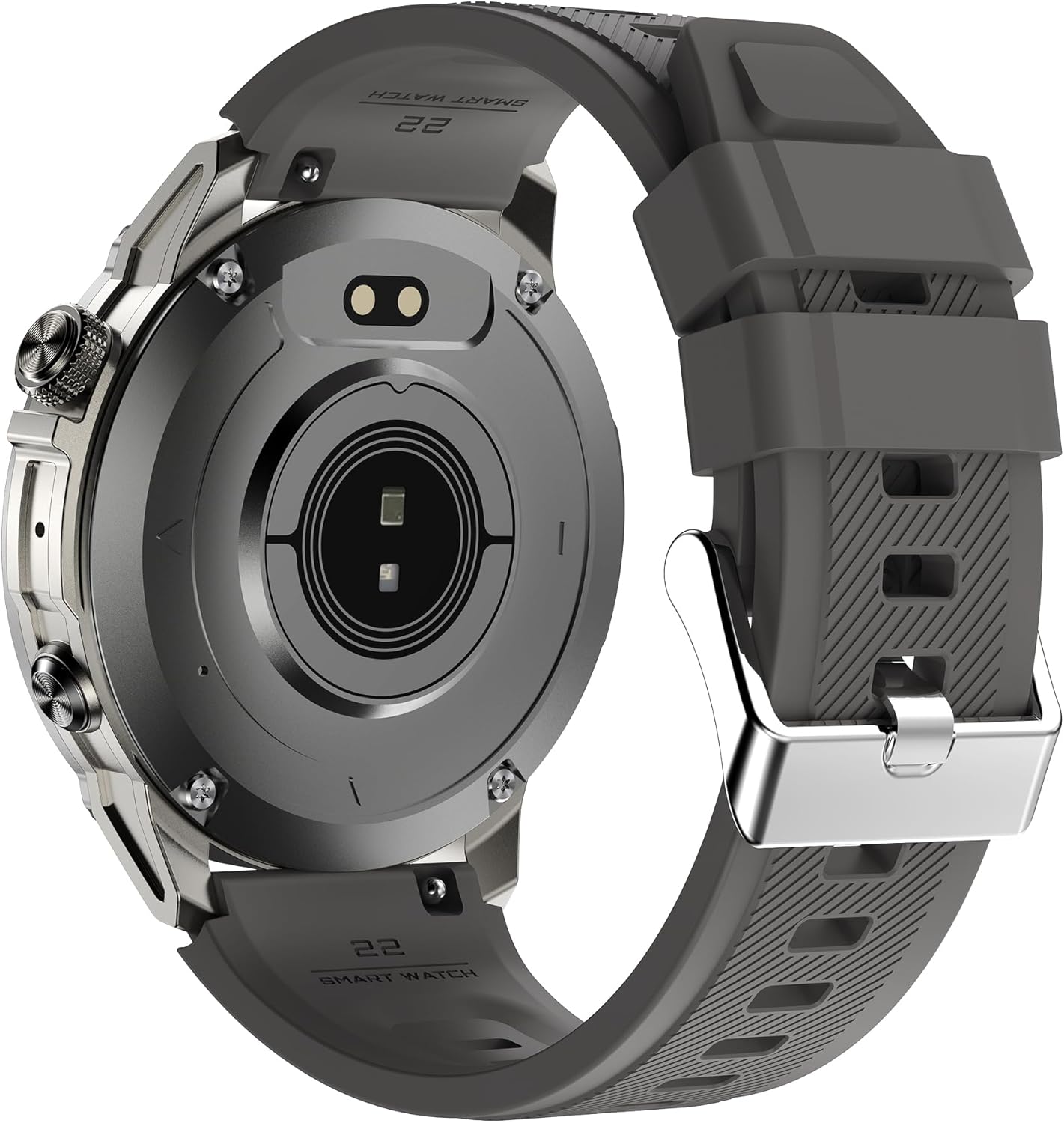
Figura 3.4: Trasero view of the VALDUS VG40 Pro Smartwatch, revealing the optical heart rate sensor in the center and the magnetic charging contacts. The back casing also shows branding and model information.
4. Configuración
4.1. Carga del reloj inteligente
Antes del primer uso, cargue completamente su reloj inteligente. Conecte el cable de carga magnético a los contactos de carga en la parte posterior del reloj y conecte el extremo USB a un adaptador de corriente (no incluido) o al puerto USB de una computadora. La pantalla del reloj indicará el estado de carga.
4.2. Encendido y apagado
- Encendido: Press and hold the power button (usually the top right button) for a few seconds until the VALDUS logo appears.
- Apagado: From the watch face, swipe down or access the settings menu, then select 'Power Off' or press and hold the power button until the power-off option appears.
4.3. Instalación y emparejamiento de la aplicación
- Scan the QR code in the manual or on the watch (if available) to download the companion app, or search for the official VALDUS smartwatch app in your smartphone's app store.
- Install and open the app on your smartphone. Follow the on-screen instructions to create an account or log in.
- Habilite Bluetooth en su teléfono inteligente.
- In the app, navigate to 'Device' or 'Add Device' and select your VALDUS VG40 Pro from the list of available devices.
- Confirme la solicitud de emparejamiento tanto en su teléfono inteligente como en su reloj inteligente.
5. Instrucciones de funcionamiento
5.1. Navegación básica
- Pantalla táctil: Desliza el dedo hacia la izquierda/derecha, arriba/abajo para navegar por los menús y las notificaciones. Toca para seleccionar.
- Botones laterales: Typically, one button acts as a power/back button, while others may be customizable shortcuts for sports modes or specific functions.
5.2. Función del teléfono
Once paired with your smartphone, the VG40 Pro supports Bluetooth calling.
- Haciendo llamadas: Acceda al teclado de marcación o a la lista de contactos de su reloj para iniciar una llamada.
- Recibir llamadas: Cuando entra una llamada, puedes responderla o rechazarla directamente desde tu reloj.
5.3. Monitoreo de la salud
El reloj inteligente rastrea varias métricas de salud:
- Frecuencia cardíaca: Continuous or on-demand heart rate monitoring. Ensure the watch is snug on your wrist.
- Pasos y distancia: Realiza un seguimiento de tu actividad diaria.
- Seguimiento del sueño: Monitors sleep patterns when worn overnight.
5.4. Modos deportivos
Select from various pre-installed sports modes to track specific activities. Each mode provides relevant data such as duration, calories burned, and heart rate.
5.5. Notificaciones
Receive notifications from your smartphone directly on your watch. Manage notification settings through the companion app.
6. Mantenimiento
6.1. Limpieza
Limpie periódicamente su reloj inteligente y la correa para evitar la irritación de la piel y mantener la funcionalidad.
- Limpie el cuerpo del reloj y la correa con un paño suave.amp, paño sin pelusa.
- Evite utilizar productos químicos agresivos o materiales abrasivos.
- Asegúrese de que los contactos de carga estén limpios y secos antes de cargar.
6.2. Cuidado de la batería
- Evite las temperaturas extremas, que pueden degradar la vida útil de la batería.
- Cargue el reloj periódicamente, pero evite dejarlo completamente descargado durante períodos prolongados.
7. Solución de problemas
If you encounter issues with your VALDUS VG40 Pro Smartwatch, refer to the solutions below:
| Problema | Posible solución |
|---|---|
| El reloj no enciende | Asegúrese de que el reloj esté completamente cargado. Mantenga pulsado el botón de encendido durante al menos 10 segundos. |
| No se puede emparejar con el teléfono inteligente | Check if Bluetooth is enabled on your phone. Restart both the watch and phone. Ensure the watch is not paired with another device. Reset the watch to factory settings if necessary. |
| Datos de salud inexactos | Asegúrese de que el reloj esté bien ajustado a su muñeca, ni demasiado apretado ni demasiado suelto. Limpie el sensor de la parte trasera del reloj. |
| Notificaciones no recibidas | Check notification settings in the companion app and on your smartphone. Ensure the app is running in the background. |
8. Especificaciones
Key technical specifications for the VALDUS VG40 Pro Smartwatch:
- Número de modelo: VG40 Pro
- Fabricante: VALDÚS
- ASIN: B0DNR91FTK
- Dimensiones del paquete: 17.3 x 9.2 x 4.1 cm; 210 gramos
- País natal: Porcelana
- Primera fecha disponible: 21 de noviembre de 2024
9. Garantía y devoluciones
Independent of your legal right of withdrawal, you have a 30-day return right for many products. For exceptions and conditions, please refer to the Política de devoluciones de Amazon.it.
10. Atención al cliente
For further assistance, technical support, or warranty claims, please contact VALDUS customer service through the official website or the contact information provided in the companion app.


