1. Introducción
The ORIA Wireless Thermometer Hygrometer provides accurate, real-time monitoring of temperature and humidity. Featuring Bluetooth 5.0 connectivity, it allows you to track environmental conditions in your home, office, or other spaces via a dedicated mobile application. This device is designed for indoor use and offers data logging, smart alerts, and easy data export capabilities.
2. ¿Qué hay en la caja?
Verifique el contenido del paquete para asegurarse de que todos los artículos estén presentes:
- 2 x ORIA Wireless Thermometer Hygrometer units
- 1 x Manual de usuario

Image: Contents of the ORIA Wireless Thermometer Hygrometer package, showing two sensor units, the user manual, and a small tool.
3. Producto terminadoview
The ORIA Wireless Thermometer Hygrometer is a compact device designed for precise environmental monitoring. It features a built-in MEMS sensor for high accuracy and connects wirelessly to your smartphone via Bluetooth 5.0.
Características principales:
- Sensor de alta precisión: Built-in MEMS sensor provides precise temperature and humidity readings. Temperature deviation: +/-0.5℃ (+/-1℉); Humidity deviation: +/-3%RH.
- Conectividad Bluetooth 5.0: Ensures stable connection up to 20m (65.6ft) without obstacles.
- Wireless APP Control & Smart Alert: Monitor data and set custom alert ranges via the mobile application.
- Almacenamiento y exportación de datos: Stores up to 100 days of data internally, updated every 10 minutes, and supports CSV export.
- Diseño compacto: Small size (1.3 x 1.3 x 0.47 inches) with a hanging hole for versatile placement.
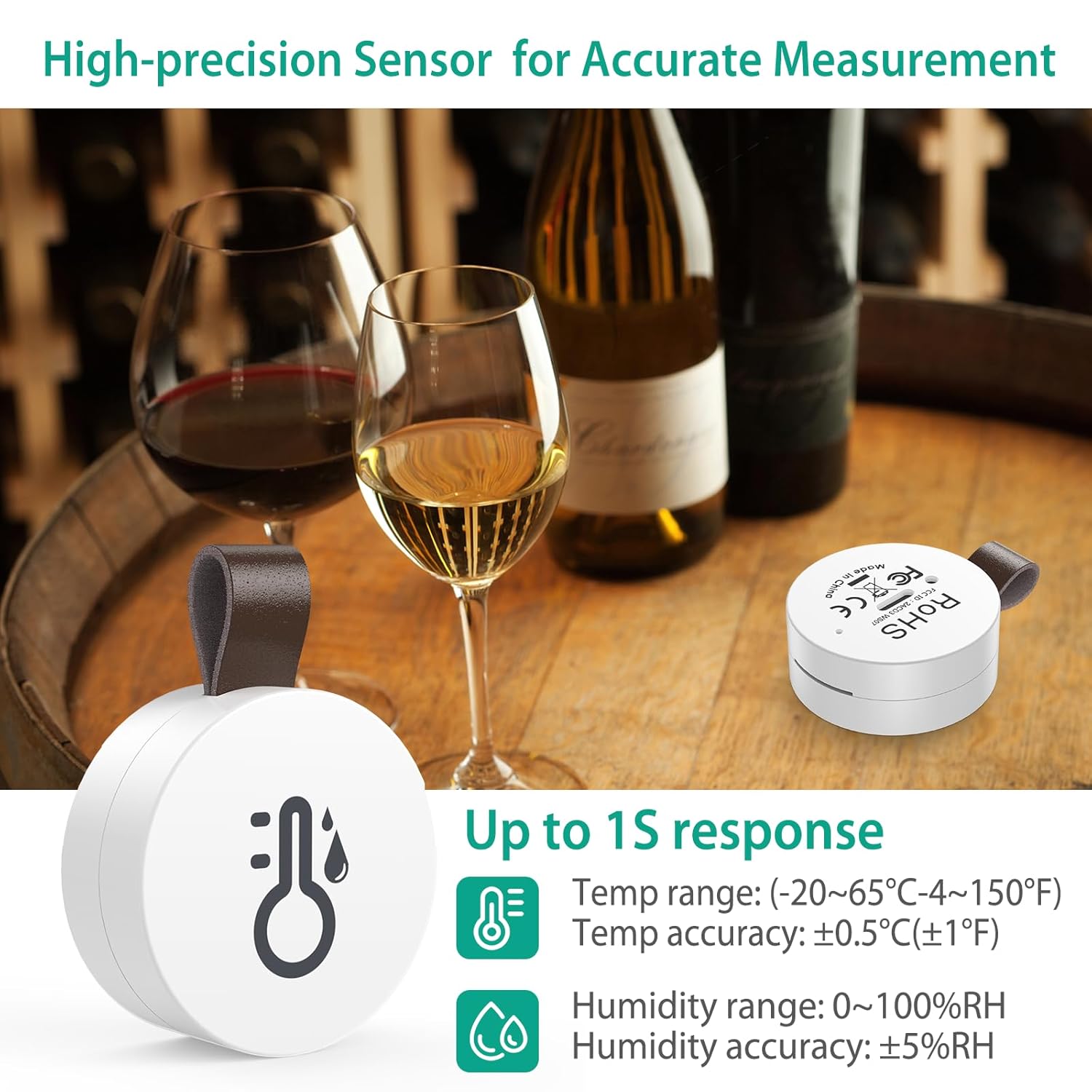
Image: The ORIA sensor in a wine cellar setting, illustrating its high-precision capabilities with temperature range (-20~65℃ / -4~150℉) and humidity range (0~100%RH) details.
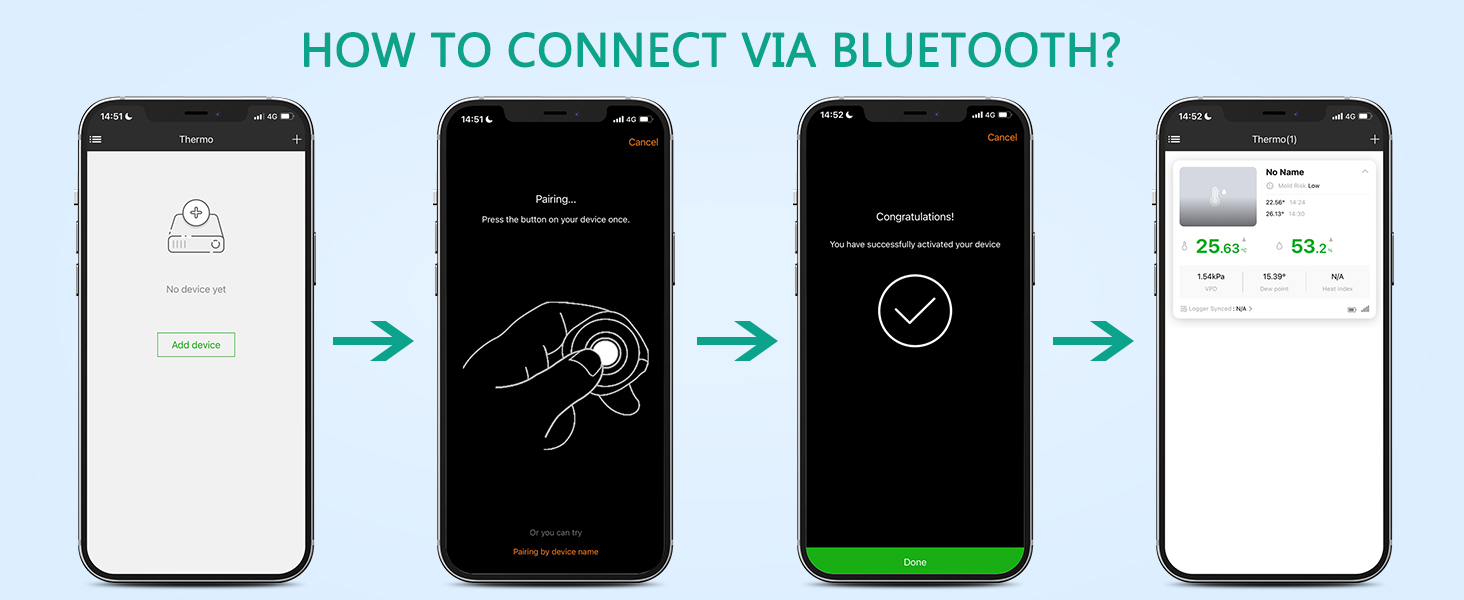
Image: An exploded diagram of the sensor, revealing its internal components including the MEMS sensor and the CR2032 battery.
4. Configuración
Follow these steps to set up your ORIA Wireless Thermometer Hygrometer:
4.1. Download the SensorBlue App
Scan the QR code provided in the manual or on the product packaging, or search for "SensorBlue" in your device's app store. The app is compatible with Android 4.3 or above and iPhone 4s or above.

Image: A visual guide showing the four easy steps to set up the device: 1. Scan QR code to download the SensorBlue app (link to SensorBlue App on Apple App Store), 2. Pull out the battery insulation sheet, 3. Open the phone's Bluetooth and SensorBlue app, 4. Press the button to connect the product.
4.2. Activar el dispositivo
- Localice el compartimento de la batería en la parte posterior del sensor.
- Gently pull out the plastic insulation sheet to activate the battery.
4.3. Conectarse mediante Bluetooth
- Asegúrese de que Bluetooth esté habilitado en su teléfono inteligente.
- Open the SensorBlue application.
- In the app, tap "Add device" or the '+' icon.
- Press the button on your ORIA sensor once to initiate pairing. The app should detect the device.
- Una vez detectado, siga las instrucciones en pantalla para completar la conexión.
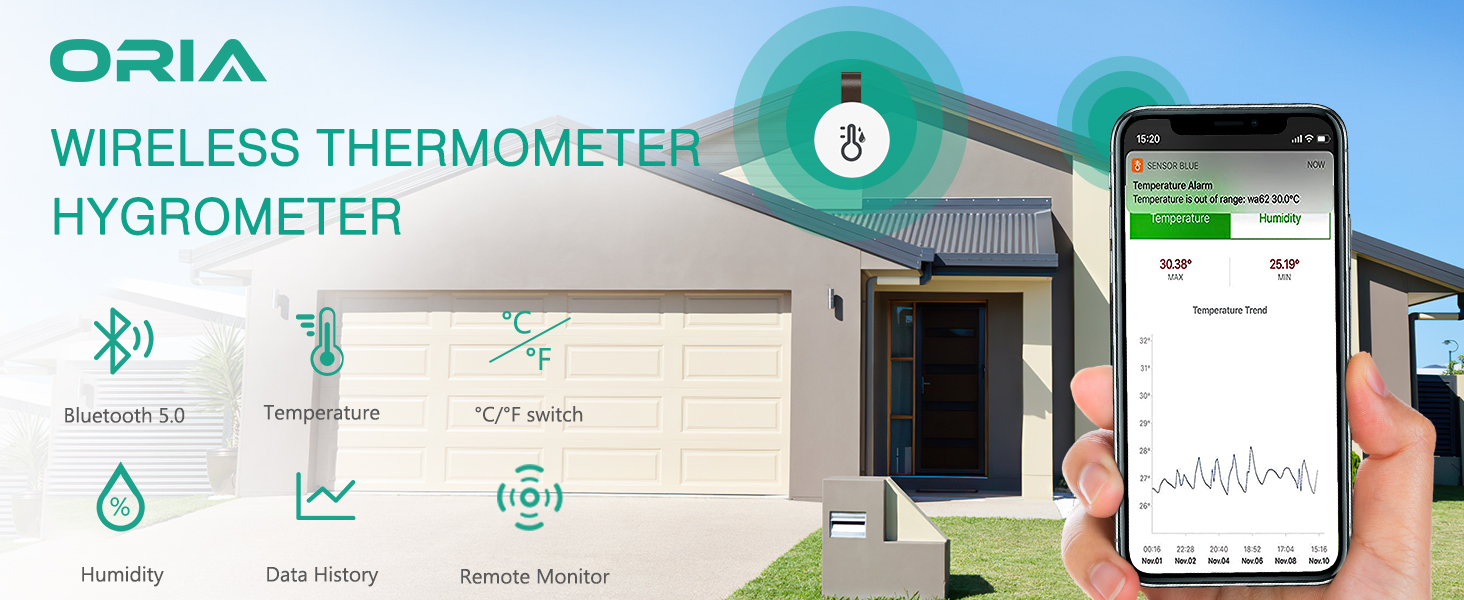
Image: A four-panel image demonstrating the Bluetooth connection process: 1. App showing 'No device yet', 2. Pairing screen prompting to press the device button, 3. 'Congratulations! You have successfully activated your device' message, 4. App displaying connected device with temperature and humidity readings.
4.4. Name Your Sensor
After successful pairing, you can name your sensor within the app (e.g., "Living Room," "Bedroom," "Greenhouse") for easy identification, especially if you have multiple units.
Video: An official product video demonstrating the easy setup and naming process of the ORIA Mini Bluetooth Thermometer Sensor, including setting temperature and humidity alerts.
5. Instrucciones de funcionamiento
Once your ORIA sensor is set up, you can begin monitoring and managing your environment.
5.1. Monitoreo en tiempo real
Open the SensorBlue app on your smartphone. The app will automatically connect to your sensor(s) within Bluetooth range and display real-time temperature and humidity readings. Data is updated automatically once per second.

Image: The SensorBlue app showing current temperature and humidity, along with a historical trend graph, connected via Bluetooth 5.0.
5.2. Setting Smart Alerts
You can set custom temperature and humidity ranges within the SensorBlue app. If the readings go beyond your preset range, the app will display a red indicator, and for some models, the device itself may emit a buzzer alert.
- In the app, select the desired sensor.
- Navigate to the settings or alert section for that sensor.
- Set your desired highest and lowest temperature and humidity thresholds.
- Confirme su configuración.
5.3. Almacenamiento y exportación de datos
The sensor stores data internally every 10 minutes, accumulating up to 100 days of historical data. To ensure continuous data logging, make sure your phone connects to the device at least once per day to sync the data.
Puede view historical data trends directly in the app. The app also allows you to export this data in CSV format, which can then be sent to your email or other applications for further analysis.

Image: The SensorBlue app showing temperature and humidity trend graphs, with icons indicating data storage and export functionality. The image also shows an alert for temperature being out of range.
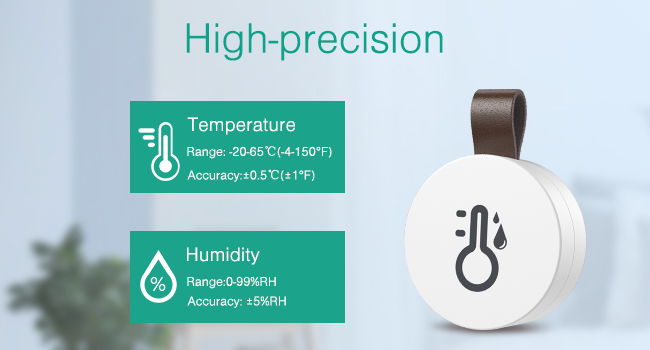
Image: The SensorBlue app interface demonstrating the ability to record temperature and humidity data every 10 minutes and export it in CSV format.
6. Mantenimiento
6.1. Reemplazo de la batería
The ORIA Wireless Thermometer Hygrometer uses a CR2477 button cell battery, which typically lasts for approximately 1 year. When the battery is low, the app may indicate a low battery status.
- Abra con cuidado la cubierta posterior del sensor.
- Retire la batería CR2477 vieja.
- Inserte una nueva batería CR2477 con el lado positivo (+) hacia arriba.
- Cierre la cubierta trasera de forma segura.
Video: An official product video demonstrating the removable battery replacement process for the ORIA Mini Bluetooth Thermometer Sensor, highlighting the CR2477 battery type and 1-year battery life.
6.2. Instrucciones de limpieza
To clean the device, simply wipe it with a clean, dry cloth. Do not use liquid cleaners or immerse the device in water.
6.3. Entorno de uso
This device is designed for indoor use. It is not a refrigerator thermometer; please do not place it inside a refrigerator or freezer, as extreme cold can affect its performance and battery life. The optimal operating temperature range is -20℃ to 60℃ (-4℉ to 140℉).
7. Solución de problemas
If you encounter issues with your ORIA Wireless Thermometer Hygrometer, please refer to the following common solutions:
- El dispositivo no se conecta a la aplicación:
- Asegúrese de que Bluetooth esté habilitado en su teléfono inteligente.
- Make sure the sensor is within the 20m (65.6ft) Bluetooth range without significant obstructions.
- Check if the battery insulation sheet has been removed and the battery is properly inserted.
- Press the button on the sensor once to initiate pairing.
- Restart the SensorBlue app and try again.
- Lecturas inexactas:
- Asegúrese de que el dispositivo esté colocado en un entorno estable, alejado de la luz solar directa, fuentes de calor o corrientes de aire fuertes.
- Allow the device some time (e.g., 15-30 minutes) to stabilize after placement or battery replacement.
- Compare readings with another calibrated thermometer/hygrometer. If a consistent offset is observed, some apps may offer a calibration feature.
- Data not updating or missing:
- Ensure your phone connects to the sensor via Bluetooth at least once every 24 hours to sync stored data.
- Check the battery level in the app; a low battery can affect data transmission and storage.
- Duración de la batería corta:
- Asegúrese de utilizar una batería CR2477 nueva y de alta calidad.
- Extreme temperatures (especially cold) can reduce battery life.
8. Especificaciones
| Característica | Detalle |
|---|---|
| Marca | ORIA |
| Nombre del modelo | WA44-OUS |
| ASIN | B08CVCMVFT |
| Tecnología de conectividad | Bluetooth 5.0 |
| Rango de temperatura | -20 ℃ a 60 ℃ (-4 ℉ a 140 ℉) |
| Precisión de temperatura | +/-0.5℃ (+/-1℉) |
| Rango de humedad | 0-99 % de humedad relativa |
| Precisión de humedad | +/-3 % de humedad relativa |
| Tiempo de respuesta | 500 milisegundos |
| Almacenamiento de datos | Up to 100 days (recorded every 10 minutes) |
| Distancia inalámbrica | Hasta 20 m (65.6 pies) sin obstáculos |
| Fuente de poder | Funciona con pilas |
| Tipo de batería | CR2477 |
| Duración de la batería | Aprox. 1 año |
| Dimensiones | 1.3 x 1.3 x 0.47 pulgadas |
| Material exterior | Acrilonitrilo butadieno estireno |
| Uso en interiores y exteriores | Interior |
| Tipo de pantalla | Digital (vía aplicación) |
9. Garantía y soporte
ORIA is committed to providing high-quality products and excellent customer service. Your ORIA Wireless Thermometer Hygrometer comes with the following:
- Garantía de 1 años: Cubre defectos de fabricación y mal funcionamiento en condiciones normales de uso.
- Reemplazos gratuitos durante 90 días: Para cualquier problema dentro de los primeros 90 días posteriores a la compra.
- Devoluciones gratuitas durante 30 días: Si no está satisfecho con su compra.
- Atención al cliente 24 horas al día, 7 días a la semana: Assistance available around the clock for your queries.
- Soporte técnico de por vida: Asistencia técnica continua durante toda la vida útil de su producto.
For warranty claims, technical assistance, or any other support needs, please contact ORIA customer service through the contact information provided on your purchase platform or the official ORIA websitio.

Image: A visual summary of ORIA's customer support and warranty policies.


