Introducción
The Technoline WT175 is a compact and versatile quartz alarm clock designed for convenience and portability. It features a clear digital display and offers multiple functions including time, date, temperature, humidity, and various alarm settings. Its magnetic casing makes it suitable for travel and everyday use.

Figura 1: Frente view of the Technoline WT175 Mini Travel Alarm Clock, displaying the time and control buttons.
Características principales
- Pantalla de tiempo de 12/24 horas
- Visualización de fecha
- Temperature display (in Celsius)
- Indicador de humedad
- Alarma con función de repetición
- Configurable alarm settings: Weekday, Weekend, or Daily
- Timer with countdown and stop function
- Indicador de batería baja
- C magnéticoasing for versatile placement
Contenido del paquete
- Technoline WT175 Mini Travel Alarm Clock
- Manual de usuario (este documento)
- Nota: Las baterías no están incluidas y deben comprarse por separado.

Figura 2: Product packaging for the Technoline WT175, detailing specifications and features.
Configuración
1. Instalación de la batería
- Localice el compartimento de la batería en la parte posterior del reloj despertador.
- Abra la tapa del compartimiento de la batería.
- Insert 1x AAA Micro LR03 battery, ensuring correct polarity (+/-).
- Cierre bien la tapa del compartimento de la batería.
2. Encendido inicial
Upon successful battery installation, the display will activate. You may need to press the COLOCAR button to begin initial time and date configuration.
Instrucciones de funcionamiento
The Technoline WT175 features several control buttons: COLOCAR, INICIO/PARADA/REINICIO, ZZ (Snooze/Light), AL SET ON-OFF, +, y MODO.
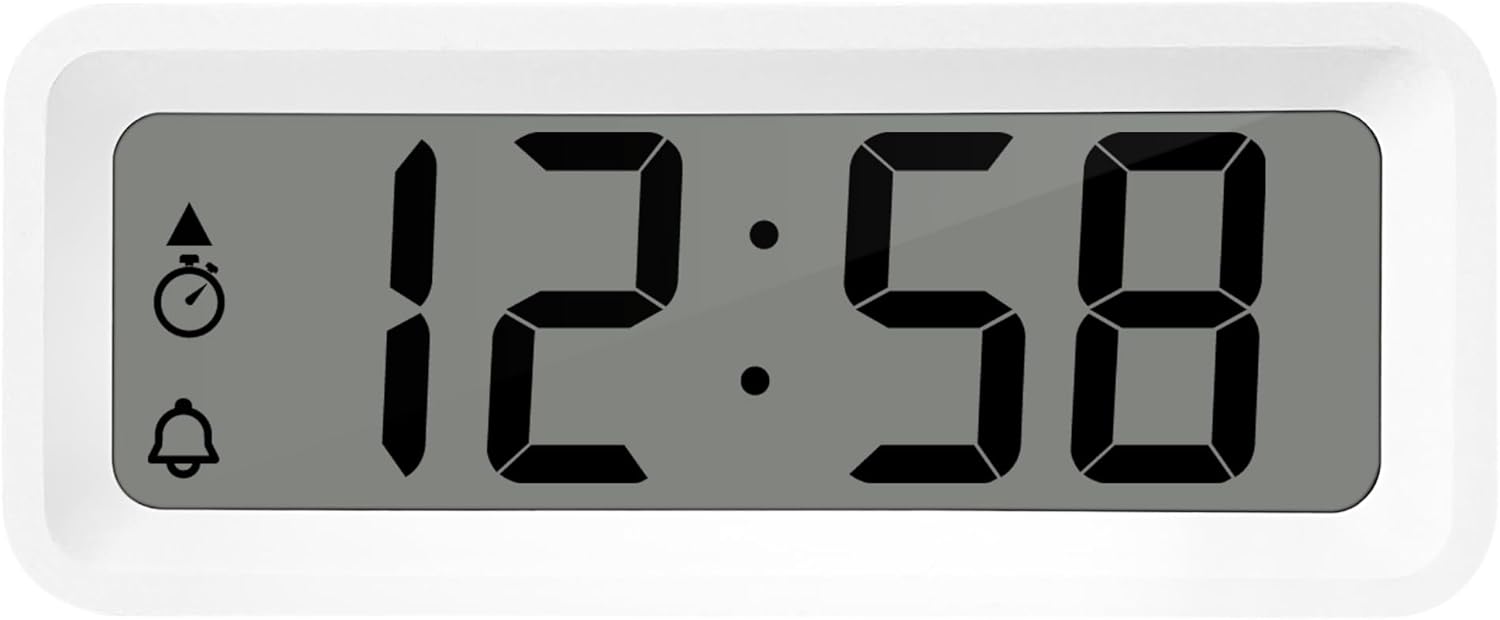
Figura 3: Detallado view of the alarm clock's display and control buttons.
1. Configuración de hora y fecha
- Mantenga pulsado el COLOCAR botón hasta que la pantalla de la hora comience a parpadear.
- Utilice el + or - Botones para ajustar la hora.
- Prensa COLOCAR nuevamente para confirmar la hora y pasar a los minutos.
- Usar + or - para ajustar los minutos.
- Continuar presionando COLOCAR para recorrer y configurar el año, mes y día usando el + or - botones.
- Prensa COLOCAR una última vez para salir del modo de configuración.
2. Selección del formato 12/24 horas
Mientras esté en el modo de visualización de hora normal, presione el botón MODO Botón para alternar entre formatos de hora de 12 y 24 horas.
3. Configuración de la alarma
- Presione el AL SET ON-OFF Presione el botón una vez para ingresar al modo de configuración de alarma. La hora de la alarma parpadeará.
- Utilice el + or - Botones para ajustar la hora de la alarma.
- Prensa AL SET ON-OFF again to confirm the hour and move to alarm minutes.
- Usar + or - para ajustar los minutos de la alarma.
- Prensa AL SET ON-OFF nuevamente para confirmar y salir del modo de configuración de alarma.
4. Activating/Deactivating Alarm and Snooze
- Para activar la alarma ON or APAGADO, presione el AL SET ON-OFF button while in normal time display mode. An alarm icon will appear/disappear on the display.
- Cuando suene la alarma, presione el ZZ (Snooze) button to activate the snooze function. The alarm will temporarily stop and sound again after a few minutes.
- Para detener la alarma por completo, presione cualquier otro botón (por ejemplo, COLOCAR or MODO).
5. Weekday/Weekend/Daily Alarm Settings
The WT175 allows for flexible alarm scheduling. While in alarm setting mode (after pressing AL SET ON-OFF), you can cycle through alarm types by pressing the + or - buttons after setting the alarm time. Look for indicators on the display for:
- Alarma diaria: La alarma suena todos los días.
- Weekday Alarm: La alarma suena de lunes a viernes.
- Weekend Alarm: La alarma suena el sábado y el domingo.
6. Timer and Countdown Function
- Presione el MODO button repeatedly until the timer display appears (often indicated by a stopwatch icon).
- To set the countdown timer, press and hold COLOCAR. Usar + or - to set the desired hours, minutes, and seconds. Press COLOCAR para confirmar cada segmento.
- Prensa INICIO/PARADA/REINICIO para comenzar la cuenta regresiva.
- Prensa INICIO/PARADA/REINICIO de nuevo para pausar/reanudar la cuenta regresiva.
- Para restablecer el temporizador, mantenga presionado INICIO/PARADA/REINICIO.
7. Visualización de temperatura y humedad
The Technoline WT175 continuously displays the current indoor temperature (in Celsius) and humidity levels. These readings are typically shown alongside the time and date on the main display.

Figura 4: The WT175 alarm clock displaying time, temperature, and humidity in a bedroom setting.
Mantenimiento
1. Reemplazo de la batería
When the low battery indicator appears on the display, it is time to replace the battery. Follow the battery installation steps outlined in the Configuración section. Ensure to dispose of old batteries responsibly according to local regulations.
2. Limpieza
To clean the alarm clock, use a soft, dry cloth. Do not use abrasive cleaners, solvents, or immerse the device in water. Avoid spraying cleaning solutions directly onto the unit.
Solución de problemas
- La pantalla está en blanco o tenue:
- Compruebe si la batería está instalada correctamente.
- Reemplace la batería por una nueva.
- La alarma no suena:
- Asegúrese de que la alarma esté activada (icono de alarma visible en la pantalla).
- Verifique que la hora de la alarma esté configurada correctamente.
- Check the alarm type (Daily, Weekday, Weekend) matches your desired schedule.
- Hora o fecha incorrecta:
- Re-enter the time and date following the instructions in the Instrucciones de funcionamiento sección.
- Ensure the 12/24 hour format is set as desired.
- Los botones no responden:
- Retire y vuelva a insertar la batería para realizar un reinicio suave.
- Ensure the device is not in a specific setting mode that locks other buttons.
Presupuesto
| Característica | Detalle |
|---|---|
| Modelo | WT175 |
| Marca | Línea tecnológica |
| Dimensiones (L x An x Al) | 8.8 x 3.81 x 3.7 cm |
| Peso | 120 gramos |
| Fuente de poder | 1x AAA Micro LR03 Battery (not included) |
| Tipo de pantalla | Digital |
| Características especiales | Alarm, Snooze, Temperature, Humidity, Date, Timer, Countdown, Magnetic Casing, Low Battery Indicator |
| Color | Blanco (según la variante actual del producto) |
| Uso interior/exterior | Interior |

Figura 5: Dimensions of the Technoline WT175 alarm clock.
Garantía y soporte
For warranty information or technical support regarding your Technoline WT175 Mini Travel Alarm Clock, please refer to the warranty card included with your purchase or visit the official Technoline websitio.
Official Technoline Websitio: http://www.technoline.de


