Introducción
Thank you for choosing the TECKNET Wireless Mouse. This manual provides detailed instructions for setting up, operating, and maintaining your mouse to ensure optimal performance. This mouse offers versatile connectivity options, precise control, and a comfortable, silent user experience.
Producto terminadoview
Familiarícese con los componentes de su mouse inalámbrico TECKNET.

Imagen: Frontal y inferior view of the TECKNET Wireless Mouse, highlighting the scroll wheel, left/right buttons, forward/backward buttons, DPI switch, Bluetooth pairing button, USB receiver storage, and battery compartment.
- Botones izquierdo/derecho: Funciones estándar de clic del mouse.
- Rueda de desplazamiento: Para desplazamiento vertical y función de clic central.
- Botones de avance/retroceso: Navegar por web pages or documents. (Note: Side buttons are not compatible with macOS).
- Botón de cambio de DPI: Adjusts mouse sensitivity (4800/3200/2400/1600/1200/800 DPI).
- Botón de emparejamiento de Bluetooth: Inicia el modo de emparejamiento Bluetooth.
- 2.4G/Off/BT Switch: Selecciona el modo de conexión o apaga el mouse.
- Receptor USB: Stores securely within the mouse for 2.4G wireless connection.
- Compartimento de la batería: Admite 2 pilas AAA (no incluidas).
- Indicador LED: Displays connection status and low battery warning.
Configuración
1. Instalación de baterías
- Abra la tapa del compartimento de la batería en la parte inferior del mouse.
- Inserte 2 pilas AAA (no incluidas), asegurándose de la polaridad correcta (+/-).
- Cierre la tapa del compartimento de la batería.

Image: The underside of the mouse with the battery cover removed, showing two AAA batteries correctly inserted.
2. Conexión del ratón
The TECKNET Wireless Mouse supports two connection modes: 2.4G Wireless (via USB receiver) and Bluetooth.
2.1. Conexión inalámbrica 2.4G (receptor USB)
- Localice el receptor USB almacenado en el compartimiento de la batería del mouse.
- Conecte el receptor USB a un puerto USB-A disponible en su computadora.
- Deslice el interruptor en la parte inferior del mouse a la posición "2.4G".
- El mouse debería conectarse automáticamente a su computadora.

Image: A green TECKNET Wireless Mouse positioned between a laptop with a USB-A receiver plugged in and a tablet, illustrating dual connectivity options.
Text Description for Video: This video demonstrates the process of installing AAA batteries into the TECKNET Wireless Mouse and connecting it via the 2.4G USB receiver. It shows the location of the battery compartment and the USB receiver, as well as the power/mode switch on the underside of the mouse. The video also highlights the forward/backward buttons and DPI switch on the top of the mouse.
2.2. Conexión Bluetooth
- Deslice el interruptor en la parte inferior del mouse a la posición "BT".
- Press and hold the Bluetooth pairing button (usually located near the mode switch) for 3-5 seconds until the LED indicator starts blinking blue, indicating pairing mode.
- En su computadora o dispositivo, vaya a la configuración de Bluetooth y busque nuevos dispositivos.
- Seleccione “TECKNET Mouse” (o nombre similar) de la lista de dispositivos disponibles para emparejar.
- The LED indicator will stop blinking and remain solid blue once connected.
Text Description for Video: This video provides a detailed demonstration of how to set up and pair the TECKNET Wireless Mouse using its Bluetooth functionality. It shows the user switching the mouse to Bluetooth mode, pressing the pairing button, and then connecting it to a computer. The video also briefly showcases the silent click feature and the ergonomic design of the mouse.
Text Description for Video: This video highlights the silent click feature of the TECKNET Wireless Mouse and demonstrates its easy pairing process via Bluetooth. The user shows the mouse's underside, including the battery compartment and the mode switch, and then performs a silent click to emphasize the quiet operation. The video also briefly mentions the convenience of using AAA batteries.
Instrucciones de funcionamiento
Ajuste de DPI
Press the DPI switch button located on the top of the mouse to cycle through 6 adjustable DPI settings: 800, 1200, 1600, 2400, 3200, and 4800. This allows you to customize cursor speed and precision to your preference.

Image: The TECKNET Wireless Mouse with an overlay showing the 6 adjustable DPI settings, emphasizing precise control.
Función de clic silencioso
The mouse is designed for silent operation, providing whisper-quiet clicks. This feature is ideal for environments where noise reduction is important, such as libraries, offices, or late-night use.

Image: A person using the TECKNET Wireless Mouse in a quiet environment, with text indicating "Silent Click" and "Inaudible click sound, quiet and focused, without disturbing others."
Modo de reposo automático
To conserve battery life, the mouse will automatically enter sleep mode after approximately 5 minutes of inactivity. To wake the mouse, simply click any button.
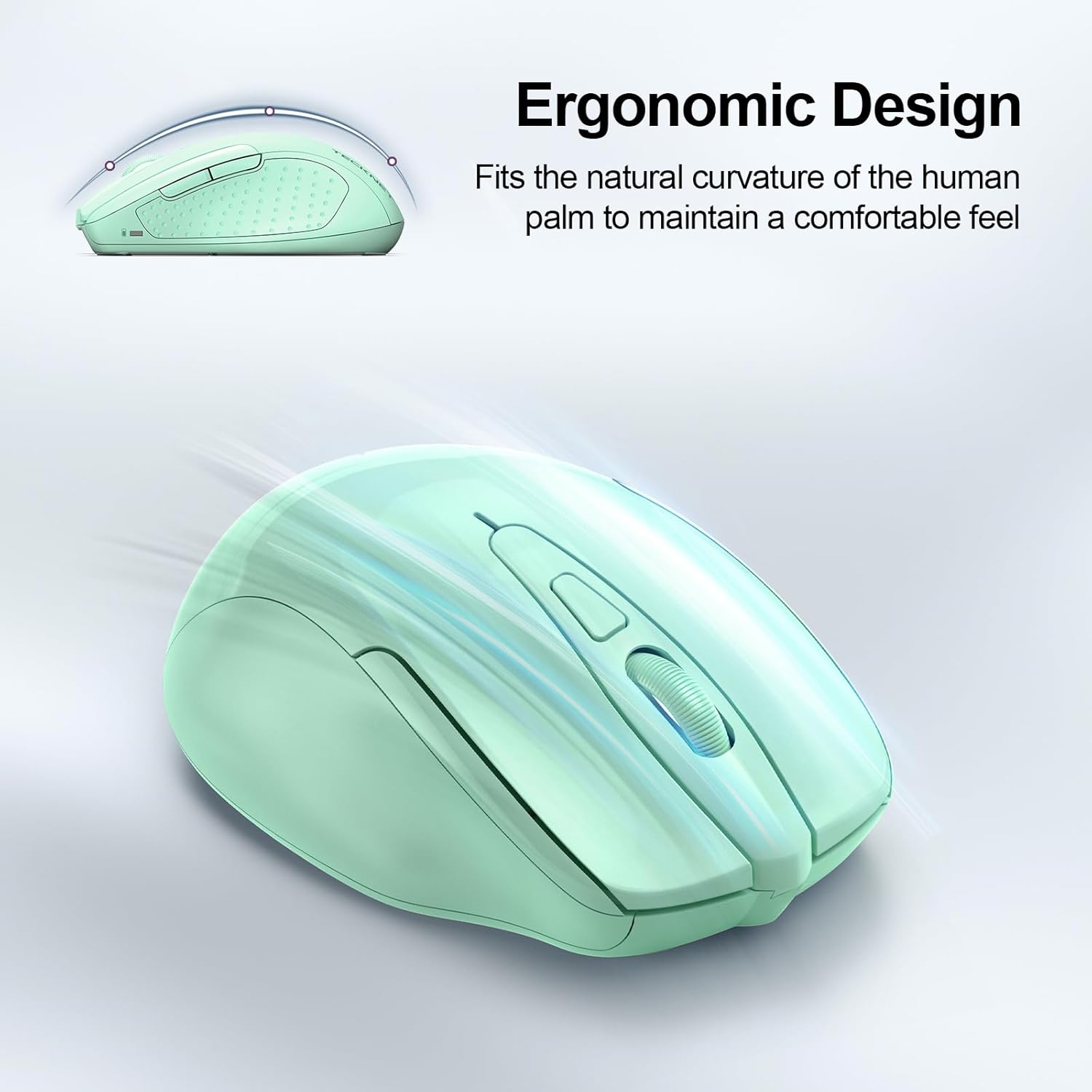
Image: A visual representation of the mouse's power states: Working, Stand-by, Auto-sleep, and how to activate it by pressing a button.
Mantenimiento
- Limpieza: Utilice un paño suave y seco para limpiar el ratón. Evite utilizar productos químicos agresivos o materiales abrasivos.
- Reemplazo de batería: Replace batteries when the LED indicator shows a low battery warning (red light).
- Almacenamiento: When not in use for extended periods, turn off the mouse using the switch on the bottom to further conserve battery life.
Solución de problemas
| Problema | Solución |
|---|---|
| El ratón no responde. |
|
| El movimiento del cursor es errático o lento. |
|
| La conexión Bluetooth se cae con frecuencia. |
|
| Los botones laterales no funcionan en macOS. | Side buttons are not compatible with macOS. This is a known limitation. |
Presupuesto
| Característica | Detalle |
|---|---|
| Modelo | BM307 |
| Conectividad | 2.4G Wireless (USB-A receiver), Bluetooth 5.0/3.0 |
| Niveles de DPI | 800, 1200, 1600, 2400, 3200, 4800 (ajustable) |
| Botones | 6 Buttons (Left/Right, Scroll Wheel, Forward/Backward, DPI Switch, Bluetooth Pairing) |
| Fuente de poder | Pilas 2 x AAA (no incluidas) |
| Características especiales | Silent Click, Ergonomic Design, Automatic Sleep Mode |
| Compatibilidad | Windows, macOS (side buttons not compatible), Chrome OS, Linux |
| Dimensiones | 4.53 x 3.15 x 1.85 pulgadas |
| Peso | 3.52 onzas |
Garantía y soporte
TECKNET ofrece una 36 meses de garantía (Registered Only) for this product. If you encounter any problems or have questions regarding the use of your TECKNET Wireless Mouse, please contact our professional customer service team for assistance.
Contact information can typically be found on the TECKNET official websitio o a través de su plataforma de compra.


