
Introducción
Thank you for choosing the MOUNT PRO Long Arm TV Wall Mount. This full-motion articulating bracket is designed to securely hold most 42-75 inch flat or curved screen televisions, providing flexible viewing options with its 32-inch extension, swivel, and tilt capabilities. This manual provides essential information for safe installation, operation, and maintenance of your TV wall mount. Please read all instructions carefully before beginning installation.
Información de seguridad
- Capacidad de peso: No exceda el peso máximo de 99 lb (45 kg). La sobrecarga puede causar lesiones graves o daños materiales.
- Tamaño de TV: Este soporte está diseñado para televisores de entre 42 y 75 pulgadas. Asegúrese de que el patrón VESA de su televisor sea compatible (de 150 x 100 mm a 600 x 400 mm).
- Tipo de pared: This mount is intended for installation on wood studs, solid concrete, or brick walls. NO lo instale solo en paneles de yeso. Concrete anchors are required for concrete and brick walls and may be sent upon request.
- Instalación profesional: Si no está seguro sobre el proceso de instalación o la idoneidad de su pared, consulte con un profesional calificado.
- Lesiones personales: Always use appropriate safety gear during installation. Keep children and pets away from the work area.
- Comprobar conexiones: Compruebe periódicamente que todos los tornillos y conexiones estén bien apretados.
Contenido del paquete
Verify that all components are present before installation. The package includes:
- Conjunto de placa de pared
- Soportes de TV (2 piezas)
- Herrajes de montaje (varios tornillos, arandelas, espaciadores)
- Nivel de burbuja
- Plantilla de montaje
- Manual de instrucciones
- Note: Concrete anchors are available upon request.
Presupuesto
| Marca | MONTAJE PRO |
| Modelo | B0DP2LKHRQ |
| Compatibilidad de tamaño de TV | 42 - 75 pulgadas |
| Capacidad de peso | Hasta 99 libras (45 kg) |
| Compatibilidad VESA | 150x100mm hasta 600x400mm |
| Extensión desde la pared | 3 pulgadas (retraído) a 32 pulgadas (extendido) |
| Ángulo de giro | +/- 90 grados |
| Ángulo de inclinación | +5 degrees / -13 degrees |
| Ajuste de nivelación | +/- 3 degrees (post-installation) |
| Material | Acero aleado |
| Color | Negro |
Configuración e instalación
Follow these steps carefully for a secure installation. It is recommended to have at least two people for installation, especially when lifting the TV.
1. Antes de la instalación
- Ensure your TV's weight and VESA pattern are compatible with the mount.
- Identify your wall type (wood stud, solid concrete, or brick). Do not install on drywall alone.
- Gather necessary tools (drill, stud finder, level, screwdriver, etc.).
2. Montaje de la placa de pared
- Use a stud finder to locate the center of a wood stud. For concrete/brick, mark the desired location.
- Position the mounting template at the desired height and level it using the included bubble level. Mark the drill holes.
- Drill pilot holes according to the manual's specifications for your wall type.
- Attach the wall plate assembly to the wall using the appropriate lag bolts and washers. Ensure it is securely fastened and level.

3. Fijación de los soportes de TV al televisor
- Coloque el televisor boca abajo sobre una superficie suave y limpia.
- Identify the correct screws, washers, and spacers for your TV's VESA mounting holes.
- Attach the two TV brackets to the back of your TV. Ensure they are centered and securely tightened.

4. Montaje del televisor en la placa de pared
- With assistance, carefully lift the TV and hook the TV brackets onto the wall plate assembly.
- Fije el televisor a la placa de pared utilizando los tornillos o mecanismos de bloqueo proporcionados.
Operación del Monte
The MOUNT PRO Long Arm TV Wall Mount offers various adjustments for optimal viewEn.
Extensión y retracción
Gently pull or push the TV to extend it up to 32 inches from the wall or retract it to a minimum of 3 inches. This allows for flexible positioning and space-saving when not in use.

Ajuste de giro
The articulating arm allows for a smooth swivel of +/- 90 degrees. This feature enables you to adjust the TV's angle to face different viewing areas within a room, making it ideal for corner installations or open-plan living spaces.

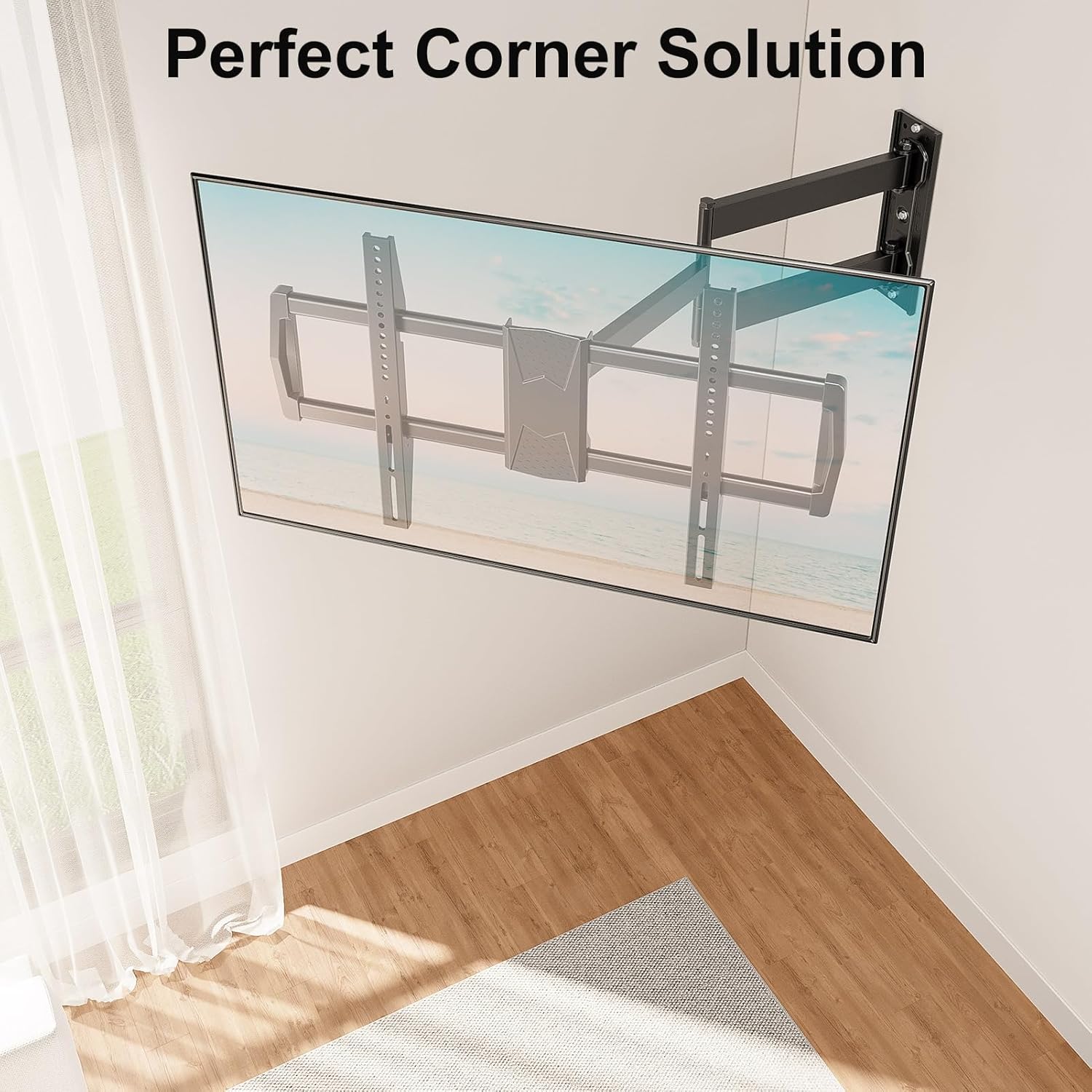
Ajuste de inclinación
Adjust the TV's vertical angle by tilting it +5 degrees upwards or -13 degrees downwards. This helps reduce glare from lights or windows and provides a more comfortable viewExperiencia de aprendizaje.
Nivelación posterior a la instalación
If your TV is slightly unlevel after installation, you can make a post-installation adjustment of +/- 3 degrees to precisely align the screen. Refer to the specific mechanism on your mount for this adjustment.

Mantenimiento
- Limpieza: Utilice un paño suave y seco para limpiar el soporte. Evite limpiadores abrasivos o disolventes que puedan dañar el acabado.
- Controles periódicos: Regularly inspect all mounting hardware and connections to ensure they remain tight and secure. Re-tighten any loose screws as needed.
- Lubricación: Las articulaciones están diseñadas para un movimiento suave. Si el movimiento se vuelve rígido, se puede aplicar una pequeña cantidad de lubricante a base de silicona en los puntos de pivote.
Solución de problemas
- El televisor no está nivelado después de la instalación: Use the post-installation leveling feature (+/- 3 degrees) to adjust the TV's horizontal alignment. Ensure the wall plate itself was installed level.
- Dificultad para mover el televisor: Check for any obstructions. Ensure all adjustment knobs or screws are not overtightened, preventing movement. If joints are stiff, apply a small amount of silicone lubricant.
- El monte se siente inestable: Immediately remove the TV from the mount. Re-check all wall and TV connections. Ensure the mount is installed into a suitable wall structure (wood stud, solid concrete, or brick) and that all lag bolts are fully tightened. Do not reinstall the TV until stability is confirmed.
- Partes faltantes: Refer to the package contents list. Contact MOUNT PRO customer support for replacement parts.
Garantía y soporte
MOUNT PRO products are designed for durability and performance. For warranty information, technical support, or to request concrete anchors, please contact MOUNT PRO customer service through their official website or the retailer where the product was purchased. Please have your model number (B0DP2LKHRQ) available when contacting support.