1. Introducción
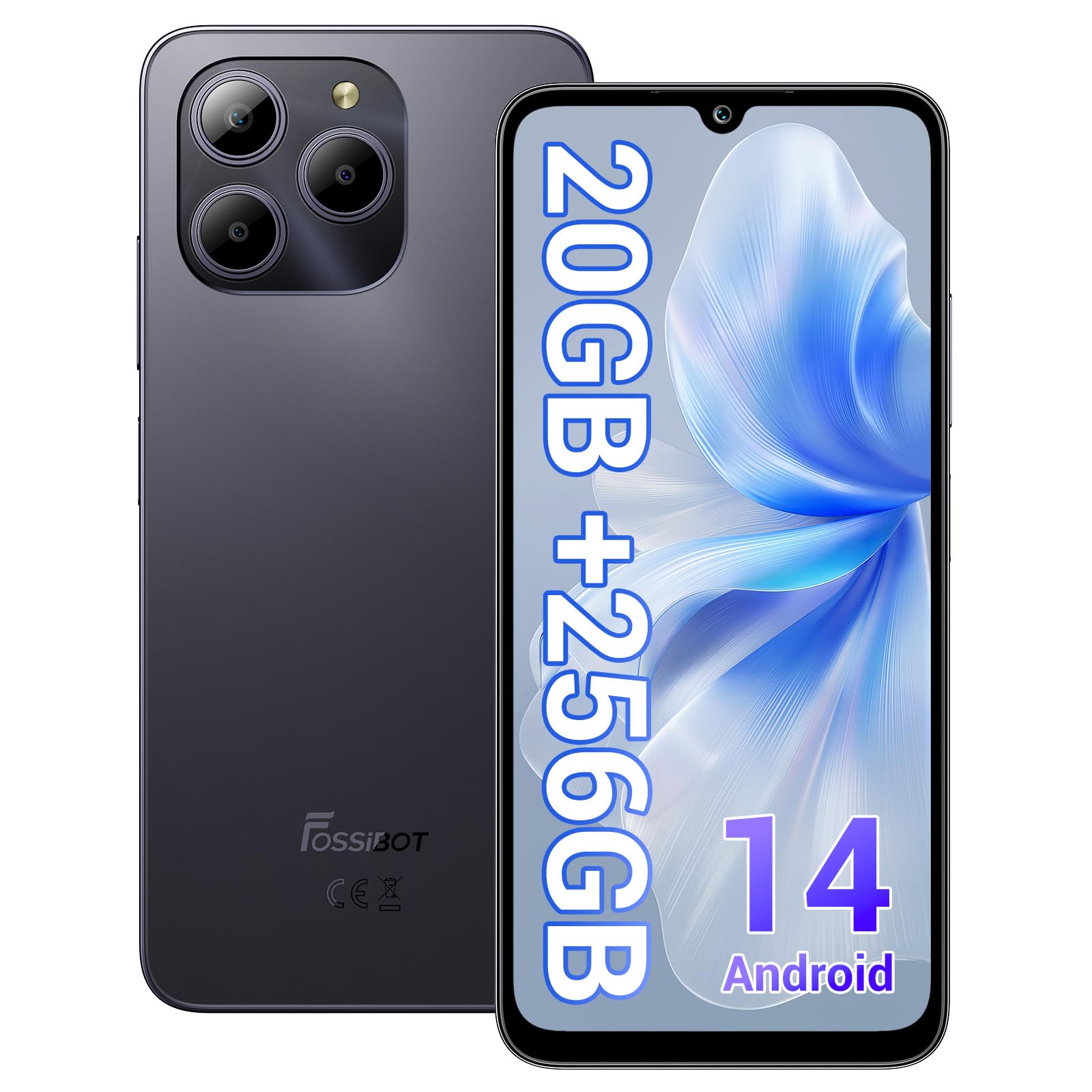
Welcome to the FOSSIBOT S2 Smartphone user manual. This guide provides essential information for setting up, operating, maintaining, and troubleshooting your new device. The FOSSIBOT S2 is an unlocked smartphone featuring Android 14, a 6.72-inch FHD+ display, a 50MP main camera, a 5000mAh battery, and advanced security features like Face ID and a fingerprint sensor.
2. Información de seguridad
- Seguridad de la batería: Do not attempt to replace the battery yourself. Use only FOSSIBOT-approved chargers and cables. Avoid exposing the device to extreme temperatures or direct sunlight.
- Resistencia al agua: Este dispositivo no es resistente al agua. Evite la exposición a líquidos.
- Protección auditiva: Evite escuchar música a niveles altos de volumen durante períodos prolongados para evitar daños auditivos.
- Seguridad en la conducción: No uses el teléfono mientras conduces. Prioriza siempre la seguridad vial.
- Desecho: Deseche el dispositivo y sus accesorios de forma responsable, de acuerdo con la normativa local. No los tire junto con la basura doméstica.
3. Contenido del paquete
Verifique que todos los artículos estén presentes en el paquete de su producto:
- FOSSIBOT S2 Smartphone
- PIN DE LA TARJETA SIM
- Cable USB tipo C
- Cargador de 18 W
- Manual de usuario/Tarjeta de garantía
- Estuche de TPU

4. Dispositivo terminadoview
Familiarize yourself with the physical components of your FOSSIBOT S2 smartphone.

- Frente: 6.72-inch FHD+ display, 16MP front camera, earpiece.
- Trasero: 50MP main camera, LED flash, fingerprint sensor (side-mounted).
- Lados: Power button, volume buttons, SIM/SD card tray, USB Type-C port, 3.5mm audio jack.
5. Configuración
5.1 Inserción de tarjetas SIM y SD
- Localice la bandeja de la tarjeta SIM en el costado de su dispositivo.
- Inserte la herramienta de expulsión de SIM provista en el pequeño orificio al lado de la bandeja y presione suavemente hasta que la bandeja salga.
- Coloque sus tarjetas Nano-SIM (hasta dos) y/o una tarjeta microSD (para ampliar el almacenamiento hasta 1 TB) en las ranuras designadas de la bandeja. Asegúrese de que los contactos dorados estén hacia abajo.
- Vuelva a insertar con cuidado la bandeja en el teléfono hasta que encaje en su lugar.

5.2 Encendido y configuración inicial
- Mantenga presionado el botón de encendido hasta que aparezca el logotipo de FOSSIBOT.
- Siga las instrucciones en pantalla para seleccionar su idioma, conectarse a una red Wi-Fi y configurar su cuenta de Google.
- You will be guided through setting up security features such as a PIN, pattern, fingerprint, and Face ID.
6. Operar su dispositivo
6.1 Pantalla
The FOSSIBOT S2 features a 6.72-inch FHD+ In-cell display with a resolution of 1080 x 2400 pixels, providing clear and vibrant visuals.

6.2 Rendimiento
Powered by the MediaTek G85 Octa-Core processor and 20GB RAM (8GB physical + 12GB virtual), the FOSSIBOT S2 delivers smooth performance for multitasking, gaming, and streaming. It includes 256GB of internal storage, expandable up to 1TB with a TF card.

6.3 Cámara
Capture high-quality photos and videos with the 50MP AI main camera and take clear selfies with the 16MP front camera. The camera system supports various modes for different shooting scenarios.

6.4 Batería y carga
The FOSSIBOT S2 is equipped with a 5000mAh battery, providing extended usage time. It supports 18W fast charging via the Type-C port.
6.5 Funciones de seguridad
Unlock your device securely using the side-mounted fingerprint sensor or Face ID recognition.

6.6 Conectividad
The FOSSIBOT S2 supports dual 4G SIM cards for reliable network coverage. It also includes NFC for contactless payments and GPS/GLONASS/Galileo/Beidou for accurate navigation.

6.7 Sistema operativo Android 14
Experience the latest features and security enhancements with Android 14, offering improved privacy controls, smarter battery management, and a customizable user interface.

7. Mantenimiento
- Actualizaciones de software: Compruebe e instale periódicamente las actualizaciones del sistema para garantizar un rendimiento y una seguridad óptimos.
- Limpieza: Utilice un paño suave y sin pelusa para limpiar la pantalla y el cuerpo del teléfono. Evite productos químicos agresivos.
- Cuidado de la batería: To prolong battery life, avoid fully discharging the battery frequently. Charge the device before it drops below 20%.
- Administración de almacenamiento: Limpiar periódicamente lo innecesario files y aplicaciones para mantener la velocidad del dispositivo y liberar almacenamiento.
8. Solución de problemas
Si tiene problemas con su FOSSIBOT S2, consulte las siguientes soluciones comunes:
- El dispositivo no se enciende: Asegúrese de que la batería esté cargada. Conecte el teléfono al cargador durante al menos 15 minutos y luego intente encenderlo de nuevo.
- Las aplicaciones se bloquean o se congelan: Close background apps. Clear the cache of the problematic app or reinstall it. If the issue persists, perform a factory reset (back up data first).
- Mala señal de red: Comprueba que tu tarjeta SIM esté correctamente insertada. Asegúrate de tener cobertura de red. Reinicia el dispositivo.
- La batería se agota rápidamente: Reduce screen brightness, disable unused features like Wi-Fi, Bluetooth, and GPS when not needed. Check battery usage in settings to identify power-hungry apps.
- La identificación facial o de huellas dactilares no funciona: Ensure your fingers are clean and dry for fingerprint recognition. For Face ID, ensure your face is well-lit and unobstructed. Re-register your fingerprint or face if necessary.
For more complex issues, please contact FOSSIBOT customer support.
9. Especificaciones
| Característica | Especificación |
|---|---|
| Nombre del modelo | S2 |
| Sistema operativo | Androide 14 |
| Procesador | MediaTek Helio G85 de ocho núcleos (2 GHz) |
| RAM | 20 GB (8 GB físicos + 12 GB virtuales) |
| Almacenamiento interno | 256 GB |
| Almacenamiento expandible | Hasta 1 TB mediante tarjeta TF |
| Tamaño de la pantalla | 6.72 pulgadas FHD+ In-cell |
| Resolución de pantalla | 1080 x 2400 píxeles |
| Cámara trasera | 50MP |
| Cámara frontal | 16MP |
| Capacidad de la batería | 5000 mAh |
| Cargando | Carga rápida de 18 W (Tipo C) |
| Conectividad | Dual 4G SIM, Wi-Fi, Bluetooth, NFC |
| Navegación | GPS, GLONASS, Galileo, Beidou |
| Seguridad | Fingerprint Sensor, Face ID |
| Conector de audio | 3.5 milímetros |
| Dimensiones | 6.57 x 3.03 x 0.34 pulgadas |
| Peso | 1.04 libras |
10. Garantía y soporte
Your FOSSIBOT S2 smartphone comes with a standard manufacturer's warranty. Please refer to the included Warranty Card in your package for specific terms and conditions, including warranty duration and coverage details.
For technical support, service inquiries, or to access additional resources, please visit the official FOSSIBOT website or contact their customer service department. Contact information can typically be found on the Warranty Card or the FOSSIBOT brand store page.
Soporte en línea: Visit the FOSSIBOT Store on Amazon


