1. Introducción
This manual provides detailed instructions for the safe and efficient use of your Beafon Fold10 LTE flip phone. Please read this manual thoroughly before operating the device and keep it for future reference. The Beafon Fold10 LTE is a 4G flip phone designed for ease of use, featuring large buttons, dual color displays, and an emergency call button.

Image: The Beafon Fold10 LTE flip phone shown on its charging cradle, with the phone open to display its keypad and internal screen. The 4G LTE logo is visible, indicating its network capability.

Image: The Beafon Fold10 LTE phone depicted with a graphical overlay of a 4G LTE network, emphasizing its advanced connectivity features.
2. Información de seguridad
Always follow basic safety precautions when using this product to reduce the risk of injury, fire, or electric shock. Keep the device away from water and high humidity. Do not attempt to disassemble or repair the device yourself. Use only approved accessories. Avoid exposing the device to extreme temperatures.
- Seguridad de la batería: Use only the specified battery. Do not short-circuit, puncture, or expose the battery to fire or high temperatures.
- Protección auditiva: Evite escuchar música a niveles altos de volumen durante períodos prolongados para evitar daños auditivos.
- Seguridad en la conducción: No uses el teléfono mientras conduces. Prioriza siempre la seguridad vial.
- Dispositivos médicos: Maintain a safe distance between the phone and medical implants like pacemakers. Consult your physician and medical device manufacturer for specific guidelines.
3. Contenido del paquete
Verifique que todos los artículos estén presentes en el paquete:
- Beafon Fold10 LTE Flip Phone
- Battery (1 P76 Lithium-ion)
- Base de carga
- USB A to USB Type C Cable
- Manual de usuario (este documento)
4. Dispositivo terminadoview
Familiarize yourself with the main components of your Beafon Fold10 LTE phone.

Imagen: Frente view of the Beafon Fold10 LTE flip phone in its closed position, highlighting the external color display and the camera lens.

Imagen: Lateral view of the Beafon Fold10 LTE flip phone, illustrating the location of the volume control buttons and the charging port.

Imagen: Parte posterior view of the Beafon Fold10 LTE flip phone, clearly showing the dedicated SOS emergency button.
Componentes clave:
- External Color Display (1.44"): Shows time, date, battery status, and caller ID when closed.
- Internal Color Display (2.2"): Main display for menus, calls, and messages.
- Teclado: Large, backlit keys for easy dialing and navigation. Keys can announce numbers when pressed.
- Botón SOS: Located on the back for emergency calls to pre-programmed numbers.
- Cámara: Para tomar fotos.
- Flash: Fuente de luz integrada.
- Puerto de carga: USB tipo C.
- Botones de volumen: Adjust call and ringtone volume.
5. Configuración
5.1 Instalación de la tarjeta SIM y la batería
- Abra la tapa trasera del teléfono.
- Insert your SIM card(s) into the designated slot(s). Ensure the SIM card is correctly oriented.
- Inserte la batería en su compartimento, alineando los contactos.
- Vuelva a colocar la cubierta posterior hasta que encaje en su lugar.
5.2 Carga inicial
Antes del primer uso, cargue completamente la batería del teléfono.
- Connect the USB cable to the charging cradle and a power adapter (not included) or a computer.
- Place the phone into the charging cradle. The charging indicator will illuminate.
- Deje que el teléfono se cargue hasta que el ícono de batería muestre que está lleno.
5.3 Encendido / Apagado
- Para encender: Mantenga presionado el botón de Encendido/Finalizar llamada hasta que la pantalla se ilumine.
- Para apagar: Press and hold the Power/End Call button, then confirm "Power Off" on the screen.
6. Funcionamiento básico
6.1 Realizar y recibir llamadas
- Haciendo una llamada:
- Abra la tapa.
- Marque el número deseado usando el teclado.
- Presione el botón de llamada verde para iniciar la llamada.
- Press the Red End Call button to end the call.
- Recibir una llamada:
- Cuando suene el teléfono, abra la tapa o presione el botón de llamada verde.
- Press the Red End Call button to end the call.
- Llamadas manos libres: The phone supports hands-free operation via Bluetooth or speakerphone.
6.2 Envío y recepción de SMS
- Vaya al menú "Mensajes".
- Select "New Message" to compose an SMS.
- Introduzca el número del destinatario y su mensaje.
- Seleccione "Enviar".
- Incoming messages will be displayed on the screen and a light signal may activate.
6.3 Botón de emergencia SOS
The SOS button on the back of the phone allows for quick emergency calls.
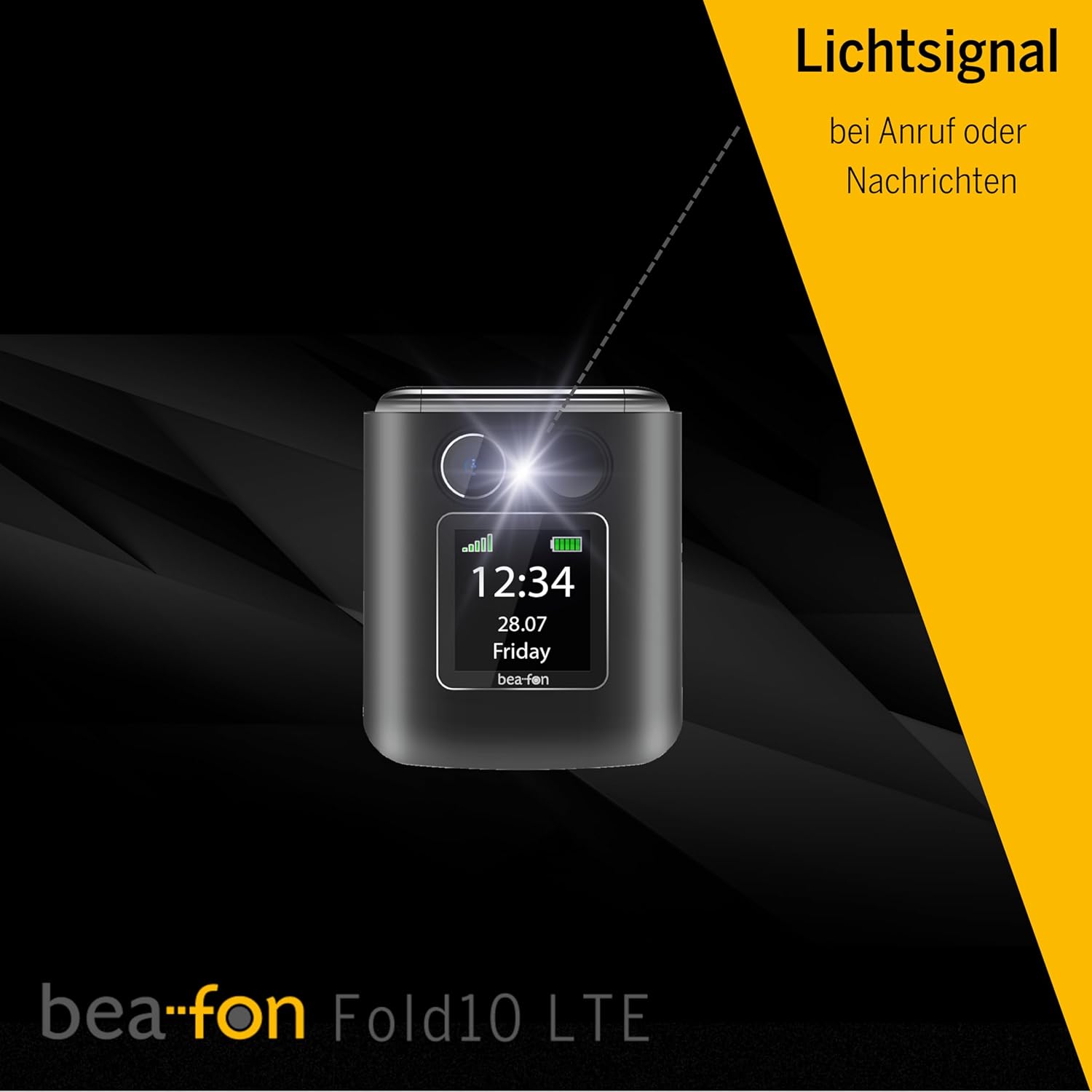
Image: A diagram illustrating the SOS button's function, showing its location on the phone's back and its connection to a network of up to five user-programmable emergency contacts.
- Programación de números SOS: Access the SOS settings in the phone's menu to program up to 5 emergency contact numbers.
- Activando SOS: Press and hold the SOS button for a few seconds. The phone will automatically call the programmed numbers in sequence until an answer is received.
6.4 Contactos de fotos
Assign photos to your contacts for easy visual identification of callers.

Image: A visual representation of the phone's internal display during an incoming call, demonstrating the photo contact feature where a contact's picture is shown alongside their name.
- Navigate to "Contacts".
- Select a contact and choose "Edit".
- Select the option to add a photo from your gallery or take a new one.
6.5 Light Signal for Incoming Calls/Messages
The phone features a light signal that flashes to alert you of incoming calls or messages, providing a visual notification in addition to the ringtone.
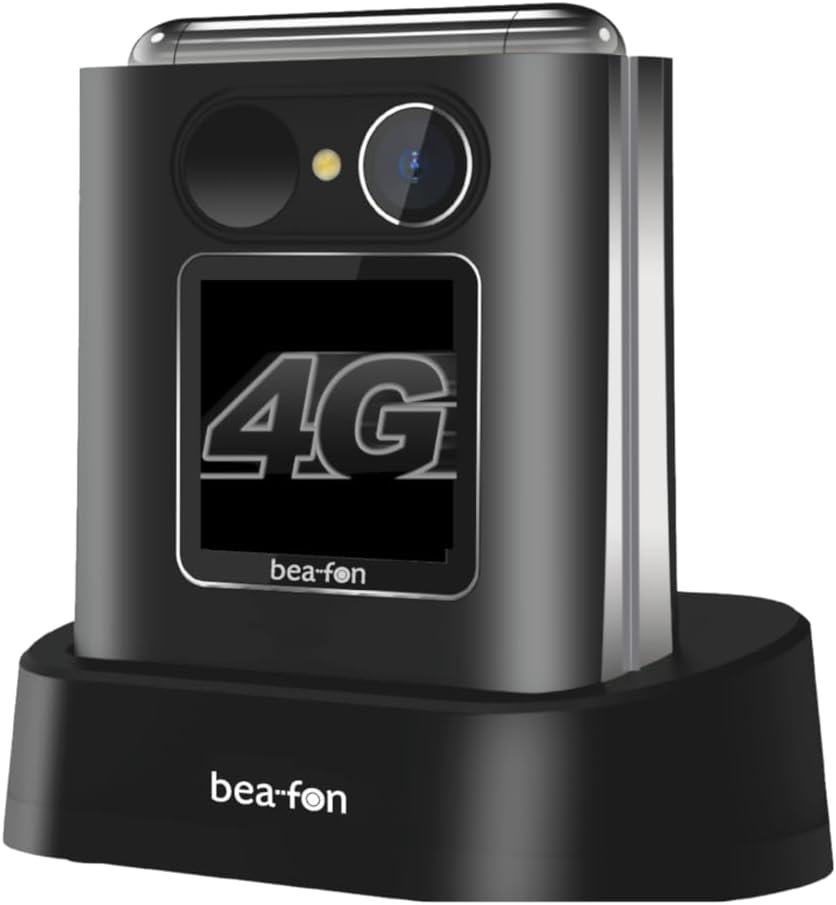
Image: The Beafon Fold10 LTE phone displaying a visible light signal on its external screen, indicating an incoming call or message.
6.6 Otras funciones
- Cámara: Accede a la cámara desde el menú principal para tomar fotografías.
- Flash: Activate the flashlight feature from the quick access menu or settings.
- Bluetooth: Pair with Bluetooth headsets or other devices for wireless connectivity.
7. Mantenimiento
7.1 Limpieza del dispositivo
Use a soft, dry cloth to clean the phone's surface. Do not use liquid cleaners or aerosols. Avoid getting moisture into openings.
7.2 Cuidado de la batería
- No deje la batería completamente descargada durante períodos prolongados.
- Evite sobrecargar la batería.
- If the phone will not be used for a long time, store it with a partially charged battery in a cool, dry place.
7.3 Almacenamiento
Store the phone in a cool, dry environment, away from direct sunlight and extreme temperatures.
8. Solución de problemas
| Problema | Posible causa | Solución |
|---|---|---|
| El teléfono no enciende. | La batería está descargada o no está insertada correctamente. | Cargue la batería. Asegúrese de que esté correctamente instalada. |
| No puedo realizar ni recibir llamadas. | No network signal, SIM card not inserted or activated. | Check network coverage. Ensure SIM card is correctly inserted and activated. Contact your service provider. |
| Mala calidad de llamada. | Señal de red débil, interferencias. | Muévete a una zona con mejor señal. Evita las fuentes de interferencia. |
| La batería se agota rápidamente. | High usage, background applications, old battery. | Reduce el brillo de la pantalla y cierra las aplicaciones que no uses. Considera reemplazar la batería si está vieja. |
9. Especificaciones
| Característica | Detalle |
|---|---|
| Marca | Beafon |
| Nombre del modelo | Fold10 LTE |
| Tipo de producto | Teléfono plegable |
| Sistema operativo | baliza |
| Tamaño de la pantalla interna | 2.2 pulgadas |
| Tamaño de la pantalla externa | 1.44 pulgadas |
| Conectividad | 4G LTE |
| Tecnología celular | 4G |
| Tecnología de red inalámbrica | LTE |
| Características especiales | Flip phone, SOS emergency call button, Photo contacts, Backlit keys, Extra loud ringtone, Flashlight, Bluetooth, Hands-free |
| Composición de la batería | Iones de litio |
| Color | Negro/plata |
| Componentes incluidos | Base de carga |
| Resolución de imágenes fijas efectiva | 0.3 MP (Cámara) |
| Dimensiones (aprox.) | 71 mm (alto) x 63 mm (ancho) x 22.4 mm (profundidad) |
10. Garantía y soporte
For warranty information and customer support, please refer to the warranty card included with your product or visit the official Beafon webSitio. Conserve su comprobante de compra para reclamaciones de garantía.


