Introducción
Thank you for choosing the RORSOU B8 Bluetooth Headphones. These over-ear headphones are designed to provide a superior audio experience with deep bass and Hi-Fi stereo sound, powered by a 40mm audio driver and advanced Bluetooth 5.4 technology. Enjoy extended listening with up to 50 hours of playtime and versatile connectivity options. This manual will guide you through the setup, operation, and maintenance of your new headphones.

Figure 1: RORSOU B8 Bluetooth Headphones (Beige White)
The RORSOU B8 headphones feature a sleek beige white finish with gold accents, designed for comfort and portability.
¿Qué hay en la caja?
- Manual de usuario
- Almohadillas para los oídos (preinstaladas)
- Protective Case (Drawstring Bag)
- Cable de carga USB-C
- Cable de audio AUX de 3.5 mm

Figure 2: Included accessories with the RORSOU B8 Headphones.
The box contains the headphones, a user manual, a USB-C charging cable, a 3.5mm AUX cable, and a soft drawstring protective case.
Producto terminadoview & Control S
Familiarize yourself with the buttons and ports on your RORSOU B8 headphones for optimal use.

Figura 3: detallada view de controles y puertos de auriculares.
The right earcup features the main controls including the EQ button, USB-C charging port, 3.5mm audio jack, and power/playback buttons.
- Botón de encendido/reproducción/pausa: Pulsación larga para encender/apagar. Pulsación corta para reproducir/pausar música o responder/finalizar llamadas.
- Botón de subir volumen (+): Pulsación corta para subir el volumen. Pulsación larga para pasar a la siguiente pista.
- Botón para bajar el volumen (-): Pulsación corta para bajar el volumen. Pulsación larga para ir a la pista anterior.
- Botón EQ: Press to cycle through 6 preset EQ modes (Standard, Classical, Metal, Jazz, Rock, Bass).
- Puerto de carga USB-C: Para cargar los auriculares.
- Conector de audio de 3.5 mm: For wired connection using the AUX cable.
- Micrófono: Para llamadas manos libres.
Configuración
Cómo cargar los auriculares
- Conecte el cable de carga USB-C al puerto de carga de los auriculares.
- Conecte el otro extremo del cable USB a una fuente de alimentación USB compatible (por ejemplo, puerto USB de computadora, adaptador de pared).
- El indicador LED mostrará el estado de carga. Una carga completa tarda aproximadamente 2 horas.
- Once fully charged, the headphones provide up to 50 hours of playtime.
Emparejamiento Bluetooth
- Asegúrese de que los auriculares estén apagados.
- Long press the Power/Play/Pause button until the LED indicator flashes blue and red alternately. This indicates pairing mode.
- En su dispositivo (teléfono inteligente, tableta, PC), habilite Bluetooth y busque los dispositivos disponibles.
- Select "RORSOU B8" from the list of found devices.
- Once successfully paired, the LED indicator will turn solid blue or flash blue slowly.
- The headphones can be paired with two devices simultaneously and seamlessly switch between them.
Conexión por cable (AUX)
If your headphones run out of battery or you prefer a wired connection, you can use the included 3.5mm AUX cable.
- Connect one end of the 3.5mm AUX cable to the headphone's 3.5mm audio jack.
- Conecte el otro extremo a la salida de audio de su dispositivo.
- Los auriculares cambiarán automáticamente al modo cableado.
Instrucciones de funcionamiento
Encendido/apagado
- Encendido: Long press the Power/Play/Pause button until the LED indicator lights up.
- Apagado: Long press the Power/Play/Pause button until the LED indicator turns off. The headphones will automatically shut down after 5 minutes if no device is connected.
Control de volumen
- Aumenta el volumen: Presione brevemente el botón Subir volumen (+).
- Disminuir volumen: Presione brevemente el botón para bajar el volumen (-).
Control de reproducción
- Reproducir/Pausa: Presione brevemente el botón Encendido/Reproducir/Pausa.
- Pista siguiente: Mantenga presionado el botón Subir volumen (+).
- Pista anterior: Mantenga presionado el botón para bajar el volumen (-).
Gestión de llamadas
- Responder llamada entrante: Presione brevemente el botón Encendido/Reproducir/Pausa.
- Finalizar llamada: Short press the Power/Play/Pause button during a call.
- Rechazar llamada: Long press the Power/Play/Pause button when a call is incoming.
- Call Back Last Number: Double click the Power/Play/Pause button.
Modos de ecualización
The RORSOU B8 headphones offer 6 preset EQ modes to optimize your listening experience for different music genres.
- Modo estándar: Sonido equilibrado profesionalfile.
- Classical Mode: Enhanced for classical music.
- Modo metálico: Optimized for heavy metal and rock.
- Modo Jazz: Tailored for jazz music.
- Modo Rock: Boosted for rock music.
- Modo bajo: Enhanced bass for powerful low-end sound.
To switch between modes, press the EQ button on the right earcup.
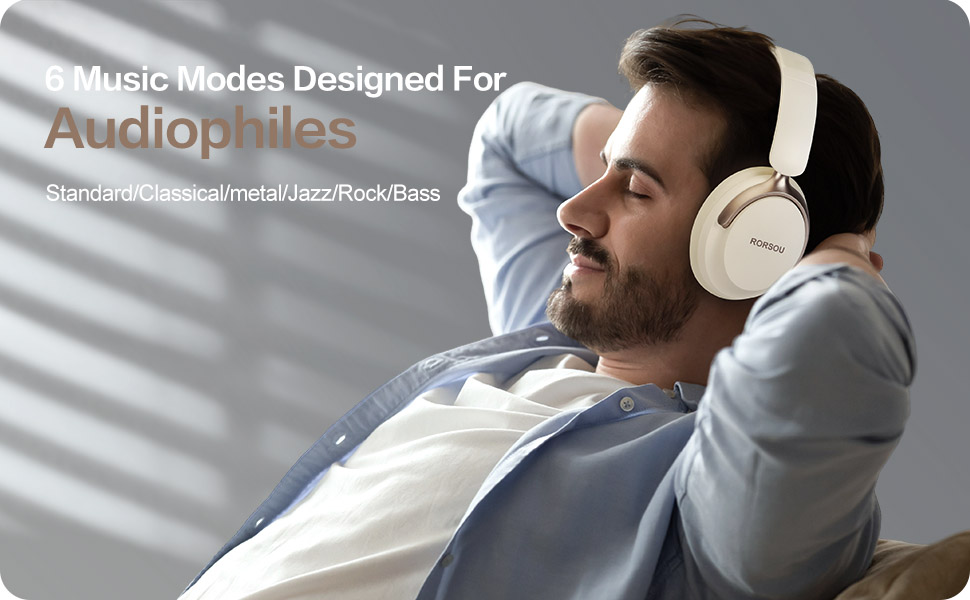
Figure 4: Experience optimized sound with 6 EQ modes.
The EQ modes allow users to customize the audio output to match their preferred music style.
Comodidad y diseño
The RORSOU B8 headphones are engineered for all-day comfort and portability. They feature ultra-soft protein leather earcups that provide a comfortable fit without discomfort, even during extended use. The earmuffs automatically adjust to suit different head shapes, ensuring a snug fit. The foldable and lightweight design allows for easy storage in the included carrying bag, making them ideal for travel, sports, or everyday use.

Figure 5: Key comfort and design elements of the headphones.
Features include soft earcups, an adjustable headband, and a foldable design for enhanced portability.

Figure 6: Headphones being used in outdoor, transport, and study environments.
The versatile design makes these headphones suitable for various activities and environments.
Mantenimiento y cuidado
- Mantenga los auriculares limpios limpiándolos con un paño suave y seco.
- Evite exponer los auriculares a temperaturas extremas, humedad o líquidos.
- Store the headphones in the provided protective case when not in use to prevent scratches and damage.
- No intente desmontar ni reparar los auriculares usted mismo, ya que esto podría anular la garantía.
Solución de problemas
| Asunto | Posible causa | Solución |
|---|---|---|
| Los auriculares no se encienden | Batería baja | Cargue completamente los auriculares. |
| No se puede emparejar con el dispositivo | Headphones not in pairing mode / Bluetooth off on device | Ensure headphones are flashing blue/red. Turn on Bluetooth on your device. |
| Sin sonido | Volume too low / Not connected / Incorrect audio source | Increase volume. Re-pair Bluetooth or check AUX cable connection. Select correct audio output on device. |
| Mala calidad de sonido | Interference / Low battery / EQ setting | Move closer to your device. Charge headphones. Try a different EQ mode. |
Presupuesto
| Característica | Detalle |
|---|---|
| Nombre del modelo | B8 |
| Marca | RORSOU |
| Tecnología de conectividad | Wireless, Wired, Bluetooth 5.4 |
| Toma de auriculares | 3.5 mm Jack |
| Colocación de orejas | Sobre la oreja |
| Tamaño del controlador de audio | 40 milímetros |
| Duración de la batería | 50 horas |
| Tiempo de carga | 2 horas |
| Tipo de control | Control de volumen, botón |
| Control de ruido | Aislamiento de sonido |
| Material | Plástico |
| Peso del artículo | 7.7 onzas |
| Dimensiones del producto | 5.91 x 3.15 x 7.87 pulgadas |
Garantía y soporte
RORSOU is dedicated to providing high-quality products with excellent after-sale service. Your RORSOU B8 headphones come with a 180-days Hassle Free limited Protection.
If you have any questions, concerns, or require technical assistance, please contact RORSOU customer service. We aim to provide quick response customer service and will get back to you within 24 hours.
For support, please refer to the contact information provided on the product packaging or the official RORSOU websitio.


