Introducción
Thank you for choosing the Micool DY20PLUS Bluetooth 5.4 Headset. This single-ear wireless headset is designed for clear communication and extended use, featuring advanced noise cancellation and long battery life. This manual provides detailed instructions to help you get the most out of your device.

Image: The Micool DY20PLUS Bluetooth 5.4 Headset, showcasing its sleek black and gold design with an ear hook and LED battery indicators.
¿Qué hay en la caja?
Upon opening your Micool DY20PLUS package, you should find the following items:
- Micool DY20PLUS Bluetooth Headset
- Cable de carga USB-C
- Manual de usuario
- Puntas de oído adicionales (varios tamaños)
Vídeo: Un unboxing y másview of the Micool DY20PLUS headset and its included accessories, such as the charging cable and various eartips.
Configuración
1. Cargar los auriculares
Before first use, fully charge your headset. The Micool DY20PLUS features a Type-C charging port for convenience.
- Connect the provided USB-C charging cable to the headset's charging port.
- Conecte el otro extremo del cable a una fuente de alimentación USB compatible (por ejemplo, adaptador de pared, puerto USB de computadora).
- Una carga completa tarda aproximadamente de 1.5 a 2 horas.
- The LED Power Display Light on the headset indicates the remaining battery level. There are four levels, with each grid representing 25% of the battery. Double-click the Volume+ button to check the remaining power.

Image: Visual representation of the headset's quick charge capability, showing that 10 minutes of charging provides 4 hours of continuous use.
2. Emparejamiento con su dispositivo
The DY20PLUS uses Bluetooth 5.4 for a stable and efficient connection.
- Asegúrese de que los auriculares estén cargados y apagados.
- Press and hold the Multi-Function Button (MFB) on the headset for more than 3 seconds until the indicator light flashes, indicating it's in pairing mode.
- En su dispositivo (teléfono inteligente, tableta, computadora), habilite Bluetooth y busque los dispositivos disponibles.
- Select "DY20PLUS" from the list of found devices to connect.
- Una vez emparejado exitosamente, la luz indicadora dejará de parpadear.
The headset offers a wireless connection distance of up to 50 meters (150 feet) in a straight line and can be connected to two devices simultaneously, allowing you to seamlessly switch between music and calls.
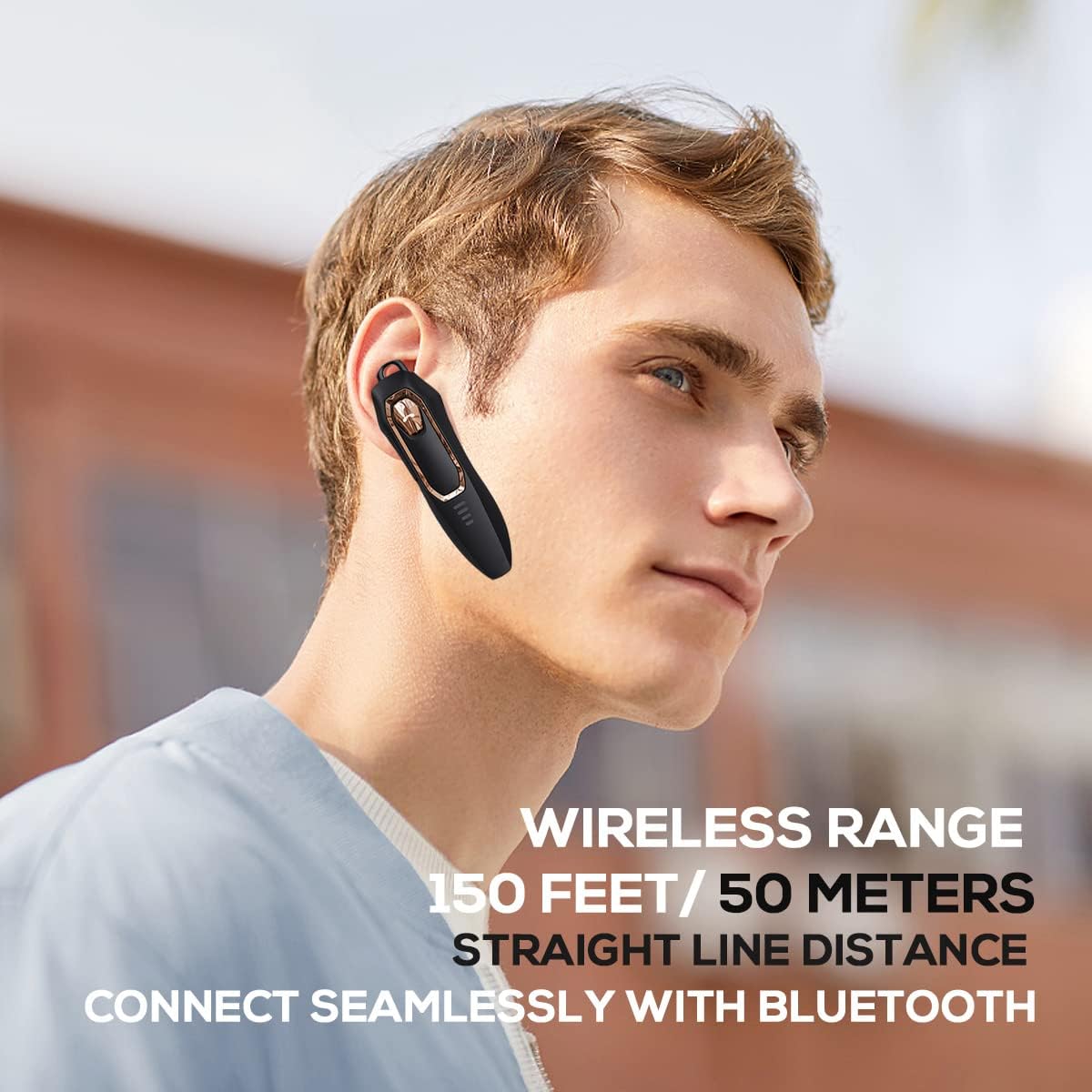
Image: A person wearing the headset, illustrating the 150 feet / 50 meters wireless range and seamless Bluetooth connectivity.
Instrucciones de funcionamiento
Familiarícese con los controles de los auriculares para un uso óptimo.
Funciones de los botones:

Image: A detailed diagram showing the location and function of each button on the Micool DY20PLUS headset, including the Multi-Function Button (MFB), volume controls, and mute button.
- Encendido/apagado: Press and hold the MFB for >3 seconds.
- Reproducir/Pausar música: One-tap the MFB.
- Responder/Finalizar llamada: One-tap the MFB.
- Rechazar llamada: Press and hold the MFB for >2 seconds.
- Activar Asistente de voz (Siri/Asistente de Google): Toque dos veces el MFB.
- Cambiar canciones: Press Volume+ for 2 seconds for next song, Volume- for 2 seconds for previous song.
- Control de volumen: Short press Volume+ to increase volume, short press Volume- to decrease volume.
- Función de silencio: Press the dedicated mute button for >2 seconds to mute/unmute your microphone during a call.
- Cambiar idioma: Three-tap the MFB.
- Volver a marcar la última llamada saliente: Three-tap the call button (MFB).
Características principales
Advanced Noise Cancellation
The DY20PLUS headset is equipped with two microphones for noise reduction and omnidirectional silicon microphone technology. It filters out approximately 80% of external noise. An updated Bluetooth 5.4 version with an integrated digital noise reduction algorithm further enhances noise reduction by 30%, ensuring clearer calls even in noisy environments.

Image: An illustration demonstrating how the two noise-cancelling microphones work to block background noise and maintain clear call quality.
Video: A demonstration highlighting the noise-cancelling capabilities of the Micool DY20PLUS Bluetooth Headset, particularly useful for truck drivers and noisy environments.
Mayor duración de la batería
The headset provides up to 36 hours of talk time and 45 hours of music playback on a single charge. With a standby time of 20 days, it's designed for long-lasting performance, suitable for extended meetings or travel.

Image: An illustration emphasizing the headset's 36+ hour talk time and 45 hours of music playback, designed to power through work calls and daily activities.
Comfortable and Lightweight Design
Weighing only 12 grams, the DY20PLUS is ultra-small and light. Its ergonomic design ensures a secure and comfortable fit for all-day wear without causing ear fatigue. The ear canal-mouth canal design is airtight and optimized for bass.

Image: A person wearing the headset, highlighting its 12g ultra-lightweight design and compatibility with various devices like laptops, computers, pads, and phones.
Amplia compatibilidad
The Micool DY20PLUS is compatible with a wide range of devices, including telephones, smart speakers, and cellphones, making it versatile for various communication needs.
Mantenimiento
- Limpieza: Utilice un paño suave y seco para limpiar los auriculares. Evite utilizar productos químicos agresivos o materiales abrasivos.
- Almacenamiento: Guarde los auriculares en un lugar fresco y seco, alejado de temperaturas extremas y de la luz solar directa.
- Resistencia al agua: Los auriculares son resistentes al agua. Sin embargo, evite sumergirlos en agua o exponerlos a lluvia intensa durante períodos prolongados.
- Cargando: Always use the provided USB-C cable or a certified equivalent for charging to prevent damage.
Solución de problemas
| Problema | Posible solución |
|---|---|
| Los auriculares no se encienden. | Ensure the headset is fully charged. Press and hold the MFB for more than 3 seconds. |
| No se puede emparejar con el dispositivo. |
|
| No hay sonido o volumen bajo. |
|
| La calidad de la llamada es mala. |
|
Presupuesto
| Característica | Detalle |
|---|---|
| Nombre del modelo | DY20PLUS |
| Marca | Micool |
| Tecnología de conectividad | Inalámbrico (Bluetooth) |
| Versión de Bluetooth | 5.4 |
| Duración de la batería (tiempo de conversación) | Hasta 36 horas |
| Duración de la batería (reproducción de música) | Hasta 45 horas |
| Tiempo de carga | 1.5 - 2 horas |
| Puerto de carga | USB-C |
| alcance inalámbrico | Hasta 50 metros (150 pies) |
| Cancelación de ruido | Dual-Mic Noise Reduction (80% filtered, 30% enhanced by algorithm) |
| Peso | 12 gramos |
| Forma del auricular | En el oído |
| Nivel de resistencia al agua | Resistente al agua |
| Dispositivos compatibles | Telephones, Smart Speaker, Cellphones |
Garantía y soporte
For warranty information and customer support, please refer to the documentation included with your purchase or contact Micool customer service directly. Details can typically be found on the manufacturer's official websitio o a través de su punto de compra.
