Introducción
Welcome to the user manual for your DUSONLAP SU8 Sleep Earbuds. These ultra-lightweight, comfortable earbuds are designed to provide an immersive audio experience while effectively blocking external noise, making them ideal for sleep, focus, and relaxation. Please read this manual carefully to ensure proper use and maintenance of your device.


Qué incluye
Your DUSONLAP SU8 Sleep Earbuds package contains the following items:
- SU8 Sleep Earbuds x2
- Estuche de carga SU8 x1
- Cable de carga USB-C x1
- Manual de usuario

Configuración
Carga de los auriculares
Before first use, fully charge the earbuds and the charging case. The LED digital display on the charging case indicates the remaining power. The earbuds provide 5-7 hours of listening time, and the charging case extends this to a total of 40 hours. Charging time is approximately 1.5 hours via USB-C.

Emparejamiento con su dispositivo
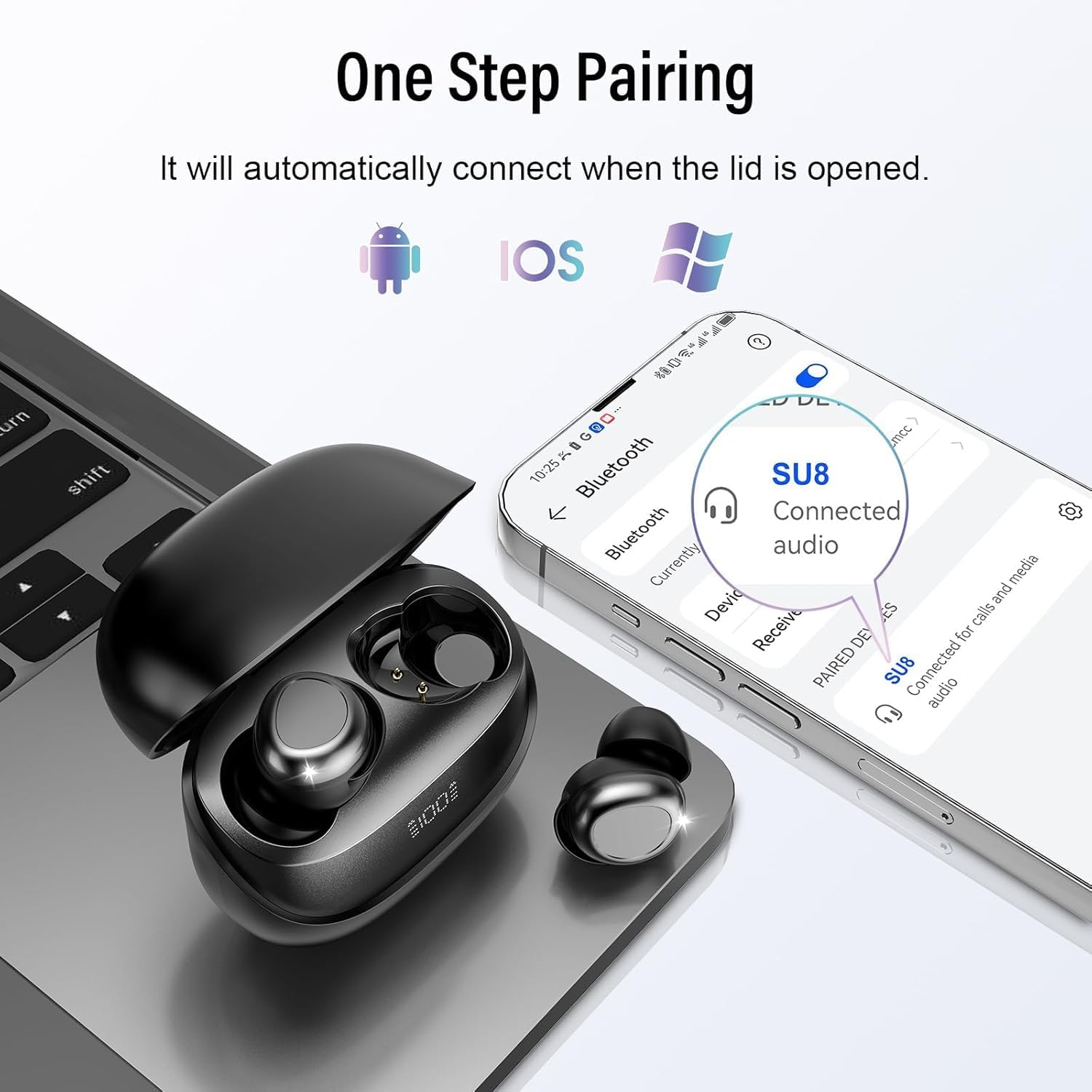
The DUSONLAP SU8 earbuds utilize advanced Bluetooth 5.4 technology for a fast, stable, and seamless connection. They support one-step pairing:
- Abra la tapa del estuche de carga.
- The earbuds will automatically enter pairing mode or connect to the last paired device.
- On your device (smartphone, tablet, laptop), go to Bluetooth settings and select "SU8" from the list of available devices.
- Una vez conectado, escuchará un sonido de confirmación.
Cómo usar los auriculares
The SU8 earbuds are designed with soft, skin-friendly silicone material and an ergonomic in-ear design for a comfortable and secure fit, even during side sleeping. They weigh only 3 grams per ear, providing a
Documentos relacionados - SU8
 |
Manual de instrucciones de los auriculares inalámbricos Sleep SU8 Manual de instrucciones completo para los auriculares inalámbricos Sleep SU8, que abarca la configuración, el funcionamiento, la resolución de problemas y las especificaciones técnicas. Incluye información sobre la activación de la garantía. |
 |
Guía de instalación y archivo ReadMe de Cisco Unified Communications Manager versión 12.5(1)SU8 Documento Léame para Cisco Unified Communications Manager versión 12.5(1)SU8, que proporciona notas de la versión, instrucciones de instalación, requisitos del sistema y advertencias importantes para actualizar y administrar el software. |
 |
GIGABYTE GA-WRX80-SU8-IPMI Quick Installation Guide Quick installation guide for the GIGABYTE GA-WRX80-SU8-IPMI motherboard, detailing jumpers, connectors, LEDs, CPU and heatsink installation, and back panel connections. |
 |
Guía de administración de la herramienta de monitoreo en tiempo real unificada de Cisco, versión 11.5(1)SU8 Guía de administración completa para Cisco Unified Real-Time Monitoring Tool (RTMT), versión 11.5(1)SU8, que detalla su uso para monitorear Cisco Unified Communications Manager, Cisco Unity Connection y IM and Presence Service. |
 |
Release Notes for Cisco Unified Communications Manager 12.5(1)SU8a and IM and Presence Service 12.5(1)SU8 This document provides release notes for Cisco Unified Communications Manager (CUCM) and Cisco Unified Communications Manager IM and Presence Service (IM&P), detailing new features, restrictions, and caveats for release 12.5(1)SU8a and 12.5(1)SU8 respectively. It covers version compatibility, documentation changes, installation and upgrade procedures, important notes, new gateway support, and known issues. |
 |
Estanterías voladizas MECO OMAHA: Soluciones y especificaciones de almacenamiento industrial Explore la completa gama de estanterías cantilever de las series 1000-5000 de MECO OMAHA. Encuentre especificaciones detalladas, guías de diseño y soluciones de almacenamiento industrial para artículos largos, pesados y difíciles de manejar. |