1. Introducción
The Yasola RC Drone Car Model 828 is a versatile 2-in-1 remote control vehicle designed for both ground driving and aerial flight. This manual provides essential instructions for safe operation, setup, and maintenance to ensure an enjoyable experience.
2. Precauciones de seguridad
- Supervisión de adultos: Always ensure adult supervision when children are operating the drone car.
- Entorno de vuelo: Operate the drone in open, clear areas, away from people, animals, buildings, and other obstacles. Avoid flying in strong winds or rain.
- Seguridad de la batería:
- Utilice únicamente el cable de carga y las baterías proporcionadas.
- No sobrecargue ni provoque cortocircuito en las baterías.
- No exponga las baterías a temperaturas extremas ni al fuego.
- Si las baterías se hinchan o tienen fugas, deje de usarlas inmediatamente.
- Seguridad de la hélice: Mantenga los dedos, el cabello y la ropa suelta alejados de las hélices giratorias.
- Prevención de impactos: Avoid collisions with objects or people to prevent damage to the drone car and potential injury.
- Exposición al agua: Do not expose the drone car to water or moisture.
3. Contenido del paquete
Por favor verifique que todos los artículos estén presentes en el paquete:
- 1 x Yasola RC Drone Car (Model 828)
- 1 x control remoto
- 2 x Lithium Batteries (for drone car)
- 1 x cable de carga USB
- 4 hélices de repuesto
- 1 x Manual de usuario (este documento)
4. Guía de configuración
4.1 Instalación de la batería
For the Drone Car:
- Locate the battery compartment on the underside of the drone car.
- Abra con cuidado la tapa del compartimento de la batería.
- Conecte la batería del dron al conector de alimentación del dron.
- Coloque la batería dentro del compartimiento y cierre la tapa de forma segura.
- Use a small screwdriver to turn the battery cover screw to secure it.


Para el control remoto:
- Abra el compartimento de la batería en la parte posterior del control remoto.
- Insert 2 LR44 batteries (included) according to the polarity markings.
- Cierre el compartimento de la batería.
4.2 Carga de la batería del dron
- Conecte el cable de carga USB a la batería del dron.
- Plug the USB end into a compatible USB power source (e.g., computer, USB wall adapter).
- The indicator light on the USB cable will show charging status (refer to charger for specific light indications).
- Charging typically takes approximately 60-90 minutes. Do not leave unattended while charging.
4.3 Pairing the Remote Control with the Drone Car
- Ensure the drone car battery is installed and fully charged.
- Long press the power button on the drone car to turn it on. The LED lights will begin to flash.
- Encienda el control remoto. La luz indicadora parpadeará.
- Move the left joystick (throttle) on the remote control up and then down. The remote control will beep, and the drone car's lights will become solid, indicating successful pairing.
- The default mode after pairing is typically Flight Mode.
5. Instrucciones de funcionamiento
5.1 control remoto sobreview
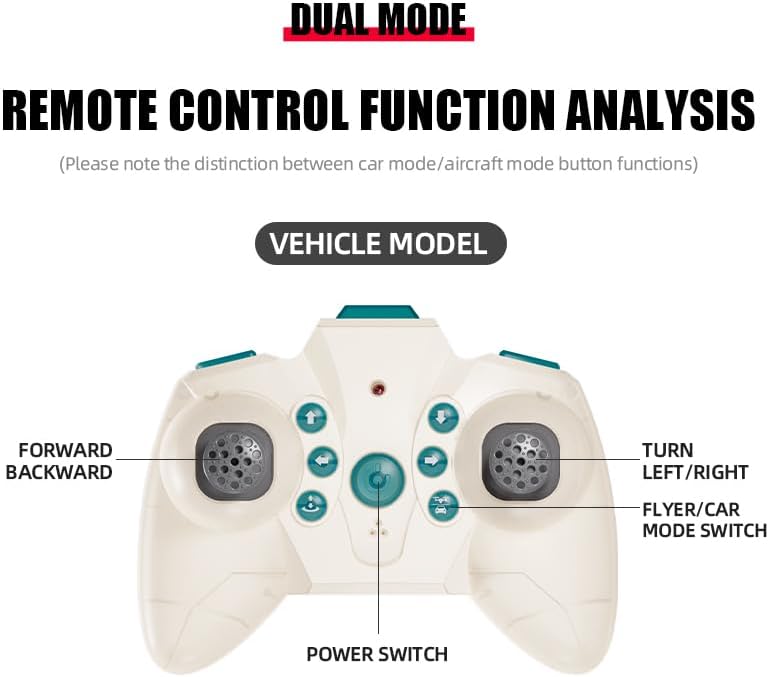
The remote control features dual modes for car and flight operation. Familiarize yourself with the controls:
- Joystick izquierdo (acelerador): Controls forward/backward movement in car mode, and ascent/descent in flight mode.
- Right Joystick (Steering/Direction): Controls left/right turns in car mode, and directional flight (forward, backward, left, right) in flight mode.
- Botón de cambio de modo: Toggles between Flight Mode and Car Mode.
- Botón de despegue/aterrizaje con una sola tecla: Initiates automatic take-off or landing in flight mode.
- Botón de cambio de velocidad: Adjusts the speed setting (low/high).
- Botón de modo sin cabeza: Activates headless mode for simplified flight control.
- Botón de interruptor de luz: Enciende y apaga las luces LED.
5.2 Switching Between Flight Mode and Car Mode
- After pairing, the drone car is typically in Flight Mode.
- Para cambiar a Modo coche: Ensure the drone car has landed and propellers have stopped spinning. Press the Mode Switch button on the remote control. The lights on the drone car will turn red to indicate Car Mode.
- Para cambiar a Modo vuelo: Press the Mode Switch button again. The lights on the drone car will turn blue to indicate Flight Mode.

5.3 Operaciones de vuelo
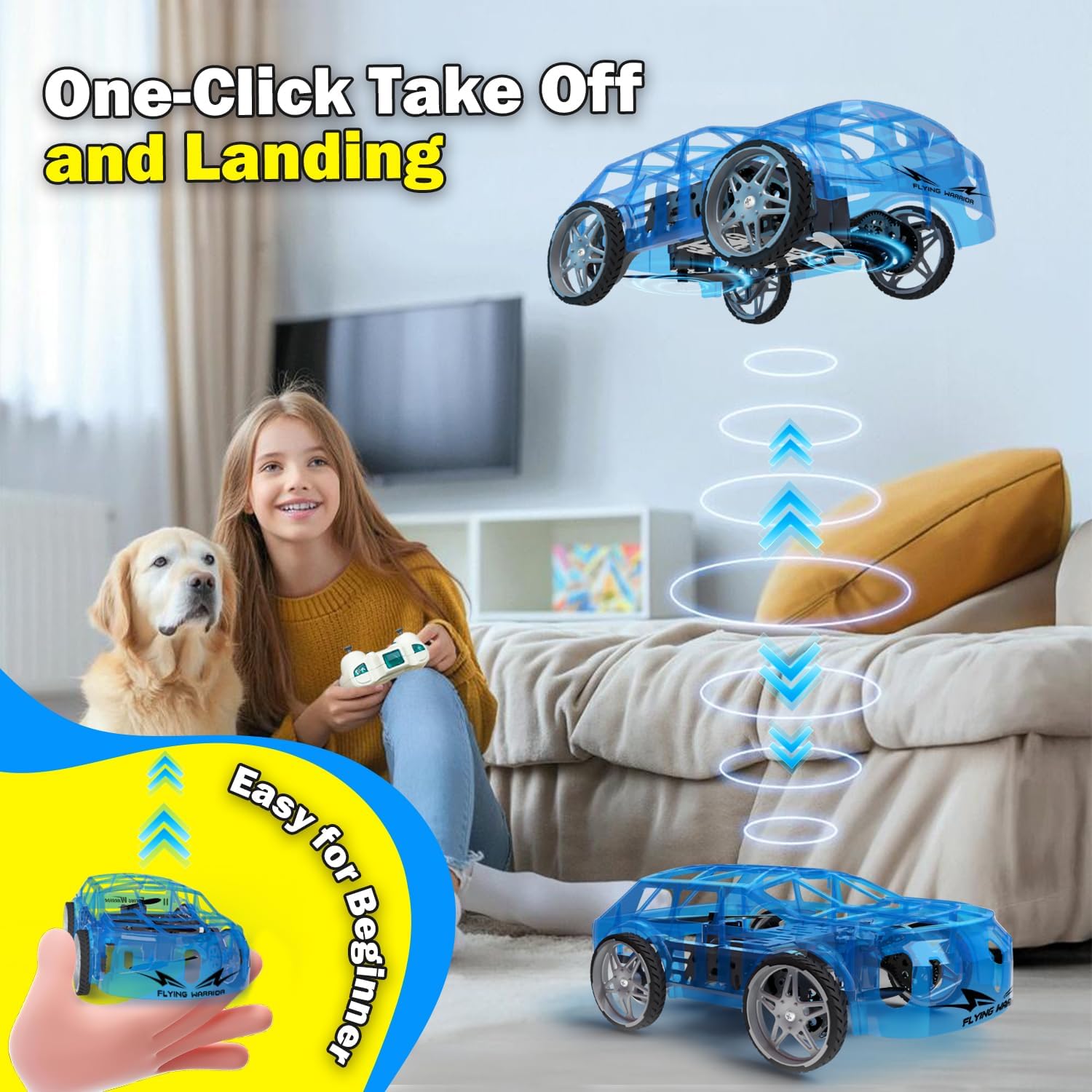
- One-Key Take Off: With the drone car in Flight Mode, press the One-Key Take Off/Landing button. The drone will automatically ascend to a stable hovering altitude.
- Control de altitud: Empuje el joystick izquierdo hacia arriba para ascender y hacia abajo para descender.
- Directional Flight: Push the right joystick forward to fly forward, backward to fly backward, left to fly left, and right to fly right.
- Rotación: Push the left joystick left or right to rotate the drone car.
- Ajuste de velocidad: Press the Speed Shift button to toggle between low and high-speed modes.
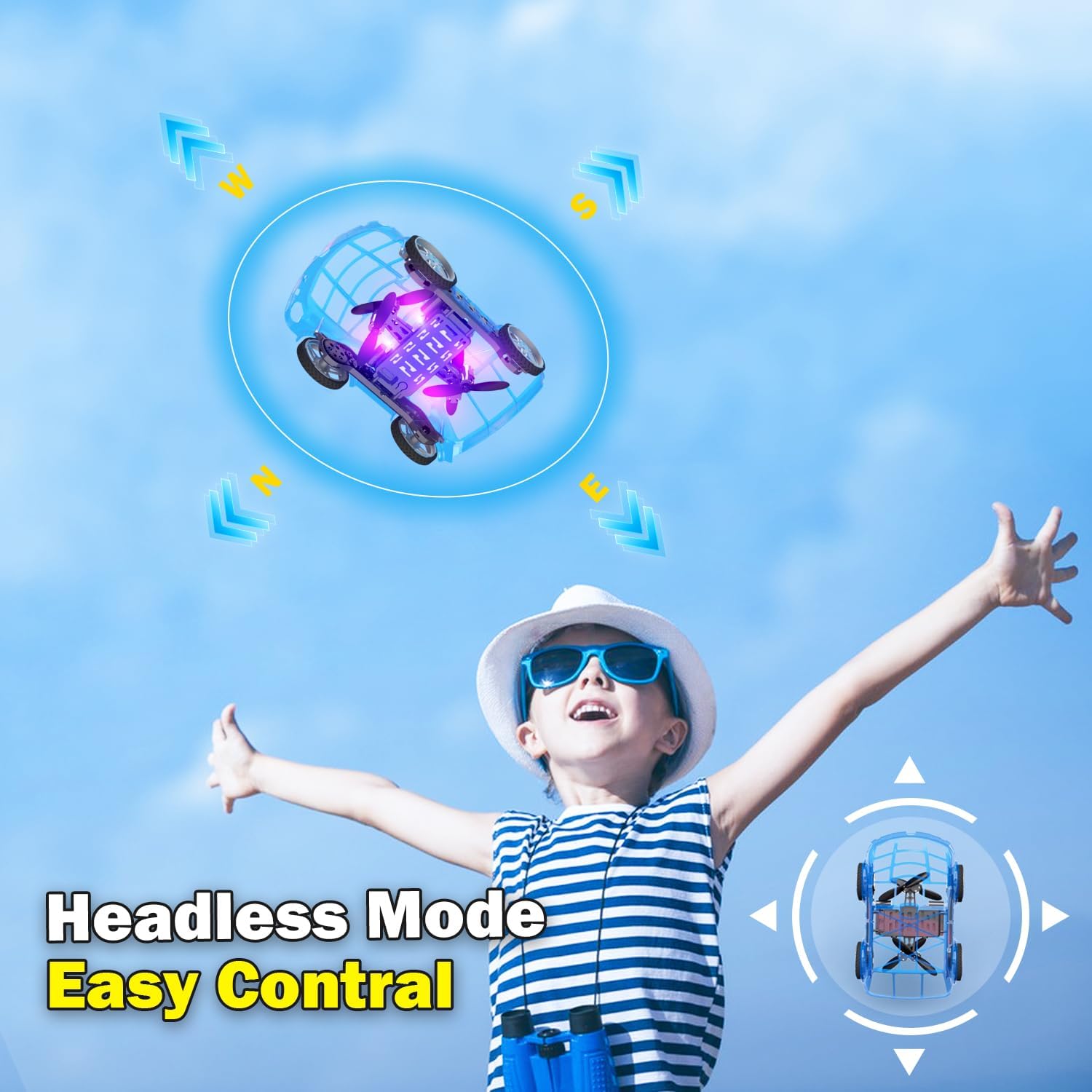
- Modo sin cabeza: Press the Headless Mode button to activate. In this mode, the drone's orientation is relative to the pilot, regardless of the drone's front direction. Press again to exit.
- Aterrizaje con una sola tecla: Press the One-Key Take Off/Landing button again to initiate an automatic landing. The drone will slowly descend and land.

5.4 Car Operations
- Hacia adelante hacia atrás: Push the left joystick up to drive forward and down to drive backward.
- Torneado: Push the right joystick left to turn left and right to turn right.
- Ajuste de velocidad: Press the Speed Shift button to toggle between low and high-speed modes.
6. Mantenimiento
- Limpieza: Use a soft, dry cloth to clean the drone car. Do not use water or chemical cleaners.
- Reemplazo de hélice: If a propeller is damaged, carefully remove it and replace it with a spare propeller, ensuring correct orientation.
- Cuidado de la batería:
- Guarde las baterías en un lugar fresco y seco cuando no las utilice.
- Do not store fully charged or completely depleted batteries for extended periods.
- Charge batteries at least once every three months to maintain their health.
7. Solución de problemas
| Problema | Posible causa | Solución |
|---|---|---|
| Drone car does not respond to remote control. | Not paired; low battery in drone or remote; drone not powered on. | Ensure drone and remote are powered on. Re-pair the remote control (Section 4.3). Charge drone battery. Replace remote control batteries. |
| Drone car cannot take off or flies unstably. | Low drone battery; damaged propellers; incorrect calibration; operating in windy conditions. | Charge drone battery. Check and replace damaged propellers. Perform "Outer eight calibration" (refer to video demonstration). Operate in calm conditions. |
| Short flight time (e.g., 3-5 minutes). | Normal battery capacity for mini drones; battery not fully charged. | Ensure battery is fully charged before use. Utilize the second included battery for extended play. |
| Drone car drifts during flight. | Needs fine-tuning/trimming; environmental factors (e.g., slight breeze). | Use the direction fine-tuning buttons on the remote control to correct drift. Ensure operation in a calm environment. |
8. Especificaciones
- Marca: Yasola
- Nombre del modelo: 828
- Dimensiones del producto: 9.56" de largo x 5.11" de ancho x 3.54" de alto
- Peso del artículo: 9.4 onzas (0.59 libras)
- Material: Plástico
- Color: Azul
- Tecnología de conectividad: Remote control 2.4G
- Capacidad de la batería: 600 miliamp Horas (iones de litio)
- Rango de edad (descripción): Kid (recommended for ages 8-12)
- Características especiales: Drone car, UFO, flying and running RC drone, flying car, One-Key Take Off/Landing, LED Lights, 2 Mode Control, Headless Mode, High-Low Speed Shift.
9. Garantía y soporte
For warranty information, technical support, or any inquiries regarding your Yasola RC Drone Car Model 828, please refer to the contact information provided on the product packaging or visit the official Yasola websitio.


