1. Introducción
Thank you for choosing the Angrox Universal Remote Control. This manual provides essential information for setting up, operating, and maintaining your new remote control. Please read it carefully to ensure optimal performance and longevity of your device.
This remote control is designed specifically for Roku Built-in TVs from brands such as TCL, ONN, Hisense, Sharp, Element, Westinghouse, and Philips. It is an infrared remote control and does NO work with external Roku streaming players (e.g., Roku Box, Roku Stick, Roku Express, Roku Player) or Roku audio devices.
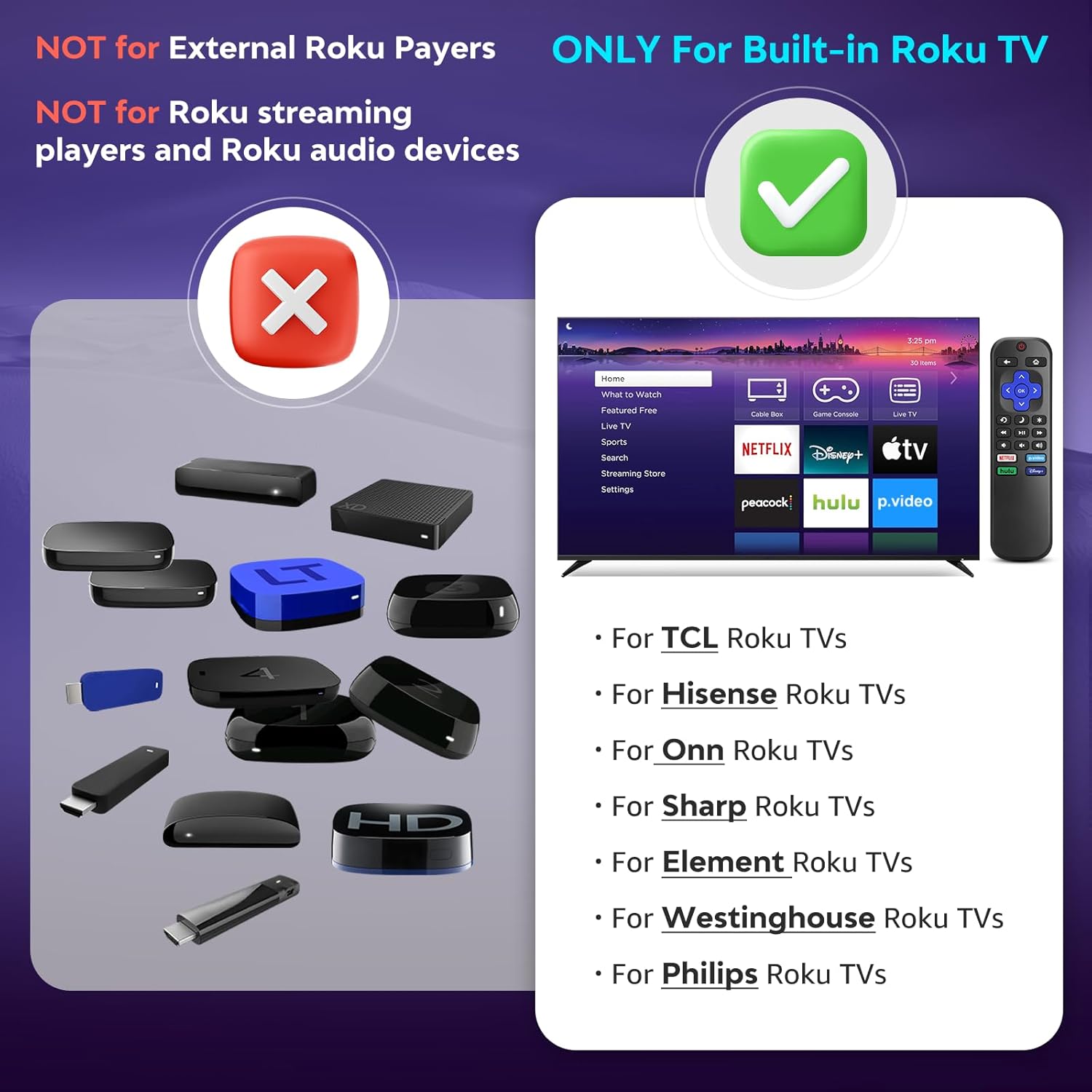
Imagen 1.1: Compatibilidad sobreview. The remote is compatible with TVs that have Roku built-in, but not with standalone Roku streaming devices.
2. Configuración
2.1 Instalación de la batería
- Ubique el compartimiento de la batería en la parte posterior del control remoto.
- Deslice la tapa de la batería hacia abajo para abrirla.
- Insert two (2) AAA alkaline batteries, ensuring the positive (+) and negative (-) terminals match the diagrams inside the compartment.
- Deslice la tapa de la batería nuevamente en su lugar hasta que haga clic de forma segura.
Nota: Las pilas no están incluidas con el control remoto.
2.2 Uso inicial
This Angrox Universal Remote Control requires no programming or pairing. Once batteries are correctly installed, it is ready for immediate use with your compatible Roku Built-in TV.

Image 2.1: Battery installation guide. The remote requires two AAA batteries and no setup.
3. Instrucciones de funcionamiento
The remote control features a standard layout for intuitive navigation and control of your Roku Built-in TV.
3.1 Funciones de los botonesview

Image 3.1: Detailed button layout and functions of the Angrox Universal Remote Control.
- TV Power (Red Button): Enciende o apaga el televisor.
- Atrás: Vuelve a la pantalla o menú anterior.
- Hogar: Navigates to the Roku home screen.
- Pad direccional (arriba, abajo, izquierda, derecha) y OK: Se utiliza para la navegación y selección del menú.
- Modo de sueño: Activa la función de temporizador de apagado del televisor.
- Repetición instantánea: Salta unos segundos hacia atrás en la reproducción del vídeo.
- Opciones: Accede a opciones o configuraciones sensibles al contexto.
- Rewind Scan (RWD Scan): Rebobina la reproducción del vídeo.
- Reproducir/Pausa: Reproduce o pausa el contenido de video.
- Fast Forward Scan (FWD Scan): Avanza rápidamente la reproducción de vídeo.
- Control de volumen (+/-): Ajusta el volumen del televisor.
- Silenciar: Silencia o reactiva el audio del televisor.
3.2 Botones de acceso directo
The remote includes four dedicated shortcut buttons for quick access to popular streaming services:
- Netflix
- p.video (Prime Video)
- hulu
- Disney+
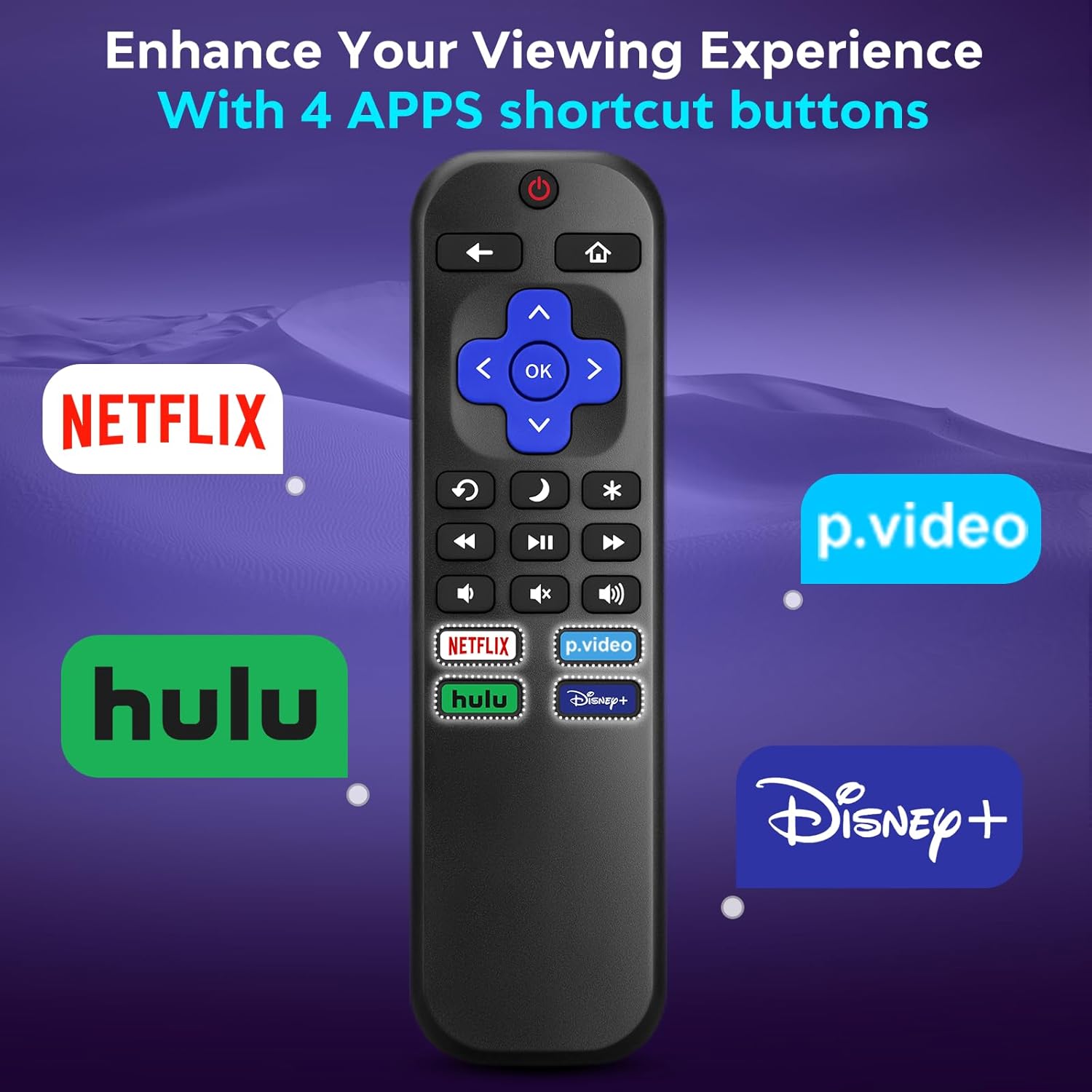
Image 3.2: The remote features dedicated shortcut buttons for popular streaming services.
3.3 Rendimiento
The remote operates using infrared technology, providing a sensitive response and precise control. It has an effective transmission distance of up to 10 meters (32 feet).

Image 3.3: The remote offers fast response and a wide transmission range.
4. Mantenimiento
4.1 Limpieza
Para limpiar el control remoto, límpielo suavemente con un paño suave y seco. Para la suciedad difícil, frote ligeramenteampEnjuague el paño con agua. Evite usar productos químicos agresivos, limpiadores abrasivos o disolventes, ya que pueden dañar la superficie o los componentes internos del control remoto.
4.2 Reemplazo de batería
Reemplace las pilas cuando el control remoto responda con lentitud o deje de funcionar. Siempre reemplace ambas pilas AAA a la vez por pilas nuevas. No mezcle pilas viejas y nuevas, ni pilas de diferentes tipos.
4.3 Almacenamiento
When not in use for extended periods, it is recommended to remove the batteries to prevent leakage, which could damage the remote. Store the remote in a cool, dry place away from direct sunlight and extreme temperatures.
The remote is constructed from high-quality ABS plastic and silicone for durability.
5. Solución de problemas
- El control remoto no responde:
- Asegúrese de que las baterías estén insertadas correctamente con la polaridad correcta.
- Reemplace las baterías viejas con baterías alcalinas AAA nuevas.
- Check for any obstructions between the remote and the TV's infrared sensor. Ensure a clear line of sight.
- Verifique que el control remoto esté apuntando directamente al televisor.
- El control remoto solo controla algunas funciones:
- This remote is designed for Roku Built-in TVs. Ensure your TV has Roku integrated and is not an external Roku player connected to a standard TV.
- Some advanced TV functions not directly related to Roku may not be supported by this universal remote.
- TV does not turn on/off:
- Confirm the TV is plugged into a power source and is not in a deep sleep mode that requires a manual power button press on the TV itself.
6. Especificaciones
| Característica | Detalle |
|---|---|
| Marca | angrox |
| Modelo | B0DW7SW5C4 |
| Características especiales | Ergonomic, No Programming Required, Universal |
| Color | Negro |
| Número máximo de dispositivos compatibles | 1 (Roku Built-in TV) |
| Dispositivos compatibles | Television (Roku Built-in TVs: TCL, ONN, Hisense, Sharp, Element, Westinghouse, Philips, etc.) |
| Fuente de poder | Pilas 2 x AAA (no incluidas) |
| Tecnología | Infrarrojos (IR) |
| Distancia de funcionamiento | Hasta 10 metros (32 pies) |
| Material | High-quality ABS plastic and silicone |
7. Garantía y soporte
For warranty information, please refer to the documentation provided with your purchase or contact your retailer. Angrox is committed to providing quality products and customer satisfaction.
For further assistance or inquiries, please visit the official Angrox store on Amazon: Angrox Store.
