Introducción
The VTech PAW Patrol Light-Up Missions Pup Pad is an interactive electronic learning toy designed for children aged 3 years and up. This device features 26 light-up letter buttons and offers various activities to help children learn letters, words, spelling, and counting, all while engaging with their favorite PAW Patrol characters.

Frente view of the VTech PAW Patrol Light-Up Missions Pup Pad, displaying its interactive screen and character details.
¿Qué hay en la caja?
- PAW Patrol Light-Up Missions Pup Pad
- Guía de inicio rápido
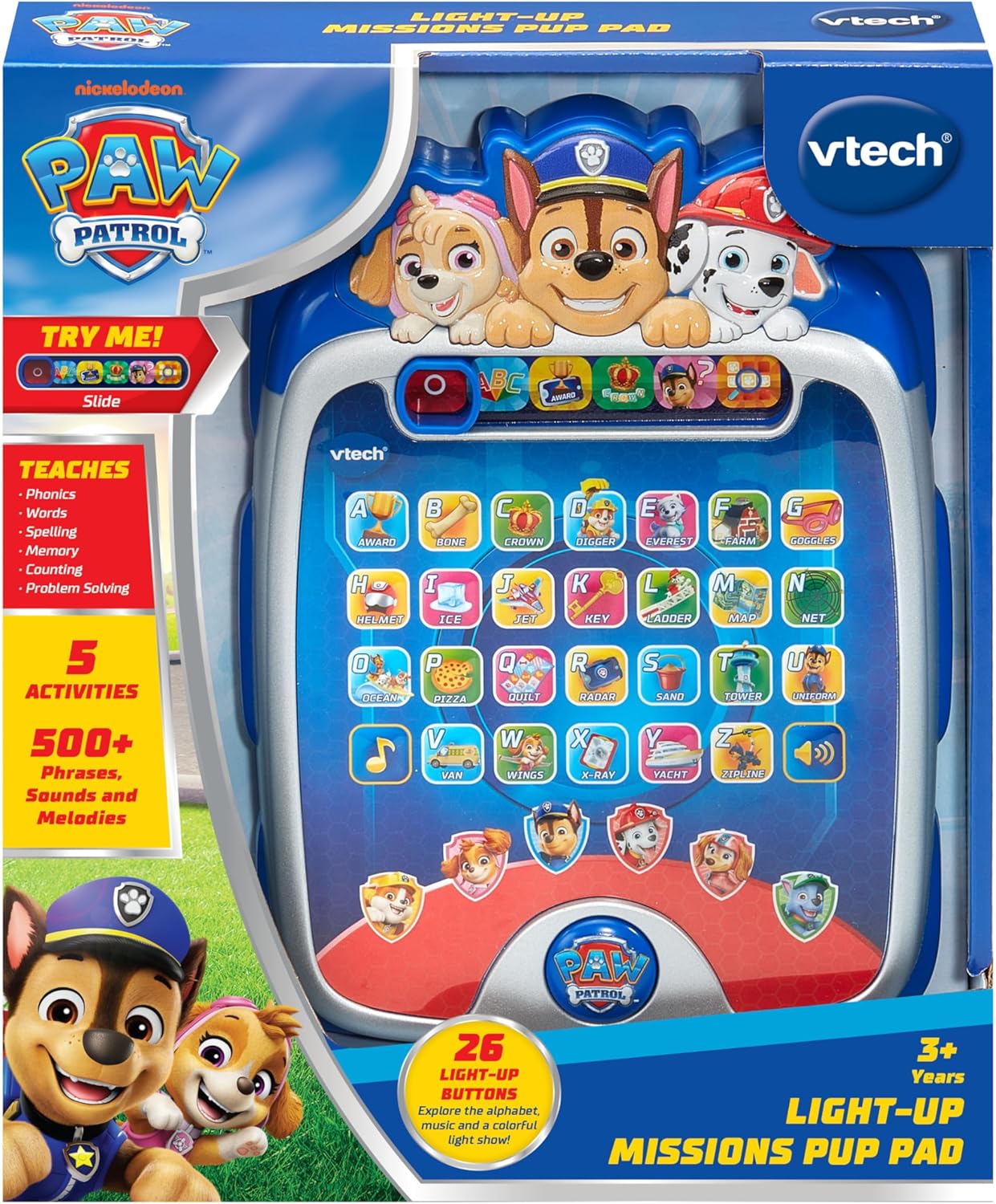
The PAW Patrol Light-Up Missions Pup Pad as it appears in its packaging.
Instalación de la batería
The Pup Pad requires 3 AA batteries for operation. Batteries are included for demonstration purposes only. For regular use, new batteries are recommended.
- Localice el compartimiento de la batería en la parte posterior de la unidad.
- Con un destornillador, afloje el tornillo de la tapa del compartimento de la batería.
- Retire la cubierta.
- Inserte 3 pilas AA nuevas, asegurándose de la polaridad correcta (+/-).
- Vuelva a colocar la tapa del compartimiento de la batería y apriete el tornillo.
Utilice siempre pilas nuevas del tipo recomendado. No mezcle pilas nuevas y usadas ni pilas de diferentes tipos.
Empezando
To power on the Pup Pad, locate the On/Off switch, typically found on the side or top of the device. Slide the switch to the 'On' position. The device will greet you and prompt you to begin an activity.

The Pup Pad screen with all letter buttons lit up, indicating it is ready for play.
Operating Modes and Activities
The Pup Pad offers several interactive learning activities. Use the mode selector buttons at the top of the screen to switch between activities.
1. Explore Letters and Words
Press any of the 26 light-up letter buttons to hear the letter's name, its phonetic sound, and a word starting with that letter. The device will also provide a fun fact about the word.
2. Spelling Practice
In this mode, the Pup Pad will prompt you to spell a word. Press the light-up letter buttons in the correct sequence to spell the word. The device provides guidance and positive reinforcement.
3. Counting Game
Follow the light-up sequence of the letter buttons to practice counting. The device will guide you through the numbers.
4. Guessing Game
Ryder will give clues, and you need to press the correct letter button on the Pup Pad to guess the word or object. This activity encourages problem-solving skills.
5. Pup Character Buttons
Press the six character buttons featuring PAW Patrol pups (Chase, Marshall, Skye, Rubble, Rocky, Liberty) to hear their special skills and learn how to spell their names.

A child engaging with the Pup Pad on the floor.

A child playing with the Pup Pad while seated on a couch.
Vídeo oficial del producto
This official video demonstrates the various interactive features and learning activities of the VTech PAW Patrol Light-Up Missions Pup Pad.
Mantenimiento
- Limpieza: Limpie la unidad con un paño ligeramenteamp paño. No utilice productos químicos agresivos ni limpiadores abrasivos.
- Almacenamiento: Store the Pup Pad in a cool, dry place away from direct sunlight and moisture when not in use.
- Cuidado de la batería: Retire las baterías si la unidad no se utilizará durante un período prolongado para evitar fugas.
Solución de problemas
| Problema | Solución |
|---|---|
| La unidad no se enciende ni responde. | Check battery installation. Ensure batteries are fresh and correctly inserted. Replace if necessary. |
| El sonido está distorsionado o es demasiado bajo/alto. | While there is no dedicated volume button, ensure the speaker is not obstructed. Replace batteries if sound issues persist. |
| Lights are not working correctly. | Reemplace las baterías. Si el problema persiste, contacte con atención al cliente. |
Presupuesto
- Dimensiones del producto: 7.24 x 9.84 x 1.8 pulgadas
- Peso del artículo: 1 libra
- Número de modelo: 80-582400
- Edad recomendada por el fabricante: 3 años y más
- Baterías: 3 AA batteries (included for demo purposes)
- Fabricante: VTech
- Fecha de lanzamiento: 5 de junio de 2025
Garantía y soporte
For warranty information or technical support, please refer to the contact details provided in the Quick Start Guide or visit the official VTech webSitio. Conserve su recibo de compra como comprobante de compra para cualquier reclamación de garantía.


