Introducción
This manual provides essential instructions for the safe and efficient use of your Philips TAT5000 True Wireless Bluetooth Earbuds. Please read this guide thoroughly before operating the device and retain it for future reference. These earbuds feature Adaptive Noise Canceling Pro, 6-mic call technology, and Bluetooth 5.4 multipoint connectivity, designed for a superior audio experience.
¿Qué hay en la caja?
- Philips TAT5000 True Wireless Earbuds (Left and Right)
- Estuche de carga
- Cable de carga USB-C
- Puntas para los oídos (pequeñas, medianas, grandes)
- Manual de usuario

Image: Philips TAT5000 True Wireless Earbuds shown inside their open charging case, ready for use.
Configuración
1. Carga de los auriculares y el estuche
Before first use, fully charge the earbuds and charging case. Connect the USB-C charging cable to the charging port on the case and to a power source. The charging indicators on the case will show the charging status. A full charge provides up to 40 hours of total playtime (10 hours from earbuds + 30 hours from case with ANC off). A 15-minute quick charge provides approximately 3 hours of playtime.

Image: The Philips TAT5000 charging case, closed, displaying its USB-C charging port on the front.
2. Emparejamiento con su dispositivo
- Asegúrese de que los auriculares estén cargados y colocados en el estuche de carga.
- Abre el estuche de carga. Los auriculares entrarán automáticamente en modo de emparejamiento.
- En su dispositivo (teléfono inteligente, tableta, computadora portátil), habilite Bluetooth y busque nuevos dispositivos.
- Select "Philips TAT5000" from the list of available devices to connect.
- For Android devices, Google Fast Pair allows for instant connection. For Windows devices, Microsoft Swift Pair offers quick pairing.
- The earbuds support Bluetooth 5.4 multipoint connectivity, allowing connection to two devices simultaneously.
3. Cómo seleccionar las olivas adecuadas
Choose the soft silicone eartips (S/M/L) that provide the most comfortable and secure fit for optimal sound quality and noise cancellation performance.
Instrucciones de funcionamiento
1. Encendido y apagado
- Encendido: Abra el estuche de carga y los auriculares se encenderán automáticamente.
- Apagado: Vuelve a colocar los auriculares en el estuche de carga y cierra la tapa. Se apagarán automáticamente.
2. Music Playback (Touch Controls)
- Reproducir/Pausa: Toque el panel táctil de cualquiera de los auriculares una vez.
- Pista siguiente: Double-tap the touch panel on the right earbud.
- Pista anterior: Double-tap the touch panel on the left earbud.
3. Call Management (Touch Controls)
- Responder/Finalizar llamada: Toque el panel táctil de cualquiera de los auriculares una vez.
- Rechazar llamada: Press and hold the touch panel on either earbud for 2 seconds.
4. Modos de control de ruido
The earbuds feature Adaptive Noise Canceling Pro. Tap the touch panel (specific earbud/pattern may vary, refer to app for customization) to cycle through modes:
- Adaptive Noise Canceling (ANC): Reduce el ruido ambiental.
- Modo de conciencia: Le permite escuchar su entorno.
- Quick Awareness: Amplifies voices for quick conversations without removing earbuds.
5. Aplicación para auriculares Philips
Descargue la aplicación Philips Headphones para obtener funciones adicionales, que incluyen:
- Personalización de controles táctiles.
- Adjusting Equalizer (EQ) settings.
- Managing ANC levels and modes.
- Recibiendo actualizaciones de firmware.
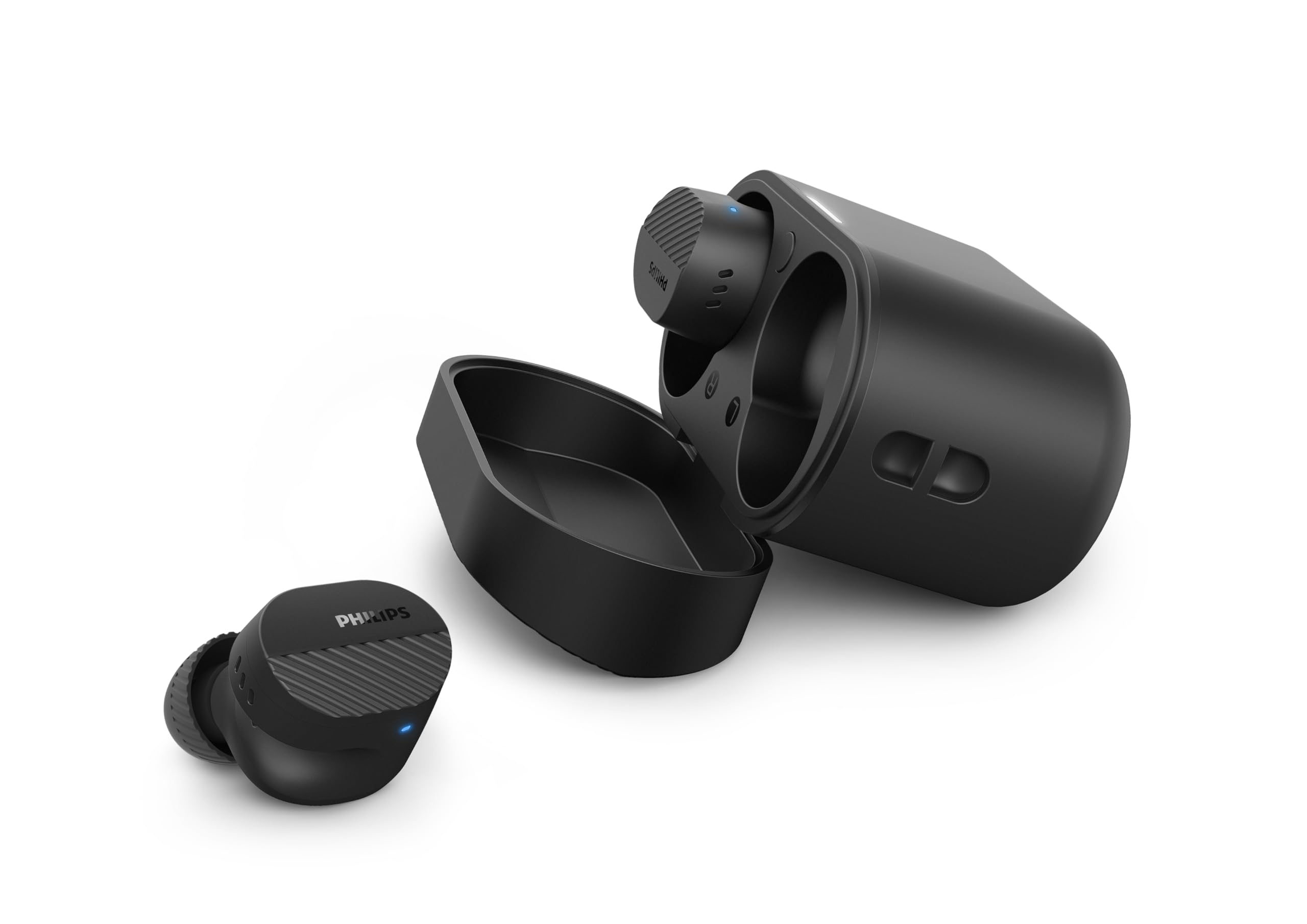
Image: A person holds the Philips TAT5000 earbuds in their charging case in one hand and a smartphone displaying the Philips Headphones app settings in the other, demonstrating app control.
Mantenimiento
Limpieza
- Limpie suavemente los auriculares y el estuche de carga con un paño suave, seco y sin pelusa.
- Retire las olivas y límpielas con agua y jabón suave, luego séquelas completamente antes de volver a colocarlas.
- No utilice limpiadores abrasivos, alcohol ni disolventes químicos.
Resistencia al agua
The earbuds are IPX5 water resistant, meaning they are protected against sweat and splashes of water. They are not designed for submersion in water. Ensure the charging port is dry before charging.
Almacenamiento
Guarda los auriculares en su estuche de carga cuando no los uses para protegerlos y prolongar la duración de la batería. Evita las temperaturas extremas.
Solución de problemas
| Problema | Posible causa | Solución |
|---|---|---|
| Los auriculares no se encienden | Batería baja | Coloque los auriculares en el estuche de carga y cárguelos por completo. |
| No se puede emparejar con el dispositivo | Bluetooth off, earbuds not in pairing mode, or device too far | Ensure Bluetooth is enabled on your device. Open the charging case to activate pairing mode. Move device closer to earbuds. Try forgetting the device in Bluetooth settings and re-pairing. |
| Sin sonido o con mala calidad de sonido | Incorrect eartip size, low volume, or connection issue | Adjust eartips for a secure fit. Increase volume on your device. Reconnect earbuds to your device. |
| El Congreso Nacional Africano no funciona eficazmente | Improper fit, or ANC mode not active | Ensure earbuds are properly seated in your ears with the correct eartip size. Verify ANC is enabled via touch controls or the Philips Headphones App. |
| El estuche de carga no carga | Cable o fuente de alimentación defectuosos | Try a different USB-C cable and power adapter. Ensure the charging port is clean and dry. |
If issues persist, refer to the Philips Headphones App for further assistance or contact customer support.
Presupuesto
- Nombre del modelo: TAT5000BK/00
- Conectividad: Bluetooth 5.4
- Controladores de sonido: 8mm Graphene-Coated Dynamic Driver
- Duración de la batería: Up to 40 Hours Total (10 hours earbuds + 30 hours case, ANC off)
- Carga rápida: 15 minutos para 3 horas de juego
- Resistencia al agua: IPX5 (a prueba de sudor y salpicaduras)
- Método de control: Tocar
- Control de ruido: Adaptive Noise Canceling Pro
- Peso: Approximately 4.16 ounces (earbuds and case)
- Componentes incluidos: Auriculares, estuche de carga, cable USB-C, almohadillas, manual del usuario
Garantía y soporte
Your Philips TAT5000 True Wireless Bluetooth Earbuds are covered by a limited warranty. Please refer to the warranty card included in your product packaging or visit the official Philips webSitio para conocer los términos y condiciones de garantía detallados específicos de su región.
For technical support, product registration, or frequently asked questions, please visit the Philips support webo contacte directamente con el servicio de atención al cliente de Philips. La información de contacto suele encontrarse en el sitio web de Philips. websitio web o en la documentación de su producto.


