Introducción
Thank you for choosing the MIDEA 12L Dehumidifier. This appliance is designed to efficiently remove excess moisture from the air, creating a more comfortable and healthier indoor environment. With its silent operation, app control, and various modes, it offers a convenient solution for humidity control in your home. Please read this manual thoroughly before operation to ensure proper use, maintenance, and safety.
Instrucciones de seguridad
- Conecte siempre la unidad a una toma de corriente con conexión a tierra y con el voltaje correcto.tage.
- No opere el deshumidificador con un cable de alimentación o enchufe dañado.
- Mantenga el aparato alejado del agua y otros líquidos para evitar descargas eléctricas.
- Asegúrese de que haya una ventilación adecuada alrededor de la unidad; no bloquee las entradas ni salidas de aire.
- No inserte objetos en las rejillas de ventilación.
- Desenchufe la unidad antes de limpiarla o realizar cualquier mantenimiento.
- Este aparato no está diseñado para ser utilizado por personas (incluidos niños) con capacidades físicas, sensoriales o mentales reducidas, o con falta de experiencia y conocimientos, a menos que hayan recibido supervisión o instrucciones sobre el uso del aparato por parte de una persona responsable de su seguridad.
- Se debe supervisar a los niños para garantizar que no jueguen con el aparato.
Producto terminadoview
The MIDEA 12L Dehumidifier is a compact and efficient unit designed for spaces up to 35 m². It features a 2.1L removable water tank and offers various operating modes for optimal humidity control.
Características principales:
- Deshumidificación eficiente: Elimina hasta 12 litros de humedad por día.
- Control de la aplicación: Monitor and control the unit remotely via the MSmartHome app.
- Operación silenciosa: Funciona con un nivel de ruido bajo de 36 dB, ideal para dormitorios y oficinas.
- Modo de secadora: Facilitates quick drying of clothes.
- Modo automático: Maintains desired humidity levels between 30-85%.
- Bloqueo para niños: Evita cambios accidentales en la configuración.
- Dual Drainage: Offers both removable tank and continuous drainage options.
- Portabilidad: Equipped with integrated wheels for easy movement.

Imagen: Más alláview of the MIDEA compact dehumidifier highlighting its key features such as silent mode, drying mode, automatic mode, child lock, app control, high mobility, removable water tank, and full tank indicator.
Configuración
1. Desembalaje y Colocación:
- Retire con cuidado el deshumidificador de su embalaje.
- Place the unit on a firm, level surface in an area where the humidity is highest.
- Asegúrese de que haya al menos 20 cm (8 pulgadas) de espacio alrededor de la unidad para un flujo de aire adecuado.
- Evite colocar la unidad cerca de fuentes de calor o bajo la luz solar directa.
2. Conexión eléctrica:
- Enchufe el cable de alimentación a una toma eléctrica con conexión a tierra.
3. Water Drainage Options:
The dehumidifier offers two drainage methods: using the removable water tank or continuous drainage.

Imagen: Lateral view of the MIDEA dehumidifier showing the removable 2.5-liter water tank and the continuous drainage hose connection.
- Depósito de agua extraíble: The unit will automatically shut off when the 2.1L tank is full. Empty the tank and reinsert it to resume operation.
- Drenaje continuo: For extended use without emptying the tank, connect a drainage hose (60 cm hose included in the toolkit) to the continuous drainage port and direct it to a suitable drain.
Instrucciones de funcionamiento
Panel de control:

Image: Close-up of the dehumidifier's control panel, showing buttons for Timer, Mode, Humidity Level adjustment, Fan Speed, and Power/Connect. The display shows '40%' humidity.
- 24H Timer Adjustment: Press for 3 seconds to cancel the timer setting.
- Ajuste de modo: Cycle through Auto, Silent, and Dry modes.
- Ajuste del nivel de humedad: Use up/down arrows to set desired humidity. Press both simultaneously to activate/deactivate Child Lock.
- Ajuste de velocidad del ventilador: Select High or Low fan speed.
- Encendido/apagado: Press to turn the unit on or off. Press for 3 seconds to connect the device with the MSmartHome app.
Modos de funcionamiento:
- Modo automático: Adjust the desired humidity level between 35% and 85%. The dehumidifier will operate until the set humidity level is reached.
- Modo silencioso: For quiet operation, especially during rest or work, the unit maintains a low noise level of 36 dB.
- Modo de secadora: Activate this mode to quickly dry clothes, providing a worry-free environment even on rainy days.
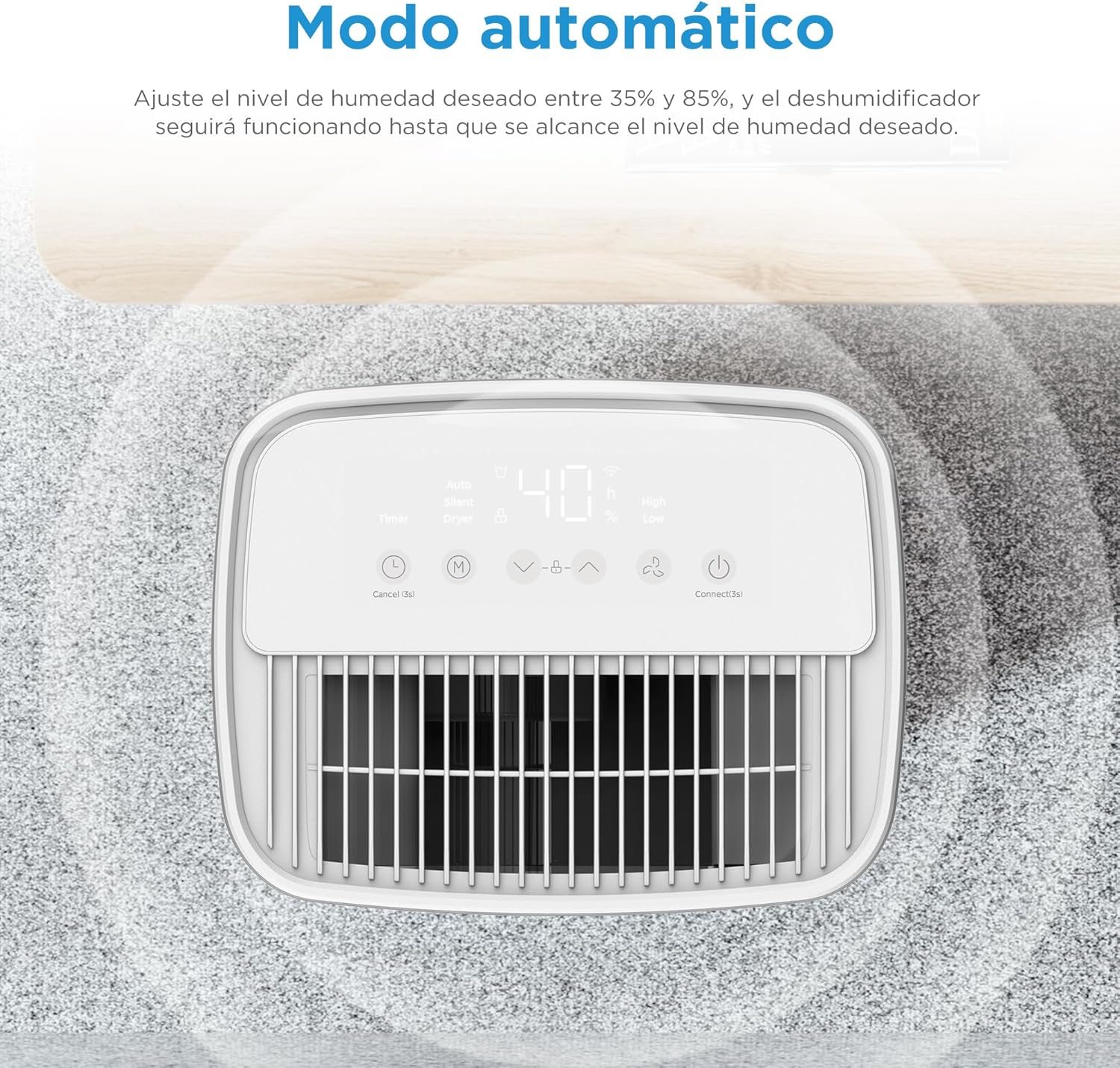
Imagen: Arriba view of the dehumidifier's control panel displaying '40%' humidity, indicating automatic mode operation.
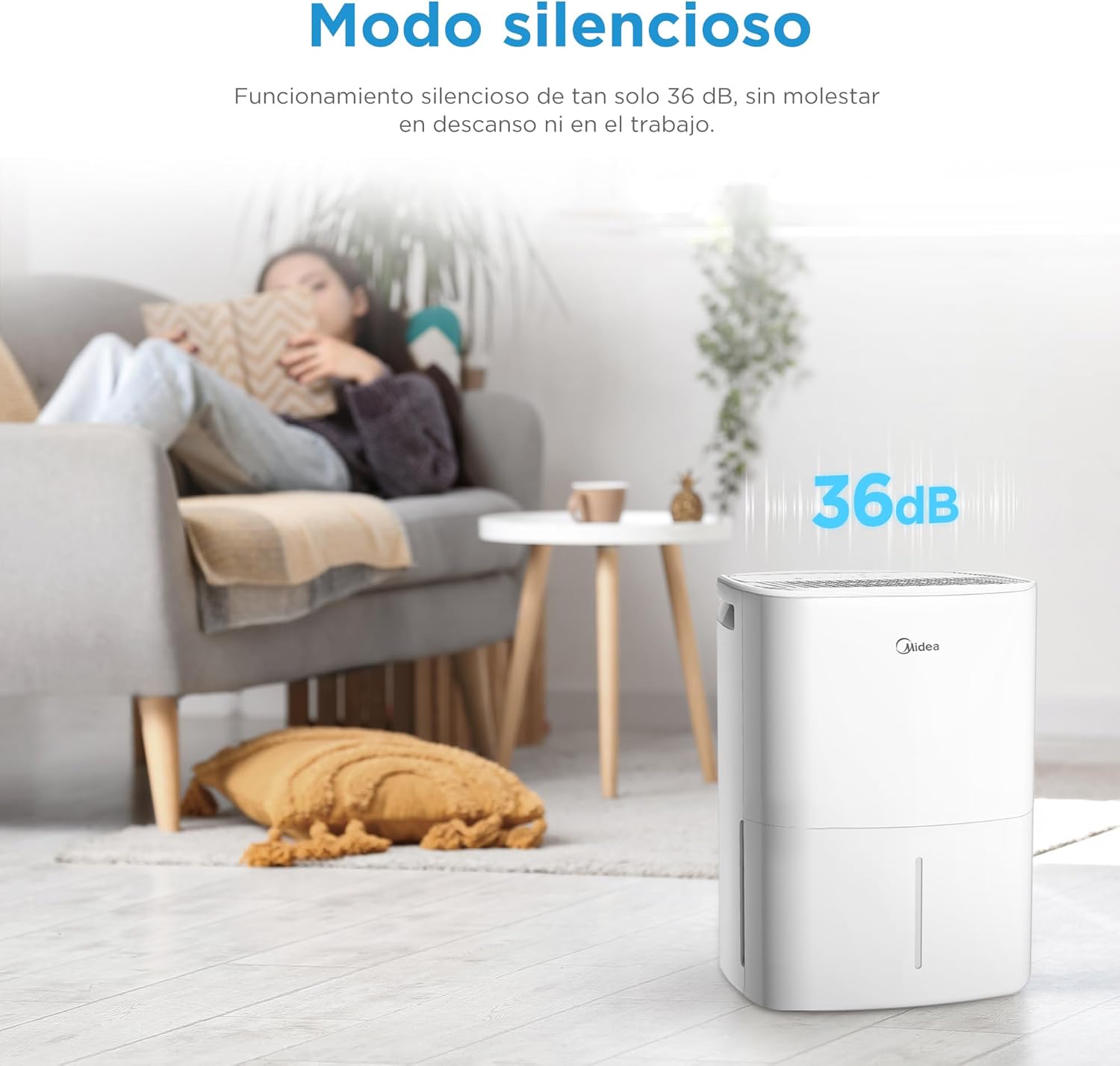
Image: MIDEA dehumidifier operating silently in a living room, with a visual representation of 36dB noise level.

Image: MIDEA dehumidifier placed near a clothes rack, illustrating its use in dryer mode to assist with laundry drying.
Control de la aplicación:
Control your dehumidifier anytime, anywhere with the MSmartHome app. You can monitor water levels, predict tank fill times, and adjust settings with ease.

Image: A smartphone screen showing the MSmartHome app interface controlling the MIDEA dehumidifier, with options for humidity, fan speed, and water level.
Función de bloqueo para niños:
To prevent accidental operation, press the up and down humidity adjustment buttons simultaneously to activate or deactivate the child lock function.

Image: A child playing near the MIDEA dehumidifier, with a shield icon indicating the child lock function is active.
Mantenimiento
1. Vaciado del tanque de agua:
- When the water tank is full, the unit will automatically stop and an indicator light will illuminate.
- Extraiga con cuidado el tanque de agua de la parte delantera de la unidad.
- Vaciar el agua recogida.
- Reinsert the empty water tank firmly into the unit. Ensure it is properly seated to resume operation.
2. Limpieza del filtro de aire:
La limpieza regular del filtro de aire es esencial para un funcionamiento eficiente.
- Apague y desenchufe el deshumidificador.
- Localice y retire el filtro de aire (generalmente en la parte posterior o lateral de la unidad).
- Limpie el filtro con una aspiradora o lávelo con agua tibia y jabón.
- Enjuague bien y deje que se seque al aire por completo antes de volver a insertarlo.
- Clean the filter every two weeks or more often if used in a dusty environment.
3. Limpieza del exterior:
- Limpie el exterior de la unidad con un paño suave yamp paño.
- No utilice productos químicos agresivos, abrasivos ni disolventes, ya que pueden dañar la superficie.
4. Almacenamiento:
- Si va a almacenar la unidad durante un período prolongado, asegúrese de que el tanque de agua esté vacío y limpio.
- Limpie el filtro de aire.
- Guarde la unidad en posición vertical en un lugar fresco y seco, lejos de la luz solar directa.
Solución de problemas
| Problema | Posible causa | Solución |
|---|---|---|
| El deshumidificador no se enciende. | No power, power cord unplugged, water tank full or incorrectly inserted. | Verifique la conexión eléctrica, vacíe y vuelva a insertar el tanque de agua correctamente. |
| No se recoge agua. | Humidity level too low, room temperature too low, air filter clogged, continuous drainage hose connected. | Increase desired humidity setting, ensure room temperature is above 5°C, clean air filter, disconnect continuous drainage if using tank. |
| La unidad es ruidosa. | La unidad no está sobre una superficie nivelada, el filtro de aire está obstruido y los componentes internos vibran. | Colóquelo sobre una superficie nivelada y limpie el filtro de aire. Si el ruido persiste, contacte con el servicio técnico. |
| El control de la aplicación no funciona. | Wi-Fi connectivity issues, incorrect app pairing. | Ensure stable Wi-Fi, re-pair the device with the MSmartHome app (press Power button for 3s). |
| El bloqueo para niños está activo. | Child Lock accidentally activated. | Press humidity up and down buttons simultaneously to deactivate. |
Presupuesto
| Característica | Especificación |
|---|---|
| Marca | Midea |
| Número de modelo | MDDOZ-12DEN7-QA3 |
| Color | Blanco |
| Dimensiones del producto | 20.5 x 26 x 41.2 cm |
| Peso | 10.34 kilogramos |
| Capacidad de deshumidificación | 12 L/día |
| Volumen del tanque de agua | 2.1 litros |
| Área recomendada | Hasta 35 m² |
| Número de velocidades | 3 |
| Características especiales | App Control, Dual Drainage, Midea Proactive Pure - R-290, Dryer Mode, Automatic Shut-off |
| Material | Plástico |
Garantía y soporte
For warranty information, please refer to the documentation provided with your purchase. If you encounter any issues or require technical assistance, please contact customer support:
- Vendedor: PACERIN EU
- Teléfono: +34 614 230 356
- Correo electrónico: support@pacerin.com

Image: MIDEA customer support contact details including Amazon messaging, phone number, and email address.