1. Introducción
Thank you for choosing DOQAUS Life 4 Bluetooth Headphones. This manual provides instructions for the proper setup, operation, and maintenance of your headphones. Please read this manual thoroughly before use to ensure optimal performance and longevity of your device.
Contenido del paquete
- Auriculares Bluetooth DOQAUS Life 4
- Cable de carga USB-C
- Cable de audio de 3.5 mm
- Manual de usuario
2. Información de seguridad
Para evitar dañar sus auriculares o lesionarse usted mismo, tenga en cuenta las siguientes precauciones de seguridad:
- No exponga los auriculares a temperaturas extremas, humedad o ambientes corrosivos.
- Evite dejar caer o someter los auriculares a impactos fuertes.
- No desmonte ni intente reparar los auriculares usted mismo. Esto anulará la garantía.
- Limpie los auriculares únicamente con un paño suave y seco. No utilice limpiadores líquidos.
- Escuchar el volumen alto durante mucho tiempo puede causar daños auditivos. Ajuste el volumen a un nivel seguro.
- Mantener fuera del alcance de los niños.
3. Producto terminadoview
The DOQAUS Life 4 headphones are designed for comfort and high-quality audio. They feature 40mm drivers for clear sound and Bluetooth 5.4 technology for stable wireless connectivity.
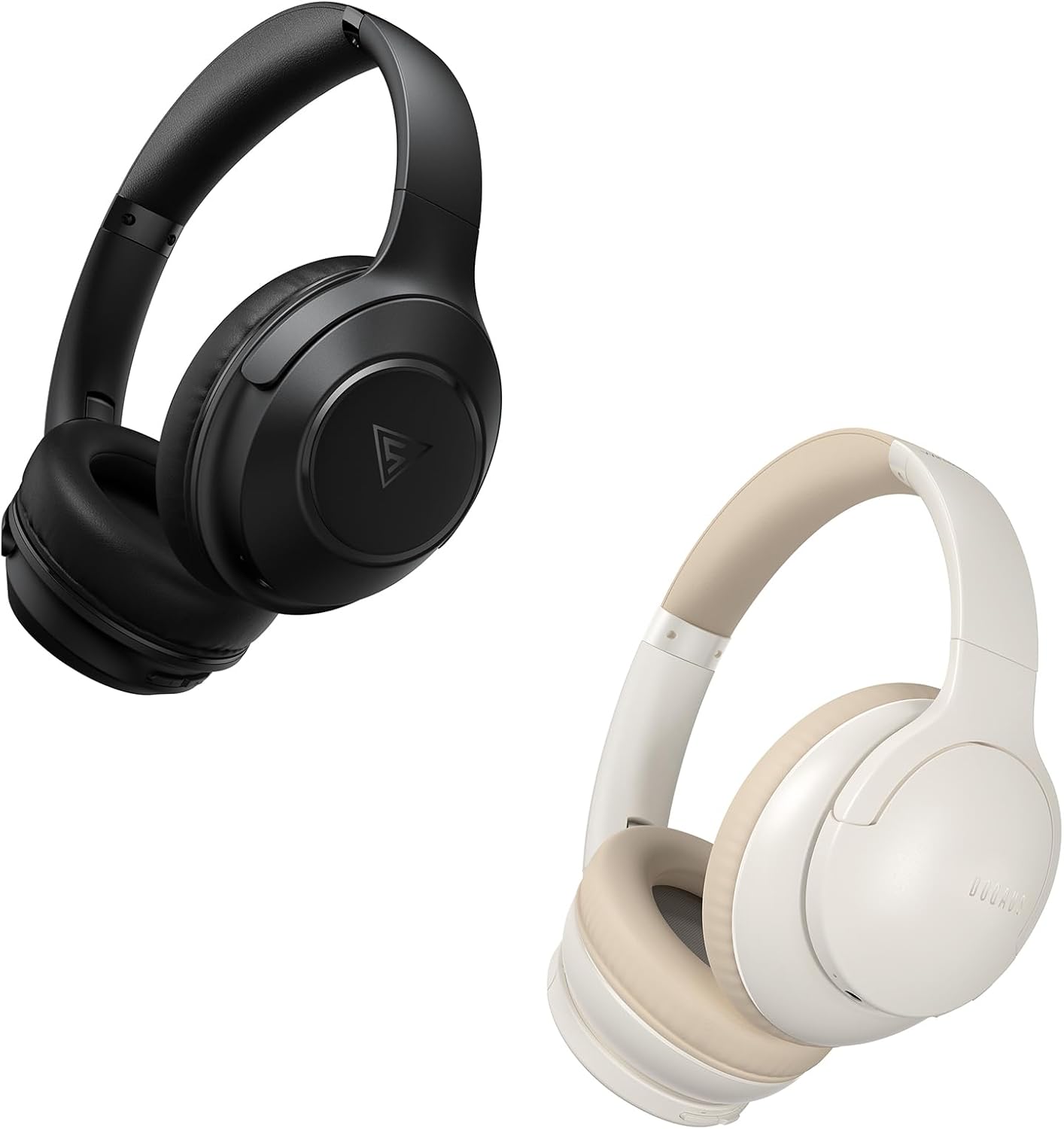
Image: DOQAUS Life 4 Bluetooth Headphones, showing both black and white color variants. These over-ear headphones feature soft earcups and an adjustable headband for comfortable wear.

Imagen: Un interno view of the DOQAUS Life 4 headphone, highlighting the advanced Bluetooth 5.4 wireless technology chip for stable and fast connections.

Image: A close-up of the DOQAUS Life 4 headphone earcup, illustrating the 40mm large-aperture driver responsible for powerful HD sound quality.

Image: A person wearing the DOQAUS Life 4 headphones, illustrating their comfortable design suitable for all-day wear.
4. Configuración
4.1 Carga inicial
Before first use, fully charge your headphones. Connect the USB-C charging cable to the charging port on the headphones and the other end to a USB power source (e.g., computer, wall adapter). The LED indicator will show charging status.
- A full charge provides up to 90 hours of playtime in Bluetooth mode.
- A quick 10-minute charge can provide approximately 5 hours of listening time.

Image: The DOQAUS Life 4 headphones displayed with text indicating "90-HOURS PLAYTIME" and "10 minutes of charging for 5 hours of listening," highlighting the extended battery life.
4.2 Emparejamiento Bluetooth
- Asegúrese de que los auriculares estén apagados.
- Mantenga presionado el botón de encendido hasta que el indicador LED parpadee en azul y rojo alternativamente, lo que indica el modo de emparejamiento.
- En su dispositivo (teléfono inteligente, tableta, computadora), habilite Bluetooth y busque los dispositivos disponibles.
- Seleccione "DOQAUS Life 4" de la lista de dispositivos encontrados.
- Una vez conectado, el indicador LED parpadeará lentamente en azul.
Conectividad multipunto: The DOQAUS Life 4 headphones support connecting to two Bluetooth devices simultaneously. After connecting to the first device, disable Bluetooth on that device, then pair with the second device. Re-enable Bluetooth on the first device, and the headphones should connect to both.
4.3 Conexión por cable (modo AUX)
To use the headphones in wired mode, connect one end of the 3.5mm audio cable to the AUX port on the headphones and the other end to your audio source. The headphones will automatically switch to wired mode, and Bluetooth functionality will be disabled.

Image: The DOQAUS Life 4 headphones demonstrating both wireless Bluetooth connectivity with a smartphone and a wired connection using a 3.5mm audio cable, illustrating versatile connection options.
5. Instrucciones de funcionamiento
5.1 Controles básicos
- Encendido/apagado: Mantenga presionado el botón de encendido durante 3 segundos.
- Reproducir/Pausa: Presione el botón multifunción una vez.
- Sube el volumen: Presione el botón "+".
- Bajar volumen: Presione el botón "-".
- Pista siguiente: Mantenga presionado el botón "+" durante 2 segundos.
- Pista anterior: Mantenga presionado el botón "-" durante 2 segundos.
- Responder/Finalizar llamada: Presione el botón multifunción una vez.
- Rechazar llamada: Mantenga presionado el botón multifunción durante 2 segundos.
- Activar asistente de voz: Presione dos veces el botón multifunción.
5.2 modos de ecualización
The DOQAUS Life 4 headphones feature three equalizer (EQ) modes to optimize your listening experience for different music styles. Press the EQ button to cycle through the modes:
- Modo de graves intensos: Enhances low-frequency sounds for a deeper bass experience.
- Modo vocal: Optimiza las frecuencias de rango medio para obtener voces más claras.
- Modo equilibrado: Proporciona un sonido neutral profesional.file suitable for various genres.

Image: A collage demonstrating the three EQ music modes of the DOQAUS Life 4 headphones: Heavy Bass, Vocal, and Balanced. The image shows the headphones and individuals enjoying music, indicating the versatility of sound profiles.
6. Mantenimiento
6.1 Limpieza
- Limpie los auriculares con un paño suave, seco y que no suelte pelusa.
- No utilice limpiadores abrasivos, alcohol ni disolventes químicos.
- Asegúrese de que los puertos de carga y los conectores de audio estén libres de polvo y residuos.
6.2 Almacenamiento
- Guarde los auriculares en un lugar fresco y seco, alejado de la luz solar directa y de temperaturas extremas.
- Si los guardará durante un período prolongado, cargue los auriculares periódicamente para mantener la salud de la batería.
7. Solución de problemas
| Problema | Posible causa | Solución |
|---|---|---|
| Los auriculares no se encienden. | Batería baja. | Cargue completamente los auriculares. |
| No se puede emparejar con el dispositivo. | Los auriculares no están en modo de emparejamiento; Bluetooth desactivado en el dispositivo; dispositivo demasiado lejos. | Ensure headphones are in pairing mode (flashing blue/red). Enable Bluetooth on your device. Move device closer to headphones. |
| No hay sonido. | Volumen demasiado bajo; auriculares no conectados; fuente de audio incorrecta. | Increase volume. Verify Bluetooth connection or 3.5mm cable connection. Check audio output settings on your device. |
| La calidad del sonido es pobre. | Weak Bluetooth signal; incorrect EQ mode. | Move closer to your device. Try switching EQ modes. |
8. Especificaciones
- Modelo: Vida 4
- Versión de Bluetooth: 5.4
- Tamaño del controlador: 40 mm
- Recreo: Hasta 90 horas (modo Bluetooth)
- Carga rápida: 10 minutos de carga para 5 horas de reproducción
- Formatos de audio compatibles: A2DP, AVRCP, HSP, HFP, SBC, AAC
- Conectividad: Bluetooth, auxiliar de 3.5 mm
9. Garantía y soporte
DOQAUS Life 4 headphones come with a 30-day return policy and an 18-month replacement warranty. For any inquiries or support needs, please contact our customer service team. All inquiries are typically processed within 24 hours.
For further assistance, please refer to the contact information provided with your purchase or visit the official DOQAUS websitio.


