1. Introducción
Thank you for choosing the DUSONLAP E6 Open Ear Earbuds. These earbuds are designed to provide a comfortable listening experience while allowing you to stay aware of your surroundings. Featuring Bluetooth 5.4 for stable connectivity and a 14mm large driver unit for rich sound, they are ideal for various activities including music listening, cycling, calling, running, and exercising. The built-in ENC microphone technology ensures clear calls by isolating your voice from background noise.
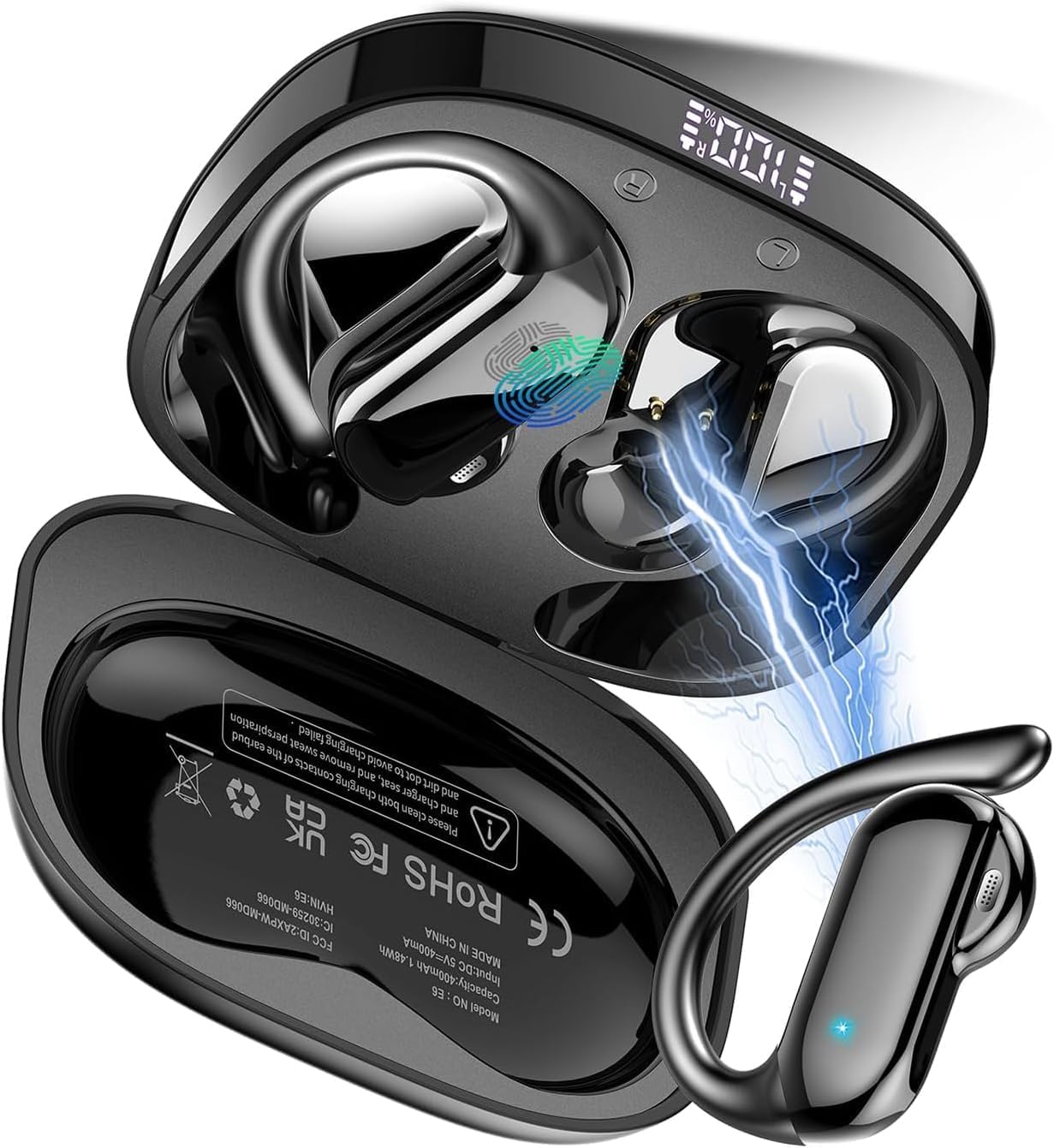
Image: The DUSONLAP E6 Open Ear Earbuds, showcasing their design and the compact charging case.
2. Contenido del paquete
Por favor revise el paquete para asegurarse de que todos los artículos estén presentes:
- Auriculares abiertos x2 (izquierdo y derecho)
- Estuche de carga rápida x1
- Cable de carga rápida USB-C x1
- Manual de usuario x1

Image: A visual representation of the DUSONLAP E6 package contents, including the earbuds, charging case, USB-C cable, and user manual.
3. Configuración
3.1 Carga inicial
Before first use, fully charge the earbuds and the charging case. Connect the provided USB-C cable to the charging port on the case and a power source. The LED indicator on the case will show charging status.
3.2 Emparejamiento con su dispositivo
- Asegúrese de que los auriculares estén en el estuche de carga y que éste tenga energía.
- Abre el estuche de carga. Los auriculares entrarán automáticamente en modo de emparejamiento.
- En su dispositivo (teléfono inteligente, tableta, computadora portátil), vaya a la configuración de Bluetooth y active Bluetooth.
- Buscar dispositivos disponibles y seleccione "DUSONLAP E6" de la lista.
- Una vez conectados, los auriculares indicarán que el emparejamiento fue exitoso (por ejemplo, un mensaje de voz o un cambio de LED).
Los auriculares se volverán a conectar automáticamente al último dispositivo emparejado cuando se retiren del estuche, si Bluetooth está habilitado en el dispositivo.
4. Instrucciones de funcionamiento
4.1 Cómo usar los auriculares
Follow these steps for a secure and comfortable fit:
- Simplemente retire los auriculares del estuche de carga.
- Cuelgue los auriculares en el hueso de su oreja para un ajuste perfecto.
- Gire los auriculares y deslícelos detrás de la oreja.
- Adjust the ear hook, wear and pull down the ear hook for a secure fit.

Image: A visual guide demonstrating the four steps to correctly wear the DUSONLAP E6 Open Ear Earbuds for optimal comfort and stability.
4.2 Controles táctiles
The DUSONLAP E6 earbuds feature intuitive touch controls. The touch sensitive area is located on the outer surface of each earbud.
| Acción | Control |
|---|---|
| Volumen + | Tap 1x (Right Earbud) |
| Volumen | Tap 1x (Left Earbud) |
| Reproducir / Pausa | Tap 2x (Either Earbud) |
| Asistente de voz | Tap 3x (Either Earbud) |
| Pista siguiente | Press and hold 2S (Right Earbud) |
| Pista anterior | Press and hold 2S (Left Earbud) |
| Colgar/Rechazar llamada | Press and hold 2S (Either Earbud) |
| Responder llamada | Tap 2x (Either Earbud) |

Image: A detailed diagram illustrating the various smart touch control gestures for the DUSONLAP E6 earbuds, including volume, playback, calls, and voice assistant.
5. Mantenimiento
5.1 Limpieza
Regularly clean your earbuds and charging case with a soft, dry, lint-free cloth. Do not use harsh chemicals or abrasive materials. Avoid getting moisture into any openings.
5.2 Resistencia al agua
The earbuds are rated IPX7 waterproof, meaning they are resistant to rain and sweat, making them suitable for intense workouts and outdoor activities. However, they are not designed for swimming or prolonged submersion in water. Ensure the charging port is dry before charging.

Image: The DUSONLAP E6 earbuds shown with water splashes, illustrating their IPX7 water resistance for protection against sweat and rain.
5.3 Almacenamiento
Cuando no los uses, guarda los auriculares en su estuche de carga para protegerlos y mantenerlos cargados. Guárdalos en un lugar fresco y seco, alejado de temperaturas extremas.
6. Solución de problemas
| Problema | Posible solución |
|---|---|
| Los auriculares no se emparejan | Ensure earbuds are charged. Turn off and on Bluetooth on your device. Forget "DUSONLAP E6" in your device's Bluetooth settings and re-pair. |
| Sin sonido de un auricular | Place both earbuds back in the case, close the lid, then open again. Check if both earbuds are charged. |
| Bajo volumen | Aumente el volumen tanto de los auriculares (a través del control táctil) como de su dispositivo conectado. |
| El estuche de carga no carga | Revisa el cable USB-C y el adaptador de corriente. Asegúrate de que el cable esté bien conectado. |
| Los auriculares se desconectan con frecuencia | Ensure you are within the 15-meter Bluetooth range. Avoid obstacles between the earbuds and your device. |
7. Especificaciones
| Característica | Detalle |
|---|---|
| Nombre del modelo | E6 |
| Tecnología de conectividad | Inalámbrico (Bluetooth 5.4) |
| Alcance de Bluetooth | 15 metros |
| Tipo de control | Control táctil |
| Nivel de resistencia al agua | Resistente al agua IPX7 |
| Duración de la batería (una sola carga) | 8 horas |
| Tiempo total de reproducción (con estuche de carga) | Hasta 32 horas |
| Peso del artículo | 4.2 onzas |
| Fabricante | DUSONLAP |

Image: An illustration highlighting the battery life of the DUSONLAP E6 earbuds, showing 8 hours on a single charge and up to 32 hours with the charging case.
8. Garantía y soporte
DUSONLAP provides a two-year warranty for the E6 Open Ear Earbuds. For any product inquiries, technical support, or warranty claims, please contact DUSONLAP customer service. We offer 24-hour customer service to assist you.
Please refer to the contact information provided on the product packaging or the official DUSONLAP webSitio para los canales de soporte más actualizados.


