1. Introducción
Thank you for choosing the Hama Ultimate Pro Portable Bluetooth Speaker. This manual provides essential information for the safe and efficient use of your device. Please read it carefully before use and keep it for future reference.
Contenido del paquete:
- 1x Hama Ultimate Pro Portable Bluetooth Speaker
- 1x cable de carga USB-C
- 1x Correa de transporte
- 1x Manual de usuario
2. Instrucciones de seguridad
- Do not open the device. Incorrect assembly can lead to electric shock, fire, or damage.
- Keep the device away from extreme temperatures, direct sunlight, and humidity.
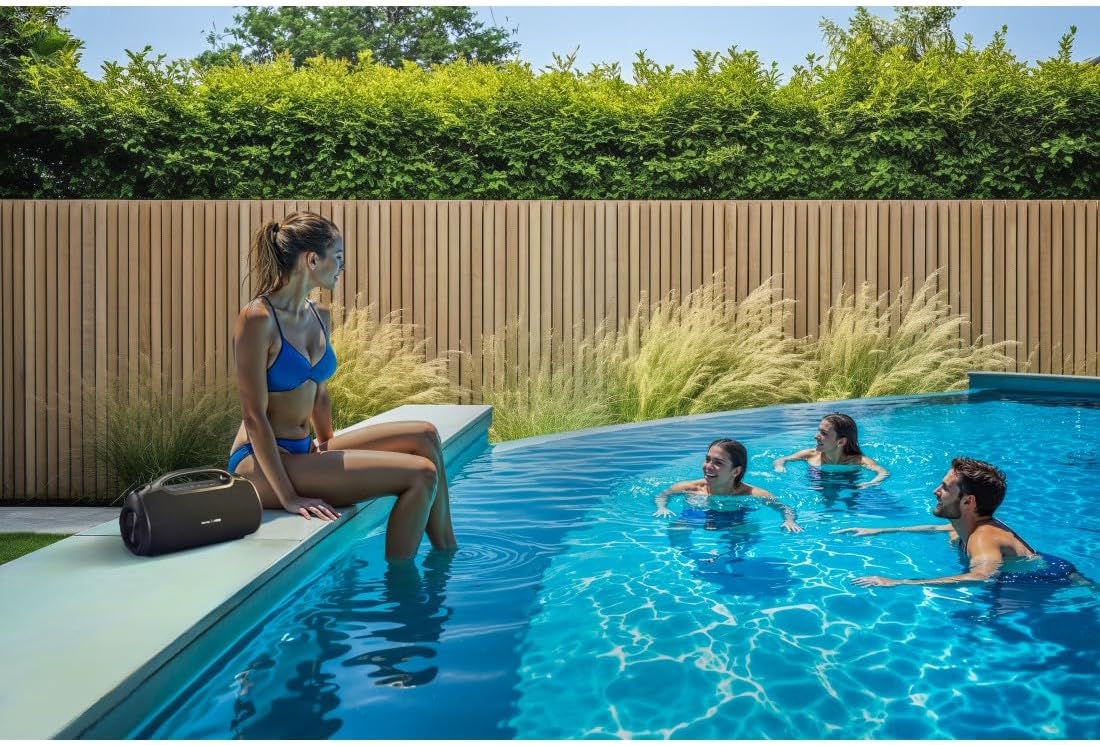
- This speaker is rated IPX6, meaning it is protected against strong continuous rain and splashing water. Do not submerge the speaker in water.
- Utilice únicamente el cable USB-C proporcionado para cargar.
- No utilice el dispositivo si está visiblemente dañado.
- Protect the battery from overheating.
3. Producto terminadoview
Familiarize yourself with the speaker's features and connections.

The Hama Ultimate Pro speaker highlights its key features: 24-hour battery life, IPX6 waterproof rating, Bluetooth connectivity, and 120W sound output.
Panel de control:

Detallado view of the speaker's top control panel, showing buttons for power, volume adjustment, play/pause, mode selection, and equalizer settings.
- Botón de encendido: Mantenga pulsado para encender o apagar. Pulse brevemente para comprobar el estado de la batería.
- Bajar volumen (-): Disminuir el volumen.
- Botón de reproducción/pausa: Reproduce o pausa el audio.
- Subir volumen (+): Aumentar el volumen.
- Botón de modo (M): Cambiar entre los modos de entrada (Bluetooth, AUX, USB).
- Equalizer Button (EQ): Cycle through equalizer presets (Bass Sound, Power Sound, Balanced Sound).
Puertos y Conexiones:

The speaker's rear port panel includes a USB-C charging port, a USB-A port for external devices, a reset button, and a 6.3mm jack input.
- Puerto USB-C: For charging the speaker and for Power Bank output.
- Puerto USB-A: For playing music from USB storage devices or for Power Bank output.
- Entrada AUX (conector de 3.5 mm): Para conectar dispositivos de audio externos mediante un cable de audio de 3.5 mm.
- Microphone/Guitar Input (6.3mm Jack): Para conectar un micrófono o una guitarra.
- Botón de reinicio: Use a thin object to press and reset the speaker if needed.
4. Configuración
4.1 Carga del altavoz
- Connect the supplied USB-C charging cable to the USB-C port on the speaker.
- Connect the other end of the USB-C cable to a suitable USB power adapter (not included). A 30W charger is recommended for fast charging.
- The charging indicator will show the charging status. The speaker is fully charged in approximately 2.5 hours.
4.2 Encendido / Apagado
- To turn on: Press and hold the Power button for a few seconds until you hear an audible prompt.
- To turn off: Press and hold the Power button for a few seconds until you hear an audible prompt.
4.3 Emparejamiento Bluetooth
- Asegúrese de que el altavoz esté encendido y en modo Bluetooth (indicado por un LED azul parpadeante). De lo contrario, pulse el botón de modo (M) para cambiar al modo Bluetooth.
- En su dispositivo (teléfono inteligente, tableta, computadora portátil), habilite Bluetooth y busque los dispositivos disponibles.
- Select "Hama Ultimate Pro" from the list of devices.
- Una vez emparejado, el indicador LED se volverá azul fijo y escuchará un sonido de confirmación.
4.4 Conexión a través de la entrada AUX
- Conecte un extremo de un cable de audio de 3.5 mm (no incluido) al puerto de entrada AUX del altavoz.
- Conecte el otro extremo a la salida de audio de su dispositivo externo.
- Press the Mode button (M) on the speaker to switch to AUX mode.
4.5 Connecting USB Storage
- Inserte una unidad flash USB que contenga audio files en el puerto USB-A del altavoz.
- Press the Mode button (M) to switch to USB mode. The speaker will automatically begin playing audio from the USB drive.
4.6 Connecting Microphone or Guitar
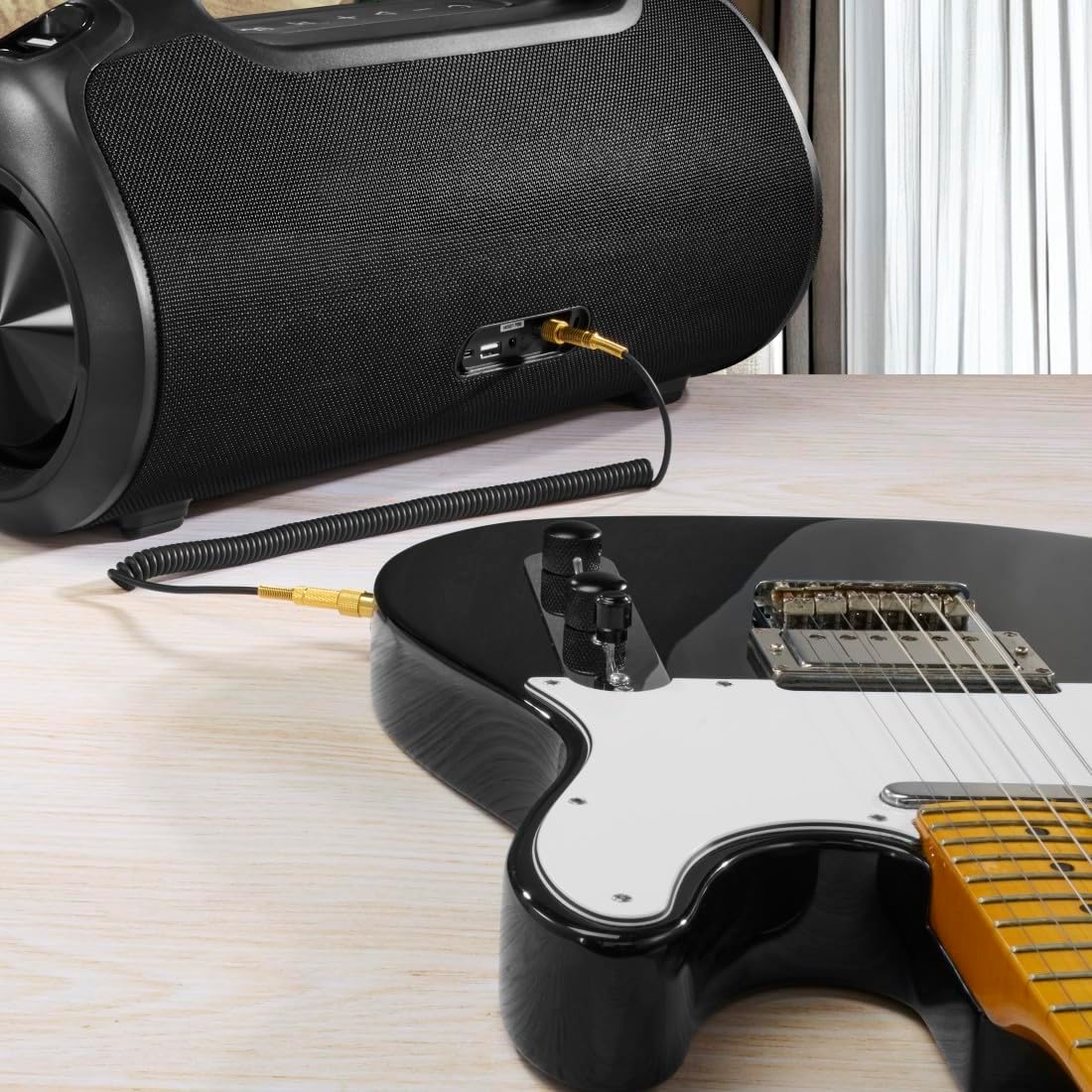
The speaker can be used as an amplifier by connecting an electric guitar via its 6.3mm jack input.
A microphone can be connected to the speaker's 6.3mm jack input for karaoke or public speaking.
- Connect your microphone or guitar to the 6.3mm jack input on the speaker.
- Ajuste el volumen del dispositivo conectado y del altavoz según sea necesario.
4.7 Emparejamiento estéreo inalámbrico verdadero (TWS)
The Hama Ultimate Pro supports TWS for connecting two speakers for a stereo sound experience. Refer to the specific TWS pairing instructions in the full manual if available, as this feature typically involves pressing a dedicated TWS button on both speakers simultaneously.
5. Funcionamiento del altavoz
5.1 Controles básicos de reproducción
- Reproducir/Pausa: Presione brevemente el botón Reproducir/Pausar.
- Sube el volumen: Presione brevemente el botón Subir volumen (+).
- Bajar volumen: Presione brevemente el botón para bajar el volumen (-).
- Pista siguiente: Mantenga presionado el botón Subir volumen (+).
- Pista anterior: Mantenga presionado el botón para bajar el volumen (-).
5.2 Modos del ecualizador
The speaker offers three distinct equalizer modes to optimize your listening experience:
- Sonido bajo: Enhances low frequencies for a deeper bass response.
- Power Sound: Provides a balanced, powerful sound profile.
- Sonido equilibrado: Offers a neutral and clear audio output.
To switch between modes, short press the EQ button on the control panel.
5.3 Hama Smart Home App Control

The Hama Smart Home app allows for convenient control and customization of the speaker, including battery status and sound settings.
Download the "Hama Smart Home" app from your device's app store to access additional features:
- Custom equalizer settings.
- Change the speaker's name.
- View precise battery status in percentage.
- Remote control of playback and settings.
5.4 Función de banco de energía

The speaker's integrated power bank allows you to charge external devices like smartphones via its USB-C or USB-A ports.
The Hama Ultimate Pro speaker features an integrated power bank function, allowing you to charge other devices:
- Connect your smartphone, tablet, or other USB-powered device to the USB-C or USB-A port on the speaker using a compatible charging cable.
- La batería interna del altavoz comenzará a cargar el dispositivo conectado.
6. Mantenimiento
6.1 Limpieza
The speaker has a resistant and washable surface. To clean:
- Ensure the speaker is turned off and all cables are disconnected.
- Utilice un paño suave y seco.amp cloth to wipe the surface. Do not use harsh cleaning agents or solvents.
- Para la suciedad difícil, se puede utilizar una solución de jabón suave, seguida de una limpieza con un paño limpio y seco.amp paño.
- Allow the speaker to dry completely before use.
6.2 Almacenamiento
- Guarde el altavoz en un lugar fresco y seco, alejado de la luz solar directa y de temperaturas extremas.
- Si lo almacenará durante un período prolongado, cargue la batería aproximadamente al 50 % cada pocos meses para mantener su salud.
6.3 Cuidado de la batería
- Evite descargar completamente la batería con frecuencia.
- Do not expose the battery to heat sources or direct flame.
- Deshazte de las baterías de acuerdo a las regulaciones locales.
7. Solución de problemas
Si tiene problemas con su altavoz, consulte las siguientes soluciones comunes:
- Sin energía: Asegúrate de que el altavoz esté cargado. Conéctalo a una fuente de alimentación mediante el cable USB-C.
- No se puede emparejar a través de Bluetooth:
- Asegúrese de que el altavoz esté en modo de emparejamiento Bluetooth (LED azul intermitente).
- Asegúrese de que Bluetooth esté habilitado en su dispositivo y que se encuentre a 10 metros del altavoz.
- Olvide el altavoz de la lista de Bluetooth de su dispositivo e intente emparejarlo nuevamente.
- Reinicie tanto el altavoz como su dispositivo.
- Sin sonido:
- Verifique los niveles de volumen tanto en el altavoz como en el dispositivo conectado.
- Ensure the correct input mode (Bluetooth, AUX, USB) is selected on the speaker.
- Si usa AUX, asegúrese de que el cable esté completamente insertado y funcione.
- Problemas de carga:
- Verify the USB-C cable is not damaged and is properly connected.
- Pruebe con un adaptador de corriente USB diferente.
- Orador que no responde: If the speaker becomes unresponsive, use a thin object (like a paperclip) to press the Reset button located on the port panel.
8. Especificaciones

Physical dimensions of the Hama Ultimate Pro speaker for reference.
| Número de modelo | 00188232 |
| Marca | Hama |
| Color | Negro |
| Tecnología de conectividad | Bluetooth 5.3 |
| Rango máximo | 10 metros |
| Sistema de audio | Estéreo |
| Max Music Power | 120 W |
| Tipo de batería | Ion de litio integrado |
| Capacidad de la batería | 4500 mAh |
| Volumen de la bateríatage | 11.4 V |
| Energía de la batería | 51.3 Wh |
| Duración máxima de la batería | 24 horas |
| Tiempo de carga | Aproximadamente 2.5 horas |
| Soporte USB PD | Sí |
| Clasificación IP | IPX6 (Protection against strong continuous rain) |
| Dimensiones (L x An x Al) | 46.5 x 19.2 x 25.4 cm |
| Peso | 5200 gramos (5.2 kilogramos) |
| Dispositivos compatibles | MP3 Player, Personal Computer, Smartphone, Tablet, Television |
9. Garantía
Hama GmbH & Co KG provides a warranty for this product. Please refer to the warranty card included in your package or visit the official Hama webSitio para conocer los términos y condiciones de garantía detallados específicos de su región.
10. Soporte
For technical support, troubleshooting assistance, or further inquiries, please contact Hama customer service. Contact details can typically be found on the official Hama websitio o en el embalaje del producto.
You can also visit the Hama webSitio para preguntas frecuentes e información adicional sobre el producto: www.hama.com


