1. Introducción
Gracias por la compraasing the Sofirn HS21 and D25S headlamps. These headlamps are designed for various outdoor activities, offering reliable illumination and convenient features. This manual provides detailed instructions for the safe and effective use, setup, operation, and maintenance of your new headlamps. Lea este manual detenidamente antes de usarlo y consérvelo para futuras consultas.
2. Instrucciones de seguridad
- Do not shine the light directly into eyes. The powerful beam can cause temporary vision impairment or permanent eye damage.
- Mantener fuera del alcance de los niños.
- No desmonte el cabezal.amp. This may damage the device and void the warranty.
- Use only the recommended battery types. Improper battery use can lead to fire, explosion, or leakage.
- Evite exponer el cabezal.amp a temperaturas extremas o luz solar directa durante períodos prolongados.
- Asegúrese de que la tapa del puerto de carga USB-C esté bien cerrada cuando no esté cargando para mantener la resistencia al agua.
3. Contenido del paquete
- 1 x Sofirn HS21 Headlamp
- 1 x Sofirn D25S Headlamp
- 2 x Headbands
- 2 cables de carga USB-C
- 2 x Rechargeable Batteries (pre-installed or separate)
- 1 x Manual de usuario
4. Producto terminadoview
4.1 Sofirn HS21 Headlamp
The Sofirn HS21 is a versatile headlamp featuring a combination of spotlight, floodlight, and red light. It is equipped with a convenient rotary switch for easy mode selection and offers a wide 130° rotation adjustment for optimal illumination angle.

Image 1: Sofirn HS21 Headlamp showing its various light modes including red light, spotlight, and floodlight.

Image 2: The Sofirn HS21 headlamp demonstrating its 130-degree rotation capability for adjustable light direction.
4.2 Sofirn D25S Headlamp
The Sofirn D25S is a compact and powerful headlamp utilizing an SST40 LED, offering multiple brightness levels. It features a hidden USB-C charging port for convenient recharging and a simple user interface with memory mode.

Image 3: Sofirn D25S Headlamp highlighting its comfortable switch and simple user interface.
5. Configuración
5.1 Instalación de la batería
Both HS21 and D25S headlamps typically come with batteries pre-installed. If not, or if replacing batteries:
- Desenrosque la tapa trasera del cabezal.amp cuerpo.
- Insert the rechargeable battery with the positive (+) terminal facing towards the head of the lamp.
- Enrosque nuevamente la tapa trasera firmemente para garantizar un contacto adecuado y resistencia al agua.
5.2 Carga
ambos encabezadosamps feature a built-in USB-C charging port.
For HS21:
- Localice el puerto de carga USB-C en el lateral del cabezal.amp cuerpo.
- Gently lift the protective rubber cover to expose the port.
- Connect the provided USB-C cable to the headlamp y a una fuente de alimentación USB (por ejemplo, adaptador de pared, banco de energía, computadora).
- The indicator light will show red during charging and turn green when fully charged.
- Once charging is complete, securely close the rubber cover to protect the port from dust and water.
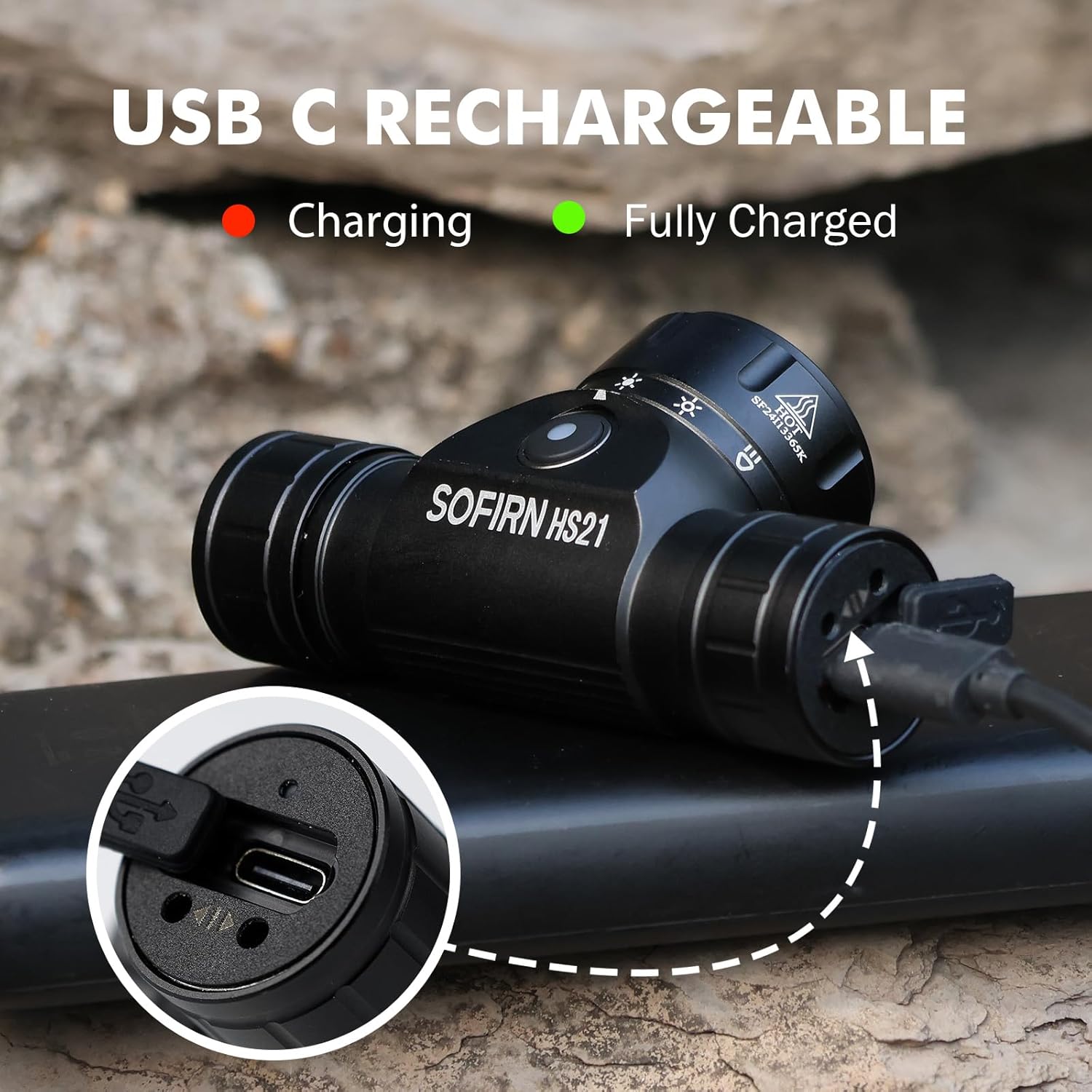
Image 4: Sofirn HS21 Headlamp connected to a USB-C charging cable, showing the charging indicator light.
For D25S:
- Unscrew the head of the D25S headlamp to reveal the hidden USB-C charging port.
- Connect the provided USB-C cable to the headlamp and to a USB power source.
- The indicator light will show red during charging and turn green when fully charged.
- After charging, screw the head back on tightly to ensure water resistance.

Image 5: Sofirn D25S Headlamp with its head unscrewed, revealing the built-in USB-C charging port.
6. Instrucciones de funcionamiento
6.1 Sofirn HS21 Headlamp Operación
The HS21 features a rotary switch for easy mode selection and a separate power button.
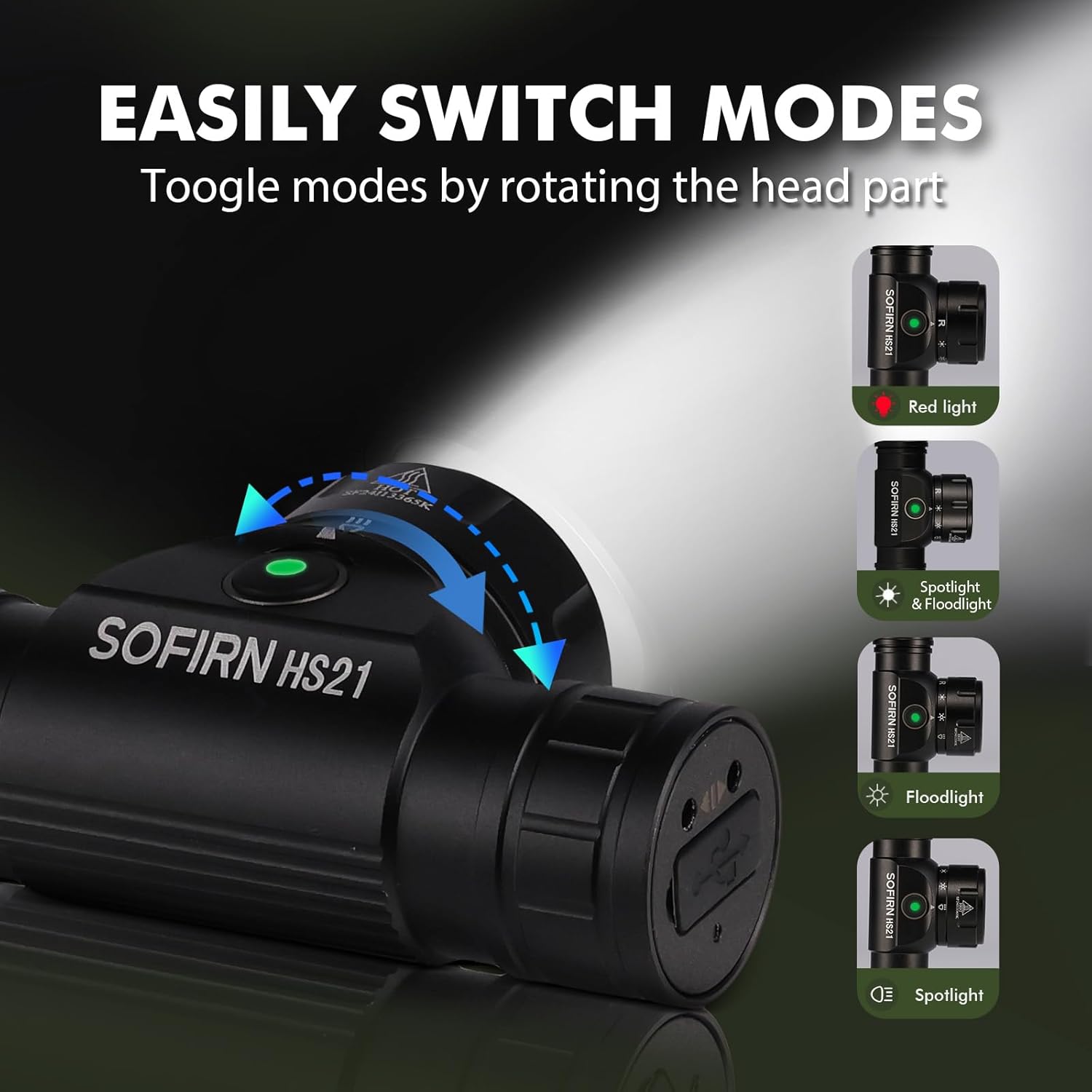
Image 6: Illustration of the Sofirn HS21's rotary switch mechanism for changing light modes.
- Encendido/apagado: Presione el botón de encendido una vez para girar el cabezal.amp encendido o apagado.
- Selección de modo: Rotate the head part of the headlamp to cycle through the main light modes: Red Light, Spotlight, Floodlight, and Spotlight + Floodlight (combined).
- Ajuste de brillo: While a mode is active, press and hold the power button to cycle through brightness levels (Low, Medium, High). Release the button at your desired brightness.
- Red Light Activation: Rotate to the red light setting. Press and hold the power button for additional red light modes (e.g., red strobe, red beacon).
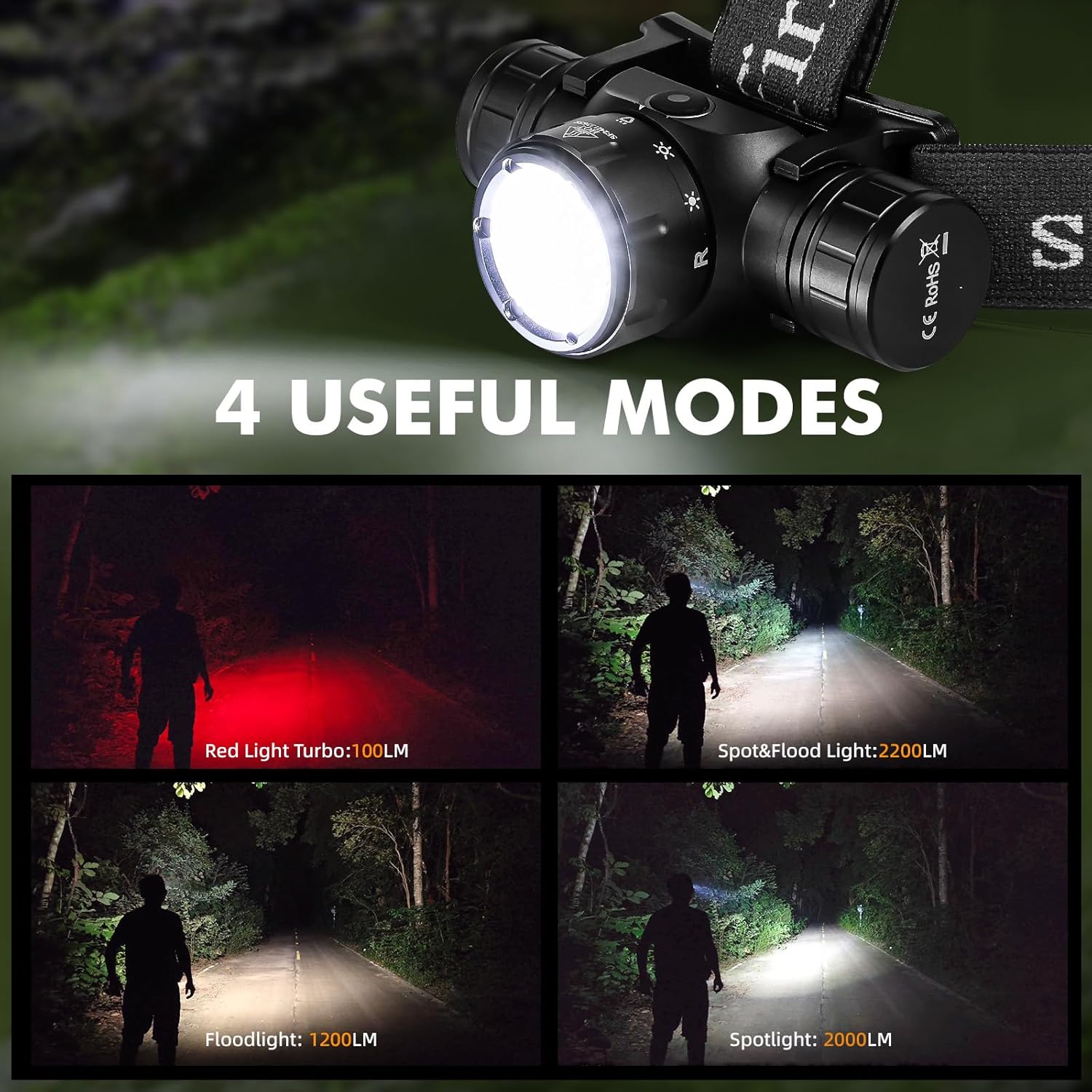
Image 7: The Sofirn HS21 headlamp displaying its four primary light modes: Red Light, Spot & Flood, Floodlight, and Spotlight.
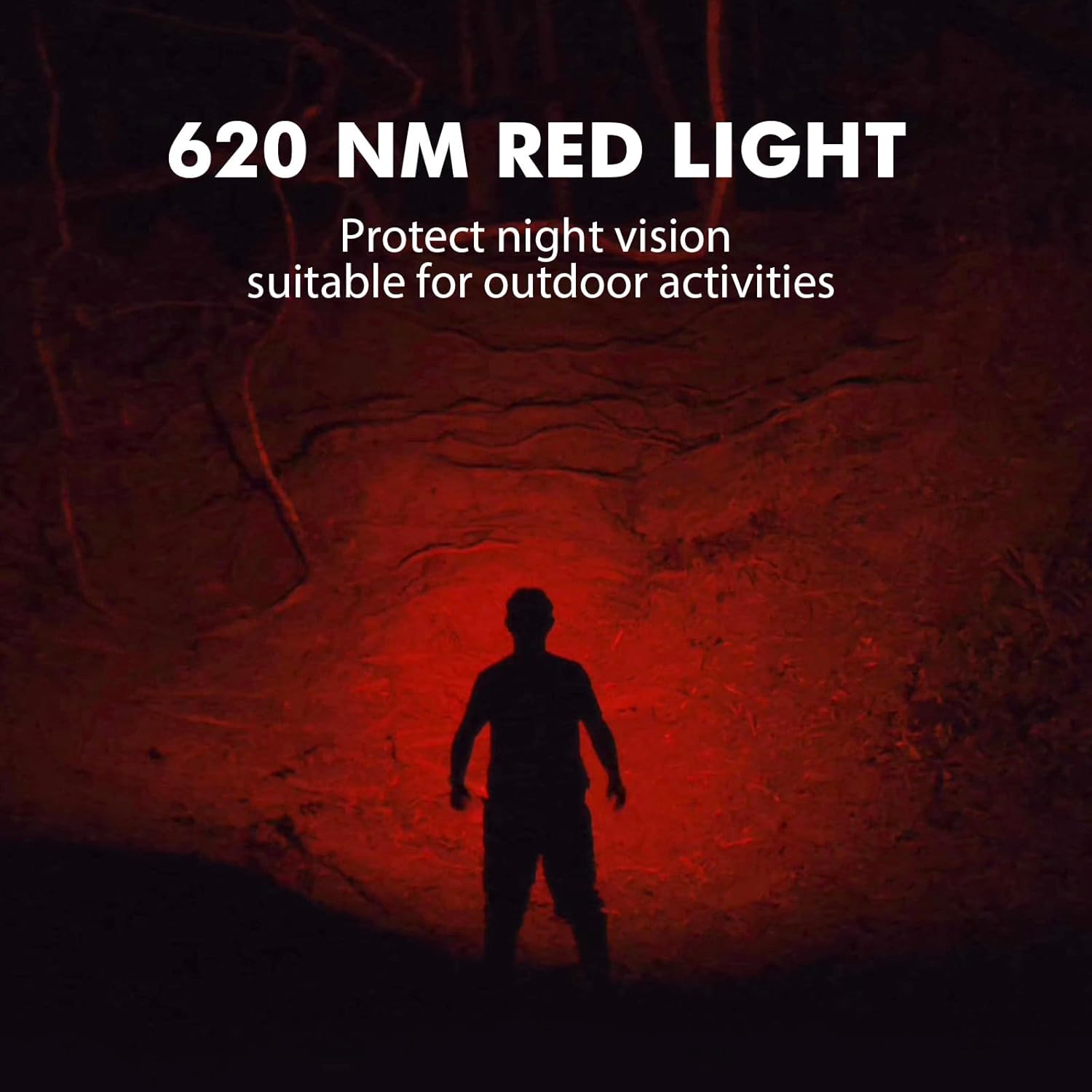
Image 8: The Sofirn HS21 headlamp emitting a 620 NM red light, suitable for preserving night vision.
6.2 Sofirn D25S Headlamp Operación
The D25S operates with a single button interface.
- Encendido/apagado: Press the button once to turn the headlamp encendido o apagado.
- Modo Ciclismo: Mientras que la cabezaamp is on, press and hold the button to cycle through brightness modes: Low → Medium 1 → Medium 2 → High. Release the button at your desired mode.
- Modo Turbo: From any mode, double-click the button to activate Turbo mode. Double-click again to return to the previous mode.
- Función de memoria: The D25S will remember the last used brightness level (excluding Turbo) and turn on in that mode.
7. Mantenimiento
- Limpieza: Limpiar el cabezalamp con un suave, damp Paño. No utilice limpiadores abrasivos ni disolventes.
- juntas tóricas: Periodically check and lubricate the O-rings with silicone grease to maintain water resistance. Replace damaged O-rings.
- Cuidado de la batería: Si la cabezaamp will not be used for an extended period, remove the battery to prevent leakage. Recharge batteries regularly to prolong their lifespan.
- Almacenamiento: Guarde el cabezalamp en un lugar fresco y seco lejos de la luz solar directa.
8. Solución de problemas
| Problema | Posible causa | Solución |
|---|---|---|
| Cabezalamp no se enciende | Low battery; Battery incorrectly installed; Loose tail cap; Faulty battery. | Charge battery; Reinstall battery with correct polarity; Tighten tail cap; Replace battery. |
| La salida de luz es tenue | Batería baja; la lente está sucia. | Charge battery; Clean the lens. |
| La carga no funciona | Cable not connected properly; Faulty cable or power source; Charging port obstructed. | Ensure secure connection; Try a different cable/power source; Clean charging port. |
| Ingreso de agua | O-rings damaged or missing; Tail cap/charging port cover not sealed properly. | Check and replace O-rings; Ensure all caps are tightly sealed. |
9. Especificaciones
9.1 Sofirn HS21 Headlamp
| Característica | Detalle |
|---|---|
| Fuente de luz | LED (Spotlight, Floodlight, Red Light) |
| Salida máxima | 2200 Lumens (Spotlight + Floodlight) |
| Longitud de onda de luz roja | 620 NM |
| Tipo de interruptor | Rotary Switch + Push Button |
| Cargando | USB-C recargable |
| Rotación | 130° ajustable |
| Dimensiones | 3.4 x 1.8 x 1.4 pulgadas |
| Peso | 0.3 libras (incluida la batería) |
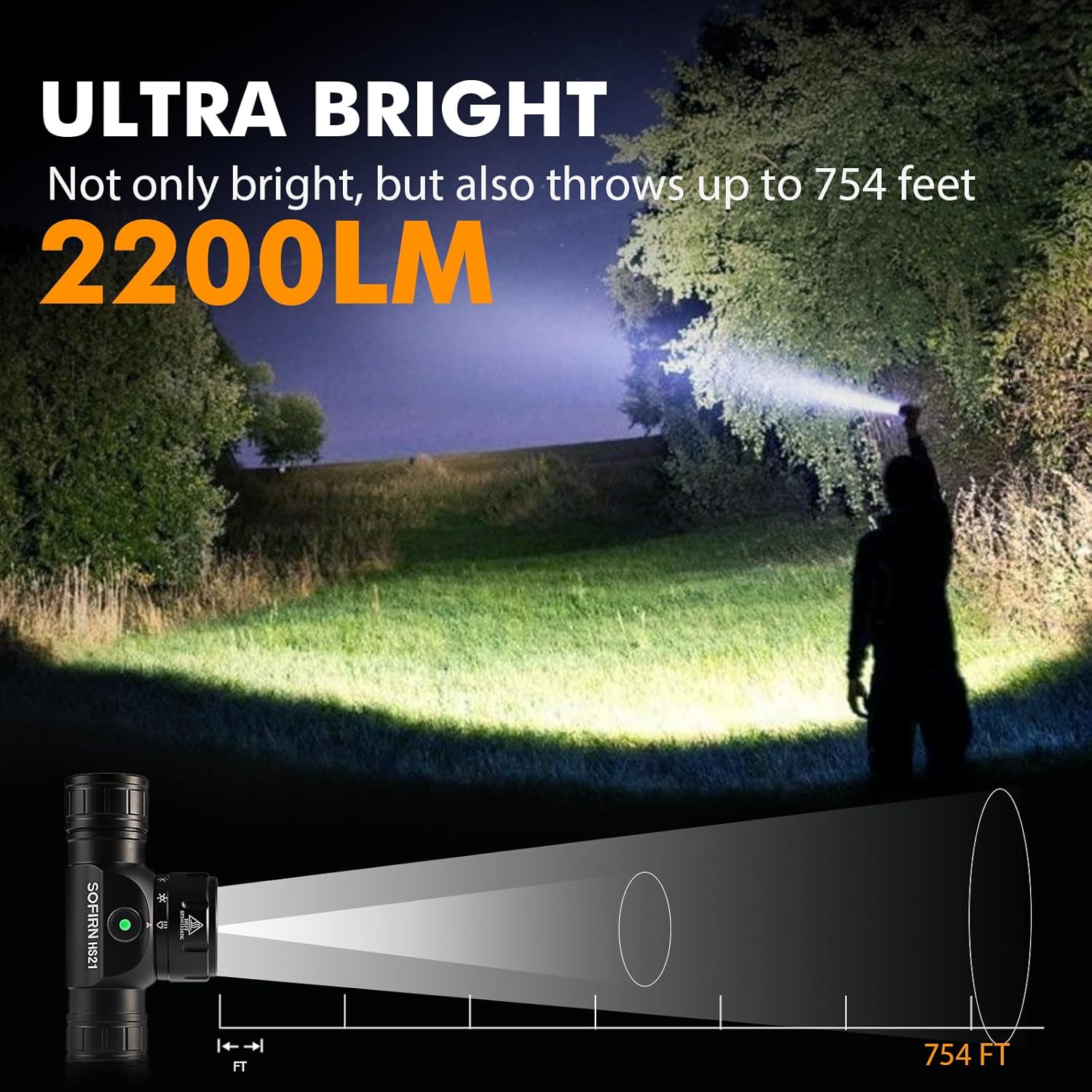
Image 9: The Sofirn HS21 headlamp demonstrating its ultra-bright output and beam distance of up to 754 feet.
9.2 Sofirn D25S Headlamp
| Característica | Detalle |
|---|---|
| Fuente de luz | LED SST40 |
| Salida máxima | 1200 lúmenes |
| Modos | Low, Medium 1, Medium 2, High, Turbo |
| Cargando | Hidden USB-C Rechargeable |
| Características especiales | Modo de memoria |
10. Garantía y soporte
Sofirn products are covered by a limited warranty. For specific warranty details, please refer to the warranty card included with your product or visit the official Sofirn website. For technical support, troubleshooting assistance, or warranty claims, please contact Sofirn customer service through the retailer where you purchased the product or via the contact information provided on the official Sofirn websitio.


