1. Introducción
This manual provides detailed instructions for the setup, operation, and maintenance of your Amewi ATXB8 8-Channel Remote Control and its accompanying 8-Channel Receiver. The ATXB8 is designed for functional models, boats, on-road/off-road models, and crawlers, offering extensive programmability and real-time telemetry.
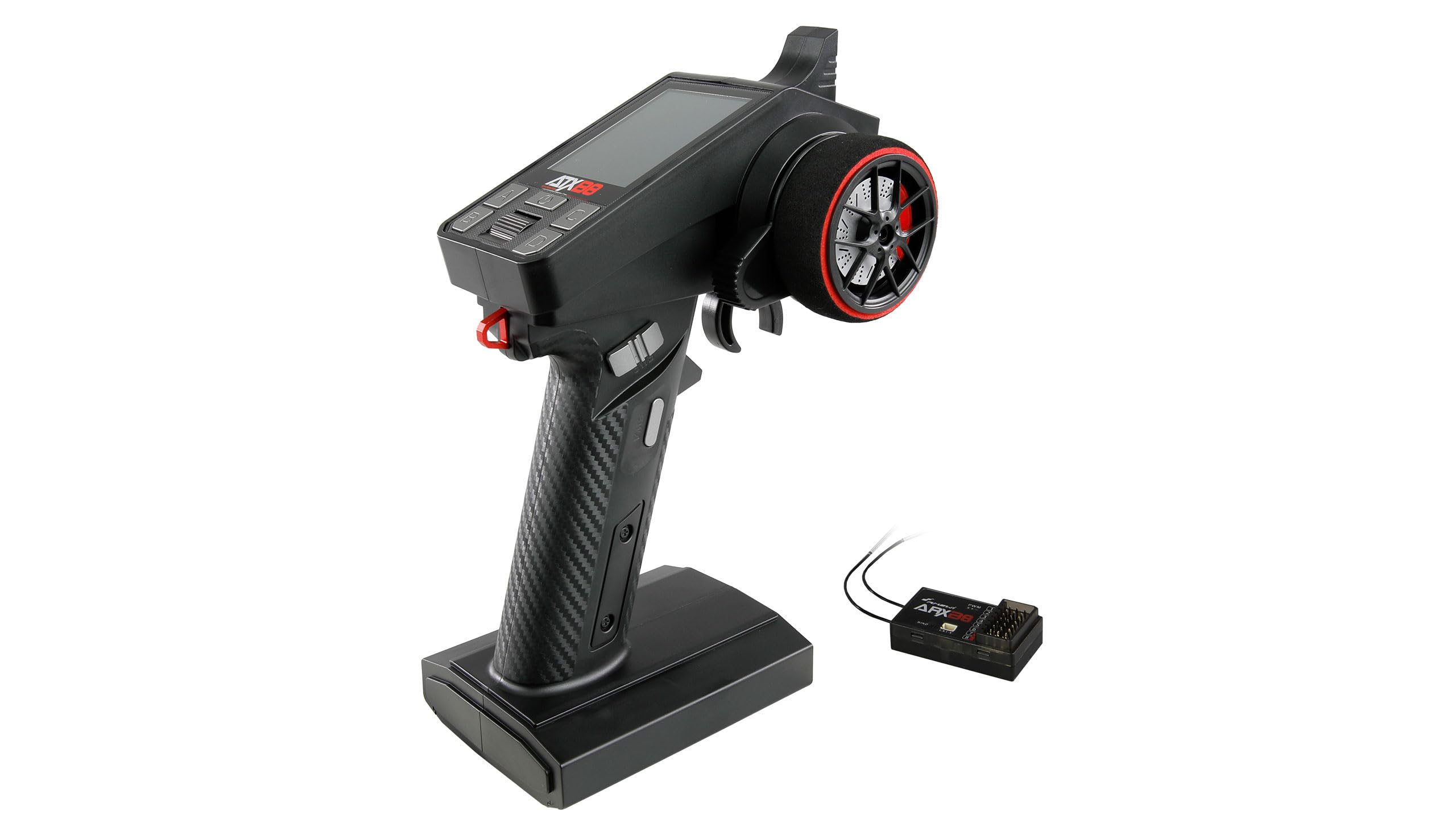
Figura 1: Frente view of the Amewi ATXB8 8-Channel Remote Control.
2. Información de seguridad
- Always operate your remote control system in a safe environment, away from people, animals, and obstacles.
- Ensure all batteries are fully charged before operation.
- Verify proper binding between the transmitter and receiver before each use.
- Do not expose the remote control or receiver to moisture or extreme temperatures.
- Mantenga el dispositivo alejado de campos electromagnéticos fuertes.
- Inspeccione periódicamente todos los componentes para detectar posibles daños. No utilice equipos dañados.
3. Contenido del paquete
Por favor revise el paquete para ver los siguientes artículos:
- Amewi ATXB8 8-Channel Remote Control
- Amewi ARX88 8-Channel Receiver
- Cable USB tipo C
- Manual de instrucciones de funcionamiento

Figure 2: Amewi ARX88 8-Channel Receiver and included cables.
4. Características del producto
The Amewi ATXB8 remote control system offers a range of advanced features for precise control and monitoring:
- 8 Controllable Channels: Fully programmable for various model types.
- 8 memorias de modelos: Almacena configuraciones para hasta 8 modelos diferentes.
- Pantalla a color grande: Proporciona una visión claraview of settings and telemetry data.
- Funciones de mezcla: For flexible control across various channels.
- Telemetría integrada: Real-time display of model battery voltage o fuente de alimentación del receptor.
- Dual Rate Adjustment: For throttle and steering.
- Customizable Server Direction: For all channels.
- One-Handed Operation Lever: Additional lever on the steering wheel for convenience.
- Puerto USB-C: For system updates and simulator use.
- Recorte digital: Permanently stores settings even after power cycling.
- Cierre automático: Activates after 15 minutes of inactivity with a one-minute warning beep.
- Integrated Car Racing Game: Controlled via steering and throttle.
- Amplio volumen operativotage: 4V-9V, compatible with up to 2S LiPo batteries (via XH connection).
- 18650 Li-ion Cell Compatibility: Battery compartment designed for two 18650 cells.

Figure 3: The ATXB8's color display showing channel and telemetry information.
5. Configuración
5.1 Instalación de la batería
The ATXB8 remote control requires batteries for operation. It is compatible with 18650 Li-ion cells (2x) or other suitable power sources within the 4V-9V range.
- Localice el compartimento de la batería en la parte inferior del control remoto.
- Abra la tapa del compartimiento de la batería.
- Inserte las baterías, asegurándose de la polaridad correcta.
- Cierre bien la tapa del compartimento de la batería.
5.2 Enlace del receptor
To establish communication between the ATXB8 remote control and the ARX88 receiver, a binding process is required.
- Asegúrese de que tanto el control remoto como el receptor estén apagados.
- Connect the binding plug (usually included with the receiver) to the "BIND" port on the ARX88 receiver.
- Apply power to the receiver. The receiver's LED should flash rapidly, indicating it is in binding mode.
- While holding down the bind button on the ATXB8 remote control (refer to the remote's diagram for exact location), power on the remote control.
- The remote control's display should indicate "Binding..." or a similar message.
- Once the receiver's LED becomes solid, the binding process is complete. Power off both the receiver and the remote control.
- Retire el tapón de unión del receptor.
- Power on the remote control first, then the receiver, to confirm successful binding. The receiver's LED should be solid.
6. Instrucciones de funcionamiento
6.1 controles sobreview
The ATXB8 remote control features several input methods:
- Gatillo del acelerador: Controls acceleration and braking.
- Volante: Controla la dirección izquierda y derecha.
- SWB (Push Button): Ubicado en el mango.
- SWA (Three-Way Switch): Located above the handle.
- Four Top Buttons: For additional functions and menu navigation.
- Additional Lever: On the steering wheel for one-handed operation.

Figura 4: Lado view highlighting the throttle trigger and handle controls.

Figura 5: Arriba view showing the steering wheel, SWA, and SWB controls.
6.2 Programming Channels and Model Memory
The ATXB8 allows for extensive customization of its 8 channels and storage of up to 8 model profiles. Refer to the on-screen menu for detailed programming options. Use the navigation buttons to access and adjust settings such as channel assignments, endpoints, and sub-trims.
6.3 Telemetry Function
The integrated telemetry function displays real-time data on the remote control's screen. This includes the battery voltage of your model or the receiver's power supply. Ensure your receiver is telemetry-compatible and correctly connected to utilize this feature.
6.4 Dual Rate Adjustment
Adjust the dual rates for throttle and steering to fine-tune the sensitivity of these controls. This is useful for adapting the model's response to different driving conditions or personal preferences.
6.5 Server Direction Customization
The direction of each servo can be customized directly from the remote control. This allows you to reverse servo movement if necessary, ensuring correct control response for your model.
6.6 Automatic Shut-off Function
To conserve battery life, the remote control features an automatic shut-off function. If no input is detected for 15 minutes, the transmitter will emit a beep one minute before powering down. This provides a warning to save any unsaved settings or to resume activity.
6.7 USB-C Port for Updates and Simulators
The USB-C port allows for firmware updates to the remote control system. It can also be used to connect the remote control to a computer for use with RC simulators, enhancing your practice and training experience.
6.8 Integrated Car Racing Game
The ATXB8 includes a built-in car racing game. This game is controlled using the remote control's steering and throttle, with the display serving as the screen. Access this feature through the main menu.
7. Mantenimiento
- Keep the remote control and receiver clean and free from dust and debris. Use a soft, dry cloth for cleaning.
- Evite exponer el dispositivo a la luz solar directa o a temperaturas extremas durante períodos prolongados.
- Store the remote control in a dry, cool place when not in use.
- Si lo guardará durante un período prolongado, retire las pilas del control remoto para evitar fugas.
- Regularly check all connections and cables for wear or damage.
8. Solución de problemas
| Problema | Posible causa | Solución |
|---|---|---|
| El control remoto no se enciende. | Baterías bajas o agotadas; instalación incorrecta de la batería. | Reemplace o recargue las baterías; asegúrese de la polaridad correcta. |
| No hay respuesta del modelo. | Receiver not bound; receiver not powered; model battery low. | Perform binding procedure; check receiver power connection; charge model battery. |
| Control intermitente. | Interference; loose connections; low transmitter/receiver battery. | Operate in a clear area; check all wiring; replace/recharge batteries. |
| Telemetry data not displayed. | Receiver not telemetry-compatible; incorrect connection. | Ensure ARX88 receiver is used and connected correctly. |
9. Especificaciones
| Número de modelo | 28388 |
| Canales | 8 |
| Vol de funcionamientotage | 4V-9V (max. 2S LiPo) |
| Dimensiones (An x Pr x Al) | 75 x 135 x 205 mm |
| Peso | 230 gramos |
| Compatibilidad de la batería | 2x 18650 Li-ion cells (not included, but compartment available) |
| Conectividad | USB Type-C (for updates/simulator) |
| Fabricante | Amigo |
| País natal | Alemania |
10. Garantía y soporte
For warranty information, technical support, or service inquiries, please contact your local Amewi distributor or visit the official Amewi website. Please have your model number (ATXB8 / 28388) and purchase date available when contacting support.


