1. Introducción
This manual provides detailed instructions for the RUIZU M45 Android MP3 Player. Please read this guide thoroughly to ensure proper use and optimal performance of your device. The RUIZU M45 is a versatile portable media player featuring Android 13, a 4.5-inch IPS touchscreen, Wi-Fi, Bluetooth 5.0, and expandable storage up to 1TB.

Image: The RUIZU M45 Android MP3 Player displaying its app interface and music playback screen.
2. Contenido del paquete
Verifique que todos los artículos enumerados a continuación estén incluidos en su paquete:
- 1 x RUIZU M45 Android MP3 Player
- 1 x USB-C cable (for charging & file transferir)
- 1 x 3.5mm Wired Stereo headphones
- 1 x Funda protectora
- 1 x Screen protector (pre-installed, with an additional spare)
- 1 x 64GB Micro SD card (pre-installed)
- 1 x Manual de usuario

Image: All components included in the RUIZU M45 product package.
3. Configuración
3.1 Carga del dispositivo
Before first use, fully charge the device. Connect the provided USB-C cable to the player's charging port and the other end to a USB power adapter (not included) or a computer's USB port. The battery indicator will show charging status.

Image: The RUIZU M45 connected for charging, illustrating its 2000mAh battery.
3.2 Encendido / Apagado
- Encendido: Mantenga presionado el botón de encendido ubicado en el costado del dispositivo hasta que la pantalla se ilumine.
- Apagado: Mantenga presionado el botón de encendido, luego seleccione “Apagar” de las opciones que aparecen en la pantalla.
3.3 Configuración inicial
Upon first power-on, follow the on-screen prompts to select your language, connect to a Wi-Fi network, and set up your Google account. A Google account is required to access the Google Play Store and download applications.
3.4 Inserción de una tarjeta Micro SD
The device comes with a 64GB Micro SD card pre-installed. If you wish to use a different card or expand storage further (up to 1TB), locate the Micro SD card slot on the side of the device. Gently insert the card until it clicks into place. Ensure the device is powered off before inserting or removing the card.
4. Instrucciones de funcionamiento
4.1 Navegación
The RUIZU M45 features a 4.5-inch IPS touchscreen for intuitive navigation. Swipe left/right to switch between home screens, tap icons to open applications, and swipe down from the top for quick settings and notifications.
4.2 Reproducción de música
The device supports various audio formats including MP3, WAV, FLAC, AAC, APE, OGG, M4A, WMA, and MP2. You can play music through:
- Pre-installed Music App: Use the built-in music player to scan and play local audio files. You can create playlists and manage your music library.
- Aplicaciones de transmisión: Preloaded apps like Spotify, Pandora, Amazon Music, Tidal, and Deezer allow you to stream music over Wi-Fi.

Image: The RUIZU M45's local music player interface with equalizer settings and supported formats.
4.3 Reproducción de video
The RUIZU M45 supports 720p and 1080p HD video playback, compatible with formats such as AVI, MKV, RMVB, MP4, MPG, and MOV. Use the pre-installed video player or download a preferred video player from the Google Play Store.
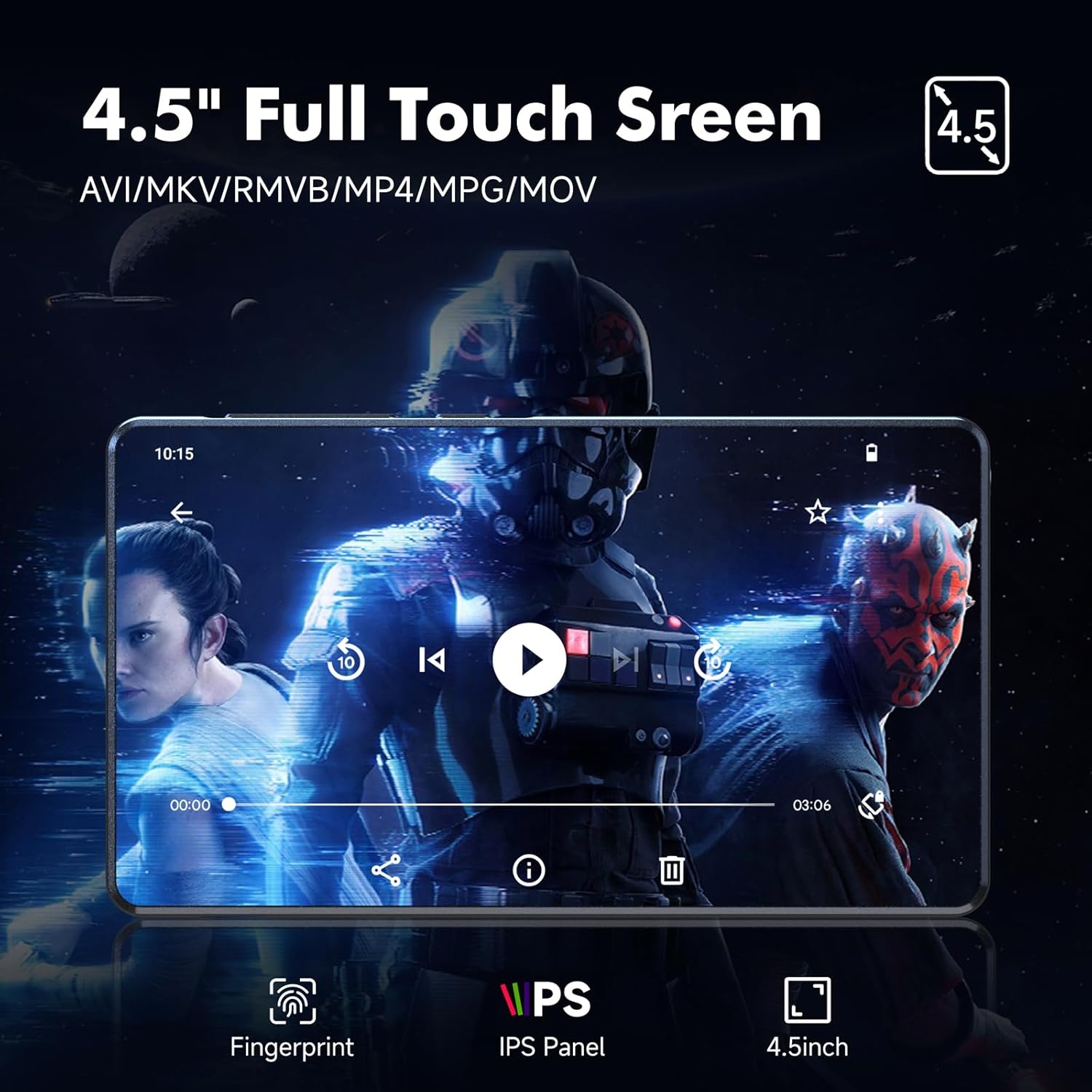
Image: Video playback on the RUIZU M45's 4.5-inch IPS touchscreen.
4.4 Reproducción de audiolibros
Access audiobook content through preloaded applications such as Audible, Libby, LibriVox, and Kindle (via Wi-Fi). These apps allow you to download and listen to audiobooks directly on your device.
4.5 Controles parentales
The device utilizes Google's parental control system. To set up parental controls:
- Ir a Ajustes > Google > Controles parentales.
- Follow the on-screen instructions to create a family group and manage app access, content restrictions, and screen time limits.
- You can set a password to prevent unauthorized app downloads or changes.
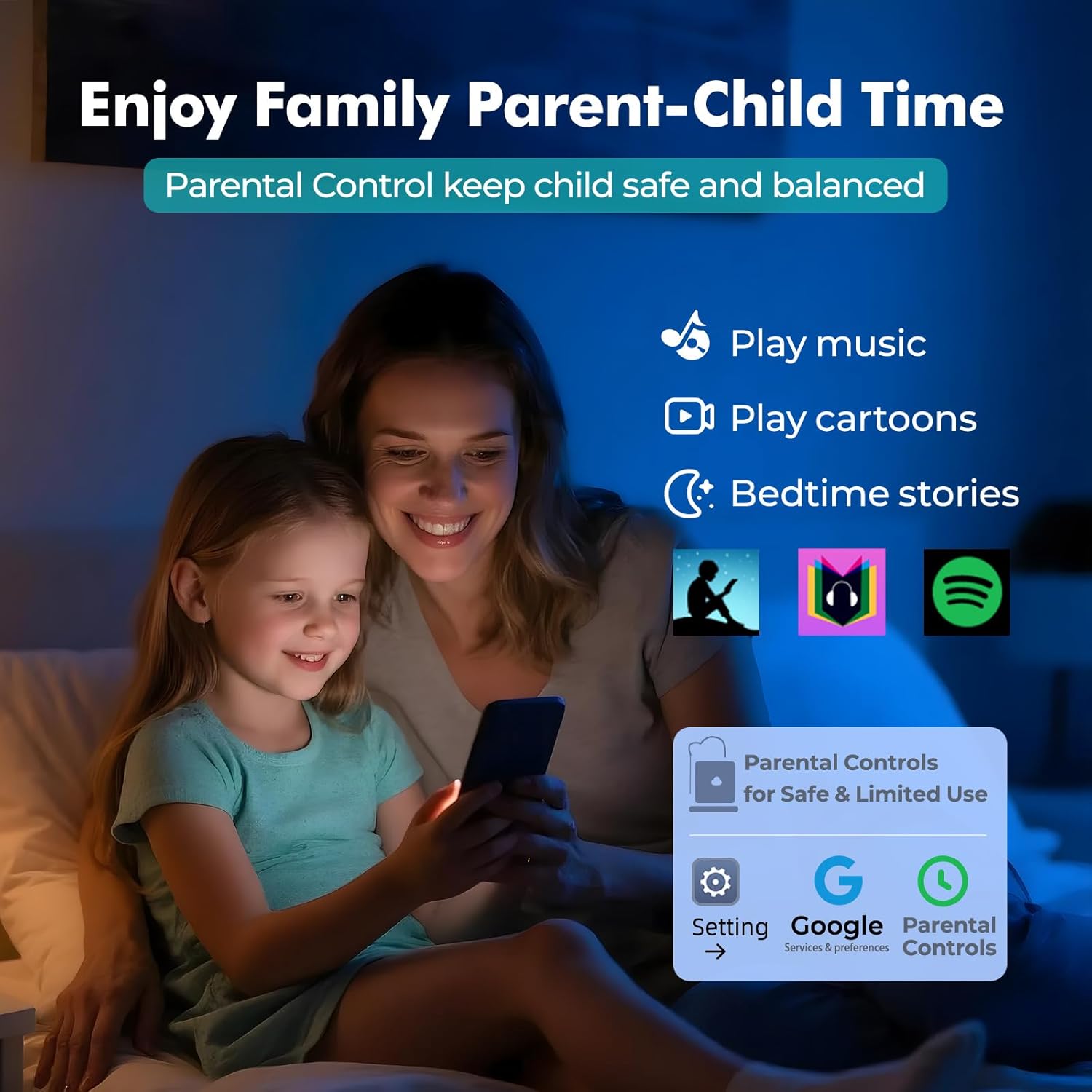
Image: Parental control features for safe and limited use of the RUIZU M45.
4.6 File Gestión y Transferencia
The RUIZU M45 allows for easy file transferir:
- USB-C: Connect the device to a computer using the provided USB-C cable. The device will appear as a removable storage drive, allowing you to drag and drop files.
- Wifi: Usar file transfer applications or cloud services to transfer files wirelessly over your Wi-Fi network.
- Bluetooth: Transferir files to and from Android phones or computers via Bluetooth. Note: iOS file transfer is not supported via Bluetooth.

Image: Methods for transferring files to and from the RUIZU M45.
4.7 FM Radio and Voice Recorder
The device includes a built-in FM radio and voice recorder. Access these features through their respective applications on the home screen. For FM radio, ensure wired headphones are connected as they act as the antenna.
5. Conectividad
5.1 Conexión Wi-Fi
The RUIZU M45 supports dual-band Wi-Fi (2.4GHz & 5GHz) for stable internet access. To connect:
- Ir a Ajustes > Red e internet > Wifi.
- Encienda el Wi-Fi y seleccione la red deseada de la lista.
- Ingrese la contraseña si se le solicita y toque Conectar.
5.2 Emparejamiento Bluetooth
The device features Bluetooth 5.0 for wireless audio and file transfer. To pair with a Bluetooth device (e.g., headphones, speakers, car audio):
- Ir a Ajustes > Dispositivos conectados > Bluetooth.
- Activar Bluetooth.
- Pon tu accesorio Bluetooth en modo de emparejamiento.
- On the RUIZU M45, tap Emparejar nuevo dispositivo y seleccione su accesorio de la lista.
- Confirme el emparejamiento si se le solicita.

Image: Bluetooth 5.0 connectivity for headphones, speakers, and car audio.
6. Mantenimiento
6.1 Cuidado de la batería
- Evite descargar completamente la batería con frecuencia.
- Cargue el dispositivo utilizando el cable USB-C provisto y una fuente de alimentación compatible.
- Guarde el dispositivo en un lugar fresco y seco cuando no lo utilice durante períodos prolongados.
6.2 Gestión del almacenamiento
The device has 16GB of internal storage and supports up to 1TB via Micro SD card. To optimize performance:
- Regularly transfer large files (music, videos, photos) to the Micro SD card.
- Uninstall unused applications to free up internal storage.
- Clear app cache periodically from Ajustes > Aplicaciones > [Nombre de la aplicación] > Almacenamiento y caché.

Image: Storage and memory specifications of the RUIZU M45.
7. Solución de problemas
- El dispositivo no enciende: Ensure the device is fully charged. If it still doesn't power on, try holding the power button for 10-15 seconds for a forced restart.
- Problemas de conexión Wi-Fi: Check if your Wi-Fi router is working correctly. Ensure you have entered the correct password. Try restarting the device and your router.
- Problemas de emparejamiento de Bluetooth: Make sure the accessory is in pairing mode. Ensure the RUIZU M45's Bluetooth is enabled. Try unpairing and re-pairing the device.
- Las aplicaciones se bloquean o tienen un rendimiento lento: Close background applications. Clear app cache. Ensure sufficient free storage space. Consider a factory reset if issues persist (backup data first).
- no se puede transferir files to iOS devices via Bluetooth: This is a known limitation; Bluetooth file transfer to iOS devices is not supported. Use alternative methods like cloud services or a computer.
8. Especificaciones
| Característica | Especificación |
|---|---|
| Número de modelo | M45 |
| Sistema operativo | Androide 13 |
| Procesador | 8-core MTK6762 |
| RAM | 3 GB |
| Almacenamiento interno | 16 GB |
| Almacenamiento expandible | Hasta 1 TB mediante tarjeta Micro SD |
| Tamaño de pantalla | 4.5 pulgadas |
| Tipo de pantalla | Pantalla táctil IPS |
| Conectividad | Bluetooth 5.0, Wi-Fi (2.4 GHz y 5 GHz) |
| Capacidad de la batería | Polímero de litio de 2000 mAh |
| Formatos de audio | Formatos MP3, WAV, FLAC, AAC, APE, OGG, M4A, WMA, MP2, etc. |
| Formatos de vídeo | AVI, MKV, RMVB, MP4, MPG, MOV (720p & 1080p HD) |
| Características especiales | Built-In Speaker, Equalizer, FM Radio, Touch Screen, Voice Recorder, Google Play Store access, Parental Controls |
| Dimensiones | 4.59 × 2.55 × 0.39 pulgadas |
| Peso | 0.34 libras (aproximadamente 13.4 onzas) |
9. Garantía y soporte
For warranty information, technical support, or customer service inquiries, please refer to the contact details provided on the product packaging or the official RUIZU websitio. Guarde su recibo de compra para reclamos de garantía.


