Introducción
Thank you for choosing the LMHOME PR903G 4G LTE Cellular Wildlife Camera. This manual provides essential information for setting up, operating, and maintaining your camera to ensure optimal performance. Please read these instructions carefully before use.
Contenido del paquete
Verifique que todos los componentes estén presentes en su paquete:
- LMHOME PR903G 4G LTE Cellular Wildlife Camera with integrated solar panel
- Cable USB
- Correa de montaje
- Manual de usuario
- Tarjeta SD de 32 GB (preinstalada o incluida por separado)

Image: The camera, its packaging, included cables, and the user manual.
Guía de configuración
1. Instalación de la batería y la tarjeta SD
The camera requires 8 AA batteries (not included) for primary power or backup. The integrated 5200 mAh battery is charged by the solar panel. Insert the batteries into the designated compartment, observing polarity. Insert the provided 32GB MicroSD card (or your own, up to 256GB) into the SD card slot.
2. SIM Card Activation and App Setup
This camera operates on 4G LTE cellular networks. A SIM card is required for mobile data transmission. The camera includes 300MB of test data; additional data plans can be purchased via the application. Download the "TrailCam Go" application on your smartphone. Follow the in-app instructions to create an account and register your camera using the provided activation code.
3. Montaje de la cámara
Use the included mounting strap to secure the camera to a tree or pole. Ensure the solar panel is positioned to receive maximum direct sunlight throughout the day for continuous charging of the internal battery. The camera is designed for outdoor use with an IP66 water resistance rating.

Image: The camera mounted on a tree, illustrating solar panel positioning for optimal charging.
Instrucciones de funcionamiento
1. Encendido / apagado
Locate the power switch inside the camera compartment. Switch it to the 'ON' position to power on the camera. The camera will enter monitoring mode after a brief startup sequence.
2. Accessing Live Stream and Recordings
Open the "TrailCam Go" app on your smartphone. From the app, you can access a live 5K video stream from your camera. All recorded photos and videos are stored on the SD card and can also be uploaded to the cloud (30 days free cloud storage included). The app allows remote access to view y gestionar tus grabaciones.

Image: A visual representation of the camera's 5K video resolution capturing wildlife.
3. Detección de movimiento y visión nocturna
The camera features an adjustable PIR (Passive Infrared) sensor that detects motion within 15-20 meters and triggers recording in 0.2-0.5 seconds. For low-light conditions, the camera utilizes 850nm Low-Glow infrared LEDs, providing clear night vision up to 25 meters without disturbing wildlife.

Image: The camera's night vision capability, showing a deer clearly visible in a dark environment.
4. Audio bidireccional
The camera supports two-way audio communication, allowing you to listen to sounds around the camera and speak through the camera via the mobile application.
5. Sharing Recordings
The "TrailCam Go" app allows you to easily share photos and videos captured by your camera with other users or on social media platforms.
Mantenimiento
1. Solar Panel and Lens Cleaning
Regularly clean the solar panel and camera lens with a soft, damp cloth to ensure optimal charging efficiency and clear image quality. Avoid abrasive materials that could scratch the surfaces.
2. Gestión de la batería
The integrated 5200 mAh battery, combined with the solar panel, provides up to 365 days of self-sufficient operation under ideal conditions. If the camera is deployed in areas with limited sunlight, the AA batteries will serve as a backup power source. Monitor battery levels via the app.
3. Resistencia a la intemperie
The camera is rated IP66 for water and dust resistance, making it suitable for various outdoor environments. It can operate in temperatures ranging from -20°C to 60°C.
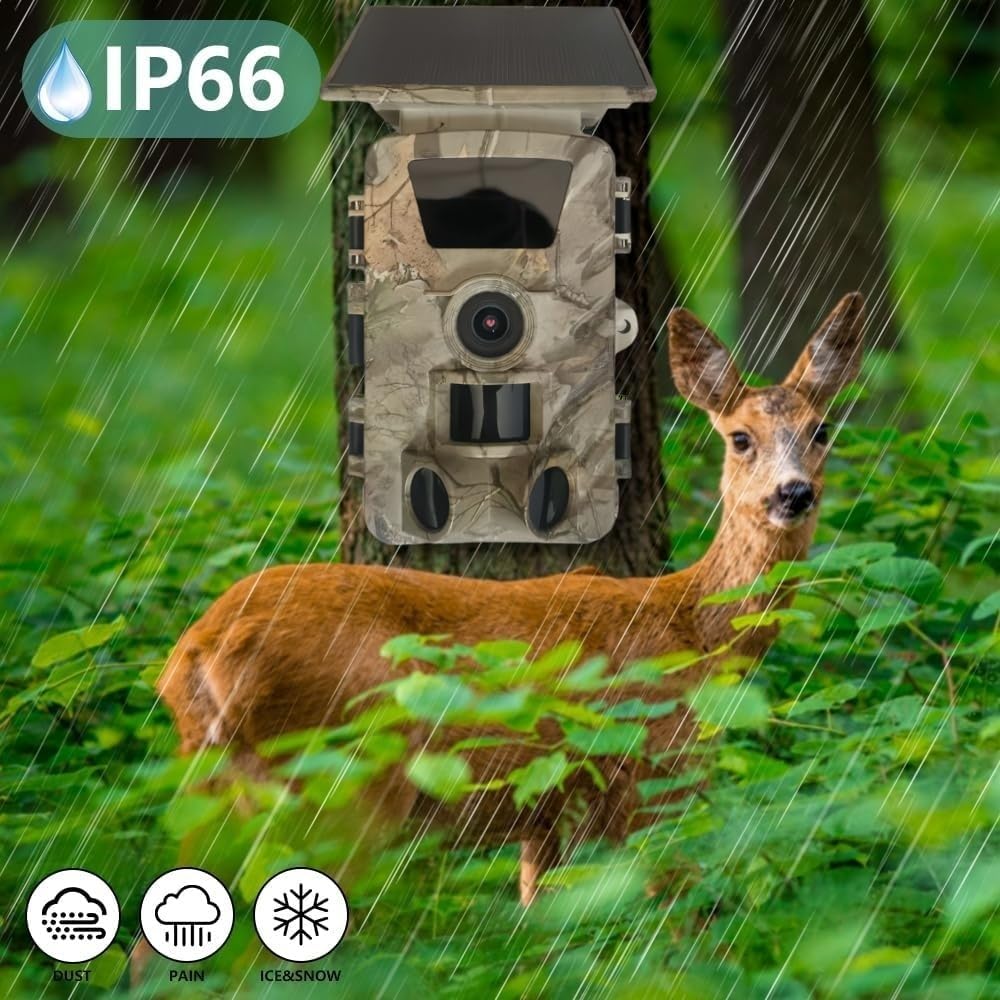
Image: The camera's IP66 rating, demonstrating its resilience against various weather conditions.
Solución de problemas
- Sin conexión de red: Ensure the SIM card is correctly inserted and has an active data plan. Check the camera's location for sufficient 4G signal strength. Restart the camera.
- Problemas de conectividad de aplicaciones: Verify your smartphone has an internet connection. Ensure the "TrailCam Go" app is updated to the latest version. Try logging out and back into the app.
- Mala calidad de imagen/vídeo: Clean the camera lens. Ensure the camera is mounted stably to prevent vibrations. Check the lighting conditions; adjust camera placement if necessary.
- La detección de movimiento no se activa: Adjust the PIR sensor sensitivity settings in the app. Ensure there are no obstructions in front of the sensor.
- La batería se agota rápidamente: Ensure the solar panel is clean and receiving adequate sunlight. If using AA batteries, ensure they are fresh and of good quality. Reduce the frequency of recordings or live view sessions if possible.
- SIM Card Top-Up Issues: If encountering difficulties with SIM card top-up, especially with non-English instructions, contact your SIM card provider or refer to the app's support section for guidance.
Presupuesto
| Nombre del modelo | PR903G (WT04) |
| Resolución de vídeo | 5K/4K/2.7K/1080P/720P |
| Resolución de la fotografía | Hasta 60MP |
| Tipo de sensor | CMOS |
| Pantalla de visualización | 2.0 pulgadas |
| Tiempo de disparo | 0.2 - 0.5 segundos |
| Distancia de detección PIR | 15 - 20 metros |
| Ángulo PIR | 120 grados |
| Rango de visión nocturna | Up to 25 meters (850nm Low-Glow IR LEDs) |
| Resistencia al agua | IP66 |
| Fuente de alimentación | 8x AA Batteries (not included), Solar Panel, 5200 mAh internal battery |
| Memoria | MicroSD/TF card up to 256GB (64GB included) |
| Conectividad | 4G Cellular (Telekom/Vodafone/O2 networks) |
| Soporte de aplicaciones | Yes (TrailCam Go) |
| Dimensiones (L x An x Al) | 14.5 x 10.5 x 6.8 cm |
| Peso | 985 gramos |
| Temperatura de funcionamiento | -20°C a 60°C |
| Certificaciones | Certificación CE, FCC, ROHS |
Información de garantía
Specific warranty details for the LMHOME PR903G camera are not provided in the product description. Please refer to the product packaging or contact the retailer/manufacturer directly for warranty terms and conditions.
Atención al cliente
For technical assistance, troubleshooting, or further inquiries regarding your LMHOME PR903G camera, please refer to the "TrailCam Go" application's help section or contact the manufacturer through the contact information provided on the product packaging or official websitio.