Producto terminadoview
The ULANZI PK-11 Charging Adapter Base is designed for the DJI Osmo Pocket 3, providing enhanced functionality and stability. This compact accessory features a full-function Type-C data port, allowing for simultaneous charging, data transfer, and webcam use. It also includes a 1/4" screw thread and an Arri locating hole for broad compatibility with various camera accessories.
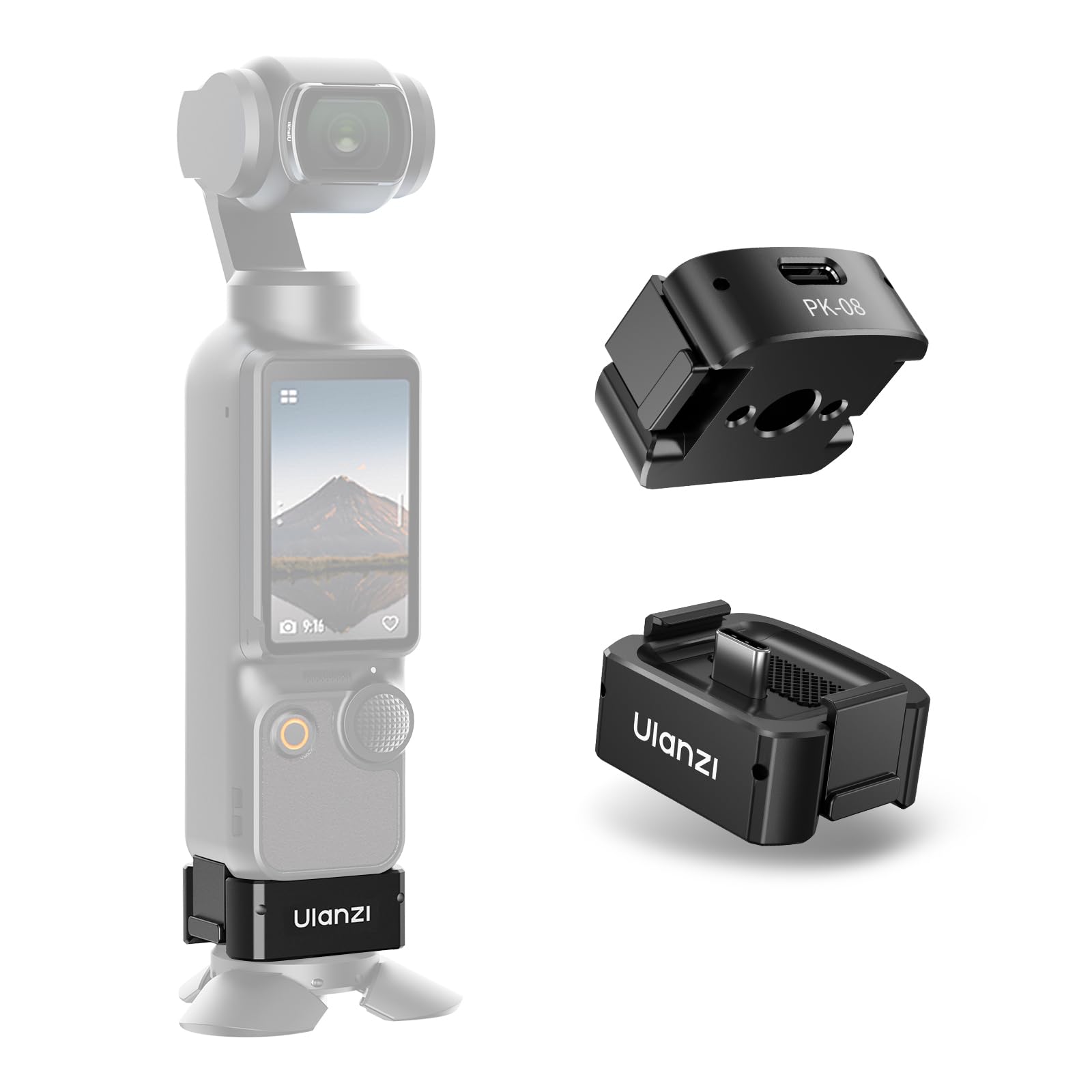
Image: ULANZI PK-11 Charging Adapter Base attached to DJI Osmo Pocket 3, showcasing su diseño compacto e integración.
Características principales:
- Full-Function Type-C Port: Supports charging during use, data transfer, and webfuncionalidad de cámara.
- Opciones de montaje versátiles: Equipped with a 1/4" thread and Arri locating hole for compatibility with tripods, magic arms, gimbals, ball heads, super clamps, and selfie sticks.
- Compacto y portátil: Lightweight aluminum alloy construction for easy transport.
- Diseño duradero: Made of sturdy aluminum alloy with a silicone pad for anti-rub and anti-scratch protection.
Guía de configuración
¿Qué hay en la caja?
- ULANZI PK-11 Pocket 3 Base x 1
- Caja de embalaje x 1
Attaching the PK-11 Base to DJI Osmo Pocket 3:
- Ensure your DJI Osmo Pocket 3 is powered off.
- Align the Type-C connector of the PK-11 base with the charging port at the bottom of the Osmo Pocket 3.
- Gently push the PK-11 base onto the Osmo Pocket 3 until it clicks securely into place. The side clips should engage firmly.
- Verify that the base is securely attached and does not wobble.
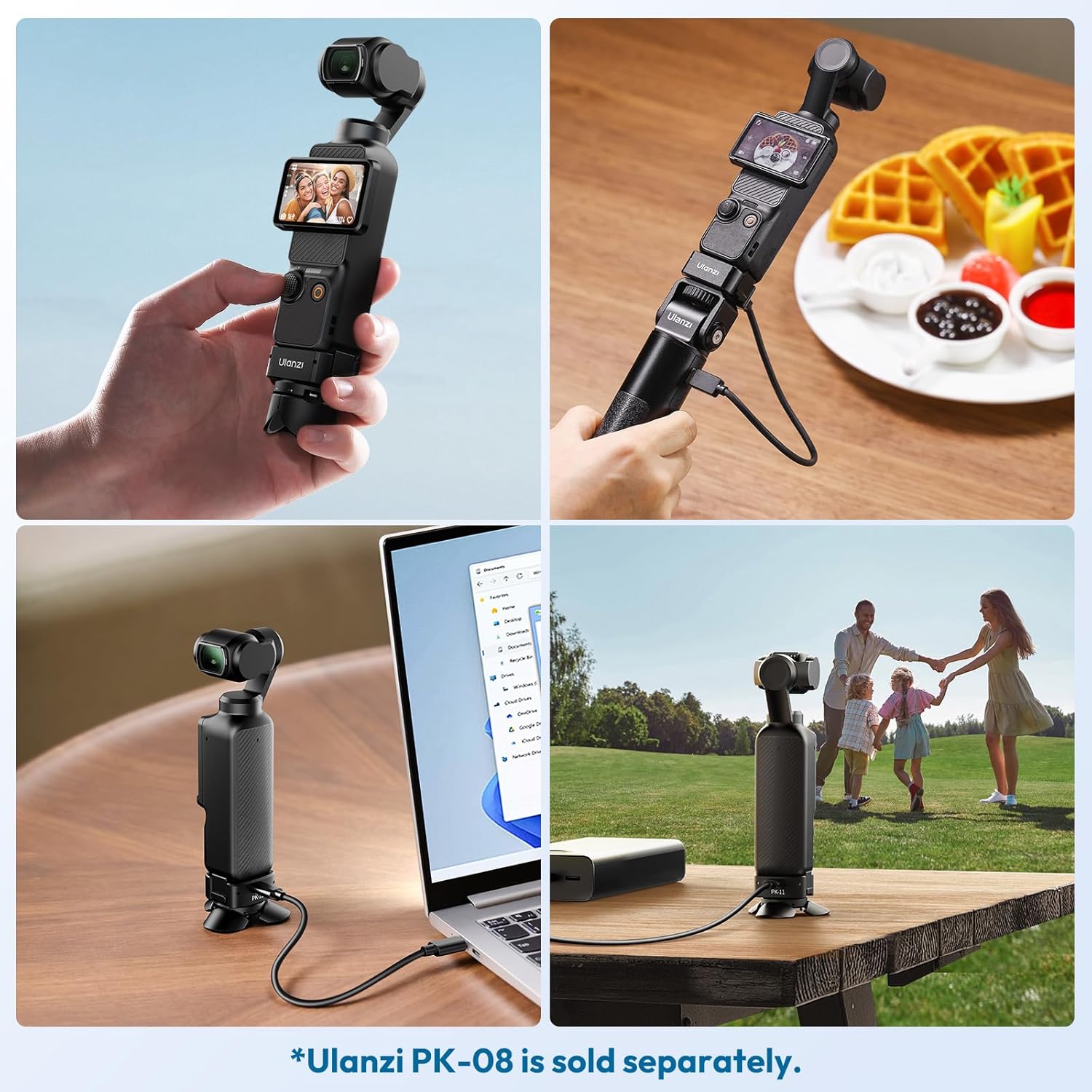
Image: The ULANZI PK-11 base securely attached to the DJI Osmo Pocket 3, ready for use.
Using with External Accessories:
The PK-11 base features a 1/4" screw thread and an Arri locating hole on its underside for attaching to various camera accessories.
- For accessories with a 1/4" screw, simply screw the accessory into the thread on the PK-11 base.
- For accessories compatible with an Arri locating pin, align the pin with the Arri locating hole on the base and secure the accessory.

Image: Close-up of the ULANZI PK-11 base, highlighting the 1/4" thread and Arri locating hole for accessory attachment.
Instrucciones de funcionamiento
Charging the Osmo Pocket 3:
With the PK-11 base attached, you can charge your DJI Osmo Pocket 3 directly through the Type-C port on the base.
- Connect a Type-C charging cable to the port on the PK-11 base.
- Conecte el otro extremo del cable de carga a una fuente de alimentación.
- The Osmo Pocket 3 will begin charging. The indicator light on the Osmo Pocket 3 will show charging status.
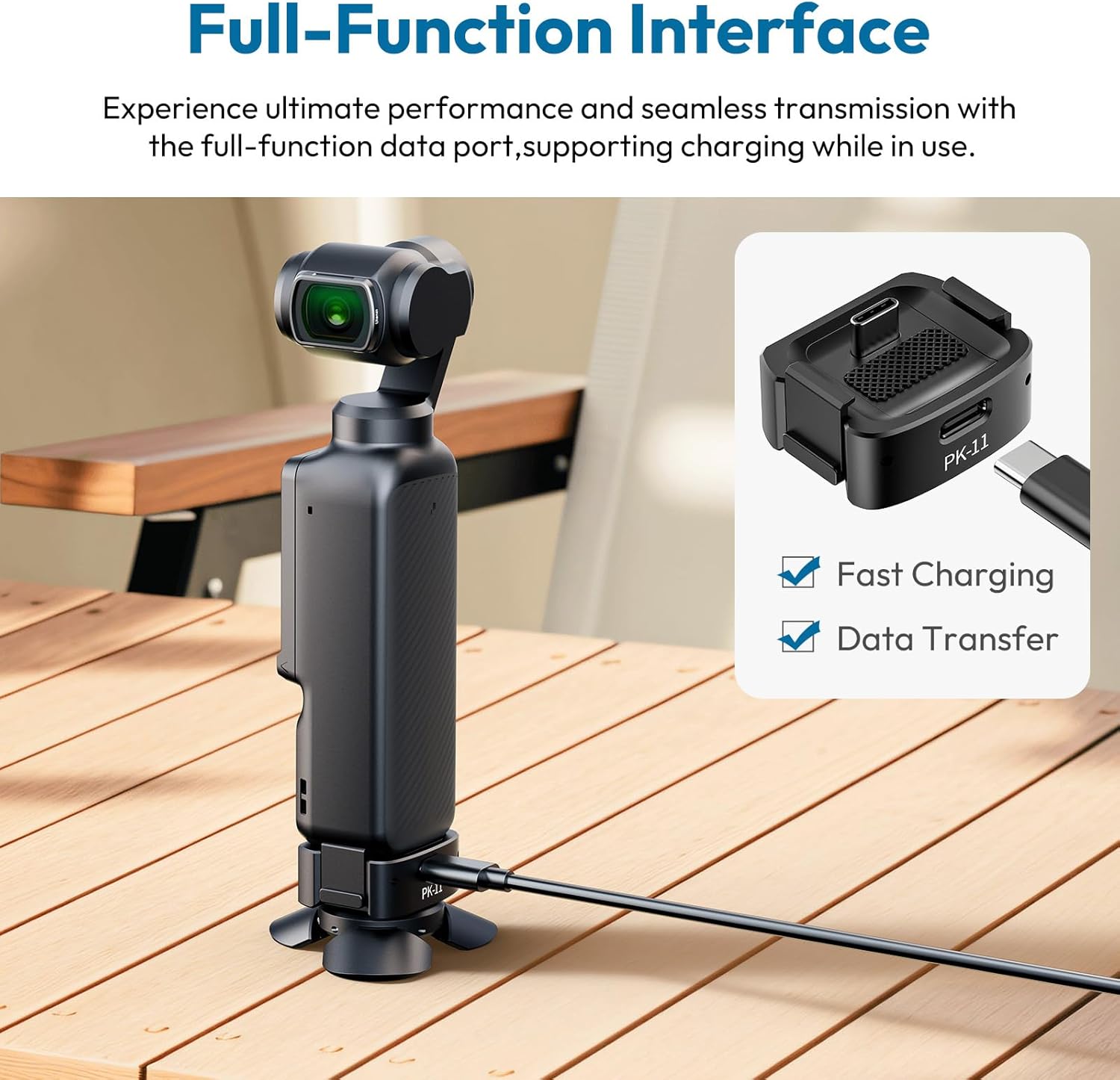
Image: DJI Osmo Pocket 3 connected to a charging cable via the ULANZI PK-11 base, illustrating the charging function.
Data Transfer and WebFuncionalidad de la cámara:
The full-function Type-C port on the PK-11 base also supports data transfer and webcam mode when connected to a computer.
- Connect the PK-11 base to your computer using a compatible Type-C data cable.
- Your Osmo Pocket 3 should be recognized by your computer for data transfer or as a webcam, depending on the mode selected on the device.

Image: The ULANZI PK-11 base connected to a laptop, demonstrating its data transfer and webcam capabilities for the DJI Osmo Pocket 3.
Estabilidad mejorada:
The design of the PK-11 base provides a stable platform for your Osmo Pocket 3, whether used standalone or with a mini tripod (like the ULANZI PK-08, sold separately).

Image: The DJI Osmo Pocket 3 with the ULANZI PK-11 base, illustrating its use in both tripod and handheld grip modes for stable shooting.
Mantenimiento
- Limpieza: Use a soft, dry cloth to wipe the surface of the PK-11 base. Avoid using harsh chemicals or abrasive materials.
- Almacenamiento: Store the PK-11 base in a cool, dry place away from direct sunlight and extreme temperatures.
- Manejo: While durable, avoid dropping the base or subjecting it to strong impacts to prevent damage to the aluminum alloy and internal components.
- Almohadilla de silicona: The silicone pad provides anti-rub and anti-scratch protection. Ensure it remains clean and free of debris for optimal performance.
Solución de problemas
| Problema | Posible causa | Solución |
|---|---|---|
| PK-11 base does not attach securely. | Alineación incorrecta u obstrucción. | Ensure the Type-C connector is correctly aligned and there is no debris in the port or on the base. Apply gentle, even pressure until it clicks. |
| Osmo Pocket 3 not charging via PK-11. | Faulty cable, power source, or improper connection. | Try a different Type-C cable and power adapter. Ensure the cable is fully inserted into the PK-11 port. Verify the power source is active. |
| Data transfer or webEl modo cámara no funciona. | Incorrect cable, driver issue, or Osmo Pocket 3 settings. | Use a data-capable Type-C cable. Check your computer's device manager for driver issues. Ensure the correct mode is selected on your Osmo Pocket 3. |
| Accessory (e.g., tripod) not stable on PK-11. | Loose connection or incompatible accessory. | Ensure the accessory is tightly screwed into the 1/4" thread or securely attached via the Arri locating hole. Check compatibility of the accessory. |
Presupuesto
| Característica | Detalle |
|---|---|
| Marca | ULANZI |
| Número de modelo | PK-11 |
| Dimensiones del producto | 1.11" de profundidad x 1.38" de ancho x 0.73" de alto (28.2 mm x 35.2 mm x 18.5 mm) |
| Peso del artículo | 0.988 onzas (28 gramos) |
| Material | Aleación de aluminio + hierro + PCB + silicona |
| Dispositivos compatibles | DJI Osmo Pocket 3 |
| Interfaz | Type-C Full-Function Data Port (Charging, Data Transfer, Webleva) |
| Puntos de montaje | 1/4" Thread, Arri Locating Hole |
*El peso y el tamaño medidos manualmente pueden no ser precisos.
Vídeos de productos
ULANZI Pocket 3 Accessories Overview
Video: This video from ULANZI Official US Store provides an overview of various accessories for the DJI Osmo Pocket 3, including the PK-11 base, demonstrating their features and compatibility.
Garantía y soporte
ULANZI products are designed for durability and performance. For specific warranty information, please refer to the warranty card included in your product packaging or visit the official ULANZI websitio.
Atención al cliente:
If you encounter any issues or have questions regarding your ULANZI PK-11 Charging Adapter Base, please contact ULANZI customer support through their official channels. You can typically find contact information on the product packaging or the ULANZI brand store on Amazon.
- Soporte en línea: Visita el Tienda ULANZI en Amazon Para preguntas frecuentes y recursos de soporte.
- Correo electrónico/Teléfono: Refer to your product documentation for direct contact methods.
Please have your product model number (PK-11) and purchase details ready when contacting support.