1. Introducción
Thank you for choosing the DUSONLAP SU8 Mini Wireless Sleep Earbuds. These earbuds are designed to provide a comfortable and immersive audio experience, especially for side sleepers, while effectively blocking out ambient noise. Please read this manual thoroughly to ensure proper usage and optimal performance.

Image: DUSONLAP SU8 Mini Wireless Sleep Earbuds and their compact charging case.
2. ¿Qué hay en la caja?
- Auriculares para dormir DUSONLAP SU8 (x2)
- Estuche de carga SU8 (x1)
- Cable de carga USB-C (x1)
- Manual de usuario (x1)

Image: All items included in the DUSONLAP SU8 product package.
3. Características del producto
- Mini Portable and Safe Design: Made of soft, skin-friendly silicone, weighing only 3 grams per ear, with an ergonomic in-ear design for comfort and secure fit.
- True Noise Blocking: Achieves a noise suppression effect of 24 decibels, ideal for blocking ambient sounds.
- Premium Stereo Sound and Clear Call: Engineered with a 13mm dual chamber speaker driver unit for balanced sound with deep bass. Features ENC (Enhanced Noise Cancellation) technology for clear calls.
- NEW Bluetooth 5.4 and One-Step Pairing: Advanced Bluetooth 5.4 technology provides a fast, stable, and seamless connection with superior sound quality and strong signal up to 15m. Automatic connection to previously paired devices upon opening the charging case.
- LED Power Display and Long Battery Life: Charging case features an LED digital display to monitor charging status and remaining power. Earbuds offer 5-7 hours of listening time, with the case providing an additional 40 hours (total 47 hours). Supports USB-C fast charging.
- Ergonomic Design and IPX7 Waterproof: Soft silicone material and compact design ensure comfortable wear without earaches, even during extended use or side sleeping. IPX7 nano-coating technology makes them waterproof and sweatproof.
- Touch Control and Wide Compatibility: High-tech touch screen controls for calls, music playback, volume adjustment, song switching, and Siri activation. Compatible with most Bluetooth-enabled devices (iOS, Android, laptops, tablets, etc.).

Image: Earbuds designed for comfortable side sleeping with sleep mode features.

Image: IPX7 Waterproof feature for protection against sweat and water.
4. Configuración
4.1. Carga de los auriculares y el estuche
- Coloque los auriculares en el estuche de carga. Asegúrese de que estén bien colocados.
- Conecte el cable de carga USB-C al puerto de carga del estuche y a una fuente de alimentación.
- The LED digital display on the case will show the charging status.
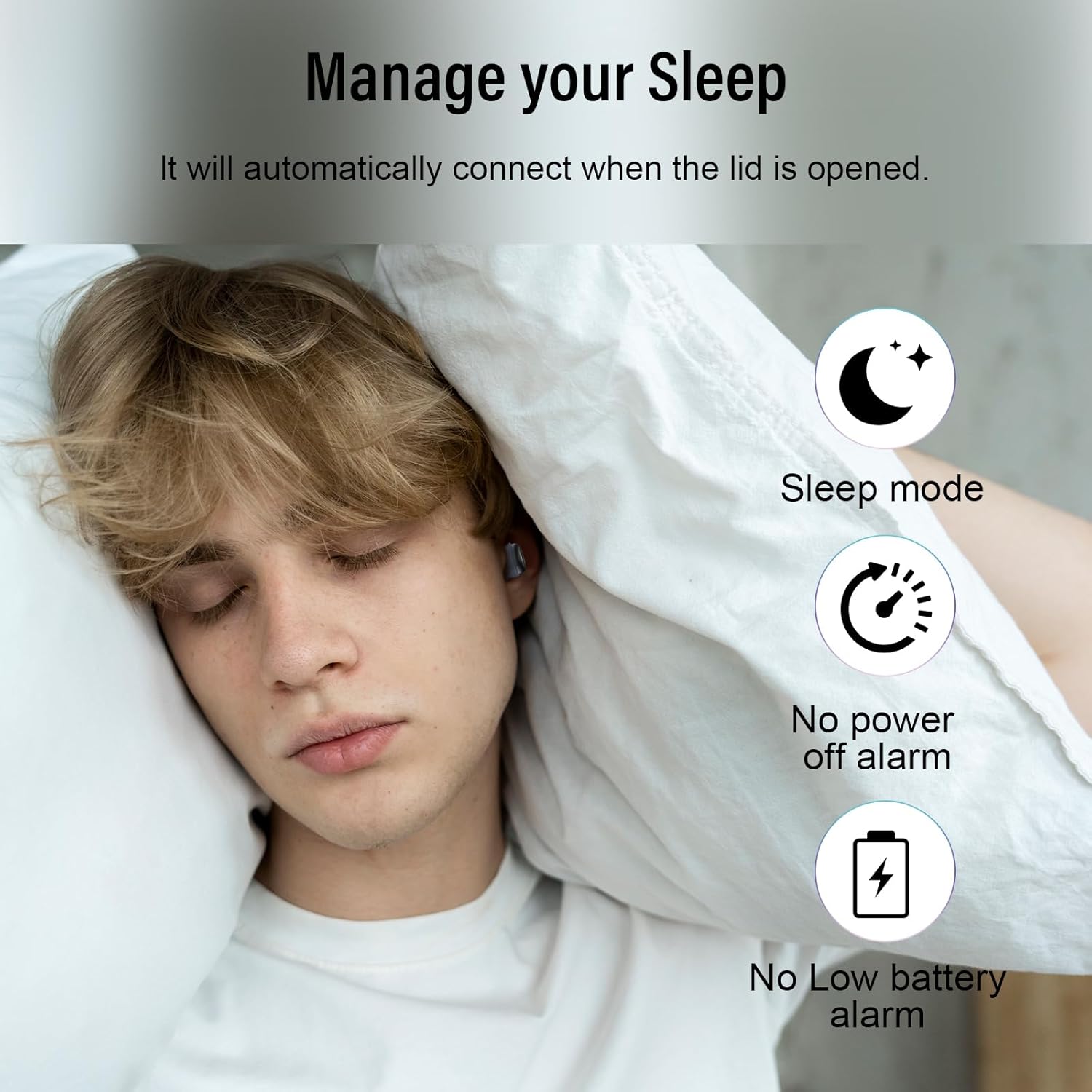
Image: Earbuds charging inside the case, with battery indicator visible.
4.2. Emparejamiento con su dispositivo
- Abre la tapa del estuche de carga. Los auriculares entrarán automáticamente en modo de emparejamiento.
- En su dispositivo (teléfono inteligente, tableta, computadora portátil), vaya a la configuración de Bluetooth.
- Select "SU8" from the list of available devices to connect.
- Una vez conectado, escuchará un aviso de audio y los auriculares estarán listos para usar.

Image: Visual guide for one-step Bluetooth pairing.
4.3. Cómo usar los auriculares
- Choose the appropriate ear caps and install them on the SU8 sleep earbuds.
- Coloque la tapa del oído hacia abajo e insértela en el canal auditivo.
- Twist gently to lock into place for a secure and comfortable fit.

Image: Step-by-step instructions for wearing the earbuds.
5. Instrucciones de funcionamiento
5.1. Controles táctiles
The DUSONLAP SU8 earbuds feature intuitive touch controls for easy management of calls and music.
- Responder llamadas: Toca dos veces cualquiera de los auriculares.
- Hanging Up Calls: Toca dos veces cualquiera de los auriculares.
- Rechazar llamadas: Mantenga presionado cualquiera de los auriculares durante 2 segundos.
- Reproducir/Pausar música: Toque una vez cualquiera de los auriculares.
- Ajustar el volumen: Long press the right earbud to increase volume, long press the left earbud to decrease volume.
- Cambiar canciones: Triple-tap the right earbud for next track, triple-tap the left earbud for previous track.
- Activar Asistente de Voz (Siri): Toca tres veces cualquiera de los auriculares.
- Modo de sueño: Quadruple-tap either earbud to activate sleep mode (no shutdown and low battery beep).

Imagen: Más alláview de funciones de control táctil.
5.2. Modo de suspensión
The dedicated sleep mode ensures an undisturbed night by disabling shutdown and low battery beeps. Activate it with a quadruple-tap on either earbud.
Video: Demonstration of D20 Sleep Headphones features, including sleep mode and comfortable fit.
Vídeo: Resumen rápidoview of aggoo Sleep Earbuds, highlighting comfort and sleep-friendly design.
6. Mantenimiento
6.1. Limpieza
- Limpie periódicamente los auriculares y el estuche de carga con un paño suave y seco.
- Retire las almohadillas y límpielas por separado con agua y jabón suave si es necesario. Asegúrese de que estén completamente secas antes de volver a colocarlas.
- Evite utilizar productos químicos agresivos o materiales abrasivos.
6.2. Almacenamiento
- Guarde los auriculares en su estuche de carga cuando no los use para protegerlos y mantenerlos cargados.
- Mantenga el dispositivo en un lugar fresco y seco, alejado de temperaturas extremas y de la luz solar directa.
6.3. Resistencia al agua
The earbuds are IPX7 waterproof, meaning they can withstand sweat and light rain. However, they are not designed for swimming or submersion in water. Ensure the charging port is dry before charging.
7. Solución de problemas
- Los auriculares no se emparejan: Asegúrate de que ambos auriculares estén en el estuche de carga y abre la tapa para volver a conectarlos. Revisa la configuración de Bluetooth de tu dispositivo e intenta conectarlos de nuevo.
- No hay sonido en un auricular: Place both earbuds back in the case, close the lid, then open it again. This often resets the connection.
- Problemas de carga: Verify the USB-C cable is securely connected to both the case and the power source. Check the LED display for charging indicators. Ensure the charging contacts on the earbuds and case are clean.
- Ajuste incómodo: Experiment with different ear tip sizes provided to find the most comfortable and secure fit for your ear canal.
- Low battery beep in sleep mode: Ensure sleep mode is properly activated by quadruple-tapping an earbud. If the issue persists, the earbuds might be too low on battery to sustain sleep mode without a warning.
8. Especificaciones
| Característica | Especificación |
|---|---|
| Nombre del modelo | SU8 |
| Marca | DUSONLAP |
| Tecnología de conectividad | Inalámbrico (Bluetooth 5.4) |
| Colocación de orejas | En el oído |
| Factor de forma | En el oído |
| Control de ruido | Enhanced Noise Cancellation (ENC) |
| Nivel de resistencia al agua | Resistente al agua IPX7 |
| Duración media de la batería | 47 Hours (5-7 hours earbuds + 40 hours case) |
| Composición de las celdas de la batería | Polímero de litio |
| Material | Silicona |
| Características especiales | Noise Cancelling, Waterproof, Touch Control |
9. Garantía y soporte
For warranty information, technical support, or any inquiries regarding your DUSONLAP SU8 Mini Wireless Sleep Earbuds, please refer to the contact details provided on the product packaging or visit the official DUSONLAP websitio. Guarde su recibo de compra para reclamos de garantía.


