1. Introducción
Welcome to the user manual for your AZDOME PG17 Max Mirror Dash Cam. This manual provides detailed instructions on the installation, operation, and maintenance of your device. Please read this manual thoroughly before using the product to ensure proper functionality and safety.

Figura 1.1: AZDOME PG17 Max Mirror Dash Cam and its components, including the main mirror unit, rear camera, GPS module, and memory card.
2. Contenido del paquete
Verifique que todos los artículos enumerados a continuación estén presentes en su paquete:
- AZDOME PG17 Max Mirror Dash Cam Unit
- Cámara trasera
- Módulo GPS
- Cable de alimentación
- 20ft 4 Pin Extension Cable for Rear Camera
- Manual de usuario (este documento)
- Correas de montaje/accesorios
- WiFi Module (integrated or separate, as per specifications)

Figura 2.1: The included 20ft 4 Pin Extension Cable, essential for connecting the rear camera to the main mirror unit.
3. Producto terminadoview
The AZDOME PG17 Max is a high-performance mirror dash cam designed to enhance driving safety and record road events. It features dual cameras for front and rear recording, advanced driver assistance systems, and smart connectivity options.
Características principales:
- Front 4K (3840x2160) and Rear 2.5K (2560x1440) Recording: Captures high-resolution video from both front and rear perspectives at 30fps.
- Advanced ADAS Technology: Provides alerts for forward collision, pedestrian collision, lane departure, front vehicle start, and distance monitoring.
- Enhanced BSD & LCA: Blind Spot Detection and Lane Change Assist monitor blind spots and alert for potential rear-end collision risks during lane changes.
- Conectividad WiFi de 5.8 GHz: Enables seamless connection to the AZDOME app for video downloads and sharing.
- Control de voz inteligente: Supports 10 convenient voice commands for hands-free operation.
- Built-in GPS & Route Tracking: Accurately records driving routes, locations, and speed data.
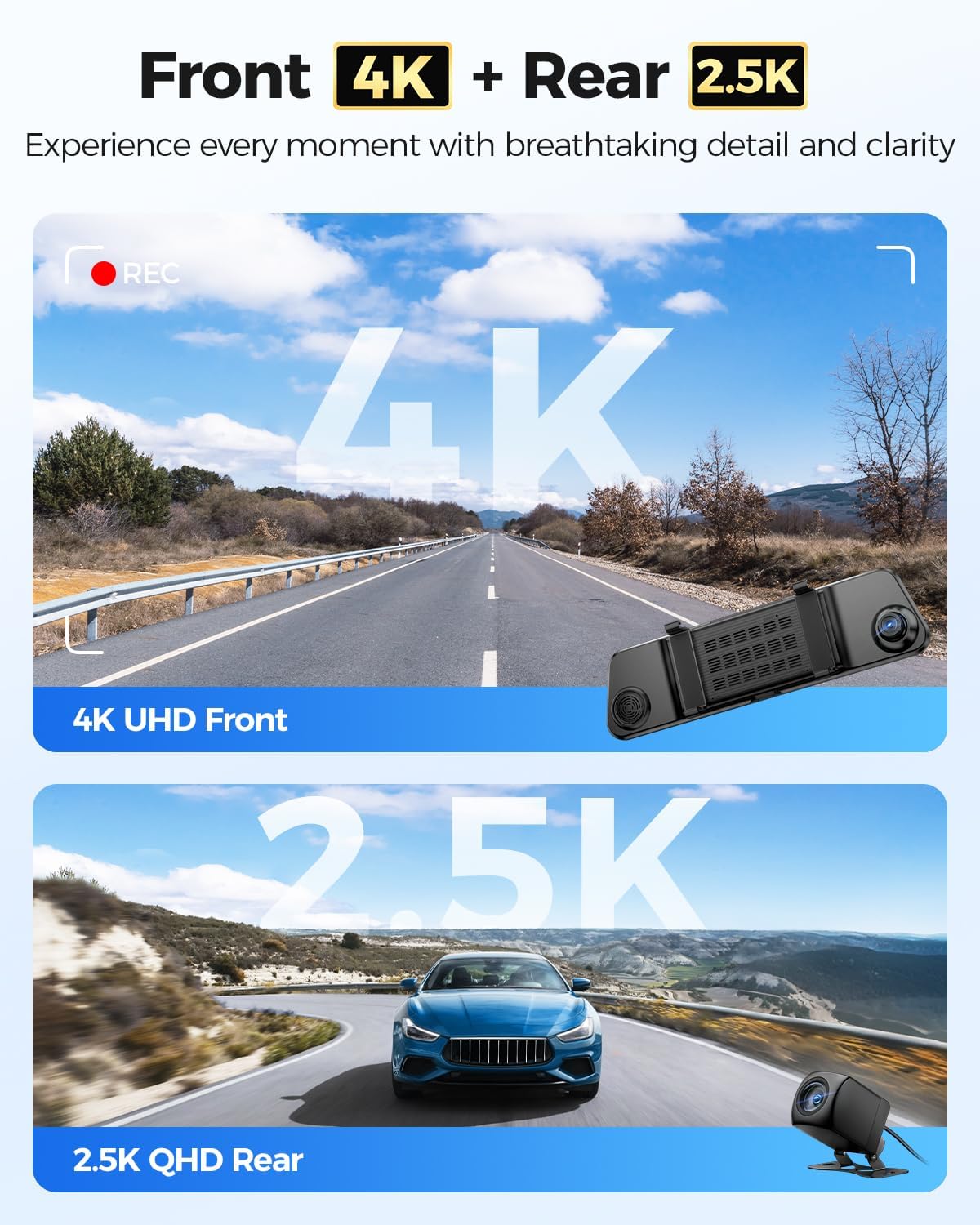
Figura 3.1: Visual representation of the dash cam's dual recording capabilities, highlighting 4K resolution for the front camera and 2.5K for the rear camera.
4. Instalación
Una instalación correcta es crucial para el óptimo rendimiento de su cámara de tablero. Siga estos pasos cuidadosamente:
4.1 Montaje de la cámara de salpicadero del espejo
- Secure the AZDOME PG17 Max unit over your existing rearview espejo usando las correas de goma proporcionadas. Asegúrese de que esté firmemente sujeto y no obstruya su view.
- Ajuste el ángulo de la lente de la cámara frontal para capturar claramente la carretera.
4.2 Instalación de la cámara trasera
- Choose a suitable location for the rear camera, typically above the license plate or inside the rear window. Ensure it has a clear view del camino de atrás.
- Clean the mounting surface thoroughly before attaching the camera.
- Route the 20ft 4 Pin extension cable from the rear camera to the main mirror unit. Conceal the cable along the vehicle's trim for a neat installation.
- Connect the 4 Pin connector of the extension cable to the corresponding port on the main mirror unit.
4.3 Conexión de alimentación
- Connect the power cable to the main mirror unit.
- Conecte el otro extremo del cable de alimentación a la toma de corriente de 12 V de su vehículo (toma del encendedor de cigarrillos).
- For continuous parking monitoring, consider hardwiring the dash cam (professional installation recommended).
4.4 Instalación del módulo GPS
- Connect the GPS module to the designated port on the main mirror unit.
- Monte el módulo GPS en el tablero o el parabrisas en un lugar con una vista despejada. view of the sky to ensure optimal satellite reception.
5. Operación
5.1 Funciones básicas
- Encendido/apagado: The dash cam will automatically power on and begin recording when the vehicle's ignition is turned on. It will power off automatically when the ignition is turned off. You can also manually power it on/off using the power button.
- Grabación: Loop recording is enabled by default. Videos are saved in segments (e.g., 1, 3, or 5 minutes) and older files are overwritten when the memory card is full, unless they are locked.
- Grabación de emergencia: El sensor G detecta impactos o colisiones repentinas y bloquea automáticamente el vídeo actual. file to prevent it from being overwritten. You can also manually lock a video by pressing the designated button.
- Modos de visualización: Cambiar entre la cámara frontal view, cámara trasera view, o pantalla dividida view (front and rear) by swiping on the screen or using the display mode button.
5.2 Sistema avanzado de asistencia al conductor (ADAS)
The ADAS feature provides real-time alerts to enhance driving safety. These include:
- Advertencia de colisión frontal (FCW): Le avisa si se acerca a un vehículo demasiado rápido.
- Advertencia de colisión de peatones (PCW): Advierte de posibles colisiones con peatones.
- Advertencia de cambio de carril (LDW): Alerts if your vehicle drifts out of its lane without signaling.
- Front Vehicle Start Warning (FVSW): Le avisa cuando el vehículo que va delante empieza a moverse desde una posición parada.
- Monitoreo a distancia: Helps maintain a safe following distance.

Figura 5.1: Visual explanation of the Advanced Driver Assistance System (ADAS) features, showing how the dash cam detects and alerts for potential road hazards.
5.3 Detección de punto ciego (BSD) y asistencia para cambio de carril (LCA)
These features actively monitor your vehicle's blind spots to prevent accidents during lane changes or when vehicles are in your blind zone.
- Advertencia de colisión trasera: Alerts if a vehicle is rapidly approaching from behind in your blind spot.
- Asistente de cambio de carril: Provides warnings when changing lanes if a vehicle is detected in the blind spot.

Figura 5.2: Depiction of the Blind Spot Detection (BSD) and Lane Change Assist (LCA) functionalities, showing how the system identifies and warns of vehicles in blind spots.
Conectividad WiFi de 5.4 a 5.8 GHz y control mediante aplicaciones
Connect your dash cam to the AZDOME app on your smartphone for easy access to recordings and settings.
- Download the AZDOME app from the Google Play Store or Apple App Store.
- Enable WiFi on your dash cam (if not already active).
- On your smartphone, connect to the dash cam's WiFi network (SSID and password usually displayed on the dash cam screen or in settings).
- Open the AZDOME app to view vivir footage, download recorded videos, change settings, and share content. The 5.8GHz WiFi offers faster transfer speeds compared to 2.4GHz.

Figura 5.3: The AZDOME mobile application interface, demonstrating how users can connect via 5.8GHz WiFi to manage dash cam settings and review comidatage.
5.5 Control de voz inteligente
Operate your dash cam hands-free using voice commands. The device supports 10 specific commands for common actions.
- "Desactivar grabación"
- "Apagar la pantalla"
- "Bloquear el vídeo"
- "Toma una foto"
- "Mostrar cámara frontal"
- "Abrir grabación"
- "Enciende el WiFi"
- "Mostrar cámara trasera"
- "Abrir pantalla"
- (Additional command, refer to on-screen prompts or specific product documentation if available)

Figura 5.4: A visual guide to the smart voice control feature, showing various commands that can be used to operate the dash cam hands-free.
5.6 GPS integrado y seguimiento de ruta
The integrated GPS module records your driving data, which can be revieweditado más tarde.
- Seguimiento de ruta: Records your vehicle's path on a map.
- Location Data: Stores precise coordinates.
- Datos de velocidad: Records vehicle speed.
- This data is embedded directly into the video files y puede ser viewed using the dedicated AZDOME GPS Player software on a computer or via the mobile app.

Figura 5.5: Un example of the built-in GPS and route tracking functionality, displaying altitude, speed, and a map of the recorded driving route.
6. Menú de configuración
Access the settings menu on the dash cam screen to customize various parameters. Use the touch screen or physical buttons (if available) to navigate.
Configuraciones comunes:
- Resolución de vídeo: Adjust front and rear camera resolutions (e.g., 4K/2.5K, 1080P).
- Grabación en bucle: Set video segment length (e.g., 1, 3, 5 minutes).
- Sensibilidad del sensor G: Adjust sensitivity for emergency recording trigger.
- Monitor de estacionamiento: Enable/disable and configure parking surveillance modes (requires hardwire kit).
- ADAS/BSD/LCA: Turn these safety features on or off.
- Exposición: Ajustar los niveles de brillo.
- Huso horario: Set the correct time zone for accurate timestamps.
- Idioma: Seleccione su idioma preferido
- Formatear tarjeta SD: Format the memory card to ensure optimal performance and clear old data.
7. Mantenimiento
Regular maintenance ensures the longevity and optimal performance of your AZDOME PG17 Max dash cam.
7.1 Limpieza del dispositivo
- Use a soft, dry cloth to clean the dash cam unit and lenses.
- Do not use abrasive cleaners or solvents, as they may damage the surface or lens coatings.
- Ensure lenses are free of dust and smudges for clear recordings.
7.2 Gestión de tarjetas de memoria
- Regularly format the memory card (e.g., once a month) to prevent data corruption and ensure smooth recording.
- Utilice una tarjeta microSD de alta calidad y alta velocidad (se recomienda clase 10 o U3).
- Reemplace la tarjeta de memoria si experimenta errores frecuentes o problemas de grabación.
7.3 actualizaciones de firmware
- Consulta el AZDOME oficial webSitio para actualizaciones de firmware disponibles.
- Firmware updates can improve performance, add new features, or fix bugs. Follow the instructions provided with the firmware update carefully.
8. Solución de problemas
Si tiene problemas con su cámara de tablero, consulte los siguientes problemas y soluciones comunes:
| Problema | Posible causa / solución |
|---|---|
| La cámara del tablero no se enciende. |
|
| La grabación se detiene inesperadamente. |
|
| Vídeo footage está borrosa o poco clara. |
|
| La señal GPS es débil o no se encuentra. |
|
| Problemas de conexión WiFi. |
|
9. Especificaciones
| Característica | Detalle |
|---|---|
| Nombre del modelo | PG17 Máx. |
| Marca | AZDOMA |
| Resolución de video frontal | 4K (3840 x 2160) @ 30fps |
| Resolución de video trasera | 2.5K (2560 x 1440) @ 30fps |
| Tecnología de conectividad | Wi-Fi de 5.8 GHz |
| Componentes incluidos | Mirror Dash Cam Unit, Rear Camera, GPS Module, Power Cable, 20ft 4 Pin Extension Cable |
| Tipo de montaje | Traseroview Montaje en espejo |
| Características especiales | ADAS (Forward Collision, Pedestrian Collision, Lane Departure, Front Vehicle Start, Distance Monitoring), BSD (Blind Spot Detection), LCA (Lane Change Assist), Smart Voice Control, Built-in GPS, Loop Recording, G-Sensor, Parking Monitor (with optional hardwire kit) |
| Color | Negro |
| Tipo de servicio del vehículo | Auto |
10. Garantía y soporte
AZDOME products are designed and manufactured to the highest quality standards. For warranty information, technical support, or customer service inquiries, please visit the official AZDOME websitio o comuníquese directamente con su equipo de atención al cliente.
Official AZDOME Websitio: www.azdome.com
Please have your product model (PG17 Max) and purchase details ready when contacting support.


