1. Producto terminadoview
The iDPRT MT610 Pro is a portable thermal printer designed for convenient, high-quality printing on the go. This lightweight and compact device utilizes advanced inkless technology to deliver clear, smudge-proof prints without the need for ink cartridges or ribbons. It offers versatile connectivity options and a long-lasting battery, making it ideal for various personal and professional printing needs.
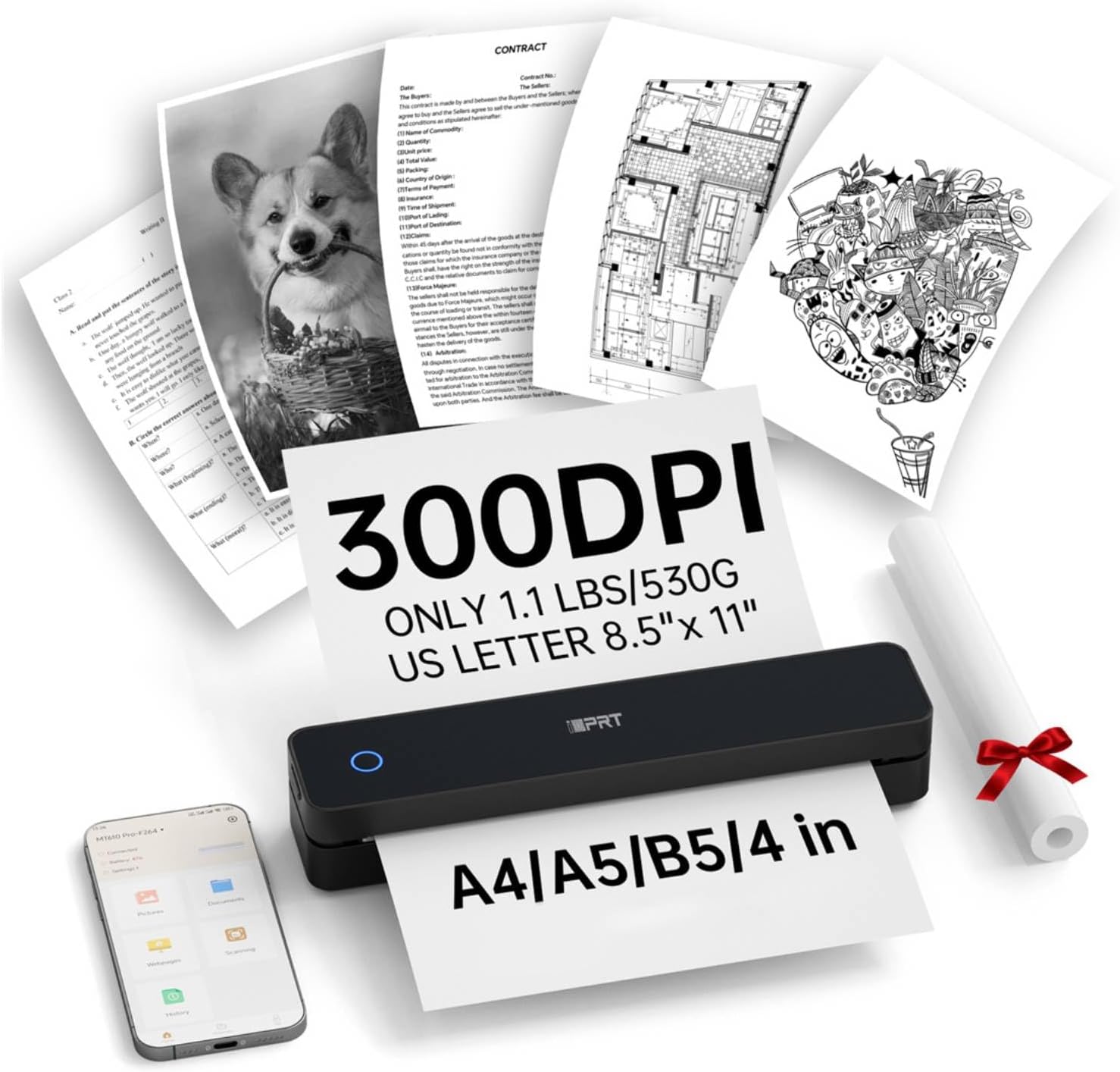
Figure 1: The iDPRT MT610 Pro Portable Thermal Printer in operation, showcasing its compact design and ability to print various document types at 300 DPI resolution.
2. ¿Qué hay en la caja?
Upon unboxing your iDPRT MT610 Pro Portable Thermal Printer, please ensure all the following items are included:
- Impresora térmica portátil iDPRT MT610 Pro
- 200 Sheets US Letter Thermal Paper (8.5"x11")
- Cable de carga USB-C
- Manual de usuario

Figure 2: Included 200 sheets of 8.5"x11" US Letter Thermal Paper, specifically designed for thermal printing.
3. Características del producto
- Diseño portátil: Weighs only 1.1 lbs (500g) and measures 10.2 x 2.2 x 1.8 inches, making it easy to carry in backpacks or briefcases.
- Tecnología avanzada sin tinta: High-definition printing at 300 DPI resolution, producing clear, fade-resistant, and smudge-proof prints.
- Compatibilidad universal de dispositivos: Seamlessly connects via Bluetooth or USB to smartphones (Android, iOS) and PCs (Windows, Mac, Linux, Chrome OS).
- "HerePrint" App: Dedicated mobile application for effortless printing from your smartphone (available on App Store or Google Play).
- Batería de gran capacidad: Equipped with a 2000mAh rechargeable battery, supporting up to 4 hours of continuous printing or 200 pages on a single charge.
- Soporte de papel versátil: Compatible with 8.5"x11" fan-fold thermal paper.

Figura 3: detallada view of the printer's compact design, showing the Power Key, Open Key, and USB Interface, along with its dimensions.
4. Guía de configuración
4.1 Encendido / Apagado
To power on or off the printer, press and hold the Power Key (located on the top surface) for approximately 3 seconds. The indicator light will illuminate when the device is on.
4.2 Carga de papel
- Open the paper bin by pressing the Open Key (located on the side of the printer).
- Adjust the print width guides to match the width of your thermal paper (e.g., 8.5 inches for US Letter).
- Insert the thermal paper into the paper feeder. Ensure the printable side (smooth side) is facing up. For fan-fold paper, ensure the perforations align correctly.
- Close the paper bin securely.
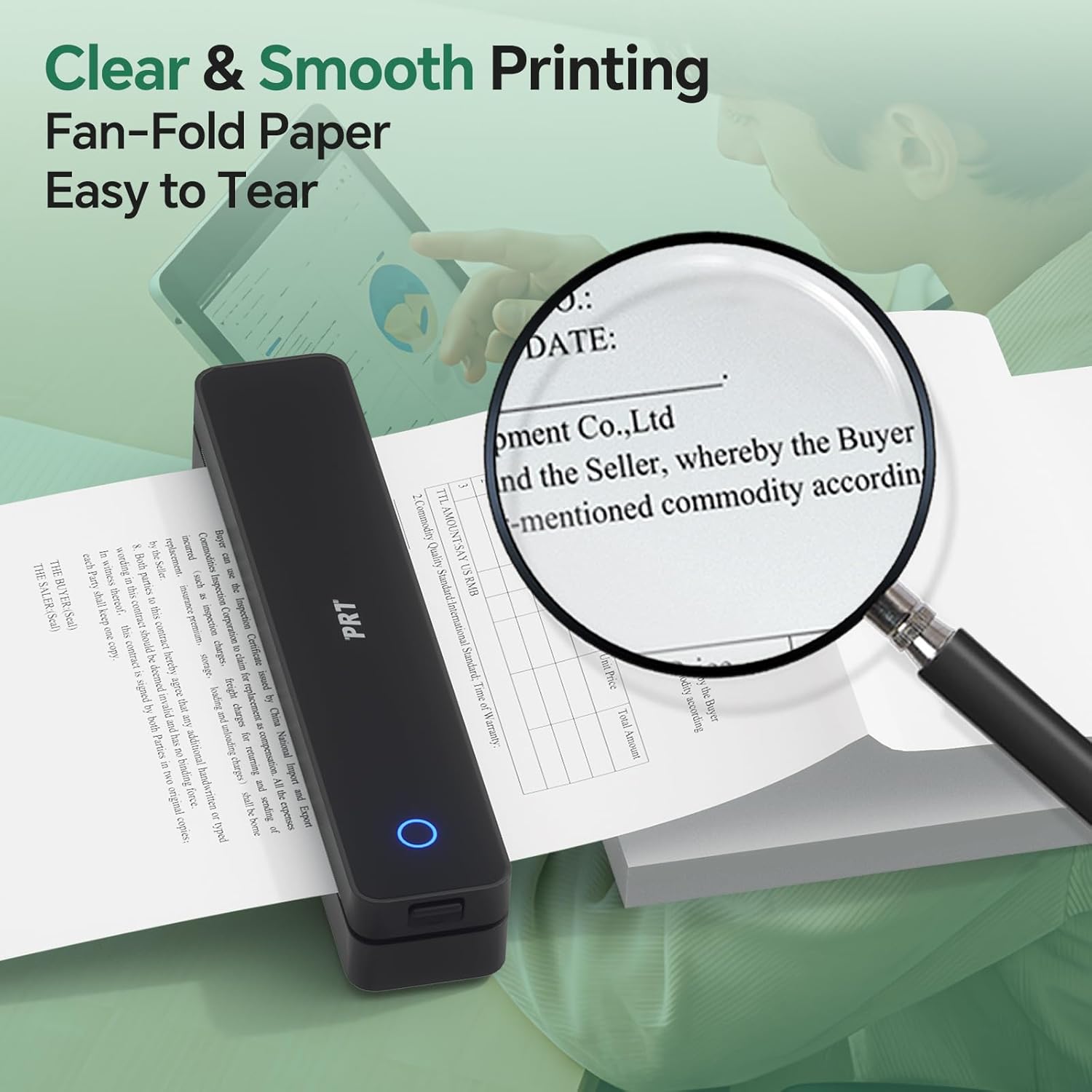
Figure 4: Demonstrates the clear and smooth printing of fan-fold paper, highlighting the easy tear-off feature.
4.3 Instalación de la aplicación y conexión Bluetooth
- Download the "HerePrint" app from the App Store (iOS) or Google Play (Android). You can also scan the QR code provided in the manual or on the printer for quick access.
- Asegúrese de que el Bluetooth de su dispositivo móvil esté activado.
- Open the "HerePrint" app and follow the on-screen instructions to add and connect your iDPRT MT610 Pro printer via Bluetooth. The app will guide you through the pairing process.
Video 1: Official iDPRT guide on how to connect the MT610 printer via Bluetooth using the mobile application.
For PC connectivity, download the necessary drivers from the official iDPRT websitio: https://www.idprt.com/Driver. The printer is compatible with Windows, Mac, Linux, and Chrome OS.

Figure 5: Illustrates the printer's versatile connectivity options, including Bluetooth for mobile devices and USB for computers running various operating systems.
5. Instrucciones de funcionamiento
5.1 Printing from Mobile App ("HerePrint")
The "HerePrint" app provides multiple printing options:
- Impresión de documento: Import and print various document formats (e.g., PDF, Word).
- Imágenes impresas: Select and print images directly from your phone's gallery.
- Imprimir Web: Imprima contenido directamente desde web páginas.
- Escanear: Use your phone's camera to scan documents or images and print them instantly.
Before printing, you can adjust settings such as print density (light, medium, heavy, dedicated) and the number of copies within the app.
5.2 Impresión desde PC
Once the drivers are installed and the printer is connected via USB, you can print directly from any application on your computer as you would with a standard printer. Select the iDPRT MT610 Pro from your list of available printers.
6. Mantenimiento
- Limpieza: Limpie periódicamente el exterior de la impresora con un paño suave y seco. Evite el uso de productos químicos agresivos o materiales abrasivos.
- Papel térmico: Use only high-quality thermal paper specifically designed for thermal printers. Do not use laser or inkjet printer paper. Store thermal paper in a cool, dry place away from direct sunlight to prevent premature fading.
- Cuidado de la batería: To prolong battery life, avoid fully discharging the printer frequently. Charge the device regularly, even if not in active use.

Figure 6: Highlights the quick-dry and waterproof characteristics of the recommended thermal paper, ensuring print longevity and durability.
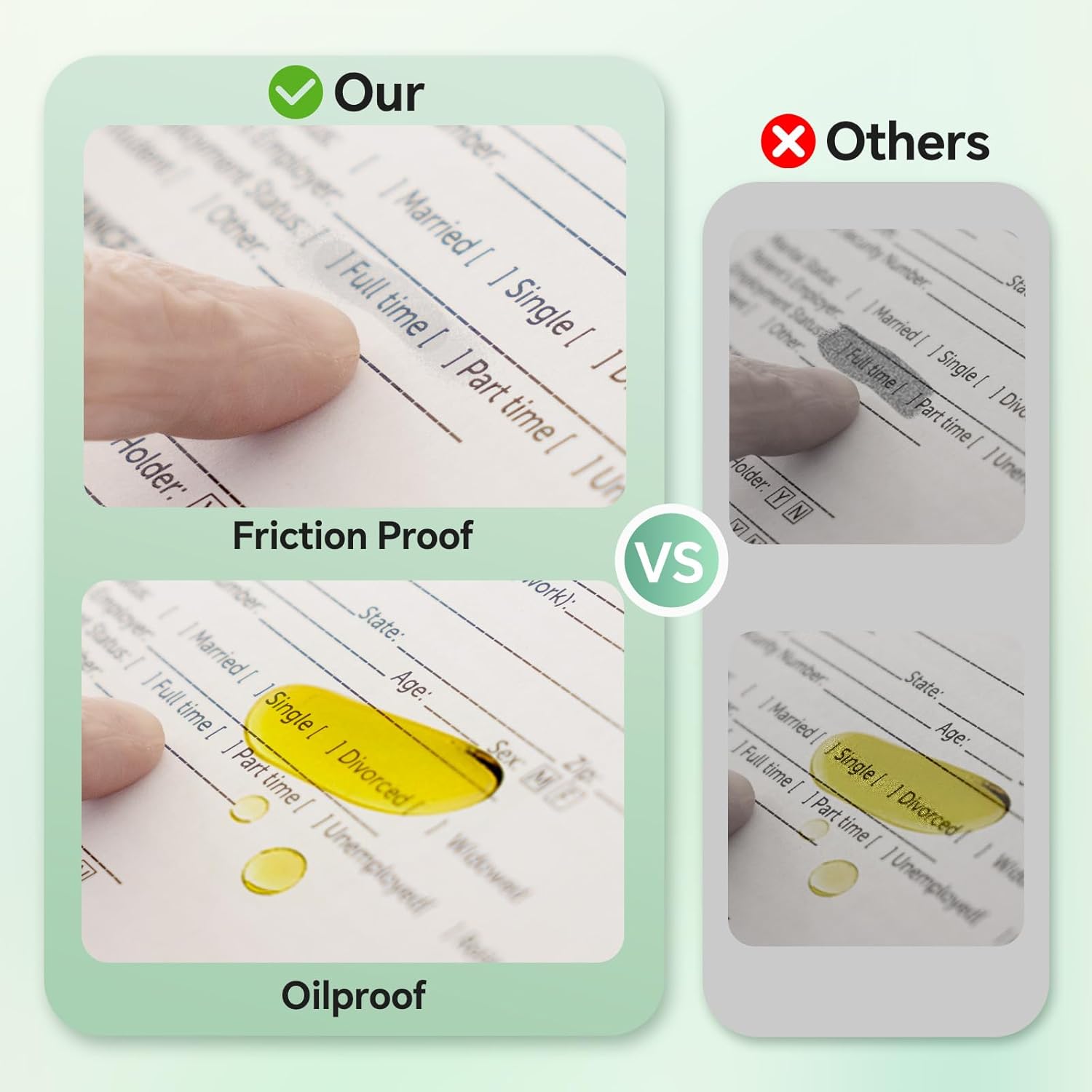
Figure 7: Illustrates the friction-proof and oil-proof qualities of the thermal paper, contributing to its smudge-proof nature.
7. Solución de problemas
- Blank Printing: If the printer produces blank pages, check the orientation of the thermal paper. Ensure the smooth, printable side is facing up. Also, verify the battery level of the printer.
- "Printer is Out of Paper" Message: Ensure thermal paper is correctly installed and that there is enough paper remaining.
- Problemas de conexión: If unable to connect via Bluetooth, ensure Bluetooth is enabled on your device and the printer is powered on. Restarting both the printer and your device may resolve the issue.
8. Especificaciones
- Modelo: MT610 Pro
- Tecnología de impresión: Térmica (sin tinta)
- Resolución: 300 ppp
- Dimensiones: 10.2 x 2.2 x 1.8 pulgadas (aprox. 259 x 56 x 46 mm)
- Peso: 1.1 libras (500g)
- Batería: 2000 mAh recargable
- Impresión continua: Up to 4 hours or 200 pages per charge
- Conectividad: Bluetooth, USB-C
- Tamaño del papel: US Letter (8.5"x11" / 210x297mm) fan-fold thermal paper
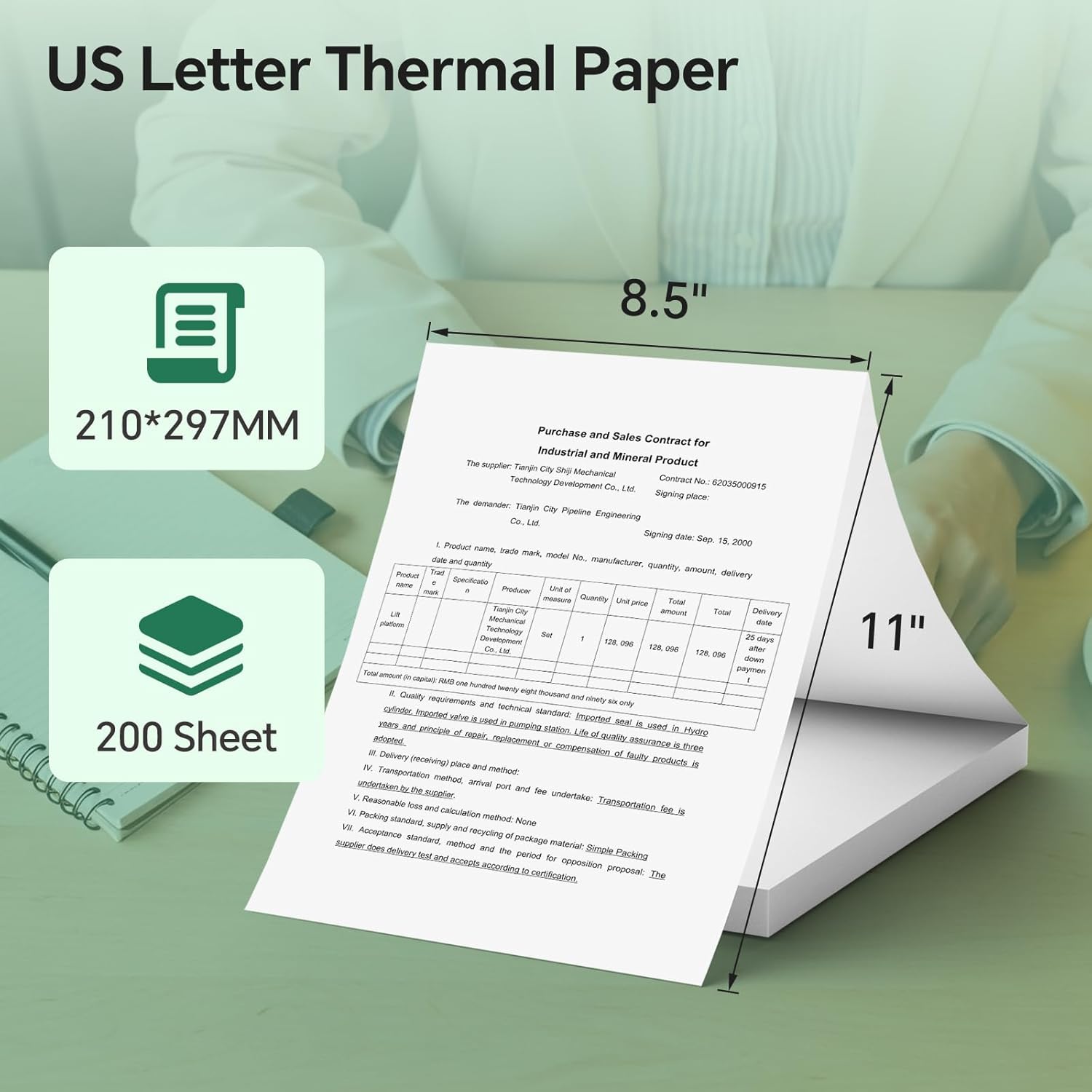
Figure 8: Details the standard US Letter thermal paper size (8.5"x11" or 210x297mm) and quantity (200 sheets) compatible with the printer.
9. Garantía y soporte
The iDPRT MT610 Pro Portable Thermal Printer comes with a 20-year warranty. For any support inquiries, please refer to the contact information provided on the product packaging or the official iDPRT website. You can also scan the QR code on the printer to activate your warranty.
For technical assistance or customer service, please contact iDPRT support via:
- WhatsApp: +86 183 3956 8815 (Monday to Friday, 9AM-5PM EST)
- Correo electrónico: goforhelp44@outlook.com


