Introducción
This manual provides instructions for the Karlsson KA6039GY LED Retro Flat Alarm Clock. Please read this manual carefully before use and retain it for future reference. This alarm clock combines a slim design with warm wooden details and an LED display, suitable for various environments.
Producto terminadoview
The Karlsson KA6039GY LED Retro Flat Alarm Clock is constructed from durable MDF material and features an integrated wireless charging pad.
Frente View
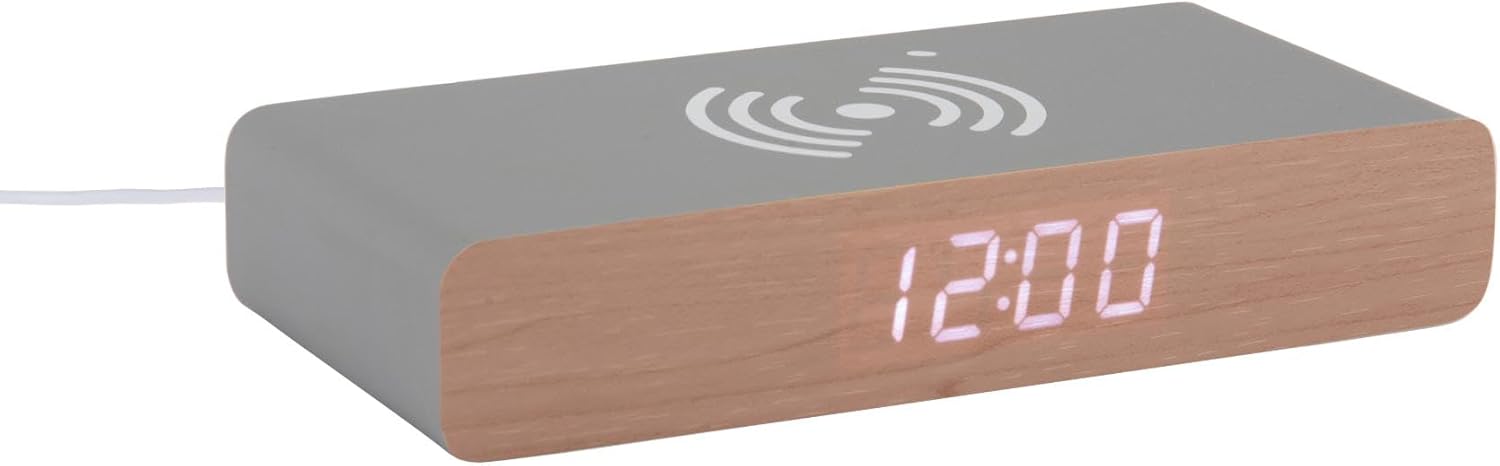
This image displays the front of the Karlsson KA6039GY alarm clock, highlighting its LED time display and the integrated wireless charging pad symbol on the top surface.
Angular View

Esta imagen proporciona una perspectiva en ángulo del despertador, que muestraasing the LED display, the wireless charging icon, and the "KARLSSON" brand name printed on the side.
Trasero View y controles

This image shows the back panel of the alarm clock, detailing the control buttons for settings and the power input port.
Configuración
Conexión de energía
- Connect the provided power cable to the power input port on the rear of the alarm clock.
- Conecte el otro extremo del cable de alimentación a una toma de corriente adecuada.
- La pantalla LED se iluminará, indicando que el dispositivo está encendido.
Instrucciones de funcionamiento
Ajuste de la hora
- Locate the time setting button on the rear panel.
- Press and hold the time setting button until the hour digits begin to flash.
- Use the adjustment buttons (e.g., Up/Down or +/-) to set the correct hour.
- Press the time setting button again to switch to minute adjustment.
- Use the adjustment buttons to set the correct minutes.
- Press the time setting button one more time to confirm and exit time setting mode.
Configuración de la alarma
- Locate the alarm setting button on the rear panel.
- Press and hold the alarm setting button until the alarm hour digits begin to flash.
- Use the adjustment buttons to set the desired alarm hour.
- Press the alarm setting button again to switch to alarm minute adjustment.
- Use the adjustment buttons to set the desired alarm minutes.
- Press the alarm setting button one more time to confirm and exit alarm setting mode.
- To activate or deactivate the alarm, press the alarm setting button briefly. An indicator (e.g., a small icon) on the display will show if the alarm is active.
Uso de la función de carga inalámbrica
The top surface of the alarm clock features an integrated wireless charging pad.
- Asegúrese de que el despertador esté encendido.
- Place your Qi-compatible device (e.g., smartphone) directly onto the wireless charging symbol on the top surface.
- El dispositivo debería indicar que se está cargando. De lo contrario, ajuste su posición en el panel.
Mantenimiento
Cuidado y limpieza
To ensure the longevity and proper function of your alarm clock, follow these maintenance guidelines:
- Desconecte la alimentación antes de limpiar.
- Limpie la superficie con un paño suave, seco o ligeramente húmedo.amp Paño. No utilice limpiadores abrasivos, disolventes ni aerosoles químicos.
- Evite exponer el dispositivo a la humedad excesiva o a la luz solar directa.
- No intente desmontar la unidad.
Solución de problemas
Problemas comunes y soluciones
| Problema | Posible causa | Solución |
|---|---|---|
| La pantalla está apagada | Sin conexión de alimentación | Ensure the power cable is securely connected to the clock and the power outlet. |
| Time/Alarm cannot be set | Botones no presionados correctamente | Refer to the "Setting the Time" or "Setting the Alarm" sections and ensure buttons are pressed and held as instructed. |
| La carga inalámbrica no funciona | Device not Qi-compatible or misaligned | Ensure your device supports Qi wireless charging. Reposition the device on the charging pad. Check if the clock is powered on. |
| La alarma no suena | Alarma no activada | Ensure the alarm is activated (check for alarm indicator on display). |
Presupuesto
Especificaciones del producto
- Modelo: KA6039GY
- Marca: Karlsson
- Material: MDF
- Color: Mouse Grey
- Dimensiones (ancho x alto): 7.6 cm x 3 cm
- Peso: 486 gramos
- Fuente de energía: Alimentado por red
- Características: LED display, Wireless charging pad
Garantía y soporte
Información de garantía
This product comes with a standard manufacturer's warranty. For specific warranty terms and conditions, please refer to the documentation included with your purchase or contact Karlsson customer support.
Atención al cliente
For technical assistance, troubleshooting, or warranty claims, please contact your retailer or visit the official Karlsson websitio:


