1. Introducción
This manual provides essential information for the setup, operation, and maintenance of your iFFALCON 55-Inch Class U85 Series QD-Mini LED 4K UHD Google Smart TV. Please read this manual thoroughly before using your television to ensure proper and safe operation. Keep this manual for future reference.
The iFFALCON U85 Series TV features advanced display technologies including QD-Mini LED for precise lighting, QLED for vibrant colors, 4K UHD resolution, HDR 1000 nits peak brightness, and a 144Hz native refresh rate. It integrates Google TV for smart entertainment and offers enhanced audio with Dolby Atmos and DTS Virtual X. Gaming is optimized with features like 240Hz DLG and FreeSync Premium Pro.
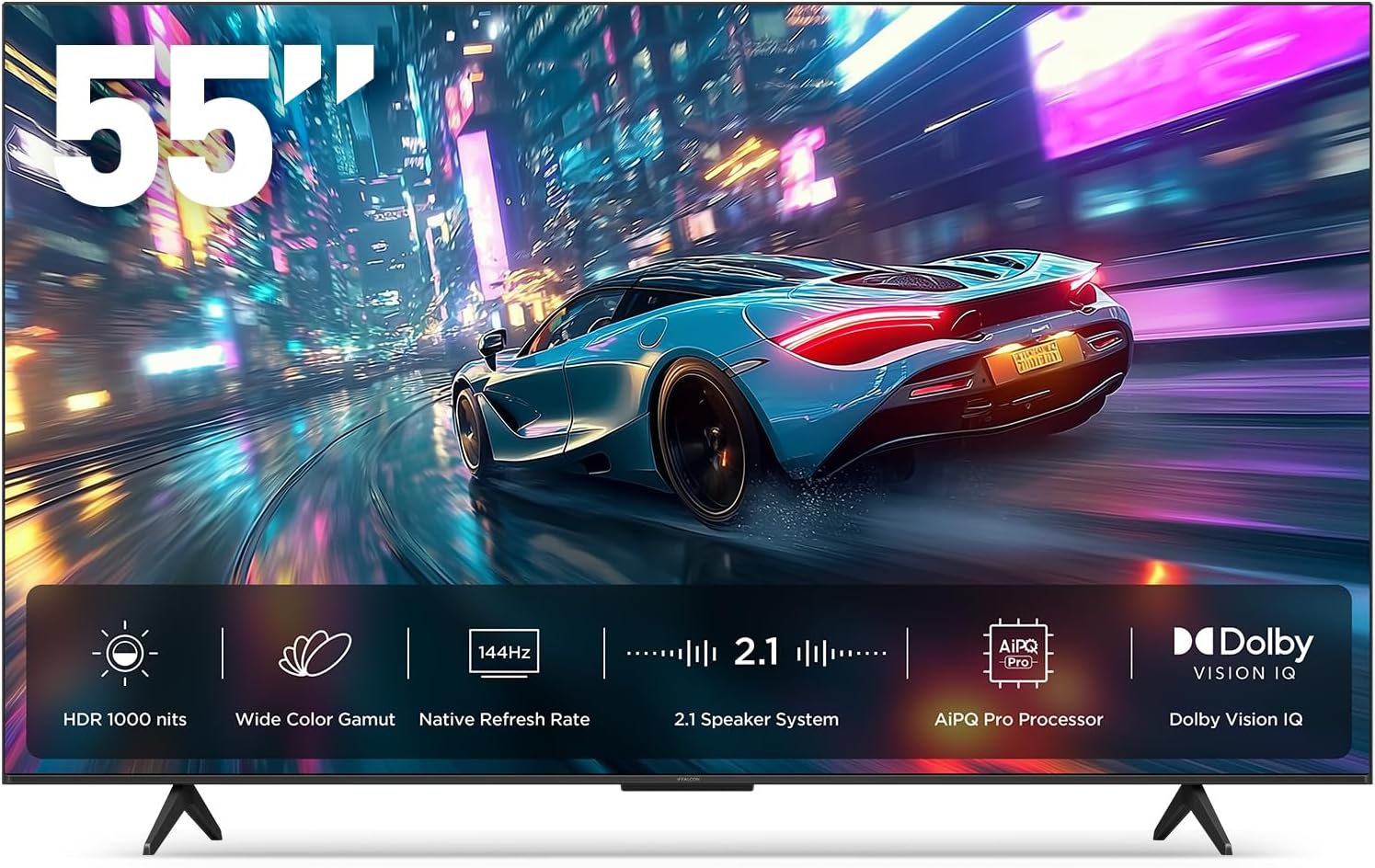
Imagen 1.1: Frente view of the iFFALCON 55-Inch U85 Series TV, showcasing its display with a vibrant image of a car on a city street.
2. ¿Qué hay en la caja?
Desempaque con cuidado su televisor y asegúrese de que no falte ningún artículo. Si falta algún artículo o está dañado, contacte con su vendedor.
- Mini televisor LED
- Cable de alimentación
- 2 pilas AAA para el mando a distancia
- 6 x tornillos de soporte
- Soportes de mesa (2 piezas)
- 5 clips para cables
- Guía de inicio rápido
- control remoto
3. Configuración
3.1 Configuración física
Before proceeding, ensure the TV is placed on a stable, flat surface or securely mounted to a wall. Refer to the Quick Start Guide for detailed instructions on attaching the table stands or mounting the TV to a wall bracket (wall mount sold separately).
3.2 Conexión de periféricos
Connect your external devices such as cable boxes, gaming consoles, or Blu-ray players to the TV's HDMI ports. Ensure the power cable is securely connected to the TV and a power outlet.
3.3 Encendido inicial y configuración de Google TV
- Conecte el cable de alimentación a una toma de corriente.
- Presione el botón de encendido en el control remoto o en el televisor.
- Siga las instrucciones en pantalla para completar la configuración inicial, incluida la conexión de red, el inicio de sesión en la cuenta de Google y el escaneo de canales.
4. Operación del televisor
4.1 Funciones de control remoto
The included remote control allows you to navigate menus, adjust volume, change channels, and access smart features. Familiarize yourself with the button layout for optimal use.
4.2 Smart Features: Google TV, Google Assistant, and Alexa
Your iFFALCON U85 TV is equipped with Google TV, providing access to a wide range of streaming services and apps. Use the built-in Google Assistant or connect to an Alexa-enabled device for hands-free voice control.
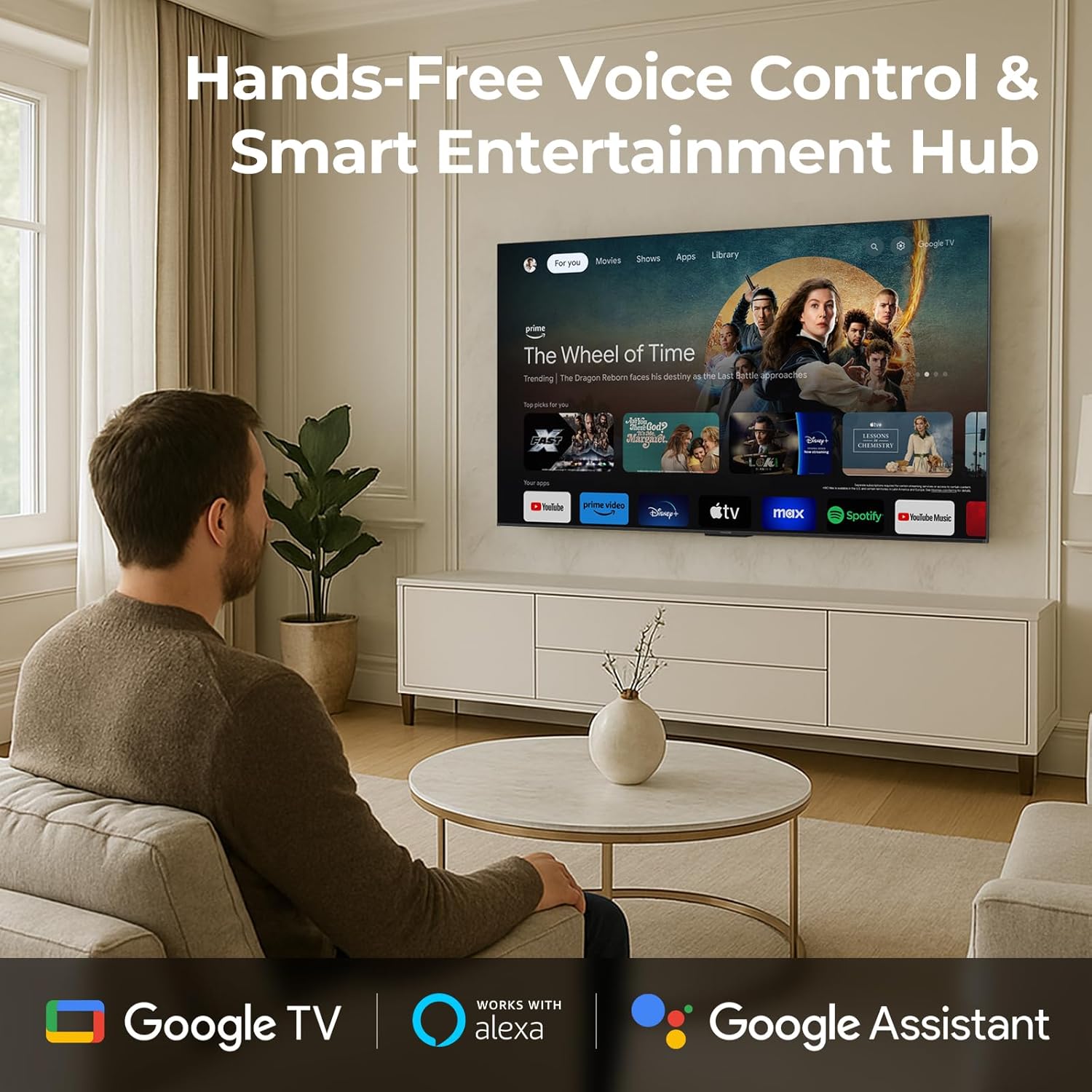
Image 4.1: A man interacting with the iFFALCON TV using voice commands, demonstrating the hands-free control feature.
4.3 Configuración y calidad de la imagen
The U85 Series TV offers exceptional picture quality through several advanced technologies:
- LED QD-Mini: Provides precise lighting control with up to 144 local dimming zones and 1000 nits peak brightness for bright highlights and deep blacks.
- QLED Wide Color: Quantum Dot technology delivers a 93% DCI-P3 wide color gamut for true-to-life images.
- Procesador AiPQ Pro: Optimizes brightness, contrast, and detail in real-time for enhanced visual performance.
- Dolby Vision IQ: Automatically adjusts HDR brightness based on ambient light conditions.
- 6000:1 Relación de contraste: Achieves deep blacks and vibrant colors with enhanced contrast.

Image 4.2: Visual comparison illustrating how Mini-LED technology enhances bright highlights and deep blacks compared to conventional TVs.
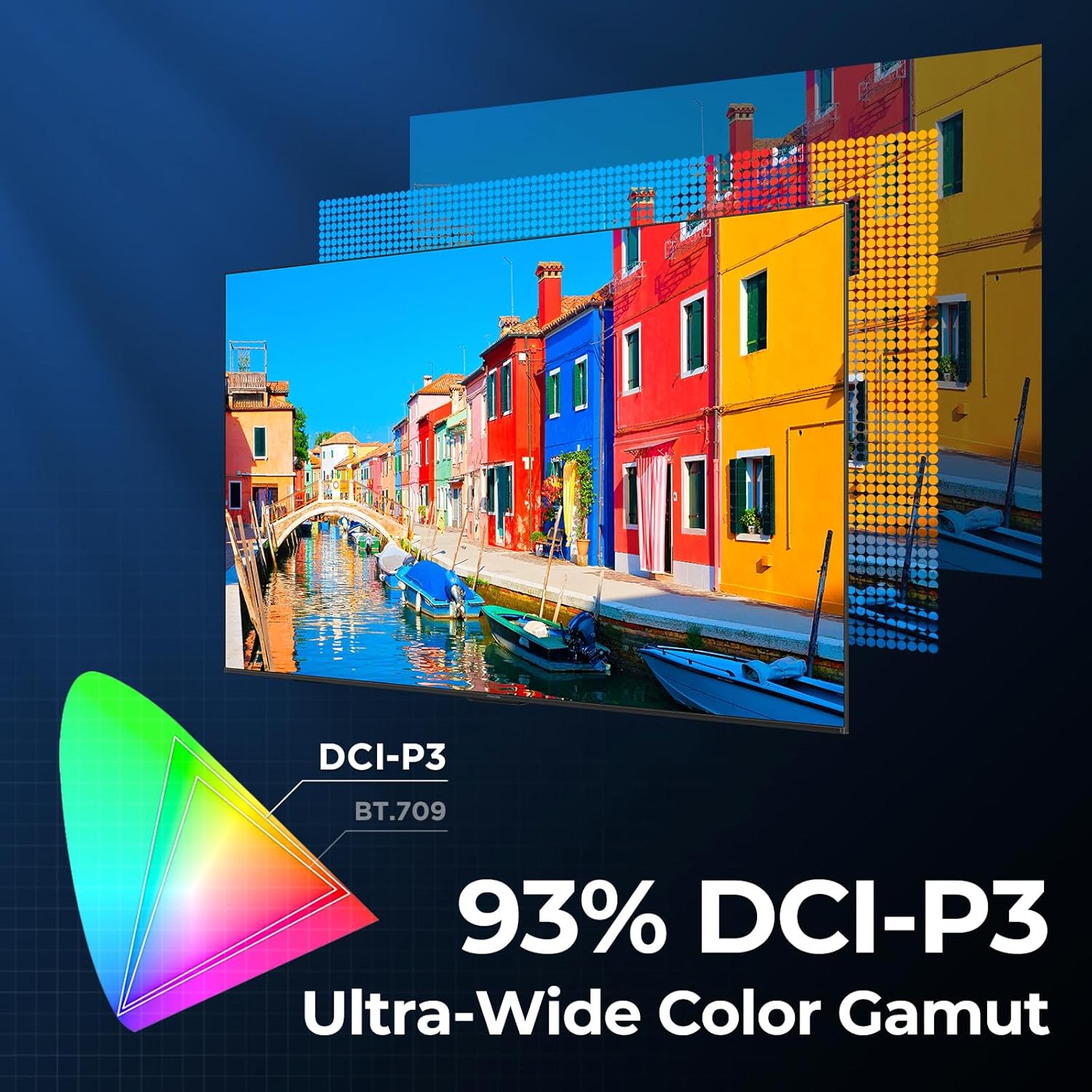
Image 4.3: Diagram showing the 93% DCI-P3 ultra-wide color gamut, indicating the TV's ability to display a broad spectrum of colors.
4.4 Audio Settings and Quality
Experience immersive sound with the TV's integrated audio features:
- 2.1-channel 50W Sound System: Delivers powerful stereo sound with deep bass.
- Dolby Atmos: Provides multi-dimensional audio that flows around and above you.
- DTS Virtual X: Creates expansive, room-filling sound with virtual height and surround effects.
- IMAX mejorado: Optimizes audio and visual performance for a cinematic experience.

Image 4.4: A couple enjoying a movie on the iFFALCON TV, illustrating the immersive audio experience with sound waves emanating from the screen.
4.5 Características de juego
The iFFALCON U85 TV is designed for an optimal gaming experience:
- 4K 144Hz Panel with VRR: Ensures smooth, crystal-clear motion and reduces screen tearing.
- Aceleración DLG de 240 Hz: Boosts refresh rates for ultra-smooth action.
- FreeSync Premium Pro: Provides tear-free, low-latency HDR gaming.
- Game Mode & Game Bar: Dedicated settings and on-screen overlay for quick adjustments during gameplay.
- ALLM (modo automático de baja latencia): Cambia automáticamente a un modo de baja latencia para un juego con capacidad de respuesta.

Image 4.5: A gaming console connected to the iFFALCON TV, highlighting the 144Hz refresh rate and other gaming features.
4.6 Características de comodidad para los ojos
Para uso extendido viewing comfort, the TV incorporates multiple eye-care technologies:
- Luz azul baja: Reduce las emisiones dañinas de luz azul.
- Flicker Reduction: Minimizes screen flicker for a more comfortable viewExperiencia de aprendizaje.
5. Mantenimiento
To ensure the longevity and optimal performance of your iFFALCON U85 TV, follow these maintenance guidelines:
- Limpieza de la pantalla: Limpie suavemente la pantalla con un paño suave, seco y sin pelusa. Para manchas difíciles, limpie ligeramenteampEnjuague el paño con agua o un limpiador de pantallas especializado. Evite productos químicos agresivos o materiales abrasivos.
- Limpieza del marco: Utilice un paño suave y seco para limpiar el marco y el soporte del televisor.
- Ventilación: Asegúrese de que haya suficiente ventilación alrededor del televisor. No bloquee las aberturas de ventilación.
- Cable de alimentación: Revise periódicamente el cable de alimentación para detectar posibles daños. Si está dañado, deje de usarlo y contacte con atención al cliente.
- Evite la luz solar directa: No exponga el televisor a la luz solar directa ni a calor excesivo.
6. Solución de problemas
Si tiene problemas con su televisor, consulte las siguientes soluciones comunes. Si el problema persiste, contacte con atención al cliente.
| Problema | Posible causa | Solución |
|---|---|---|
| Sin poder | El cable de alimentación no está conectado; la toma de corriente no funciona | Asegúrese de que el cable de alimentación esté enchufado de forma segura; pruebe la toma de corriente con otro dispositivo |
| No hay imagen, pero hay sonido | Fuente de entrada incorrecta; cable HDMI suelto | Select correct input source; Reconnect HDMI cable securely |
| No hay sonido, pero hay imagen | Volumen silenciado o demasiado bajo; problema con el dispositivo de audio externo | Activar el sonido o aumentar el volumen; verificar las conexiones a dispositivos de audio externos |
| El control remoto no funciona | Pilas agotadas; Obstrucción entre el mando a distancia y el televisor | Reemplace las baterías; elimine cualquier obstrucción |
| Problemas de conexión de red | Señal de Wi-Fi débil; problema con el enrutador | Move TV closer to router or use Ethernet; Restart router |
7. Especificaciones
| Característica | Detalle |
|---|---|
| Marca | iFFALCON |
| Número de modelo | 55U85 |
| Tamaño de pantalla | 55 pulgadas |
| Tecnología de visualización | Mini LED, QLED |
| Resolución | 4K UHD |
| Frecuencia de actualización | 120 Hz (Native), 144Hz Game Mode Pro, 240Hz DLG |
| Brillo máximo | 1000 nits |
| Relación de contraste | 6000:1 |
| Zonas de atenuación locales | 144 |
| Características especiales | Dynamic Contrast Enhancer, Eye Comfort Mode, Game Mode, Intelligent Voice Recognition, Local Dimming, Dolby Vision IQ, Dolby Atmos, DTS Virtual X, IMAX Enhanced, Google TV, Google Assistant, Alexa Compatibility, FreeSync Premium Pro, ALLM |
| Tecnología de conectividad | Bluetooth, wifi |
| Dimensiones del producto (Pr. x An. x Al.) | 10.8" x 48.3" x 30.2" |
| Peso del artículo | 27.3 libras |
| Pilas necesarias | 2 pilas AAA (para el control remoto) |
8. Garantía y soporte
Your iFFALCON 55-Inch Class U85 Series QD-Mini LED 4K UHD Google Smart TV is covered by a manufacturer's warranty. For specific warranty details and duration, please refer to the warranty card included with your product or visit the official iFFALCON support websitio.
For technical assistance, troubleshooting beyond this manual, or to inquire about warranty service, please contact iFFALCON customer support. Contact information can typically be found on the manufacturer's websitio o en la Guía de inicio rápido.
Conserve su comprobante de compra para reclamos de garantía.