1. Introducción
This manual provides essential instructions for the safe operation and maintenance of your VTech Advanced HD Plus 5.5" HD 1 Cam Video Baby Monitor. Please read this manual thoroughly before using the product to ensure proper setup and functionality. Keep this guide for future reference.

Image 1.1: The VTech Advanced HD Plus 5.5" HD 1 Cam Video Baby Monitor, featuring the parent unit and baby unit.
2. Características principales
The VTech Advanced HD Plus Video Baby Monitor is designed to provide reliable monitoring of your baby. Key features include:
- 5.5" HD IPS LCD Screen: Offers clear 720p video resolution with wide viewing angles and enhanced color accuracy.
- Batería de larga duración: Up to 13 hours of continuous video streaming or 19 hours of audio-only streaming on a single charge.
- Pan-Tilt-Zoom Camera: Remote control for 360-degree panoramic view, 122-degree vertical view, and 4x digital zoom.
- Gran angular View: A 110-degree wide-angle lens captures more of the nursery.
- Luz nocturna adaptable: Touch-controlled, dimmable 7-color night light to create a soothing environment.
- Conversación bidireccional: Allows communication with your baby from the parent unit.
- Lullabies & Soothing Sounds: Five calming melodies and five ambient sounds to help soothe your baby.
- Monitoreo de temperatura: Displays the nursery's ambient temperature on the parent unit.
- Alertas de movimiento y sonido: Notifies you of activity in the baby's room.
- Visión nocturna infrarroja automática: Provides clear video in low-light conditions.
- Secure 2.4GHz Wireless Connection: Ensures a private and interference-free connection up to 1,000 feet. No Wi-Fi required.

Image 2.1: Visual representation of the monitor's main features.
3. Contenido del paquete
Asegúrese de que todos los artículos estén presentes en su paquete:
- Unidad para padres
- Unidad para bebés (cámara)
- 2 AC Adapters (one for Parent Unit, one for Baby Unit)
- Guía de inicio rápido
4. Instrucciones de configuración
4.1. Carga de la unidad para padres
- Connect the small end of the parent unit power adapter to the power jack on the side of the parent unit.
- Conecte el extremo grande del adaptador de corriente a un tomacorriente de pared.
- Charge the parent unit for at least 12 hours before initial use. The battery icon will indicate charging status.
4.2. Alimentación de la unidad del bebé (cámara)
- Connect the small end of the baby unit power adapter to the power jack on the back of the baby unit.
- Conecte el extremo grande del adaptador de corriente a un tomacorriente de pared.
- The baby unit will power on automatically once connected to power.
4.3. Colocación de la unidad del bebé
Coloque la unidad del bebé en un lugar que proporcione una vista despejada view of your baby in their crib or play area. For optimal performance:
- Place the baby unit at least 3 feet (1 meter) away from your baby to avoid potential hazards.
- Ensure the baby unit is on a flat, stable surface or securely mounted to a wall (mounting hardware not included).
- Avoid placing the baby unit near other electronic devices that may cause interference.
- Keep the power cords out of reach of children.
5. Instrucciones de funcionamiento
5.1. Parent Unit Controls
Familiarize yourself with the buttons on your parent unit:
- MENÚ/SELECCIONAR: Press to open the menu or confirm a selection.
- Botones de flecha (arriba, abajo, izquierda, derecha): Navigate menu options and control camera pan/tilt.
- VOL + / VOL -: Ajuste el volumen de escucha.
- HABLAR: Mantenga presionado para hablar con su bebé a través de la unidad para bebés.
- LCD ENCENDIDO/APAGADO: Press to turn the screen on or off while audio monitoring continues.
- ENFOCAR: Press to zoom in or out on the video feed.
- Botón de encendido: Manténgalo presionado para encender o apagar la unidad de padres.
5.2. Monitoreo por video
Once both units are powered on and linked, the parent unit will automatically display live video from the baby unit. The 5.5" IPS screen provides a clear view.
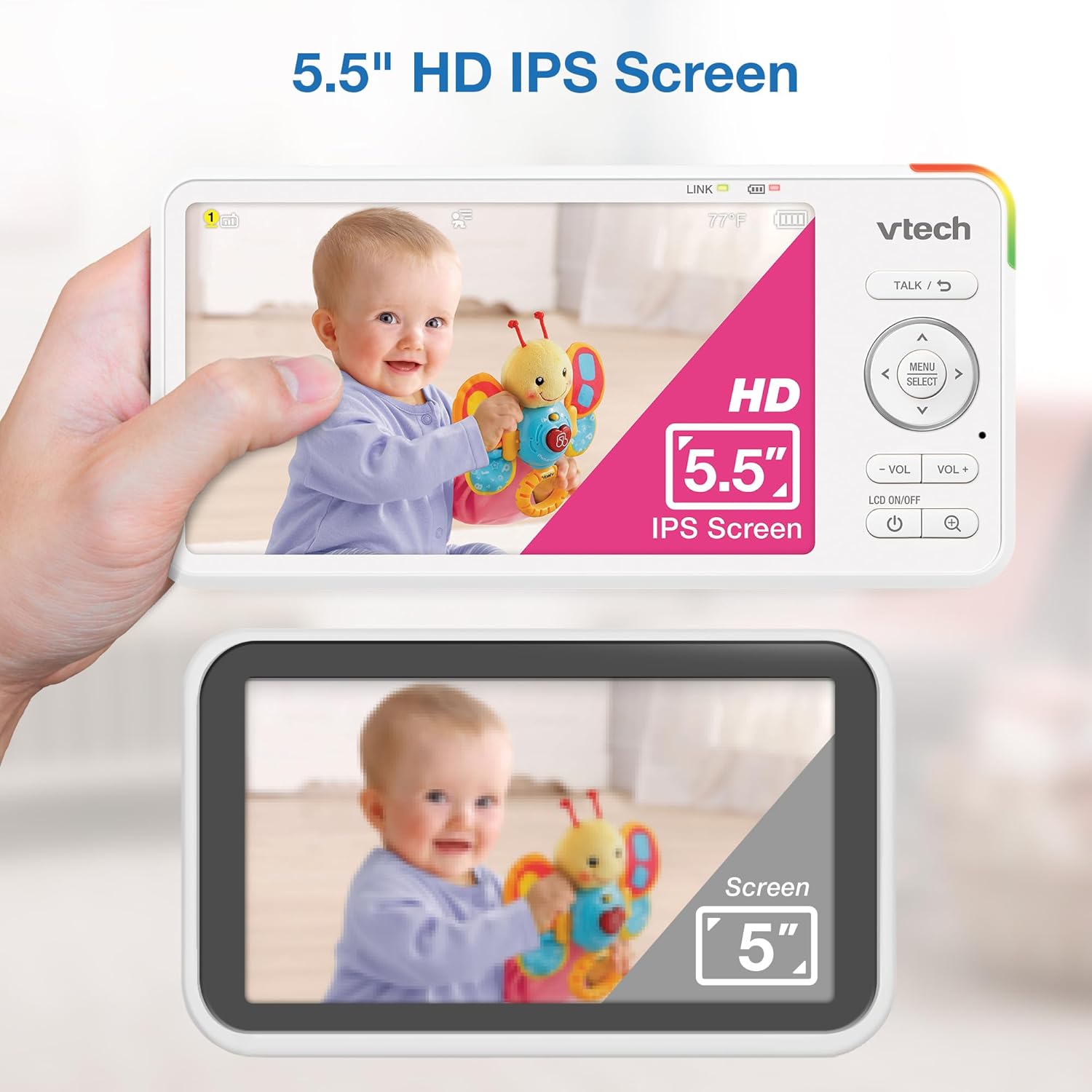
Image 5.1: The 5.5" HD IPS screen offers a larger and clearer view compared to standard screens.
5.3. Panorámica, inclinación y zoom
Use the arrow buttons on the parent unit to remotely adjust the camera's view:
- Presione el Arriba/Abajo arrows to tilt the camera vertically (122-degree vertical view).
- Presione el Izquierda/Derecha arrows to pan the camera horizontally (360-degree panoramic view).
- Presione el ZOOM button to activate the 4x digital zoom for a closer look.

Image 5.2: Remote pan, tilt, and 4x zoom functionality for comprehensive nursery coverage.
5.4. Conversación bidireccional
Para hablar con su bebé, mantenga presionado el HABLAR button on the parent unit. Release the button to stop talking and resume listening.

Image 5.3: Using the two-way talk feature to communicate with your baby.
5.5. Night Light, Lullabies, and Soothing Sounds
Access these features through the parent unit's menu:
- Luz de noche: Select the night light option to choose from 7 colors or adjust brightness. The adaptive feature adjusts to nursery brightness.
- Lullabies & Soothing Sounds: Choose from five melodies and five ambient sounds to play through the baby unit.
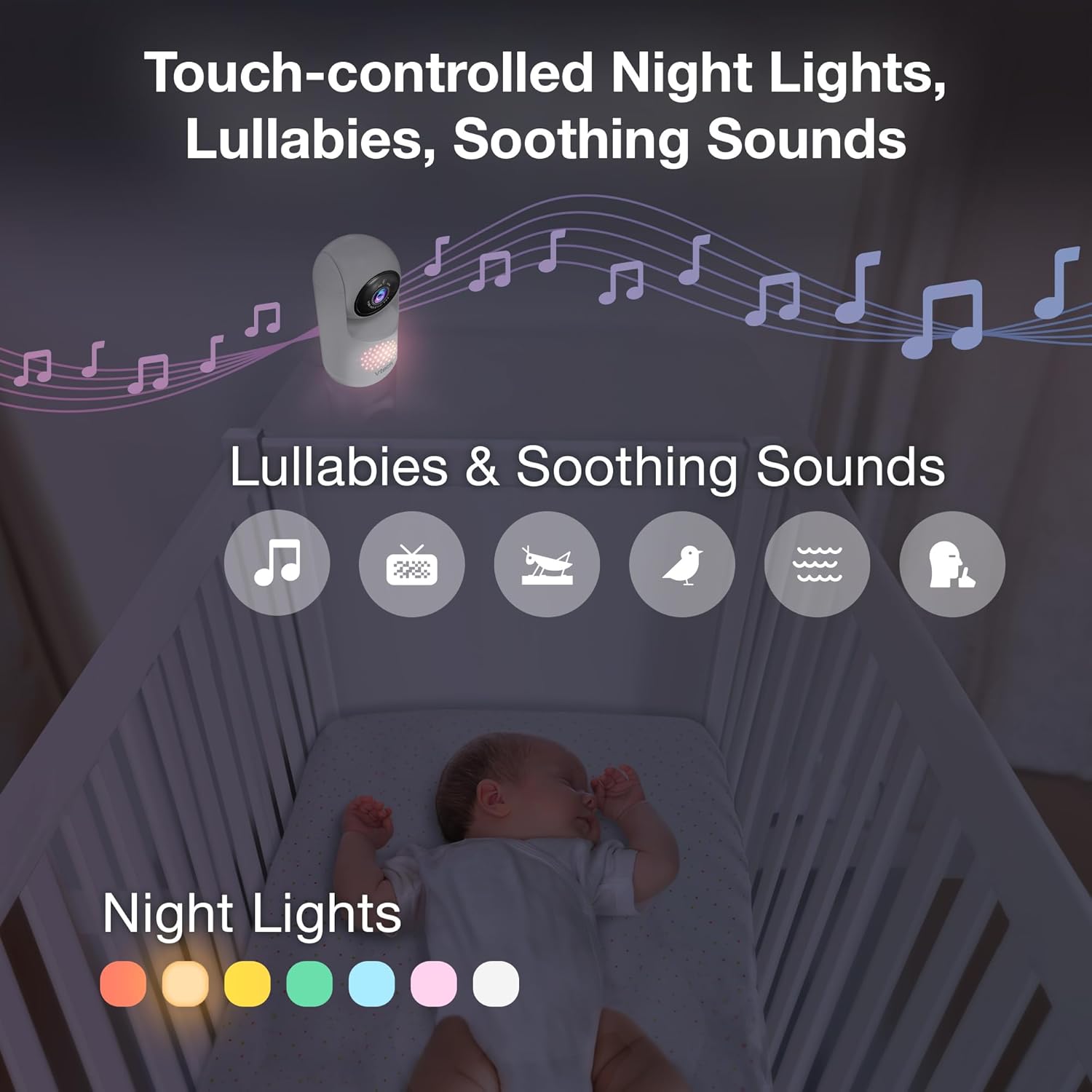
Image 5.4: The camera unit provides touch-controlled night lights, lullabies, and soothing sounds.
5.6. Monitoreo de temperatura
The parent unit displays the current temperature of the baby's room, measured by the baby unit. This helps ensure a comfortable environment for your baby.
5.7. Motion and Sound Alerts
The monitor is equipped with motion and sound detection. When activity is detected, the parent unit will provide an alert. You can adjust the sensitivity settings in the menu.

Image 5.5: Motion and temperature alerts displayed on the parent unit.
5.8. Visión nocturna
La unidad del bebé activa automáticamente la visión nocturna por infrarrojos en condiciones de poca luz, proporcionando una imagen clara en blanco y negro en la unidad de los padres.

Image 5.6: Automatic infrared night vision for clear monitoring in the dark.
6. Mantenimiento
6.1. Limpieza
- Limpie las unidades del monitor con un paño suave y húmedo.amp paño.
- No utilice aerosoles de limpieza ni limpiadores líquidos.
- Asegúrese de que las unidades estén desenchufadas antes de limpiarlas.
6.2. Cuidado de la batería
- To prolong battery life, fully charge the parent unit before first use.
- Evite temperaturas extremas, que pueden afectar el rendimiento de la batería.
- If storing the unit for an extended period, charge the battery periodically.

Image 6.1: The 5,000mAh rechargeable battery provides extended monitoring time.
7. Solución de problemas
If you experience issues with your VTech Advanced HD Plus monitor, refer to the following common solutions:
| Problema | Posible solución |
|---|---|
| No link / Poor connection |
|
| Sin imagen / Pantalla negra |
|
| Sin sonido / Volumen bajo |
|
| La batería se agota rápidamente |
|
If the problem persists after trying these solutions, please contact VTech customer support.
8. Especificaciones
| Característica | Detalle |
|---|---|
| Nombre del modelo | Advanced HD Plus |
| Tamaño de pantalla | Pantalla LCD IPS de 5.5 pulgadas |
| Resolución de vídeo | 720p |
| Tecnología de conectividad | 2.4G FHSS Wireless (No Wi-Fi) |
| Rango | Hasta 1,000 pies (línea de visión) |
| Capacidad de la batería | 5000 mAh |
| Battery Life (Video Streaming) | Hasta 13 horas |
| Battery Life (Audio-only) | Hasta 19 horas |
| Ángulo de giro | 360 degrees panoramic |
| Ángulo de inclinación | 122 grados verticales |
| Zoom | 4x Digital |
| Gran angular View | 110 grados |
| Visión nocturna | Infrarrojos automáticos |
| Tipos de alerta | Audio y movimiento |
| Fuente de poder | Eléctrico con cable (5 V, 7.5 W) |
| Dimensions (Parent Unit) | 6.58 x 3.23 x 0.71 pulgadas |
| Peso del artículo | 1.6 libras (0.73 kg) |
| Código Postal | 735078058157 |
9. Soporte y garantía
For technical support, product registration, or warranty information, please visit the official VTech webSitio o póngase en contacto con atención al cliente:
- Websitio: www.vtechbabycare.com
- Correo electrónico: soporte@vtechbabycare.com
Please refer to your product packaging or the VTech webSitio para obtener detalles de garantía específicos aplicables a su región.


