1. Introducción
The EDIFIER MP330 is a portable Bluetooth speaker designed to deliver a high-quality audio experience with its retro aesthetic and advanced features. It supports Hi-Res audio and offers versatile connectivity options.

Image: The EDIFIER MP330 portable Bluetooth speaker, showcasing its brown finish and integrated leather handle.
2. Contenido del paquete
Por favor, marque la casilla correspondiente a los siguientes artículos:
- EDIFIER MP330 Speaker x 1
- Cable USB-C a USB-C x 1
- Guía de inicio rápido x 1
- Important Safety Information x 1

Image: A visual representation of the EDIFIER MP330 speaker and its included accessories: USB-C cable, quick start guide, and safety information.
3. Producto terminadoview
3.1 Controles y puertos
The EDIFIER MP330 features intuitive controls and essential ports for various audio sources.
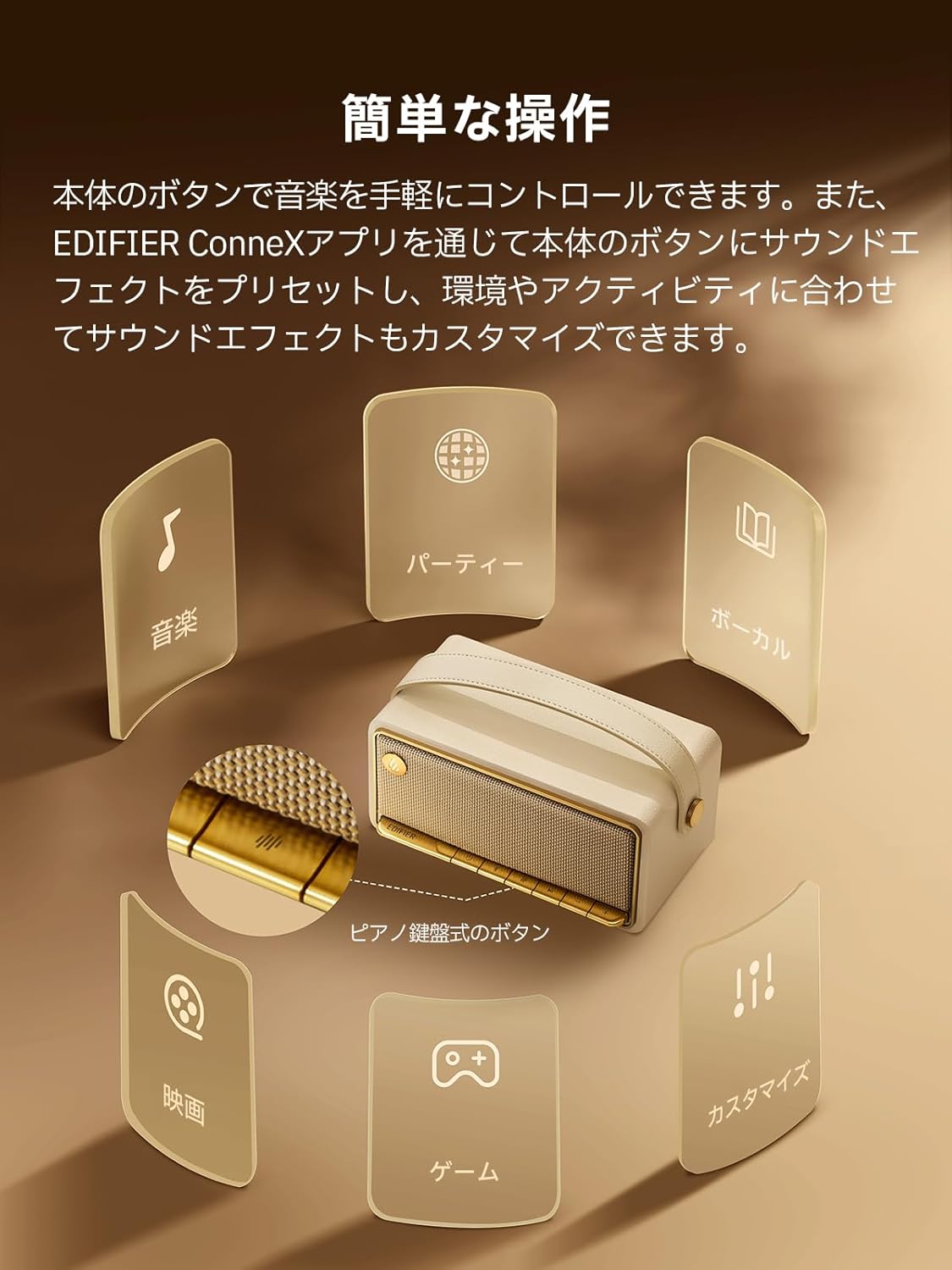
Image: A diagram illustrating the control buttons and indicator lights on the EDIFIER MP330 speaker, showing their functions for power, mode selection, playback, and volume.
- Botón de encendido: Mantenga presionado para encender/apagar.
- Botón de modo: Short press to cycle through Bluetooth, USB-C, and microSD card input modes.
- Botón de reproducción/pausa: Presione brevemente para reproducir o pausar el audio.
- Botón para subir volumen/siguiente pista: Presione brevemente para subir el volumen, presione prolongadamente para la siguiente pista.
- Botón para bajar el volumen/pista anterior: Presione brevemente para bajar el volumen, presione prolongadamente para la pista anterior.
- Puerto USB-C: Para carga y entrada de audio.
- Ranura para tarjeta microSD: Para reproducir audio files directly from a microSD card.
4. Configuración
4.1 Carga del altavoz
Before first use, fully charge the speaker using the provided USB-C cable and a compatible power adapter (not included). The indicator light will show charging status.
4.2 Encendido y apagado
- Para encender: Mantenga presionado el botón de encendido hasta que se ilumine la luz indicadora.
- Para apagar: Mantenga presionado el botón de encendido hasta que la luz indicadora se apague.
4.3 Emparejamiento Bluetooth
Para conectar su dispositivo a través de Bluetooth:
- Power on the MP330 speaker. The Bluetooth indicator will flash, indicating it is in pairing mode.
- En tu dispositivo (teléfono inteligente, tableta, etc.), activa el Bluetooth y busca dispositivos disponibles.
- Select "EDIFIER MP330" from the list of devices.
- Una vez conectado, el indicador de Bluetooth permanecerá fijo.
4.4 Conexión multipunto
The MP330 supports connecting to two Bluetooth devices simultaneously. After connecting the first device, put the speaker back into pairing mode and connect the second device. You can then switch between audio sources by pausing playback on one device and starting it on the other.

Image: Two mobile phones displaying music playback interfaces, indicating a multipoint Bluetooth connection to the EDIFIER MP330 speaker.
4.5 Emparejamiento estéreo (TWS)
For an enhanced stereo sound experience, you can pair two MP330 speakers together:
- Ensure both MP330 speakers are powered on and not connected to any Bluetooth device.
- On one speaker, press and hold the Bluetooth button until it enters TWS pairing mode (indicator light will flash a specific pattern).
- The two speakers will automatically connect to each other. One speaker will become the left channel and the other the right.
- Una vez emparejado, conecte su dispositivo al altavoz principal a través de Bluetooth como se describe en la sección 4.3.

Image: Two EDIFIER MP330 speakers, one black and one ivory, positioned to illustrate stereo pairing, with a Bluetooth logo and arrows indicating connection.
5. Instrucciones de funcionamiento
5.1 Cambio de modos de entrada
Short press the Mode button to switch between Bluetooth, USB-C, and microSD card input modes. The indicator light will change color to reflect the active mode.
5.2 USB-C Audio Playback
Connect the MP330 to your computer using the provided USB-C cable. The speaker will automatically switch to USB-C audio mode. Select "EDIFIER MP330" as the audio output device on your computer.

Image: A diagram showing the EDIFIER MP330 speaker connected to a computer via a USB-C cable, indicating USB-C audio playback.
5.3 microSD Card Playback
Inserte una tarjeta microSD que contenga audio files into the microSD card slot. The MP330 will automatically switch to microSD card mode and begin playback.

Image: A diagram illustrating how to insert a microSD card into the dedicated slot on the EDIFIER MP330 speaker.
5.4 Using the EDIFIER Connex App
Download the EDIFIER Connex app to unlock extended features and customize your listening experience. The app allows you to:
- Cambia las fuentes de entrada.
- Controlar la reproducción.
- Customize sound effects (equalizer presets or custom settings).
- Access the electronic user manual and other settings.

Image: Multiple smartphone screens displaying the EDIFIER Connex app interface, highlighting various control and customization options for the speaker.
6. Mantenimiento
To ensure the longevity and optimal performance of your EDIFIER MP330 speaker, follow these maintenance guidelines:
- Limpieza: Use a soft, dry cloth to clean the speaker's surface. Avoid using abrasive cleaners, solvents, or strong chemicals, as they may damage the finish.
- Almacenamiento: Guarde el altavoz en un lugar fresco y seco, alejado de la luz solar directa, temperaturas extremas y alta humedad.
- Exposición al agua: The speaker is not waterproof. Avoid exposing it to water, rain, or excessive moisture.
- Manejo: Manipule el altavoz con cuidado. Evite dejarlo caer o someterlo a impactos fuertes.
- Cuidado de la batería: Para una vida útil óptima de la batería, evite descargarla completamente con frecuencia. Si la va a guardar durante un período prolongado, cárguela al 50 % aproximadamente cada pocos meses.
7. Solución de problemas
If you encounter issues with your EDIFIER MP330 speaker, refer to the following common troubleshooting steps:
- Sin energía:
- Asegúrese de que el altavoz esté completamente cargado.
- Check if the power button is pressed and held correctly to turn on the device.
- Sin sonido:
- Verify the volume level on both the speaker and your connected device.
- Ensure the correct input mode (Bluetooth, USB-C, microSD) is selected.
- Si usa Bluetooth, asegúrese de que el altavoz esté correctamente emparejado y conectado a su dispositivo.
- If using a microSD card, ensure the card is inserted correctly and contains playable audio files.
- Problemas de emparejamiento de Bluetooth:
- Asegúrese de que el altavoz esté en modo de emparejamiento Bluetooth (luz indicadora intermitente).
- Deshabilite y vuelva a habilitar Bluetooth en su dispositivo.
- Acerque el altavoz a su dispositivo y aléjelo de posibles fuentes de interferencia.
- Intente desvincular y volver a vincular el altavoz desde la configuración de Bluetooth de su dispositivo.
- Stereo Pairing Not Working:
- Asegúrese de que ambos altavoces no estén conectados a ningún otro dispositivo Bluetooth antes de iniciar el emparejamiento TWS.
- Siga cuidadosamente los pasos de emparejamiento de TWS (Sección 4.5).
- Problemas de conectividad de aplicaciones:
- Ensure Bluetooth is enabled and the speaker is connected to your device.
- Update the EDIFIER Connex app to the latest version.
- Reinicie tanto el altavoz como su dispositivo.
If the problem persists after trying these steps, please contact Edifier customer support for further assistance.
8. Especificaciones
Detailed technical specifications for the EDIFIER MP330 speaker:

Image: A comparison chart highlighting key specifications of the EDIFIER MP330 and MP230 models, including output power, Bluetooth version, battery capacity, playback time, and Hi-Res audio support.
| Característica | Especificación |
|---|---|
| Nombre del modelo | MP330 |
| Tipo de altavoz | Altavoz portátil |
| Material | Madera (MDF) |
| Color | Marrón |
| Potencia de salida | Potencia efectiva de 40 W |
| Versión de Bluetooth | 6.0 |
| Capacidad de la batería | 4800 mAh |
| Tiempo de reproducción | Hasta 19 horas (al 50% del volumen) |
| Respuesta de frecuencia | 53 Hz-40 kHz |
| Audio de alta resolución | Supported (up to 24bit/96kHz) |
| Conectividad | Bluetooth, USB-C, microSD card |
| Dimensiones (An x Pr x Al) | 20.7 x 11.6 x 10.1 cm |
| Peso | 1.13 kilogramos |
| Método de control | Aplicación, pulsar un botón |
| Relación señal-ruido (S/N) | 85 dB |

Image: A technical drawing showing the dimensions (width, depth, height) and weight of the EDIFIER MP330 speaker.
9. Garantía y soporte
For warranty information, please refer to the warranty card included in your product packaging or visit the official Edifier website. If you require technical support or have questions about your EDIFIER MP330 speaker, please contact Edifier customer service through their official channels.
Edifier Oficial Websitio: www.edificador.com


