1. Introducción
This manual provides essential information for the safe and efficient use of your HP 140W USB-C AC Adapter (Model TPN-LA29). Please read this manual thoroughly before using the product and retain it for future reference.
The HP 140W USB-C AC Adapter is designed to provide reliable power to compatible HP laptops, including the HP Spectre 2-in-1 Laptop 16-aa0023dx, HP OMEN Transcend Laptop 14-fb0000 RTX 4050 4060, and HP Spectre x360 16-aa0000 Ultra 7 RTX 4050 models. It features a USB-C connector for versatile compatibility and fast charging capabilities.
2. Información de seguridad
Tenga en cuenta las siguientes precauciones de seguridad para evitar lesiones o daños a su dispositivo:
- Úselo únicamente con dispositivos compatibles como se especifica en este manual.
- No exponga el adaptador al agua, la humedad o temperaturas extremas.
- Evite dejar caer o someter el adaptador a impactos fuertes.
- Do not attempt to disassemble or modify the adapter. This will void the warranty and may cause electric shock or fire.
- Asegúrese de que la toma de corriente sea de fácil acceso y esté correctamente conectada a tierra.
- Desconecte el adaptador de la toma de corriente durante tormentas eléctricas o cuando no lo utilice durante períodos prolongados.
- Mantenga el adaptador fuera del alcance de los niños.
- If the adapter or cable is damaged, discontinue use immediately and seek professional assistance.
3. Contenido del paquete
Verifique que todos los artículos estén presentes en su paquete:
- HP 140W USB-C AC Adapter (Model TPN-LA29)
- Cable de alimentación
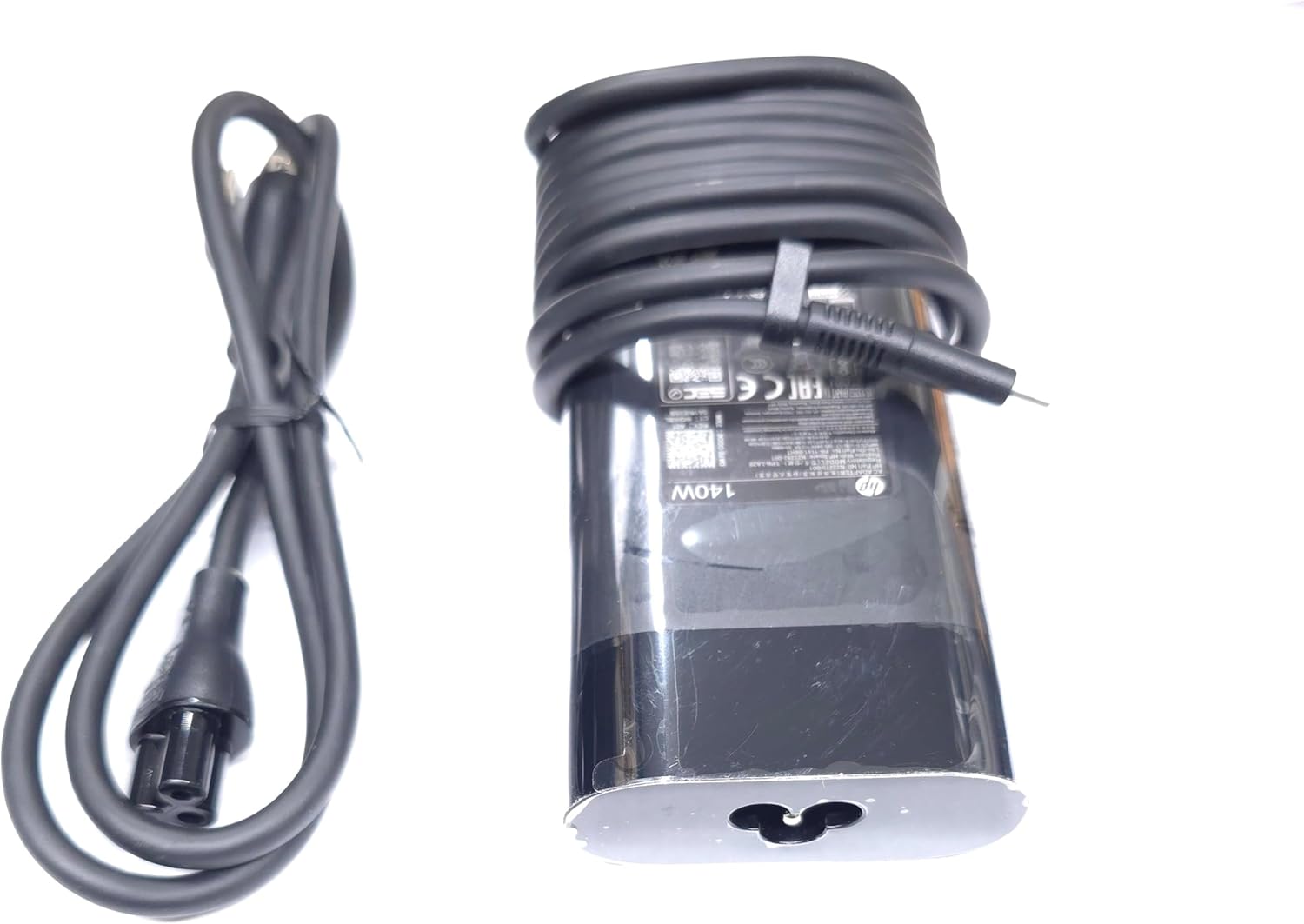
Image: The HP 140W USB-C AC Adapter and its accompanying power cord, as typically found in the product packaging.
4. Instrucciones de configuración
Follow these steps to set up your HP 140W USB-C AC Adapter:
- Conecte el cable de alimentación: Insert the power cord into the AC input port on the HP 140W USB-C AC Adapter. Ensure a firm connection.
- Conectar a la toma de corriente: Conecte el otro extremo del cable de alimentación a un tomacorriente de pared CA estándar.
- Conectar a la computadora portátil: Insert the USB-C connector of the adapter into the USB-C charging port on your compatible HP laptop.
- Verificar conexión: Confirm that your laptop indicates it is receiving power or charging.

Image: The USB-C end of the adapter cable, ready to be connected to a compatible laptop's charging port.
5. Instrucciones de funcionamiento
The HP 140W USB-C AC Adapter is designed for automatic operation. Once connected, it will provide power to your laptop and charge its battery.
- Indicador de carga: Your laptop's operating system or physical indicator light will show the charging status.
- Rendimiento óptimo: For best performance, ensure the adapter is placed in a well-ventilated area to prevent overheating.
- Desconexión: To disconnect, first unplug the USB-C connector from your laptop, then unplug the power cord from the wall outlet.
6. Mantenimiento y cuidado
Proper care ensures the longevity and optimal performance of your adapter:
- Limpieza: Utilice un paño suave y seco para limpiar el adaptador. No utilice limpiadores líquidos ni disolventes.
- Almacenamiento: When not in use, store the adapter in a cool, dry place. Avoid tightly wrapping the cables to prevent damage.
- Inspección: Periodically inspect the adapter and cables for any signs of wear, cuts, or damage. If damage is found, replace the adapter.
7. Solución de problemas
If you encounter issues with your HP 140W USB-C AC Adapter, refer to the following common problems and solutions:
| Problema | Posible causa | Solución |
|---|---|---|
| La computadora portátil no se carga. | Loose connection, faulty outlet, incompatible device. |
|
| El adaptador está caliente al tacto. | Funcionamiento normal, mala ventilación, carga excesiva. |
|
| Sparking at outlet when plugging in. | Normal inrush current, faulty outlet. |
|
8. Especificaciones
Detailed technical specifications for the HP 140W USB-C AC Adapter:
- Número de modelo: TPN-LA29
- Aporte: AC 100V - 240V, 2.5A, 50-60Hz (Worldwide Use)
- Producción:
- 5.0 V/3.0 A (15.0 W)
- 9.0 V/3.0 A
- 12.0 V/5.0 A
- 15.0 V/5.0 A
- 20.0 V/5.0 A
- 28.0 V/5.0 A
- Potencia total de salida: 140 W
- Tipo de conector: USB-C (Tipo-C)
- Color: Negro
- Peso del artículo: Aproximadamente 1 libra (0.45 kg)
- Dimensiones del paquete: 7.83 x 6.93 x 1.26 pulgadas (19.89 x 17.60 x 3.20 cm)
- Compatible P/N: TPN-LA29, N22270-001, N22282-001, PA-1141-08HT
- Fabricante: Corporación de tecnología Lite-On
- Característica especial: Carga rápida
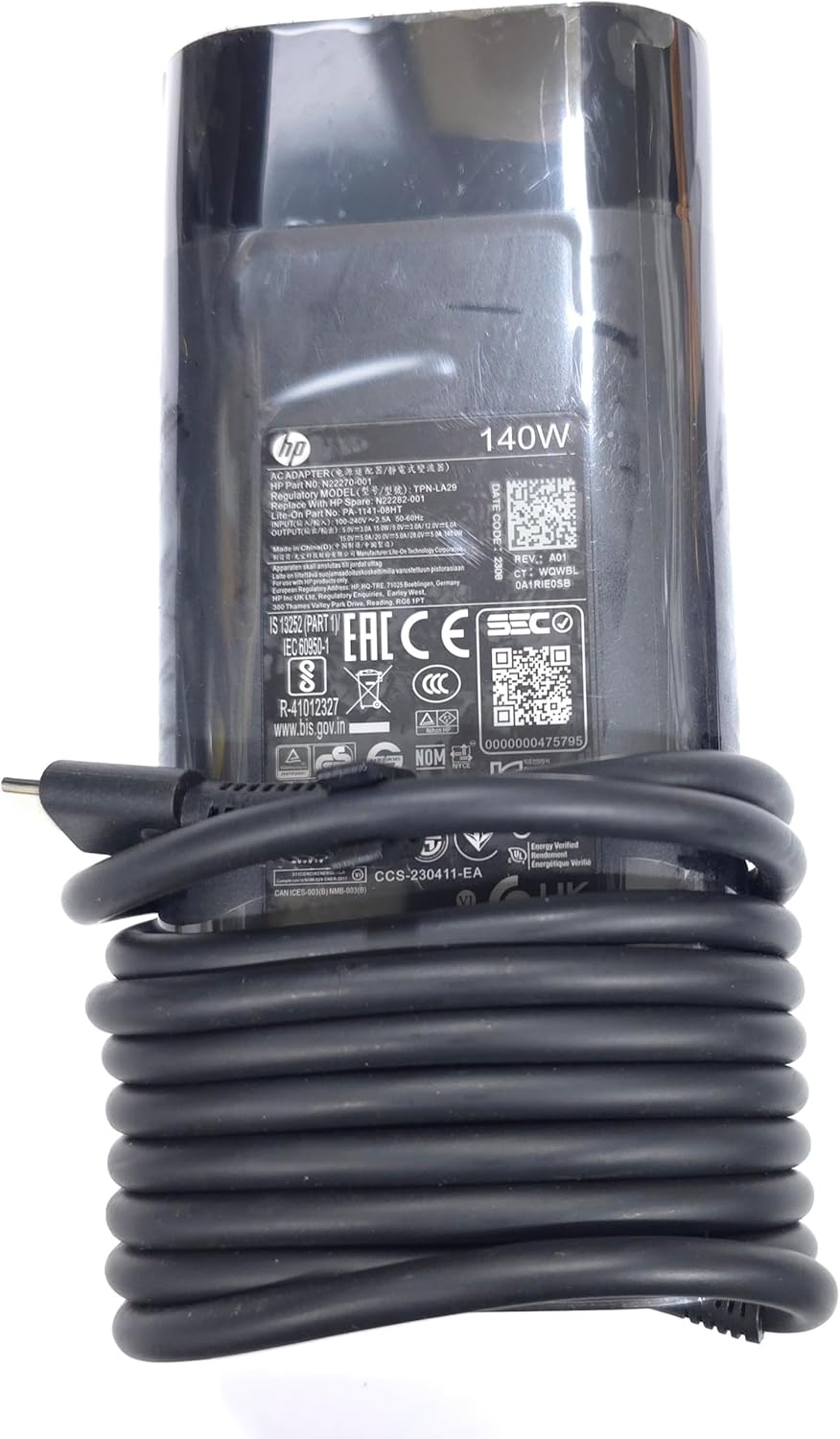
Imagen: Un primer plano view of the adapter's label, displaying detailed electrical specifications and model information.
9. Garantía y soporte
For warranty information and technical support, please refer to the documentation provided with your original HP laptop or visit the official HP support website. The manufacturer, Lite-On Technology Corp., provides the adapter under HP's quality standards.
Soporte en línea: For the latest drivers, troubleshooting guides, and product information, visit www.hp.com/support.
Contactar con soporte: Refer to your region-specific HP support contact details for phone or chat assistance.