1. Producto terminadoview
The Elitech DR-230-THE is a Bluetooth-enabled hygrometer and thermometer designed for precise temperature and humidity monitoring. It features a large display, extensive data storage, and smart alarm capabilities, making it suitable for various environments such as warehouses, laboratories, and cold storage facilities.
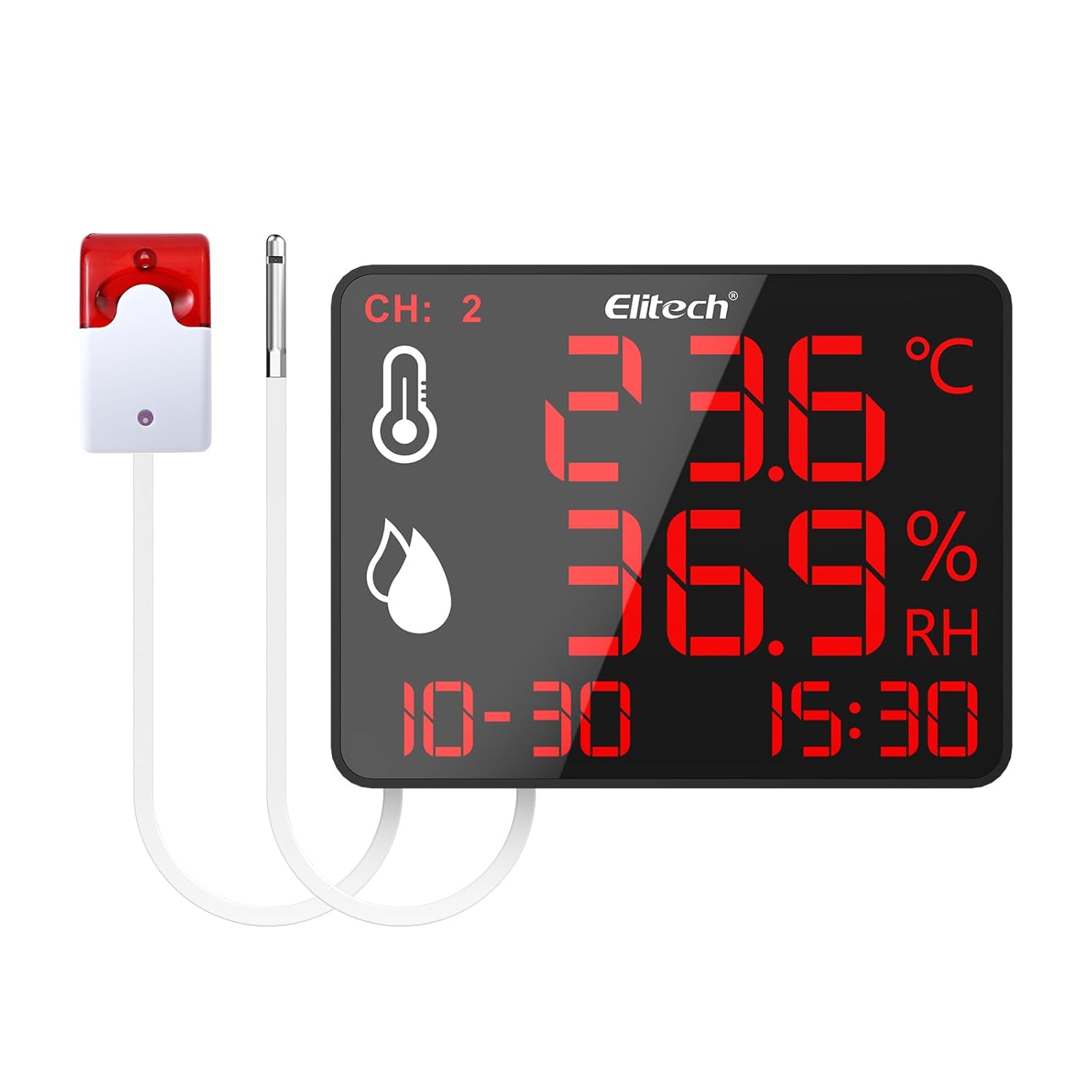
Figure 1: Elitech DR-230-THE device with external alarm and sensor.
2. Características principales
- 10.6-inch Jumbo Display: Provides clear visibility of temperature and humidity readings across large spaces.
- 30,000 Data Points Storage: Robust cyclic storage capacity with automatic overwrite to ensure continuous data recording.
- Monitoreo de doble canal: Simultaneously track two zones using external sensors.
- Alertas inteligentes: Customizable alarms including screen flashing and an optional 110dB external siren with adjustable delays.
- Conectividad Bluetooth: Monitor data remotely via the Elitech iCold app (up to 147ft range).
- Universal Power & Flexible Installation: Supports 100–240V power input with interchangeable plugs and offers wall-mounting or desktop stand options.
3. Configuración
3.1 Contenido del paquete
Verifique que todos los componentes estén presentes:
- Elitech DR-230-THE device
- External temperature/humidity sensor(s)
- External alarm (optional, if included with model)
- Power adapter with interchangeable plugs (US, EU, UK, China standards)
- Accesorios de montaje (tornillos, anclajes de pared)
- Manual de usuario (este documento)
3.2 Encendido del dispositivo
- Seleccione el enchufe de alimentación apropiado para su región y conéctelo al adaptador de corriente.
- Connect the power adapter to the Power Supply Interface on the back of the DR-230-THE device.
- Plug the power adapter into a standard 100–240V AC outlet. The device will power on automatically.
3.3 Sensor and Alarm Connection
- Locate the External Sensor Interface on the back of the device. Connect the external temperature/humidity sensor(s) to these ports.
- If your model includes an external alarm, connect it to the External Siren Interface.

Figure 2: Back panel connections including wall-mounting hole, external sensor interface, external siren interface, and power supply interface.
3.4 Opciones de instalación
The DR-230-THE offers flexible installation:
- Soporte de escritorio: Utilize the integrated back bracket for stable placement on any flat surface.
- Montaje en pared: Use the wall-mounting hole and provided screws to secure the device to a wall. Ensure the wall can support the device's weight.
4. Instrucciones de funcionamiento
4.1 Visualización sobreview
The 10.6-inch display provides real-time information:

Figure 3: The 4-in-1 display shows temperature, humidity, date, and time. Device dimensions are approximately 8.5" (21.5cm) length and 6.5" (16.5cm) width.
- CH: 2: Indicates dual-channel monitoring is active.
- Icono de temperatura: Muestra la lectura de temperatura actual.
- Humidity Icon: Displays the current relative humidity reading.
- Fecha y hora: Muestra la fecha y hora actuales.
4.2 Conectividad Bluetooth e integración de aplicaciones
The Elitech iCold app allows for remote monitoring and configuration:
- Download the Elitech iCold app from your smartphone's app store.
- Asegúrese de que Bluetooth esté habilitado en su teléfono inteligente.
- Open the Elitech iCold app and follow the on-screen instructions to connect to your DR-230-THE device.
- Una vez conectado, puede view real-time graphs, configure parameters, and access automatic data recording.

Figure 4: The Elitech iCold app provides real-time charts and instant PDF reports.
4.3 Registro y exportación de datos
The device automatically stores up to 30,000 data points. Old data is overwritten once the storage capacity is reached.
- Through the Elitech iCold app, users can export real-time charts and instant PDF reports for data analysis and record-keeping.

Figure 5: The device stores 30,000 data points, ensuring critical information is retained.
4.4 Configuración de alarmas
The DR-230-THE features customizable alarms:
- Pantalla parpadeante: The device screen will flash when readings exceed set thresholds.
- External Siren: If connected, the optional 110dB external siren will activate.
- Retraso ajustable: Alarm delays can be set between 3 to 10 seconds to prevent false alerts from transient fluctuations.
Alarm thresholds and delays are configured via the Elitech iCold app.
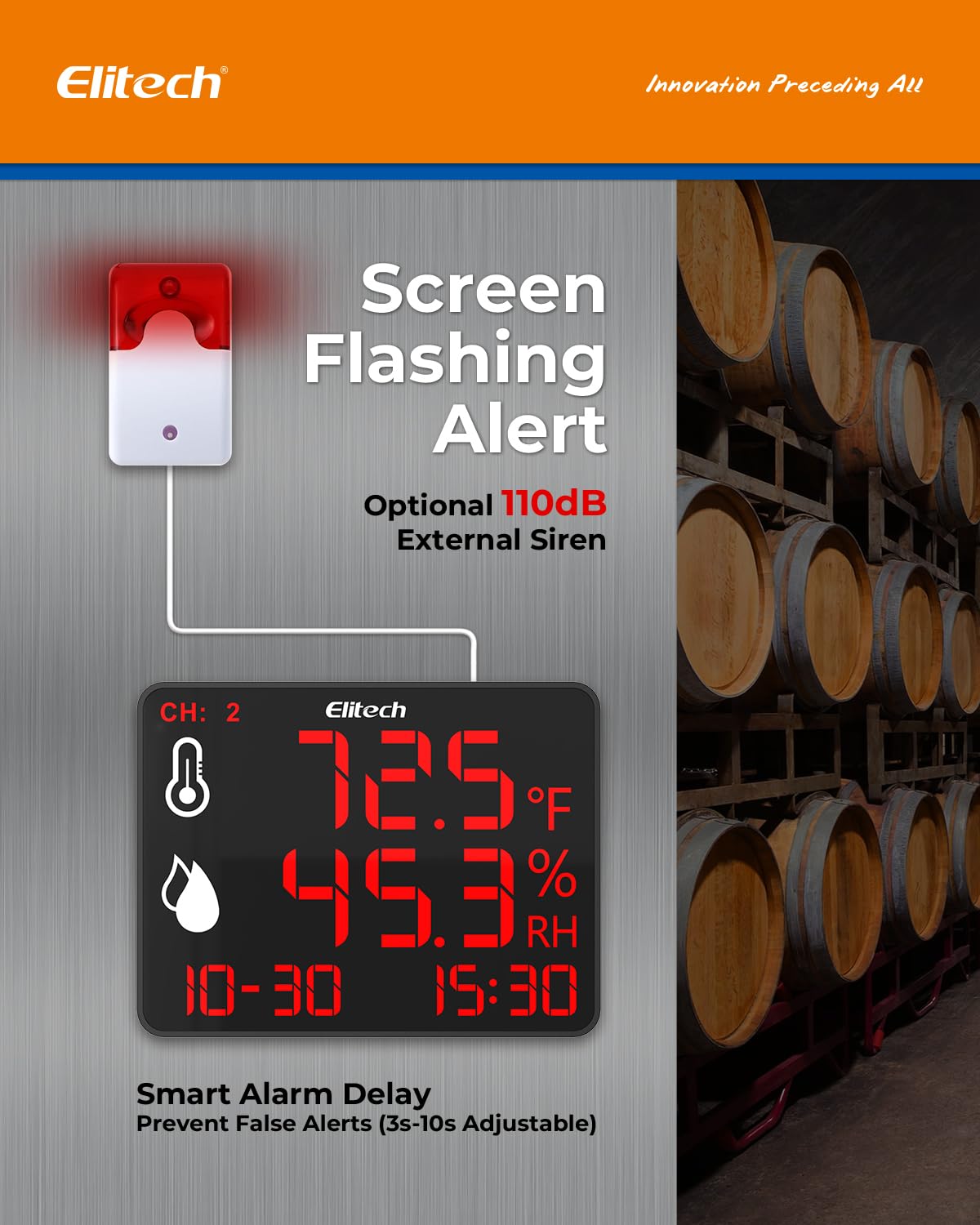
Figure 6: Screen flashing and optional 110dB external siren provide smart alerts with adjustable delays.
5. Mantenimiento
- Limpieza: Wipe the device and sensors with a soft, dry cloth. Do not use abrasive cleaners or immerse the device in water.
- Cuidado del sensor: Keep sensors free from dust and debris to ensure accurate readings. Avoid exposing sensors to extreme physical shock or corrosive substances.
- Almacenamiento: Cuando no utilice el dispositivo durante períodos prolongados, guárdelo en un lugar fresco y seco, alejado de la luz solar directa.
6. Solución de problemas
| Problema | Posible causa | Solución |
|---|---|---|
| El dispositivo no se enciende. | No hay fuente de alimentación o adaptador defectuoso. | Check power connection. Ensure adapter is securely plugged into device and outlet. Try a different outlet. |
| Lecturas inexactas. | Sensor obstruction or damage; device placed in an unsuitable environment. | Ensure sensors are clean and unobstructed. Relocate the device to a stable environment away from direct heat sources or drafts. |
| Problemas de conexión Bluetooth. | Bluetooth off; device out of range; app issues. | Ensure Bluetooth is enabled on your phone. Move closer to the device (within 147ft). Restart the app or your phone. |
| Alarm not triggering. | Alarm thresholds not set correctly; alarm delay too long; external siren disconnected. | Verify alarm settings in the Elitech iCold app. Check external siren connection. |
7. Especificaciones
- Tamaño de pantalla: 10.6 pulgadas
- Almacenamiento de datos: 30,000 data points (auto-overwrite)
- Monitoring Channels: Dual (with external sensors)
- Tipo de alarma: Screen flashing, optional 110dB external siren
- Retardo de alarma: Adjustable (3–10 seconds)
- Conectividad: Bluetooth (up to 147ft range)
- Entrada de energía: 100-240 V CA
- Instalación: Wall-mounting, desktop stand
8. Garantía y soporte
For warranty information and technical support, please refer to the official Elitech website or contact Elitech customer service directly. Keep your purchase receipt as proof of purchase.
Elitech Technology Inc.
Información del vendedor