1. Introducción
Welcome to the RORSOU B8 Over-Ear Bluetooth Headphones. These headphones are designed to deliver a high-fidelity audio experience with deep bass, versatile connectivity, and exceptional comfort. This manual will guide you through the features and functions of your new headphones.
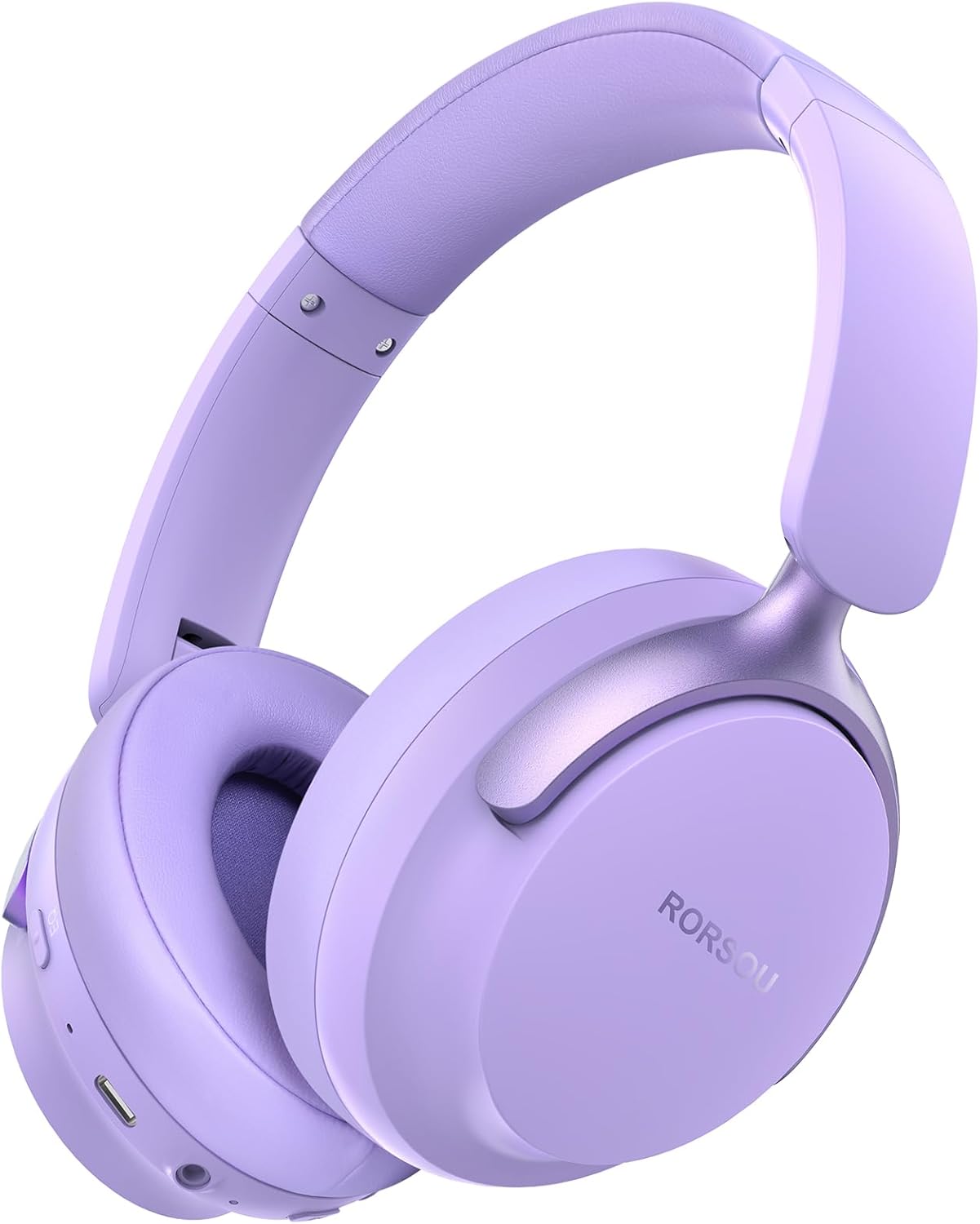
Figure 1: RORSOU B8 Over-Ear Bluetooth Headphones (Purple)
Características principales:
- Hi-Fi Stereo and Deep Bass Sound: Equipped with 40mm audio drivers and an advanced Bluetooth 5.4 chip for clear sound, full dynamic range, rich bass, and crisp mids.
- Strong Bluetooth 5.4 & Wired Connection: Offers faster, more stable data transmission, dual-device pairing, and a 3.5mm audio jack for wired use.
- Optimized Sound Quality with 6 EQ Modes: Allows switching between six preset EQ settings (Standard, Classical, Metal, Jazz, Rock, Bass) for different music styles. Features a built-in microphone for clear calls.
- All-day Comfort & Foldable Design: Ultra-soft protein leather earcups and an adjustable headband ensure comfort during extended use. The foldable and lightweight design enhances portability.
- Tiempo de juego extendido: 400mAh battery provides up to 50 hours of playtime. Can be used in wired mode when the battery is depleted.
2. ¿Qué hay en la caja?
- RORSOU B8 Over-Ear Bluetooth Headphones
- Cable de carga USB-C
- Cable de audio de 3.5 mm
- Manual de usuario
- Bolsa de transporte
3. Configuración
3.1 Carga de los auriculares
Before first use, fully charge your RORSOU B8 headphones. Connect the provided USB-C charging cable to the charging port on the headphone and the other end to a USB power source (e.g., computer, wall adapter). The LED indicator will show charging status and turn off when fully charged. A full charge takes approximately 2 hours.
3.2 Encendido / Apagado
- Para encender: Mantenga presionado el botón de encendido durante 3 segundos hasta que se encienda el indicador LED.
- Para apagar: Mantenga presionado el botón de Encendido durante 3 segundos hasta que el indicador LED se apague.
3.3 Emparejamiento Bluetooth
To connect your RORSOU B8 headphones to a Bluetooth-enabled device:
- Asegúrese de que los auriculares estén apagados.
- Mantenga pulsado el botón de encendido durante aproximadamente 5 segundos hasta que el indicador LED parpadee en azul y rojo alternativamente. Esto indica el modo de emparejamiento.
- En su dispositivo (teléfono inteligente, tableta, PC), habilite Bluetooth y busque los dispositivos disponibles.
- Select "RORSOU B8" from the list of available devices.
- Una vez conectado, el indicador LED de los auriculares parpadeará en azul lentamente o permanecerá en azul fijo.
The headphones can be paired with two devices simultaneously and seamlessly switch between them.
3.4 conexiones cableadas
For a wired connection, use the provided 3.5mm audio cable. Plug one end into the 3.5mm audio jack on the headphones and the other end into your audio source. This mode does not require battery power.
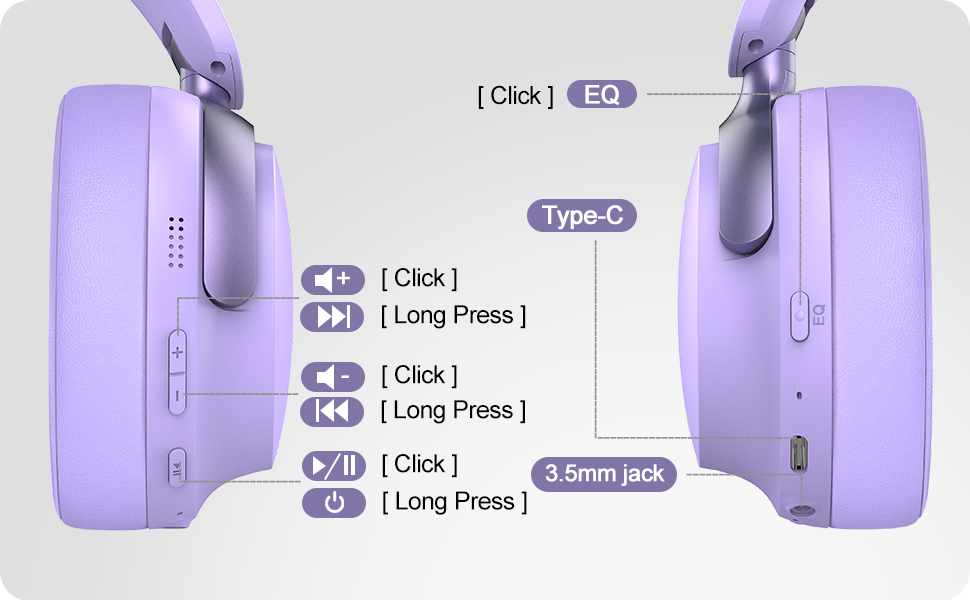
Figure 2: Bluetooth 5.4 Wireless vs. 3.5mm Wired Connection
4. Instrucciones de funcionamiento
4.1 controles sobreview
Figure 3: RORSOU B8 Headphone Controls
- Botón de encendido: Mantenga presionado para encender/apagar.
- Subir volumen (+): Haz clic para subir el volumen. Mantén pulsado para pasar a la siguiente pista.
- Bajar volumen (-): Haz clic para bajar el volumen. Mantén pulsado para ir a la pista anterior.
- Botón multifunción (Reproducir/Pausa): Click to play/pause music, answer/end calls. Long press to activate voice assistant.
- Botón EQ: Click to cycle through 6 preset EQ modes (Standard, Classical, Metal, Jazz, Rock, Bass).
4.2 modos de ecualización
The RORSOU B8 headphones feature 6 distinct EQ modes to enhance your listening experience based on music genre:
- Estándar
- Clásico
- Metal
- Jazz
- Roca
- Bajo
Press the EQ button to switch between these modes and find the optimal sound profile for your audio.
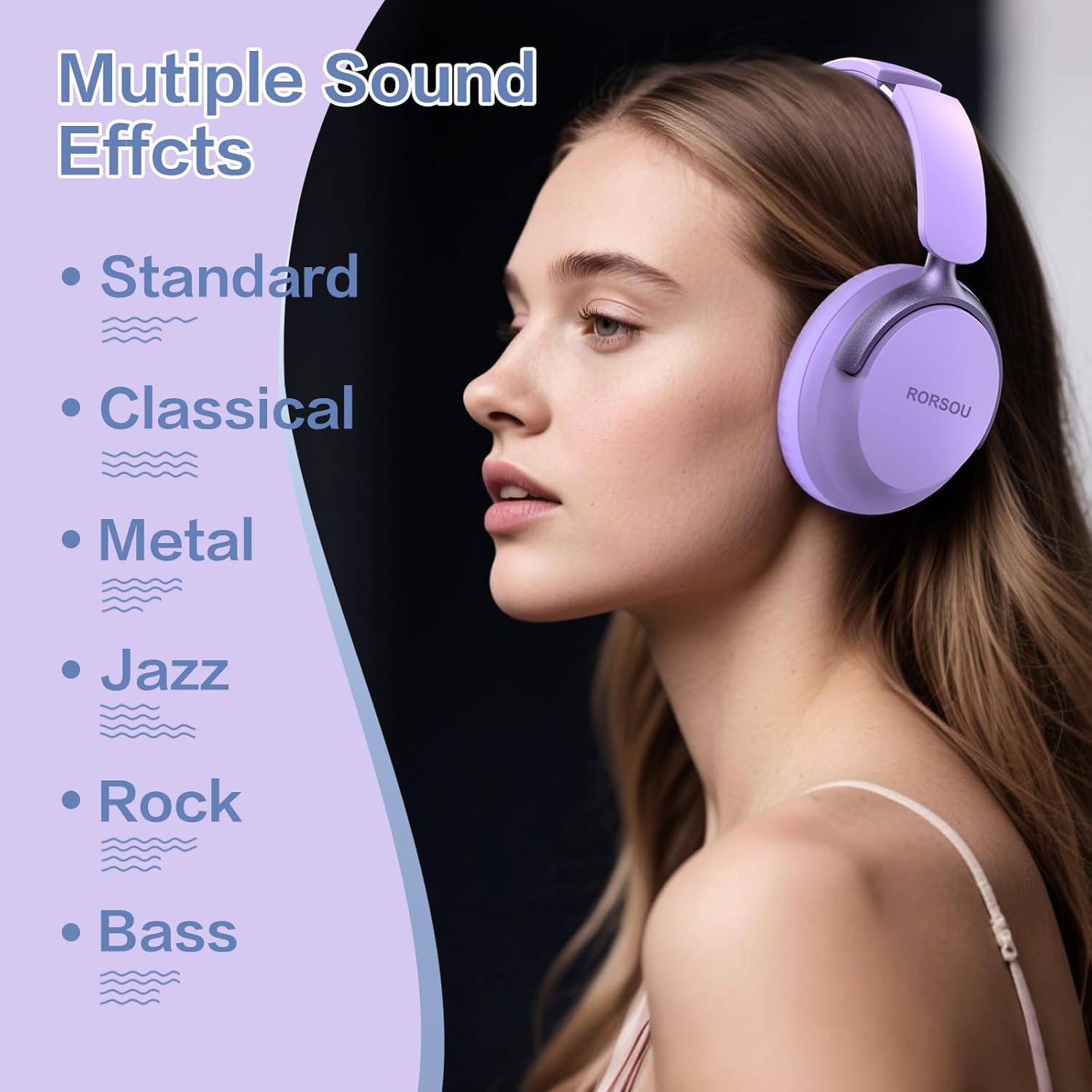
Figure 4: Multiple Sound Effects (EQ Modes)
5. Comfort and Portability
The RORSOU B8 headphones are designed for extended wear and easy transport.
- Ultra-soft Protein Leather Earcups: Provides comfort for long listening sessions.
- Diadema ajustable: Garantiza un ajuste seguro y cómodo para varios tamaños de cabeza.
- Diseño plegable: Earcups swivel 90 degrees and the headphones fold compactly for easy storage in the included carrying pouch, ideal for travel.

Figura 5: Comodidad y diseño plegable
6. Mantenimiento
To ensure the longevity and optimal performance of your RORSOU B8 headphones, follow these maintenance guidelines:
- Limpieza: Wipe the headphones with a soft, dry cloth. For earcups, use a slightly damp cloth with mild soap if necessary, then wipe dry immediately. Avoid harsh chemicals or abrasive materials.
- Almacenamiento: When not in use, store the headphones in the provided carrying pouch to protect them from dust and scratches. Store in a cool, dry place.
- Evite condiciones extremas: Do not expose the headphones to extreme temperatures, humidity, or direct sunlight. They are not water-resistant.
- Cuidado de cables: Manipule los cables de carga y audio con cuidado. Evite doblarlos bruscamente o tirarlos demasiado para evitar daños.
7. Solución de problemas
If you encounter any issues with your RORSOU B8 headphones, refer to the following common solutions:
| Problema | Posible causa | Solución |
|---|---|---|
| Los auriculares no se encienden | Batería baja | Cargue completamente los auriculares (aprox. 2 horas). |
| No se puede emparejar a través de Bluetooth | Los auriculares no están en modo de emparejamiento; el Bluetooth del dispositivo está desactivado; hay interferencias | Ensure headphones are in pairing mode (flashing blue/red). Turn off and on your device's Bluetooth. Move closer to the device. |
| Sin sonido o con mala calidad de sonido | Volume too low; incorrect EQ mode; loose wired connection; device issue | Increase headphone/device volume. Cycle through EQ modes. Re-insert 3.5mm cable firmly. Test with another audio source. |
| El micrófono no funciona | Device settings; microphone blocked | Check device's audio input settings. Ensure microphone port is clear. |
| Los auriculares se desconectan con frecuencia | Fuera de rango; interferencia; batería baja | Stay within Bluetooth range (up to 10 meters). Avoid obstacles. Charge headphones. |
If the issue persists after trying these steps, please contact RORSOU customer service for further assistance.
8. Especificaciones
| Característica | Detalle |
|---|---|
| Nombre del modelo | B8 |
| Marca | RORSOU |
| Tecnología de conectividad | Bluetooth 5.4, con cable, inalámbrico |
| Toma de auriculares | 3.5 mm Jack |
| Control de ruido | Cancelación pasiva de ruido |
| Tamaño del controlador de audio | 40 milímetros |
| Duración de la batería | 50 horas |
| Tiempo de carga | 2 horas |
| Peso del artículo | 0.23 kilogramos (8.1 onzas) |
| Material | Policarbonato (PC) |
| Tipo de control | Control de volumen, botón pulsador |
| Componentes incluidos | User Manual, USB-C Charging Cable, 3.5mm Audio Cable, Carrying Pouch |
9. Garantía y soporte
RORSOU is dedicated to providing high-quality products with excellent after-sale service. Your RORSOU B8 headphones come with a 180-day Hassle-Free Limited Protection.
If you have any questions, concerns, or require technical support, please contact RORSOU customer service. We aim to respond to all inquiries within 24 hours.
For the most up-to-date support information, please visit the official RORSOU websitio o consulte los datos de contacto proporcionados con el embalaje de su producto.


