1. Introducción
Thank you for choosing the Pro Breeze 40L Smart Dehumidifier. This manual provides important information regarding the safe operation, installation, use, and maintenance of your appliance. Please read this manual thoroughly before use and retain it for future reference.
This dehumidifier is designed to efficiently remove excess moisture from the air, helping to prevent mold, mildew, and condensation in spaces up to 50 m².
2. Instrucciones de seguridad importantes
Siga siempre las precauciones básicas de seguridad al utilizar aparatos eléctricos para reducir el riesgo de incendio, descarga eléctrica y lesiones.
- Lea atentamente todas las instrucciones antes de utilizar el aparato.
- Asegúrese del volumentagEl voltaje indicado en la etiqueta de clasificación coincide con el voltaje de su red eléctrica.tage.
- No sumerja el aparato, el cable de alimentación ni el enchufe en agua ni en otros líquidos.
- No utilice el aparato con un cable o enchufe dañado, o después de que funcione mal o se haya caído o dañado de cualquier manera.
- Mantenga el aparato fuera del alcance de los niños y las mascotas.
- Always unplug the appliance when not in use, before cleaning, or before moving.
- Asegúrese de que el aparato esté colocado sobre una superficie estable y plana.
- No bloquee las entradas ni salidas de aire. Mantenga una distancia mínima de 20 cm alrededor de la unidad.
- Este aparato es solo para uso en interiores.
- Do not use in bathrooms or other excessively humid environments where water may splash onto the unit.
3. Producto terminadoview
3.1 Componentes
The Pro Breeze 40L Smart Dehumidifier features a compact design with integrated controls and a water tank. It includes a continuous drainage option and mobility wheels for easy placement.
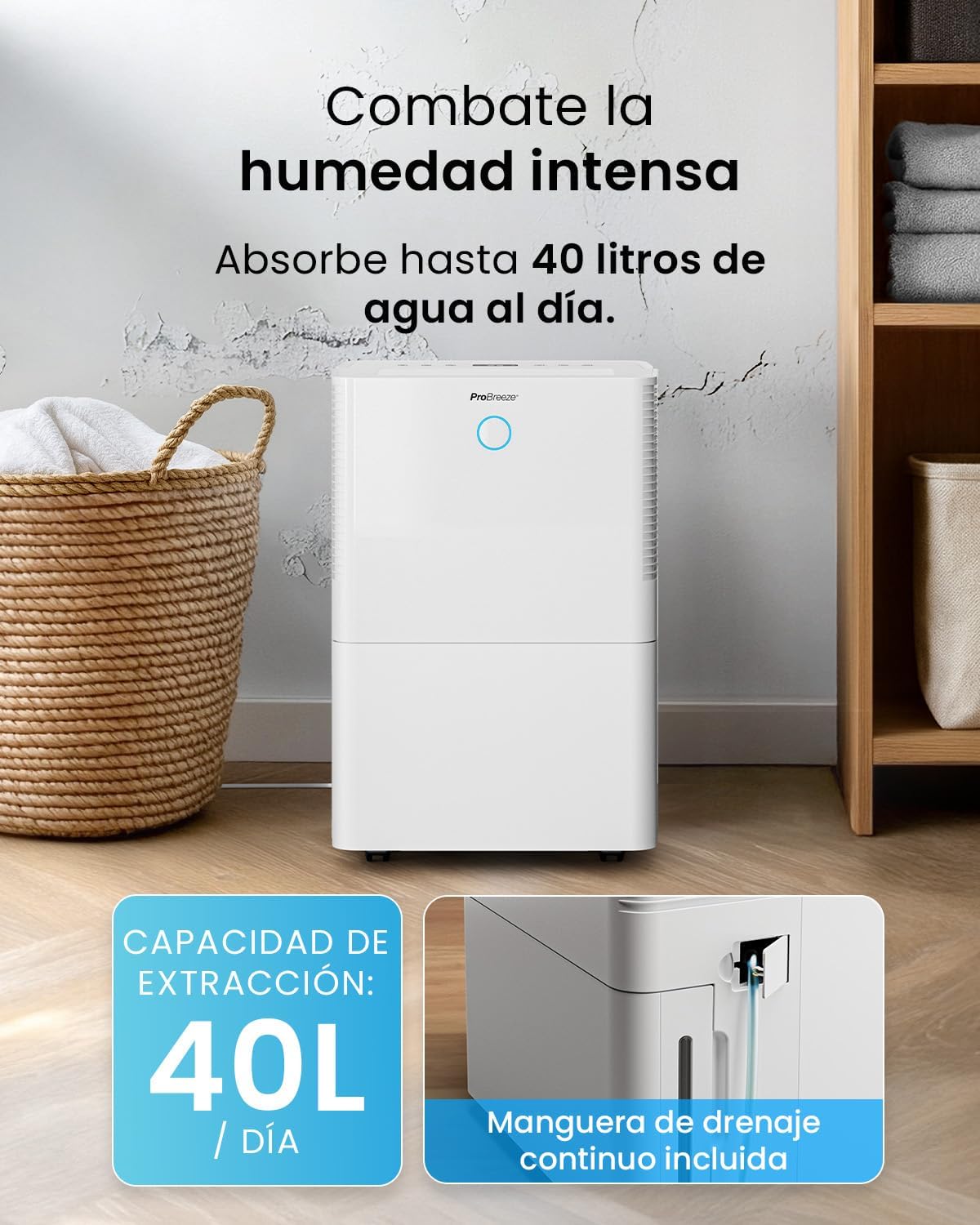
Imagen: Frente view of the Pro Breeze 40L Smart Dehumidifier, highlighting its dimensions (52cm height, 28cm depth, 35.5cm width) and key features like smart app control, laundry mode, 5.5L tank, and low energy consumption.
3.2 Panel de control y pantalla
The dehumidifier is equipped with an intuitive touch control panel and an LED display for easy operation and monitoring of humidity levels.

Image: A hand interacting with the touch control panel of the dehumidifier, showing the digital display and various function buttons.
4. Configuración
4.1 Desembalaje
- Retire con cuidado el deshumidificador de su embalaje.
- Retire todos los materiales de embalaje, incluidas las películas o cintas protectoras.
- Inspeccione el aparato para detectar cualquier signo de daño. Si está dañado, no lo utilice y contacte con atención al cliente.
4.2 Colocación
Place the dehumidifier on a firm, level surface in the desired room. Ensure there is at least 20 cm of clear space around all sides of the unit to allow for proper airflow.

Image: A person easily moving the dehumidifier across a wooden floor in a living room, demonstrating its portability with four swivel wheels.
4.3 Conexión de alimentación
Conecte el cable de alimentación a una toma de corriente con conexión a tierra. Asegúrese de que la toma cumpla con los requisitos de alimentación especificados en la sección "Especificaciones".
4.4 Drenaje continuo (opcional)
For continuous operation without needing to empty the water tank, attach the included drainage hose. Connect one end to the drainage port on the back of the unit and the other end to a suitable drain or container that is lower than the drainage port.

Imagen: Primer plano view of the dehumidifier's side, showing the continuous drainage hose connected and leading to a floor drain.
5. Instrucciones de funcionamiento
5.1 Encendido y apagado
Presione el Fuerza Botón en el panel de control para encender o apagar la unidad.
5.2 Ajuste de la humedad deseada
The dehumidifier features an automatic sensor that continuously measures room humidity. Use the Humedad buttons to set your desired humidity level between 30% and 80%.

Image: A family relaxing in a living room with the dehumidifier operating. An overlay illustrates the humidity indicator lights: Blue for >50% (Low), Green for 50-70% (Medium), and Red for <70% (High).
Modos de funcionamiento de 5.3
- Modo automático: The unit will automatically adjust its operation to maintain the set humidity level.
- Modo continuo: The dehumidifier will operate continuously regardless of the humidity level, ideal for very damp condiciones.
- Modo de lavado: This mode is designed to accelerate the drying of clothes indoors by running at maximum fan speed and continuous dehumidification.
- Modo de sueño: Reduces fan speed and dims the display for quiet operation during the night.

Image: A woman smiling while placing clothes on a drying rack next to the dehumidifier, illustrating the accelerated laundry drying feature.

Image: A family watching television in a dimly lit living room, with the dehumidifier operating quietly in the foreground, indicating its silent operation and night mode features.
5.4 Función de temporizador
Utilice el Minutero button to set a 24-hour timer for automatic power on or off. This allows you to schedule operation according to your needs.

Image: A close-up of a smartphone screen displaying the Pro Breeze app's 24-hour timer function, allowing users to schedule the dehumidifier's operation.
6. Conectividad Wi-Fi y control de aplicaciones
The Pro Breeze 40L Smart Dehumidifier can be controlled remotely via the free Pro Breeze app, compatible with both Alexa and Google Home.
6.1 Instalación y emparejamiento de la aplicación
- Download the Pro Breeze app from your smartphone's app store.
- Follow the in-app instructions to create an account and pair your dehumidifier.
- Ensure your dehumidifier is powered on and your smartphone is connected to a 2.4GHz Wi-Fi network during the pairing process.
6.2 Funciones del control remoto
A través de la aplicación podrás:
- Encender/apagar el deshumidificador.
- Adjust humidity settings.
- Select operating modes (Auto, Continuous, Laundry, Sleep).
- Set and manage the 24-hour timer.
- Monitorizar la humedad actual de la habitación.

Image: A woman using a smartphone to control the dehumidifier, with icons for Amazon Alexa and Google Home indicating voice control compatibility.
7. Mantenimiento
El mantenimiento regular garantiza un rendimiento óptimo y la longevidad de su deshumidificador.
7.1 Limpieza del filtro de aire
El filtro de aire debe limpiarse cada dos semanas o con mayor frecuencia según el uso y la calidad del aire.
- Apague y desenchufe el deshumidificador.
- Retire el filtro de aire de la parte posterior de la unidad.
- Lave el filtro con agua tibia y jabón. Enjuáguelo bien y déjelo secar al aire antes de volver a colocarlo.
- No opere el deshumidificador sin el filtro instalado.
7.2 Vaciado y limpieza del tanque de agua
When the water tank is full, the unit will automatically shut off and an indicator light will illuminate. Empty the tank and clean it regularly to prevent mold and bacteria growth.
- Extraiga con cuidado el tanque de agua de la parte delantera de la unidad.
- Vierta el agua recogida.
- Clean the tank with mild detergent and water. Rinse thoroughly.
- Reinsert the dry tank firmly into the dehumidifier.

Image: The dehumidifier in operation, with an overlay indicating its 40L/day extraction capacity and the continuous drainage hose option.
7.3 Limpieza externa
Limpie el exterior del deshumidificador con un paño suave yamp Paño. No utilice limpiadores abrasivos ni disolventes.
8. Solución de problemas
If you encounter issues with your dehumidifier, refer to the following table before contacting customer support.
| Problema | Posible causa | Solución |
|---|---|---|
| El deshumidificador no se enciende. | No power; Power cord not plugged in; Water tank full or not correctly inserted. | Check power supply; Plug in power cord; Empty and reinsert water tank correctly. |
| No se recoge agua. | Room humidity too low; Temperature too low; Air filter blocked; Continuous drainage hose connected. | Increase desired humidity setting; Ensure room temperature is above 5°C; Clean air filter; Disconnect continuous drainage hose if collecting water in tank. |
| La unidad es ruidosa. | Unit not on a level surface; Air filter blocked; Fan obstruction. | Colóquelo sobre una superficie plana y estable; Limpie el filtro de aire; Verifique que no haya obstrucciones en el área del ventilador. |
| Problemas de conexión Wi-Fi. | Contraseña de Wi-Fi incorrecta; No conectado a la red de 2.4 GHz; El enrutador está demasiado lejos. | Verify password; Connect to 2.4GHz Wi-Fi; Move unit closer to router or use a Wi-Fi extender. |
9. Especificaciones
- Marca: Pro Breeze
- Nombre del modelo: PB-D-32W-W
- Moisture Extraction: Hasta 40 litros/día
- Capacidad del tanque de agua: 5.3 litros
- Tamaño de habitación recomendado: Hasta 50 m² (538 pies cuadrados)
- Dimensiones (L x An x Al): 27.5 x 35.5 x 52.2 cm
- Peso: 16.36 kilogramos
- Número de velocidades: 3
- Características especiales: Smart App Control, Automatic Humidity Sensor, Automatic Shut-off, 24-hour Timer, Laundry Mode, Sleep Mode, Continuous Drainage
- Nivel de ruido: <49 dB
10. Garantía y soporte
For warranty information and customer support, please refer to the documentation included with your purchase or visit the official Pro Breeze website. Ensure you have your model number (PB-D-32W-W) and proof of purchase available when contacting support.
Fabricante: Un grupo minorista


