1. Introducción
The Elitech LDM-50S is a digital laser distance meter designed for accurate and efficient measurement of distances, areas, and volumes. This device is suitable for various applications including home renovation, construction, and DIY projects. It offers a range of up to 165 feet (50 meters) with high precision.
Características principales:
- Fast & Highly Accurate: Measures distances up to 165ft (50m) with ±2mm precision, providing results in approximately 0.5 seconds.
- Funciones versátiles: Supports single/continuous measuring, area, volume, and Pythagoras modes for indirect height or diagonal measurements.
- Easy to Read & Operate: Features a backlit screen for clear readings in dim conditions and a simple button layout for one-hand operation.
- Smart Memory & Calibration: Stores up to 99 measurements and includes a self-calibration function to maintain accuracy.
- Portable & Ready: Compact, lightweight design, supplied with batteries, a wrist strap, and a quick-start guide.

Image: Elitech LDM-50S Laser Distance Meter, showing its display and control buttons.
2. Información de seguridad
Please read and understand all safety instructions before using the Elitech LDM-50S Laser Distance Meter. Failure to follow these instructions may result in laser radiation exposure, electric shock, fire, or serious injury.
Seguridad láser:
- The Elitech LDM-50S uses a Class 2 laser product (630-670nm, <1mW).
- No mire directamente al rayo láser.
- Evite dirigir el rayo láser hacia personas o animales.
- No utilice instrumentos ópticos (por ejemplo, binoculares, telescopios) para view el rayo láser.
- Ensure the device is used in a manner consistent with its intended purpose to prevent unintended exposure.
Seguridad general:
- Mantenga el dispositivo fuera del alcance de los niños.
- No intente modificar ni desmontar el dispositivo.
- Use only specified batteries (2x AAA alkaline batteries).
- Evite exponer el dispositivo a temperaturas extremas, humedad o luz solar directa.
3. Contenido del paquete
Upon unpacking your Elitech LDM-50S Laser Distance Meter, please ensure all the following items are present:
- Elitech LDM-50S Laser Distance Meter
- 1.5V AAA Batteries (2 pcs)
- Manual de usuario (este documento)
- Caja de almacenamiento
- Correa de mano

Image: Elitech LDM-50S package contents, including the meter, batteries, user manual, box, and hand strap.
4. Primeros pasos
4.1 Instalación de la batería
- Localice la tapa del compartimiento de la batería en la parte posterior del dispositivo.
- Deslice la tapa para abrirla.
- Inserte dos pilas alcalinas AAA de 1.5 V, asegurándose de la polaridad correcta (+/-).
- Cierre bien la tapa del compartimento de la batería.
4.2 Encendido y apagado
- Para encender: Presione el LEER Botón. La pantalla se iluminará.
- Para apagar: Mantenga pulsado el APAGADO/BORRAR button for a few seconds until the display turns off. The device also features an auto shut-off function to conserve battery power after a period of inactivity.
5. Operación
5.1 Medición básica de distancias
- Encienda el dispositivo presionando el botón LEER botón.
- Presione el LEER button again to activate the laser beam. A red laser dot will appear.
- Aim the laser dot at the target point from which you want to measure the distance.
- Presione el LEER button once more. The measured distance will be displayed on the screen.
5.2 Modos de medición
The LDM-50S offers several measurement modes. Press the FUNC button (often labeled with a square/triangle icon) to cycle through the available modes:
- Medida individual: Mide la distancia entre dos puntos.
- Medición continua (seguimiento): Proporciona actualizaciones de distancia en tiempo real a medida que mueve el dispositivo.
- Medida de área: Measures length and width to calculate the area of a surface.
- Medida de volumen: Measures length, width, and height to calculate the volume of a space.
- Pythagoras Mode: Calculates indirect measurements (e.g., height or diagonal) using the Pythagorean theorem. Follow the on-screen prompts to take the required measurements.

Image: Elitech LDM-50S illustrating various measurement modes including distance, area, volume, and Pythagorean calculations.
5.3 Setting the Measurement Reference Point
El dispositivo puede medir desde su borde frontal o su borde posterior. Presione el botón ÁRBITRO button (often labeled with an arrow icon) to switch between these reference points. An icon on the display will indicate the currently selected reference point.
5.4 Cambio de unidad
To change the measurement units (e.g., meters, feet, inches), press the UNIDAD button (often labeled 'U'). Continue pressing to cycle through available units: meters (m), centimeters (cm), feet (ft), inches (in), decimal inches, and fractional inches.
5.5 Almacenamiento de datos
The LDM-50S can store up to 99 measurement records. To view datos almacenados, presione el MIEMBRO button (often labeled with a document icon). Use the arrow buttons (if available) to navigate through the records.
5.6 Calibración
The device features a self-calibration function to ensure accuracy over time. Refer to the on-screen menu or specific button combinations (usually involving holding a button during power-on) for calibration instructions if you suspect accuracy issues. Always calibrate against a known, precise distance.
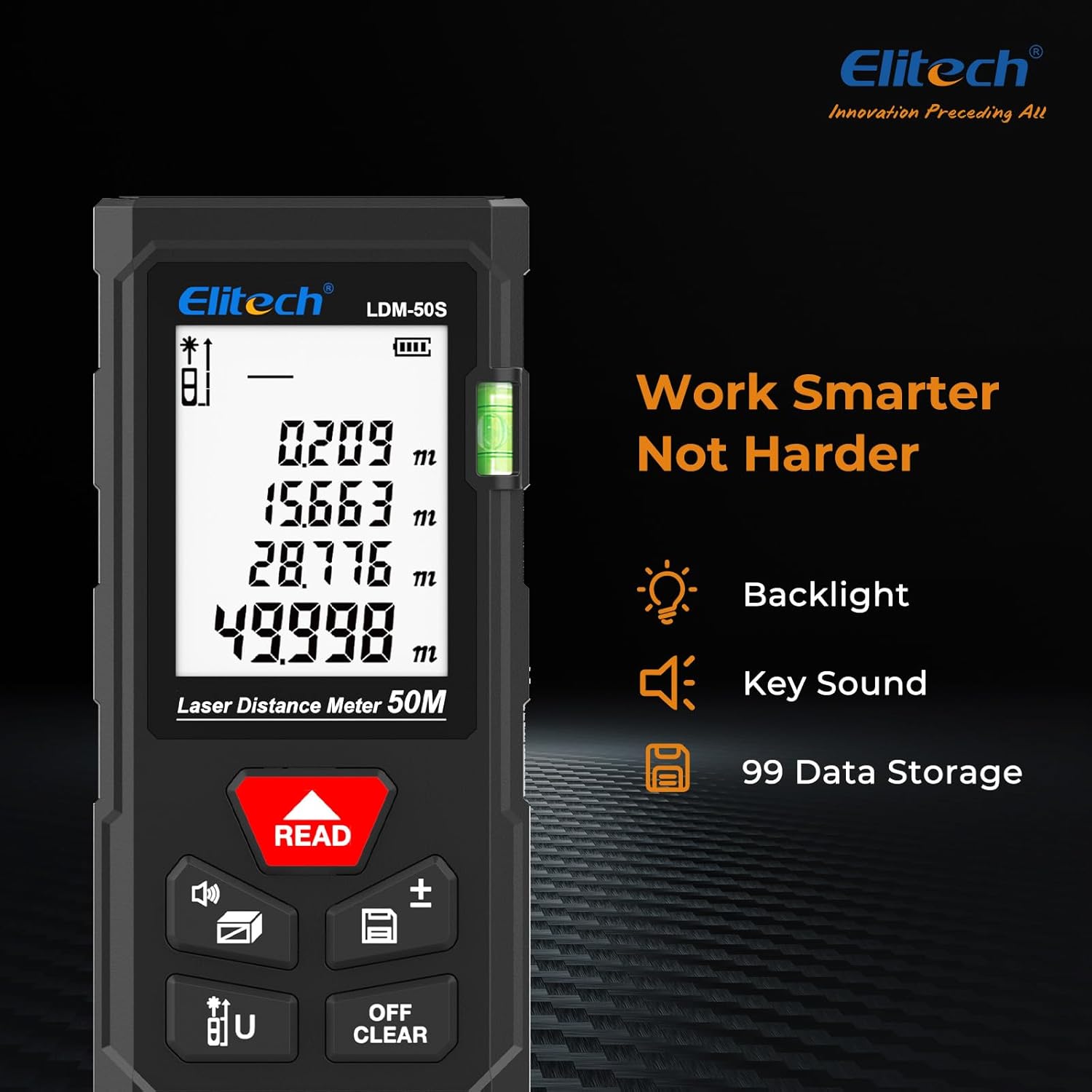
Image: Elitech LDM-50S display, showing backlight, key sound indicator, and data storage icon.
6. Mantenimiento
6.1 Limpieza
- Limpie el dispositivo con un paño suave, damp Paño. No utilice limpiadores abrasivos ni disolventes.
- Limpie cuidadosamente la lente láser con un paño suave y sin pelusa para garantizar mediciones precisas.
6.2 Almacenamiento
- Store the device in its original box or a protective case when not in use.
- Retire las baterías si el dispositivo no se utilizará durante un período prolongado para evitar fugas.
- Conservar en un lugar seco, alejado de la luz solar directa y de temperaturas extremas.
7. Solución de problemas
If you encounter issues with your Elitech LDM-50S, refer to the table below for common problems and solutions:
| Problema | Posible causa | Solución |
|---|---|---|
| El dispositivo no enciende | Baterías bajas o agotadas; Instalación incorrecta de la batería | Replace batteries with new AAA alkaline batteries; Ensure correct polarity. |
| Medidas inexactas | Laser lens dirty; Incorrect reference point; Device needs calibration | Clean laser lens; Verify the correct measurement reference point is selected; Perform self-calibration. |
| El rayo láser no es visible | Device not powered on; Bright ambient light | Press READ button to activate laser; Use in lower light conditions or use a target plate. |
| La pantalla está oscura o ilegible | Low batteries; Extreme temperatures | Reemplace las baterías; opere dentro del rango de temperatura especificado. |
| Mensaje de error en la pantalla | Measurement out of range; Obstruction; Internal error | Ensure target is within 165ft (50m); Clear any obstructions; Power cycle the device. If error persists, contact support. |
8. Especificaciones
| Característica | Detalle |
|---|---|
| Modelo | LDM-50S |
| Rango de medición | 0.05 ma 50 m (0.16 pies a 165 pies) |
| Precisión de la medición | ±2 mm (±1/16 de pulgada) |
| Tiempo de medicion | Aprox. 0.5 segundos |
| Tipo de láser | Clase 2, 630-670 nm, <1 mW |
| Unidades de medida | m, cm, ft, in, ft+in (decimal and fractional) |
| Almacenamiento de datos | Hasta 99 registros |
| Apagado automático | Sí (para conservar la batería) |
| Tipo de batería | 2 pilas alcalinas AAA de 1.5 V |
| Material | Plástico de ingeniería ABS |
| Resistencia al polvo/agua | IP54 |
| A prueba de caídas | 1 m (3.3 pies) |
| Peso del artículo | Aprox. 5.3 onzas (150 g) |
| Dimensiones del paquete | Aprox. 6.3 x 3.54 x 1.46 pulgadas |

Image: Elitech LDM-50S displaying its precision (±2mm), range (50m), and laser type (Class 2).

Image: Elitech LDM-50S highlighting its robust construction with ABS engineering plastic, IP54 dust/water resistance, and 1m drop-proof capability.
9. Información de garantía
The Elitech LDM-50S Laser Distance Meter comes with a Garantía de 1 años Desde la fecha de compra. Esta garantía cubre defectos de materiales y mano de obra en condiciones normales de uso. No cubre daños causados por mal uso, accidentes, modificaciones no autorizadas ni mantenimiento inadecuado.
Conserve su comprobante de compra para reclamos de garantía.
10. Atención al cliente
For technical assistance, warranty claims, or any questions regarding your Elitech LDM-50S Laser Distance Meter, please contact Elitech customer support.
- Websitio: Visita la página oficial de Elitech website for FAQs, product information, and support resources.
- Correo electrónico/Teléfono: Refer to the contact information provided on the Elitech website or in your product packaging for direct support.
Elitech is headquartered in the USA and is committed to providing high-quality products and customer service.


