1. Introducción
This manual provides detailed instructions for the setup, operation, maintenance, and troubleshooting of your MOFII 2.4GHz Wireless Keyboard and Mouse Combo. This combo features a gradient color design with retro typewriter-style round keycaps, an ergonomic design with foldable stands, and anti-slip pads for comfortable use. It utilizes 2.4GHz wireless technology for a stable connection.
2. Contenido del paquete
- MOFII Wireless Keyboard
- MOFII Wireless Mouse
- USB Receiver (located inside the mouse battery compartment)
- Manual de usuario
- Cleaning Brush (for detachable keycaps)
3. Instrucciones de configuración
Siga estos pasos para la configuración inicial:
- Instale las baterías: The keyboard and mouse each require one AA battery (not included). Open the battery compartment on the underside of both the keyboard and mouse and insert the batteries, ensuring correct polarity.
- Localizar el receptor USB: El receptor USB se guarda en el compartimento de la batería del ratón. Retírelo con cuidado.
- Conectar el receptor: Plug the USB receiver into an available USB port on your computer (PC, laptop, desktop, etc.).
- Encendido: Encienda el teclado y el mouse utilizando sus respectivos interruptores de encendido (generalmente ubicados en la parte inferior).
- Conexión automática: The keyboard and mouse will automatically connect to your computer. No additional drivers are required for most operating systems.

The 2.4GHz wireless technology provides a stable and reliable connection up to 33 feet (10 meters) without latency.
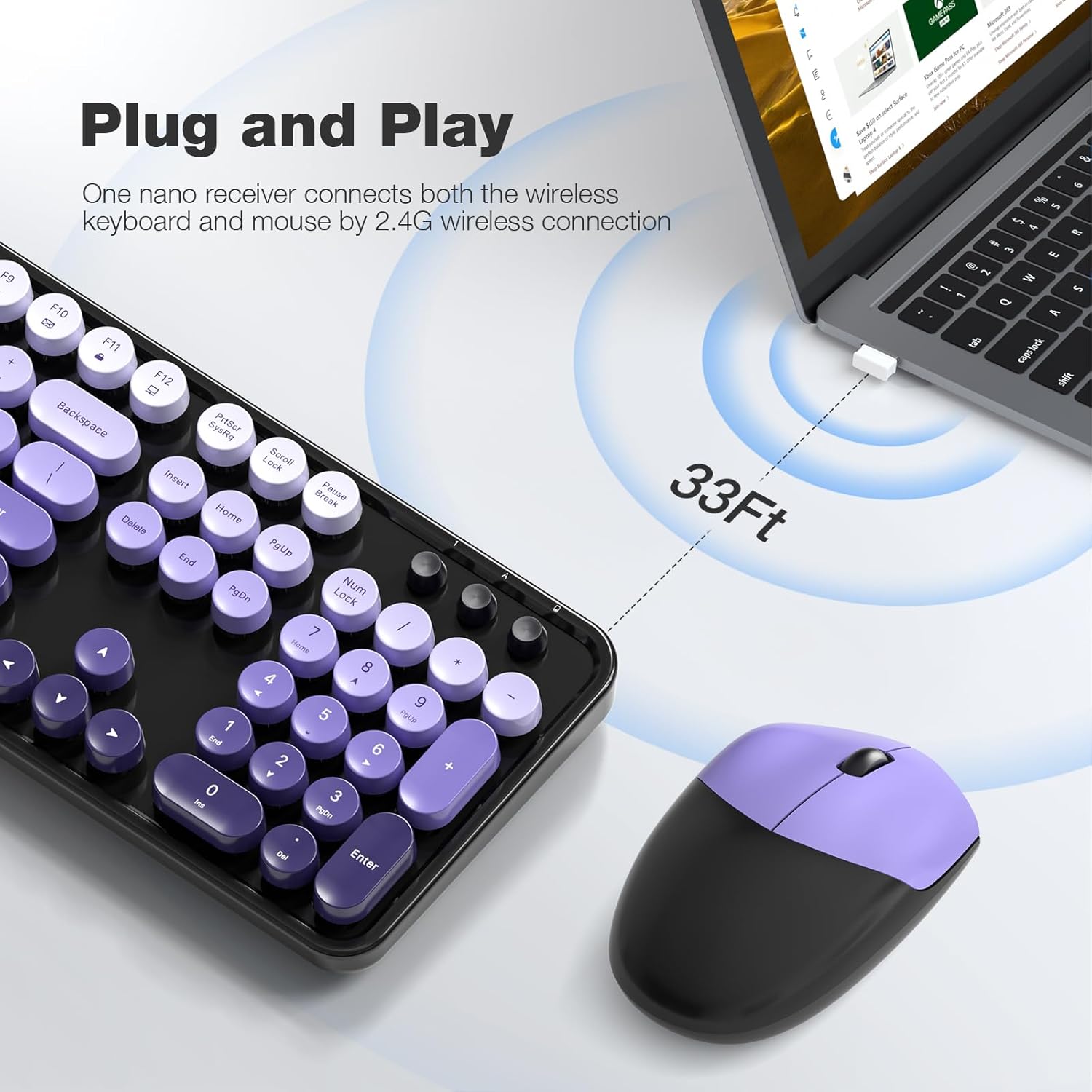
4. Instrucciones de funcionamiento
4.1 Características del teclado
- Diseño de tamaño completo: The 104-key layout includes a number pad for efficient data entry.
- Atajos multimedia: Utilize the 13 multimedia shortcuts (Fn + F1-F12) to control audio/video playback, volume, web navegación y correo electrónico.
- Diseño ergonómico: The keyboard features foldable stands on the underside to adjust the typing angle for improved comfort. Anti-slip pads prevent movement during use.

4.2 Modo de suspensión automática
To conserve battery life, both the keyboard and mouse are equipped with a smart auto-sleep function. If inactive for 5 minutes, they will automatically enter sleep mode. To wake them up, simply click any key on the keyboard or move the mouse.

5. Mantenimiento
5.1 Limpieza
The keyboard features detachable round keycaps, allowing for easy cleaning. Use the included cleaning brush to remove dust and debris from between the keys. For deeper cleaning, carefully remove the keycaps and clean the keyboard base and keycaps separately with a soft, damp paño. Asegúrese de que todas las piezas estén completamente secas antes de volver a montarlas.

5.2 Reemplazo de batería
When the keyboard or mouse stops responding or experiences intermittent connectivity, it may be time to replace the AA batteries. Open the battery compartment on the underside of the device, remove the old battery, and insert a new AA battery, observing the correct polarity. Close the compartment securely.
6. Solución de problemas
- No hay respuesta del teclado/ratón:
- Asegúrese de que las baterías estén correctamente instaladas y no agotadas. Reemplácelas si es necesario.
- Check if the power switch on both devices is in the 'ON' position.
- Verifique que el receptor USB esté conectado correctamente a un puerto USB que funcione en su computadora. Pruebe con otro puerto USB.
- Acerque el teclado y el mouse al receptor USB para descartar problemas de alcance.
- Conexión intermitente o con retraso:
- Reduzca la interferencia alejando otros dispositivos inalámbricos del receptor.
- Asegúrese de que no haya objetos metálicos grandes entre los dispositivos y el receptor.
- Reemplace las baterías si están bajas.
- Las teclas multimedia no funcionan:
- Asegúrese de presionar la tecla 'Fn' simultáneamente con la tecla de función deseada (F1-F12).
- Check your operating system settings for any conflicting hotkey configurations.
- El cursor del mouse salta o es impreciso:
- Asegúrese de que el sensor del mouse esté limpio y libre de polvo o residuos.
- Use the mouse on a suitable surface (e.g., a mouse pad) for optimal tracking.
7. Especificaciones
| Marca | Ministerio de Finanzas |
| Modelo | 2.4GHz Retro Typewriter Keyboard and Mouse Combo |
| Color | Black Purple Gradient Color |
| Tecnología de conectividad | 2.4 GHz inalámbrico (receptor USB) |
| Disposición del teclado | 104-Key Full-Size |
| Característica especial | Round Keycaps, Ergonomic Design, Auto-Sleep Mode, Multimedia Shortcuts |
| Dispositivos compatibles | Laptop, Personal Computer, Desktop, Notebook, Smart TV |
| Sistemas operativos compatibles | Windows 7/8/10/11/XP/Vista, Linux, Chrome |
| Fuente de poder | 1x AA Battery (Keyboard), 1x AA Battery (Mouse) - Pilas no incluidas |
| Peso del artículo | 3.2 onzas |
| Dimensiones del paquete | 17.76 x 5.43 x 3.03 pulgadas |
8. Garantía y soporte
For warranty information and technical support, please refer to the product packaging or contact MOFII customer service directly. Keep your purchase receipt for warranty claims.


