Introducción
The Razer BlackShark V3 X HyperSpeed is a wireless esports gaming headset designed for high-performance audio and clear communication across multiple platforms. This manual provides essential information for setting up, operating, maintaining, and troubleshooting your headset.
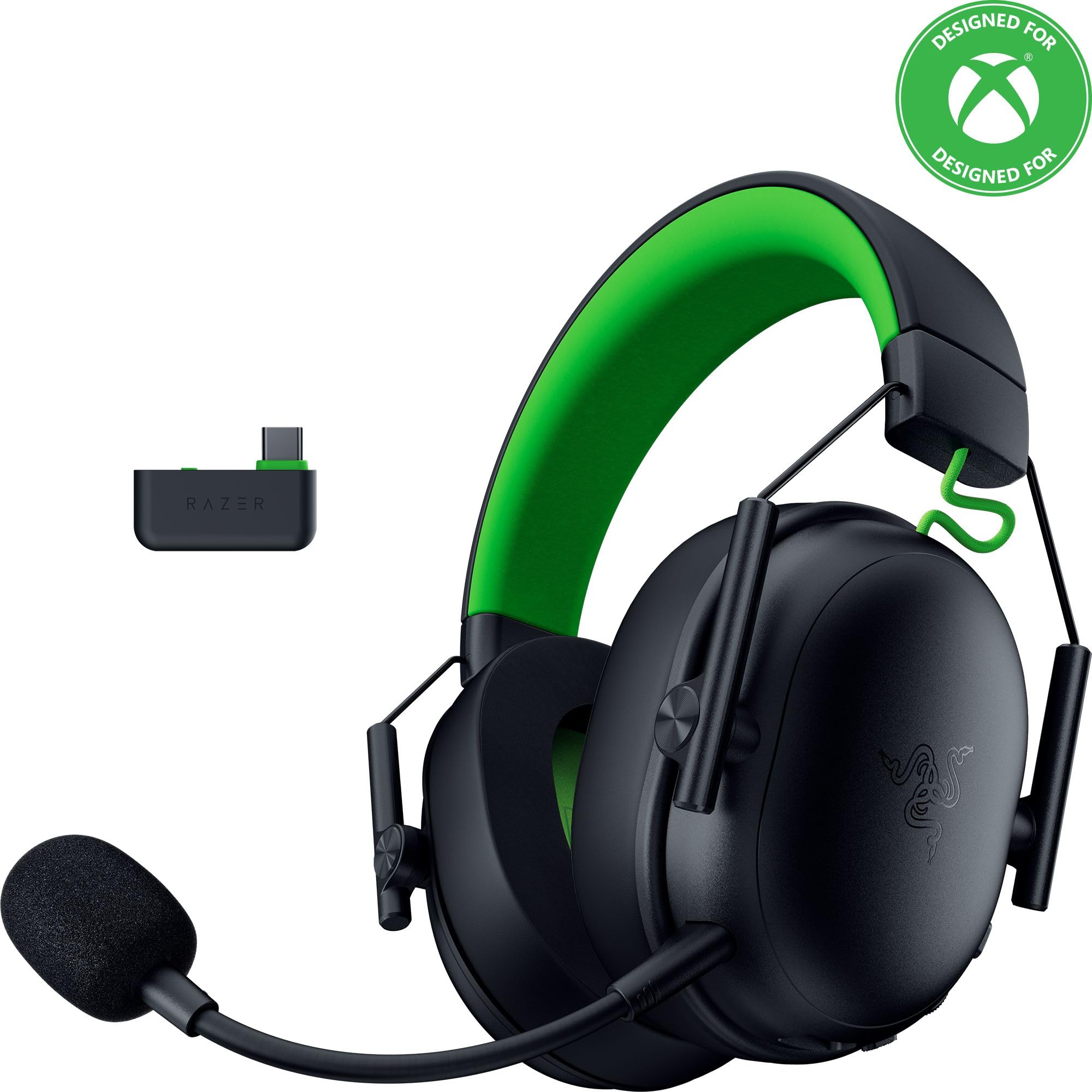
Image: The Razer BlackShark V3 X HyperSpeed Wireless Gaming Headset, showcasing su diseño y micrófono desmontable.
¿Qué hay en la caja?
Asegúrese de que todos los siguientes componentes estén presentes en su paquete:
- Razer BlackShark V3 X HyperSpeed Wireless Gaming Headset
- Adaptador inalámbrico USB tipo C Razer HyperSpeed
- Detachable Razer HyperClear Cardioid 9.9mm Mic
- USB Type A to Type C Cable (for charging and wired connection)
- USB Type A to Type C Adapter Cable
- Manual de usuario (este documento)

Image: The Razer BlackShark V3 X HyperSpeed headset on a stand next to its retail packaging, illustrating the product and its box.
Configuración
1. Cargar los auriculares
Before initial use, fully charge your headset using the provided USB Type A to Type C cable. Connect the USB-C end to the headset's charging port and the USB-A end to a powered USB port.
2. Conexión del micrófono
Insert the detachable Razer HyperClear Cardioid 9.9mm Mic into the microphone port located on the left earcup. Ensure it is securely connected.

Image: Close-up of the Razer BlackShark V3 X HyperSpeed headset showing the detachable HyperClear Cardioid microphone attached.
3. Opciones de conectividad
The headset supports three modes of connectivity: 2.4 GHz HyperSpeed Wireless, Bluetooth, and wired USB-C.
- 2.4 GHz HyperSpeed Wireless (PC, Mac, PS5, Nintendo Switch, Xbox Series X|S, Xbox One):
Insert the USB Type C Razer HyperSpeed Wireless Dongle into an available USB-C port on your device. If your device only has USB-A ports, use the provided USB Type A to Type C Adapter Cable. Ensure the switch on the dongle is set to 'USB' for PC/Mac/PS5/Switch or 'XBOX' for Xbox consoles. The headset will automatically connect. - Bluetooth (Smartphones, Tablets, Handheld Gaming Devices):
With the headset powered on, press and hold the power button until the LED indicator blinks blue, indicating pairing mode. On your device, search for and select "Razer BlackShark V3 X HyperSpeed" from the list of available Bluetooth devices. - USB-C con cable:
Connect the headset directly to your device using the USB Type A to Type C Cable. This mode provides audio and microphone functionality without relying on battery power.

Image: The Razer BlackShark V3 X HyperSpeed headset alongside its USB-C wireless dongle, illustrating the wireless connectivity component.

Image: A visual representation of the headset's three connectivity modes: 2.4 GHz Wireless, Bluetooth, and USB, highlighting its versatility.
Operación de los auriculares
1. Controles sobreview
Los auriculares cuentan con controles intuitivos ubicados en los auriculares:
- Botón de encendido: Press and hold to power on/off. Single press to switch between 2.4 GHz HyperSpeed Wireless and Bluetooth modes.
- Botón de silencio del micrófono: Presione para silenciar o reactivar el micrófono.
- Rueda de volumen: Ajusta el volumen general del audio.
- Rueda de monitoreo de micrófono: Adjusts the volume of your own voice heard through the headset (sidetone).

Imagen: Lateral view of the Razer BlackShark V3 X HyperSpeed headset, highlighting the location of the power button, volume wheel, and mic mute button.
2. Calidad de audio y características
- Razer TriForce 50mm Drivers Gen-2: Experience powerful, clear audio with enhanced positional accuracy for competitive gaming.
- Razer HyperClear Cardioid 9.9mm Mic: The detachable microphone features a unidirectional pickup pattern to focus on your voice and minimize background noise.
- Sonido envolvente: Enjoy immersive surround sound with Windows Sonic on Xbox and 7.1 Surround Sound on PC for precise audio cues.

Imagen: Una explosión view of the Razer TriForce 50mm Drivers Gen-2, illustrating their internal components for powerful and clear audio.

Image: The Razer BlackShark V3 X HyperSpeed headset surrounded by sound waves, representing its advanced surround sound capabilities for Xbox and PC.
3. Comodidad y diseño
Weighing just 270g, the headset is designed for extended gaming sessions with plush memory foam cushions and a fatigue-free design.

Image: The Razer BlackShark V3 X HyperSpeed headset with an icon representing its ultra-lightweight design, emphasizing comfort for long gaming sessions.
4. Vídeo oficial del producto
Video: An official product video from Razer showcasing the BlackShark V3 headset line, highlighting its features and design for esports performance.
Mantenimiento
1. Limpieza
- Utilice un paño suave y seco para limpiar las superficies de los auriculares.
- For earcups, gently wipe with a damp Paño y jabón suave si es necesario, luego séquelo completamente. Evite la humedad excesiva.
- No utilice productos químicos agresivos ni materiales abrasivos.
2. Almacenamiento
- Guarde los auriculares en un lugar fresco y seco, alejado de la luz solar directa y de temperaturas extremas.
- Cuando no esté en uso, considere colocarlo en un soporte para auriculares para mantener su forma y evitar daños.
Solución de problemas
Sin audio/mala calidad de audio
- Comprobar volumen: Asegúrese de que la rueda de volumen de los auriculares esté subida.
- Conectividad: Verify the headset is correctly connected via 2.4 GHz dongle, Bluetooth, or USB-C. For 2.4 GHz, ensure the dongle switch is set to the correct platform (USB/XBOX).
- Configuración de dispositivo: Confirm the headset is selected as the default audio output device in your computer's or console's sound settings.
- Reparar: For wireless connections, try re-pairing the headset with your device.
El micrófono no funciona
- Marcar silencio: Ensure the mic mute button on the headset is not activated.
- Mic Connection: Verify the detachable microphone is securely inserted into the port.
- Configuración de dispositivo: Confirm the headset microphone is selected as the default input device in your computer's or console's sound settings.
- Monitoreo de micrófono: Adjust the mic monitoring wheel to hear your own voice, confirming mic functionality.
Problemas de conectividad
- Interferencia: Aléjese de otros dispositivos inalámbricos que puedan causar interferencias.
- Rango: Ensure you are within the effective range of the wireless dongle or Bluetooth connection.
- Dongle Switch: Double-check that the switch on the USB-C dongle is set to the correct position (USB for PC/Mac/PS5/Switch, XBOX for Xbox).
La duración de la batería es más corta de lo esperado
- Cargando: Asegúrese de que los auriculares estén completamente cargados antes de usarlos.
- Uso: High volume levels or continuous use of certain features can reduce battery life.
Presupuesto
| Nombre del modelo | BlackShark V3 X HyperSpeed |
| Número de modelo | RZ04-05420200-R3U1 |
| Tecnología de conectividad | Bluetooth, USB, 2.4 GHz Wireless |
| Tipo de controlador de audio | Dynamic Driver (Razer TriForce 50mm Drivers Gen-2) |
| Respuesta de frecuencia | 12 Hz - 28 kHz |
| Sensibilidad | 106 dB |
| Micrófono | Detachable Razer HyperClear Cardioid 9.9mm Mic |
| Control de ruido | Aislamiento de sonido |
| Dispositivos compatibles | Xbox Series X|S, Xbox One, PS5, PS4, PC, Mac, Nintendo Switch, Smartphones, Tablets |
| Peso del artículo | 270 grams (without mic) |
| Baterías | 1 batería de iones de litio (incluida) |
| Versión de Bluetooth | 5.3 |
Garantía y soporte
Para obtener información sobre la garantía, soporte técnico o más ayuda, visite el soporte oficial de Razer. webSitio. Conserve su comprobante de compra para reclamaciones de garantía.
Soporte en línea: www.razer.com/support


